
Pikmin 3 Guide Essentials Progressing the Story
Progressing the Story
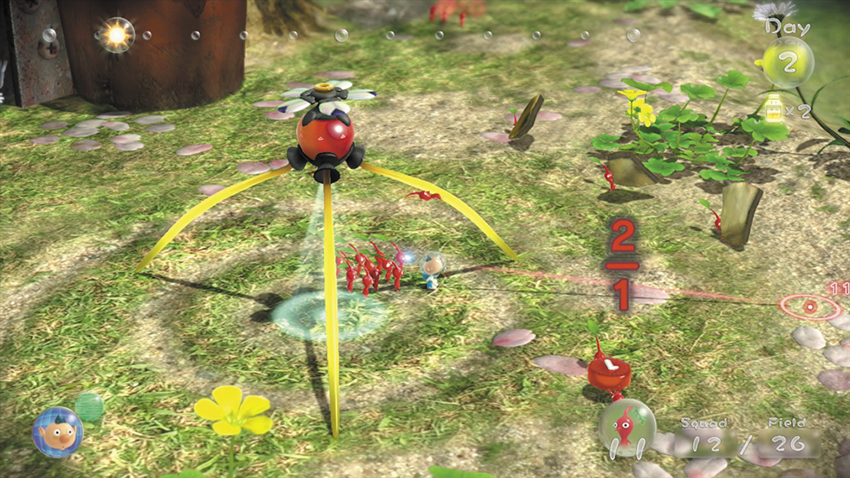
The Story takes place over an undetermined number of days. The first day ends when you complete the Story’s initial tutorial—each subsequent day lasts for a fixed amount of time. The Sun Meter at the top of the screen indicates the amount of time remaining in the day. Over the course of each day, you’re free to explore accessible areas, expand your Pikmin population, collect useful items, and complete important objectives.
At the end of each day, your crew consumes one canister of juice. Collect fruit to maintain your juice supply and ensure you have enough time to complete the Story.
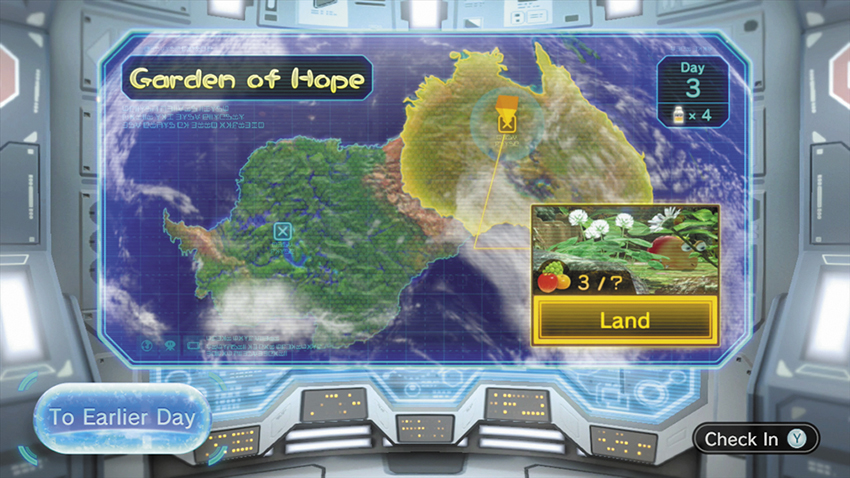
At the start of each day, you must choose an area to explore. The ship’s computer automatically selects the location of your next key objective, but you’re free to change your destination to any accessible landing site. As you complete key objectives, you’ll be able to select new areas to explore. During area selection, press
 to check in with your crew. This allows you to observe the crew members as they discuss their current situation.
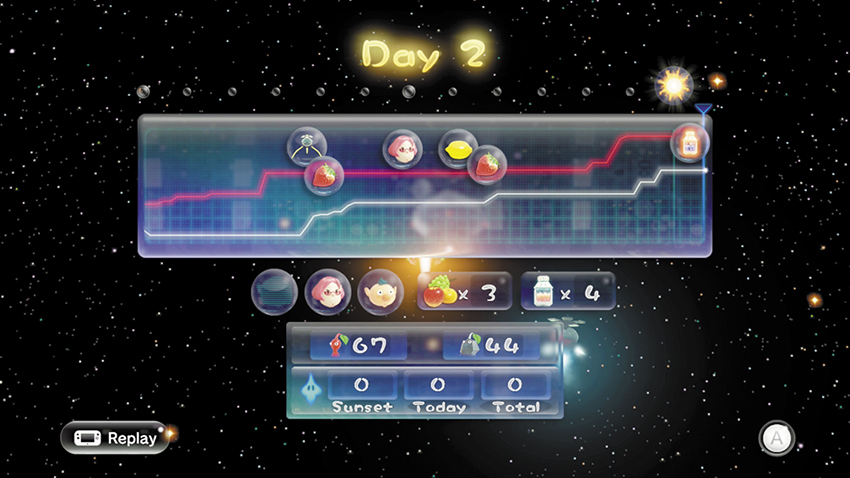
At the end of each day, you receive a summary of your performance. The chart at the top of the screen tracks any changes in your Pikmin population, as well as the items you collected throughout the day. The bottom half of the screen details the overall status of your crew, collected fruit, juice supply, and Pikmin population. Consider all of this information as you prioritize your objectives for the following day.
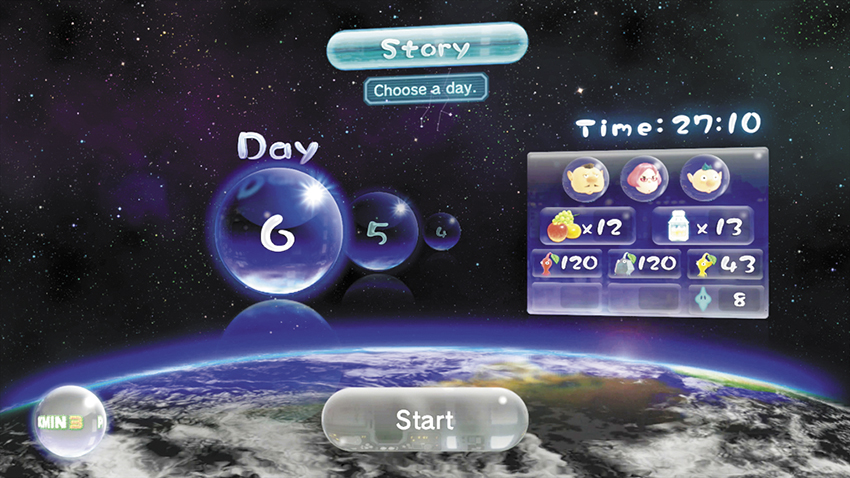
As you play through the Story, the game automatically saves your progress at the end of each day. If a situation seems hopeless (or if you’re simply not satisfied with your overall performance), select an earlier day to replay all of the content that followed that point in the game’s Story.