
Xenoblade Chronicles X Guide A Primer for Prospective Citizens of Mira
Who Are You?
Your avatar in Xenoblade Chronicles X is made up of several things—looks, statistics, numbers, items, and, of course, your winning personality. That’s a lot to take in, however, so let’s look at all of these one by one.
Express Yourself
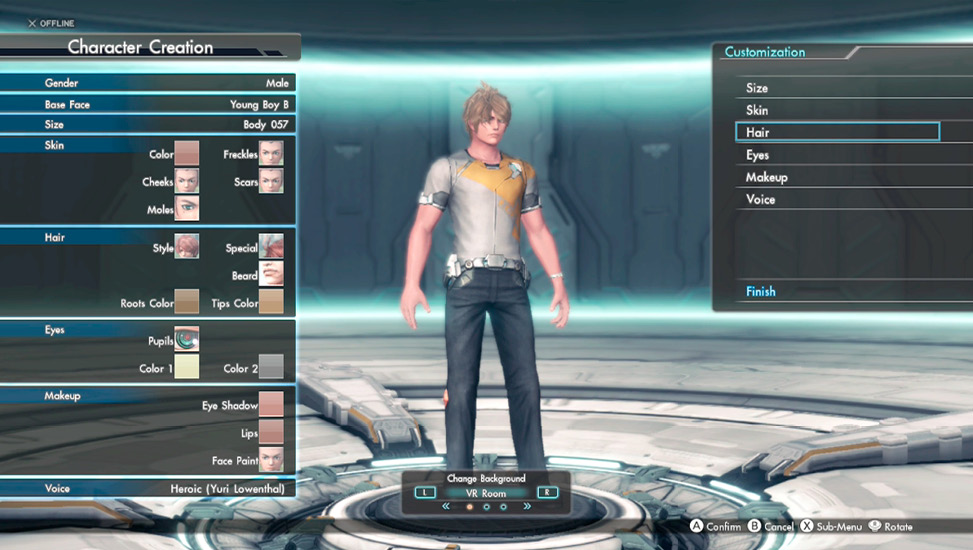
When you first start the game you can create a character to represent yourself as an avatar and the story’s main protagonist. You’re able to adjust such aspects of your avatar as your skin tone, voice, and hair and eye color.
You can save up to five avatar appearances with the Save & Load menu. You can also view the character from various camera angles and with different backgrounds.
Finally, when you first start the game, you can name your character. You cannot change that name once it’s set and saved and the game has begun, so choose wisely!
You in Pictures
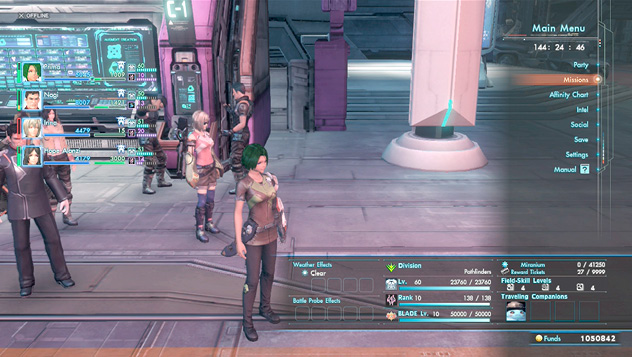
Press (+) during normal gameplay and a screen gives you all sorts of information about your character and your current environment.
Weather Effects
The screen shows the current weather, along with any buffs or debuffs granted from it.
EXP Lv.
Your current level, pertaining to your base stats. You can check your current EXP and see how much more you need to reach the next level. Levels max out at 60.
Class Rank
Check how much class EXP you have here, as well as how much you need to reach the next class rank. Class ranks max out at 10, and this meter resets to zero when you migrate to a new class.
Field Skill Levels
There are three levels: mechanical, biological, and archaeological. Increase your BLADE rank to increase each of these levels by 1 and gain the ability to open sufficiently ranked treasure boxes.
Traveling Companions
Portraits of companions temporarily traveling with your party are shown here. This usually happens during missions when you have to escort involved parties—but seeing as Lin and Tatsu are a pair, you should also expect to see his mug in this section a lot.
Battle Probe Effects
Later into the game you receive battle probes that provide buffs to your party. If you’re in the field of a probe’s effects you’ll see it here.
Division
The BLADE division you belong to.
Blade Lv.
This shows your current BLADE level, as well as your division points and how many of those points you need to reach the next BLADE level.
Miranium
Miranium is a precious resource mined by planting FrontierNav probes. This shows how much you currently have and how much you can hold.
Reward Tickets
This indicates the number of reward tickets that you have and how many you can hold. Reward tickets are achieved through activities such as squad missions (see the Social chapter for more details). Increase your BLADE level to be able to hold more!
You in the Numbers
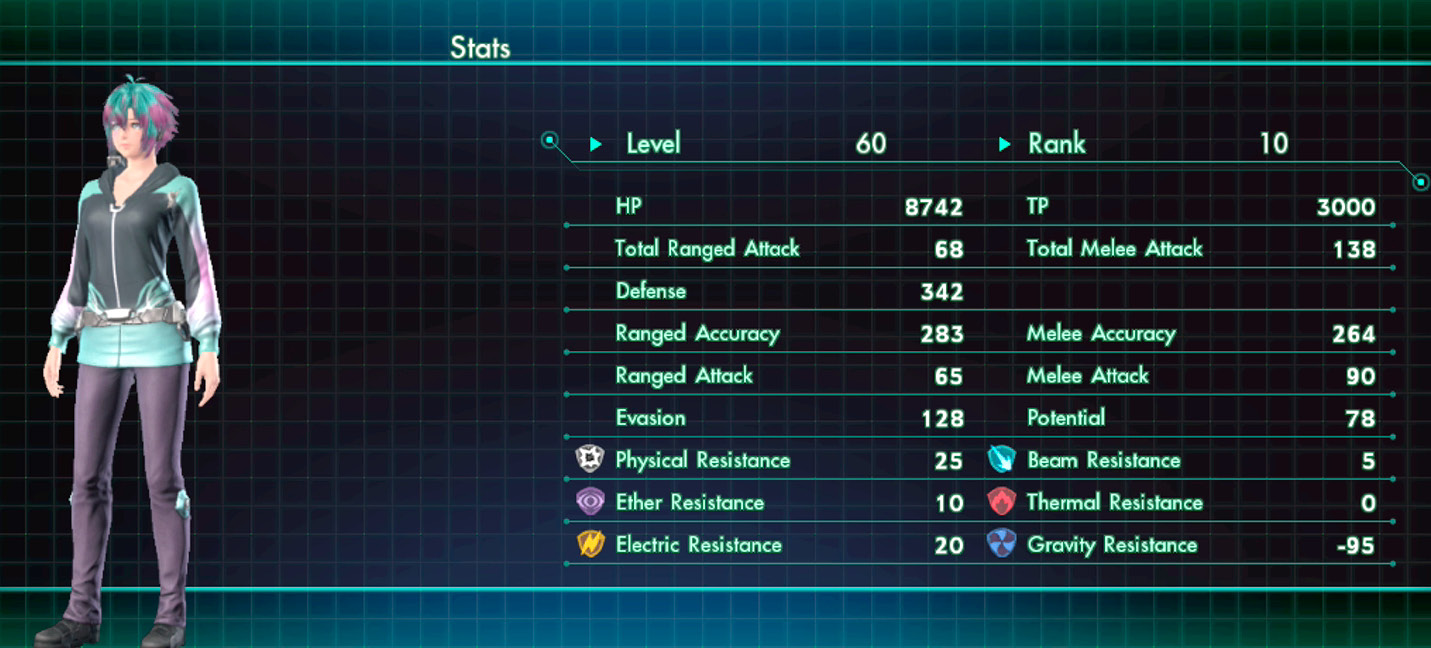
Your stats make up your character and play a great part in dictating how well you can potentially do in combat. You can influence these numbers with ground gear, Skills, and Arts.
The statistics used in this game are as follows:
| HP | The character’s hit points. When these reach 0 in battle, the character becomes incapacitated. |
| TP | The character’s tension points. Accumulating 1,000 allows the use of Arts that require TP. Accumulating 3,000 allows for the use of Overdrive, Skell Overdrive, and reviving characters in battle. |
| Total Ranged Attack | The total sum of the character’s Ranged Attack plus the Attack Power of their ranged weapon. |
| Total Melee Attack | The total sum of the character’s Melee Attack plus the Attack Power of their melee weapon. |
| Defense | The sum total of a character’s defensive potential. |
| Ranged Accuracy | Affects the chance of the character’s Ranged Attack hitting their opponent. |
| Melee Accuracy | Affects the chance of the character’s melee attack hitting their opponent. |
| Ranged Attack | The character’s base ranged attack potential. |
| Melee Attack | The character’s base melee attack potential. |
| Evasion | Affects the chance of being able to avoid enemy attacks. |
| Potential | Affects the amount of HP recovered by Soul Voices and Arts, as well as the damage dealt by Arts that use TP. |
| Physical Resistance | Resistance to physical-type attacks. |
| Beam Resistance | Resistance to beam-type attacks. |
| Ether Resistance | Resistance to ether-type attacks. |
| Thermal Resistance | Resistance to thermal-type attacks. |
| Electric Resistance | Resistance to electric-type attacks. |
| Gravity Resistance | Resistance to gravity-type attacks. |
Outside of TP, the game’s enemies have these stats as well. You can use this information to your advantage, especially in terms of attribute resistances.
Worldly Possessions
You can hold on to all sorts of things in Xenoblade Chronicles X, and they all show up in your Inventory menu. Your Inventory is broken down into the following categories:
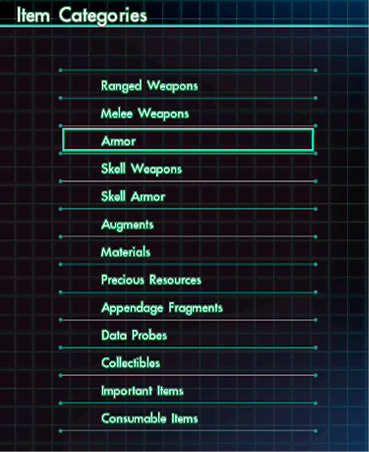
| Ranged Weapons | Equipment that allows a party member to attack at range. |
| Melee Weapons | Equipment that allows a party member to attack up close. |
| Armor | Equipment that affects a party member’s defensive capabilities. |
| Skell Weapons | Equipment that affects a Skell’s offensive capabilities. |
| Skell Armor | Equipment that affects a Skell’s defensive capabilities. |
| Augments | Items that can be slotted into equipment to enhance their abilities. |
| Materials | Materials salvaged from enemy battles. |
| Previous Resources | Resources mined from FrontierNav probe sites on Mira where data probes have been planted. |
| Appendage Fragments | Pieces of appendages broken from enemies and/or indigens. |
| Data Probes | Various types of data probes that can be planted at FrontierNav probe sites. |
| Collectibles | Items picked up around Mira. These can be filed into the Collectopedia. |
| Important Items | Items picked up that are important to missions. These cannot be sold. |
| Consumable Items | Items that can be used in battle. They are obtained from division rewards. Refer to the Social chapter of this guide for more information. |
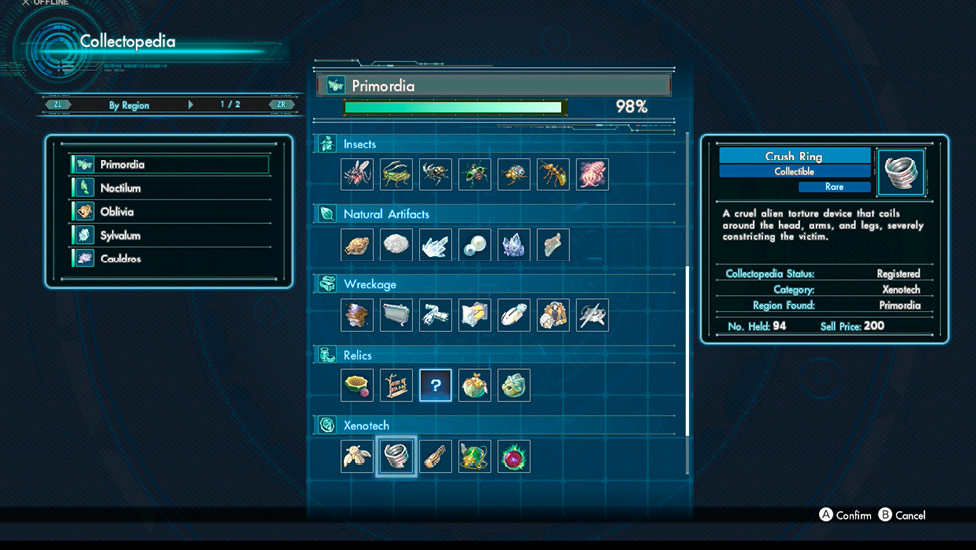
Collectopedia
Meanwhile, all of the collectible items on Mira can be registered into the Collectopedia. If the box reads “OK,” then you’re good to register! The more items you register, the more and greater rewards you accrue:
| Lucky Panel | Add an item to a panel with a star icon on it and you’ll receive some battle points. |
| Row Complete | Battle points and a holofigure await you for completing an entire row for a region. |
| Category Complete | You’ll receive battle points for completing an entire category for all continents. |
| Region Complete | You’ll receive battle points and a data probe for completing all items for a region. Explore everywhere! |
|
For a complete list of collectibles you can place into the Collectopedia, as well as their locations, check the Collectibles section of this guide’s Data chapter. |
Making Friends
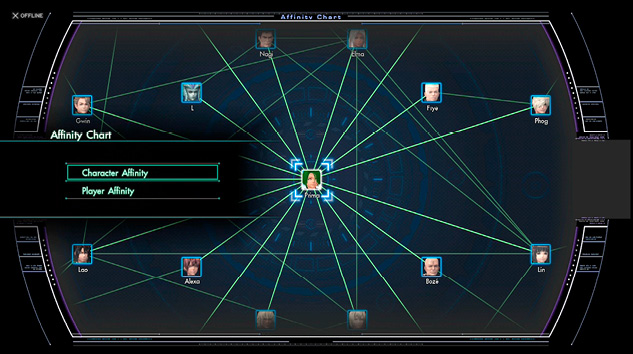
Affinity refers to the relationships between characters, whether it be between you and other characters or other characters and each other. You can view these connections in the Affinity Chart menu. Highlight any character to get a glimpse of their relationships.
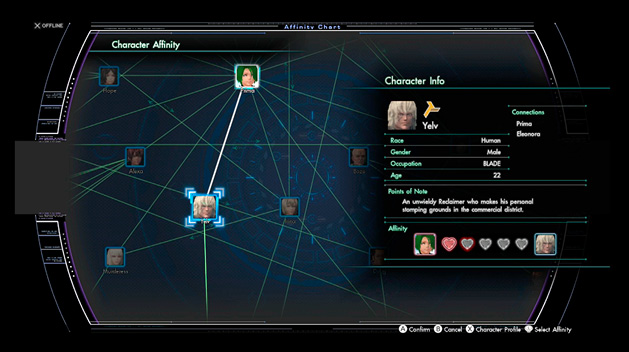
If the relationship is between you and another playable party member, your Affinity level is displayed in hearts. You can increase Affinity hearts by having these characters in your party and then successfully activating Soul Voices with them, completing missions, or responding to dialogue questions in ways that line up with that party member’s personality.
If you gain enough Affinity between yourself and a character, you can trigger a heart-to-heart special event. For locations and requirements of these special events, check the Segment Contents section of the Data chapter.
Social Functions
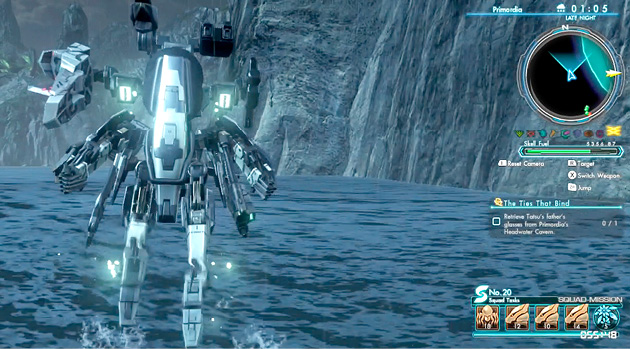
Xenoblade Chronicles X comes equipped with a robust online component that allows you to passively enjoy adventuring on planet Mira with people from all around planet Earth. You can take on specialized missions, rally behind your BLADE divisions, and earn special rewards that would take far more time to earn in the game’s single-player mode alone.
For an in-depth look at the game’s social components, check the Social chapter of this guide.
Doing Great Works
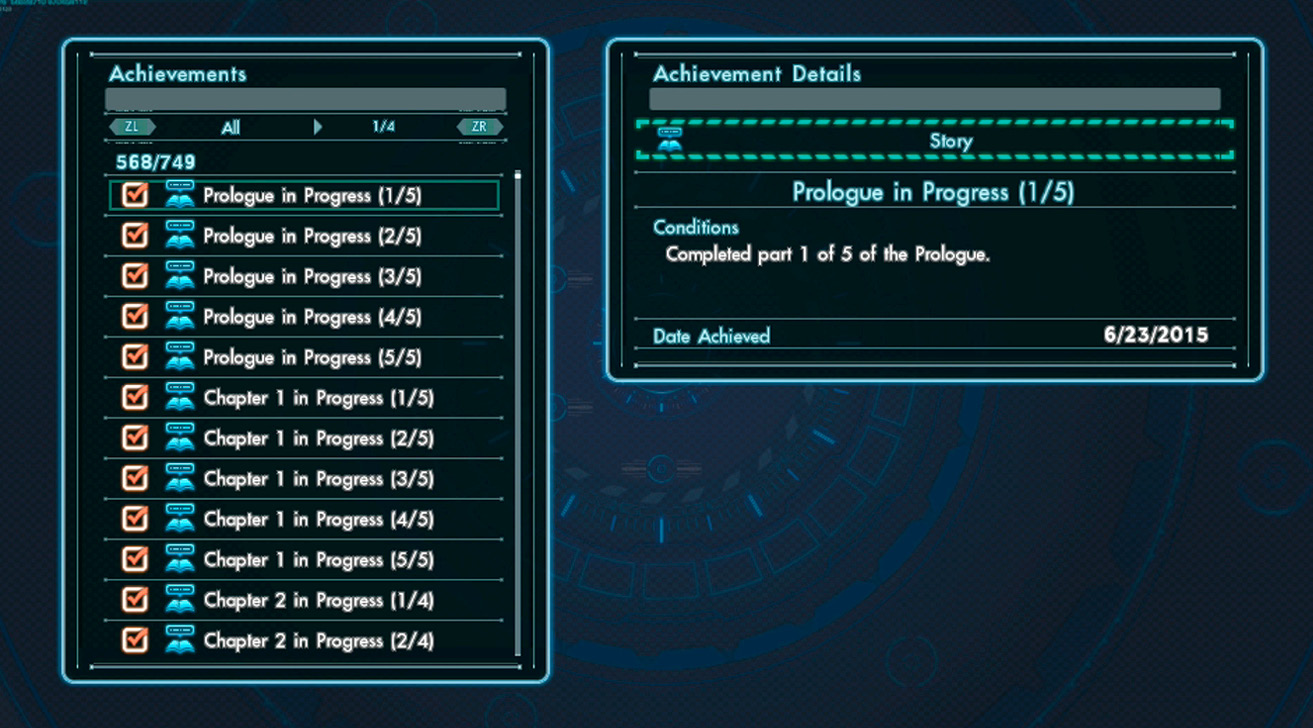
Achievements are different progress milestones scattered throughout the game that provide bragging rights and reasons to cheer your friends on! For a complete list of Achievements, check the Achievements section in this guide’s Data chapter.