
Prima Games eGuides
primagames.com Browse Redeem a code Help
Xenoblade Chronicles X eGuide
Sign in My Guides

Sign in or create an account

We'll email you a link. No password needed, and if you don't have an account yet, the link makes one.

By creating an account or signing in, you agree to our Terms of Service and Privacy Policy.

Have a password?

Had an account on the old eGuides site, or a code from a printed guide? Help and troubleshooting

Sign in with a password

By signing in, you agree to our Terms of Service and Privacy Policy.

Check your email

A sign-in link is on its way. It works once and expires in 15 minutes. Open it and you're in, with an account if you didn't already have one.

Contents

  • Changelog
    • Updates
  • Now Approaching Planet Mira
    • Foreword
    • See You in 40 Years
    • What Is Xenoblade Chronicles X?
    • Info for Veterans of Xenoblade Chronicles
  • A Primer for Prospective Citizens of Mira
    • Main Menu and Basic Functions
    • Who Are You?
    • Welcome to Blade
    • Seeing the World
    • Dressing the Part
    • Battle Meta
    • Combat Flow
    • Skells: Take It Up a Notch
  • The World of Mira
    • Introduction
    • New Los Angeles
    • Mira
  • Characters
    • The Player Character
      • The Player Character
      • Player Character Soul Voices
    • Party Members
      • Party Members
      • Alexa
      • Bozé Lowes
      • Celica
      • Doug
      • Elma
      • Frye
      • Gwin
      • H.B.
      • Hope Alanzi
      • Irina
      • L
      • Lao
      • Lin
      • Mia
      • Murderess
      • Nagi
      • Phog Christoph
      • Yelv
  • The Miran Unification Quest
    • The Miran Unification Quest
    • Prologue: Awakening
    • Chapter 1: New Los Angeles
    • Chapter 2: The New Frontier
    • Chapter 3: Builders of a Legacy
    • Chapter 4: The Ganglion Menace
    • Chapter 5: Ma-non Maneuvers
    • Chapter 6: Dark Matters
    • Chapter 7: Treachery
    • Chapter 8: The Gathering Storm
    • Chapter 9: Warriors of Wroth
    • Chapter 10: The Zu Pharg Menace
    • Chapter 11: Consequences
    • Chapter 12: Into the Core
    • Affinity Missions
      • Affinity Missions
      • A New Rival?
      • We Were Soldiers
      • Foggy Dilemma
      • The Repair Job
      • Meeting Yelv
      • Renewed Will
      • The Ties That Bind
      • A Day in the Life
      • Weaponized
      • A Friend in Need
      • Bottoms Up
      • The Mad Monk
      • Close Comrades
      • Nine Lives
      • Hope Springs Eternal
      • BFFs
      • My Dream
      • A False Hope
      • The Matchmaker
      • Arms and the Man
      • Spy Games
      • Bozé's Way
      • A Great Divide
      • Soldier of the Harriers
      • Nagis Time
      • The King of Fear
      • A Girls Wings
      • Blitzkrieg
      • Manhunt
      • Prospective Partners
      • What the Skell?!
      • Bozé's Ignorance
      • Climbing the Ladder
      • Ls Conundrum
      • The Little Rich Girl
      • Boot Camp
      • Reporting for Duty
      • A Challenger Approaches
      • A Present for Hope
      • New in New LA
      • Brotherly Love
      • Fitting In
      • Two Peas in a Pod
      • The Nopon Heir
      • Fathers and Sons
      • Rapid Misfire
      • Yelvs Partner
      • Lionhearted
      • To Serve Nopon
      • Mia Grows Up
      • Serial Thriller
      • Then and Now
    • Normal Missions
      • Normal and Basic Mission Index
      • Normal Missions
    • Basic Missions
      • Basic Missions
  • Data
    • Secret Files
      • Character-Yielding Missions At A Glance
      • Arms Manufacturer-Yielding Missions At A Glance
      • Exclusive Art-Yielding Missions At A Glance
      • Branching Missions
      • About Definian Downfall
      • Off The Record
      • The Skell License Exam
      • Rise of the Blood Lobster
      • Trade Agreement
    • Missions at a Glance
      • Story Missions
      • Affinity Missions
      • Normal Missions
      • Basic Missions: Bounty
      • Basic Missions: Gathering
      • Basic Missions: Social
    • Map Segment Contents
      • New Los Angeles
      • Primordia
      • Noctilum
      • Oblivia
      • Sylvalum
      • Cauldros
    • FrontierNav Connections and Data
      • Rare Resources
      • FrontierNav Site Data
    • Collectotopedia
      • Primordia
      • Noctilum
      • Oblivia
      • Sylvalum
      • Cauldros
    • Collectopedia Locations
      • Primordia
      • Noctilum
      • Oblivia
      • Sylvalum
      • Cauldros
    • Achievements
      • Story Achievements
      • World Achievements
      • Combat Achievements
    • Enemy Index
      • Enemy Categories
        • Theroids
        • Insectoids
        • Piscinoids
        • Humanoids
        • Mechanoids
        • Chmeroids
        • Ultrafauna
      • Enemies (Alphabetical)
        • A
        • B
        • C
        • D
        • E
        • F
        • G
        • H
        • I
        • J
        • K
        • L
        • M
        • N
        • O
        • P
        • Q
        • R
        • S
        • T
        • U
        • V
        • W
        • X
        • Y
        • Z
  • Social Functions
    • Overview
    • Squads
    • Scouting BLADEs
  • Shop Terminal Listings
    • Ground Gear: Weaponry
      • Assault Rifles
      • Longsword
      • Sniper Rifles
      • Javelins
      • Dual Guns
      • Dual Swords
      • Gatling Guns
      • Shields
      • Rayguns
      • Knives
      • Psycho Launchers
      • Photo Sabers
    • Ground Gear: Armor
      • Head Armor
      • Torso Armor
      • Left Arm
      • Right Arm
      • Leg Armor
    • Skell Gear: Armor
      • Head Armor
      • Torso Armor
      • Arm Armor
      • Leg Armor
    • Shop Terminal Listing
      • Skell Frames
    • Skell Gear: Weaponry
      • Sidearms
      • Back Weapons
      • Shoulder Weapons
      • Arm Weapons
      • Spare Weapons
  • AM Terminal Listings
    • Weapon Augments
      • Stat Increase
      • Weapon Customization
      • Critical Hits
      • Enemy Category
      • Attack Increase
      • Art Mods
      • Soul Voice
      • Special
    • AM Terminal Listings
      • Corporations
    • Skell Armor Augments
      • Stat Increase
      • Attribute Resistance
      • Debuff Resistance
      • Antidamage Measures
      • Special
      • Anticlimate Measures
    • Armor Augments
      • Stat Increase
      • Skell Enhancement
      • Attribute Resistance
      • Debuff Resistance
      • Antidamage Measures
      • Overdrive
      • Art Mods
      • Soul Voice
      • Special
      • Anticlimate Measures
    • Skell Weapon Augments
      • Stat Increase
      • Weapon Customization
      • Critical Hits
      • Enemy Category
      • Attack Increase
      • Art Mods
      • Special
    • Skell Frame Augments
      • Stat Increase
      • Fuel
      • Debuff Resistance
      • Attack Increase
      • Antidamage Measures
      • Overdrive
      • Special

Xenoblade Chronicles X Guide › A Primer for Prospective Citizens of Mira

Main Menu and Basic Functions

To survive on planet Mira, you’ll need the help of friends, businesses, and technology. Your own personal skills need to be up to the task as well. From surviving in the wilds to surviving the ranks of BLADE, read on to be prepared for any situation.
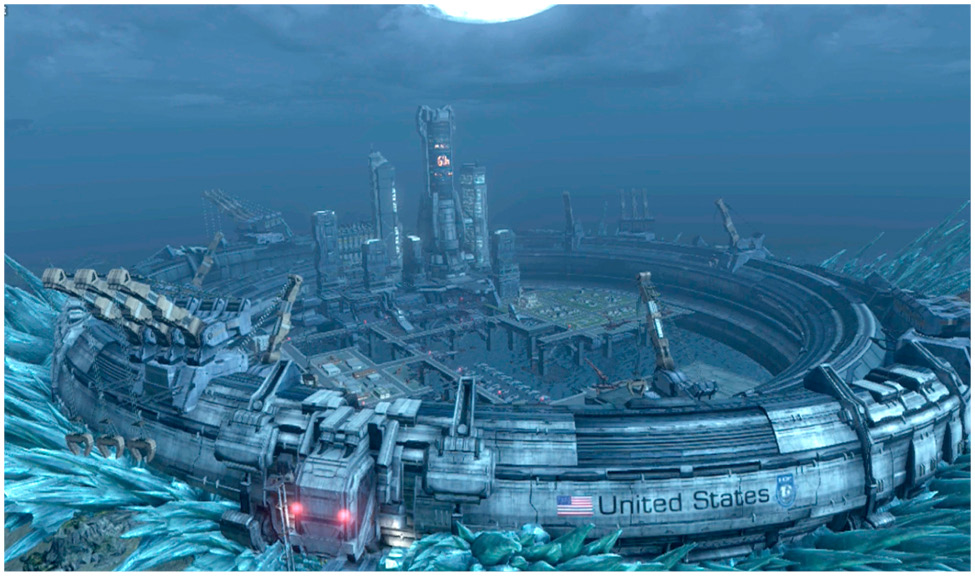
Title Menu

From the title screen, you can access these options.

New Game

Starts a new game from the beginning. You’ll configure your game settings to your liking from the outset, then create an avatar for your player character before starting the game.

Continue

Continue the previously saved game. (You only get one slot for saved games.)

Settings

Configure game settings. More on this can be found in the Main Menu section.

Nintendo eShop

Connect to the Nintendo eShop.

Main Menu
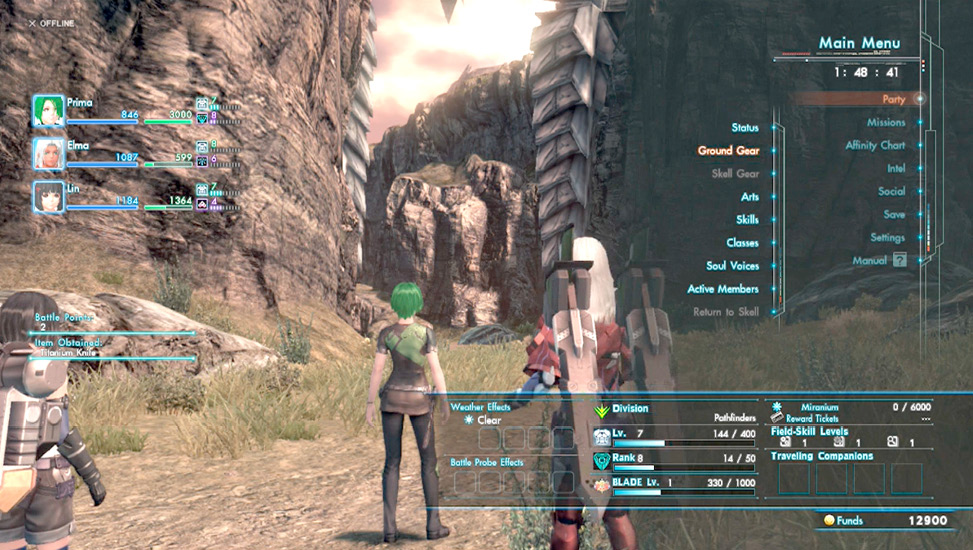
You can access the main menu by pressing (+) during gameplay. The main menu gives you a wealth of control and information regarding your status and progress.

Party

Status

View a rundown of character stats.

Ground Gear

View and change a party member’s ground gear, such as armor and equipment.

Skell Gear

View and change the gear/equipment belonging to the Skells of party members.

Arts

View, equip, and upgrade a character’s Arts.

Skills

View and upgrade a character’s equipped and available Skills.

Classes

View and modify the player character’s current and possible classes.

Soul Voices

View and customize the player character’s available Soul Voices. You can also view your party’s Soul Voices.

Active Members

Shift and remove members from your active party in this menu. The character in the top slot on the left is the character you play as.

Return to Skell

Once you have a Skell, you can use this option to warp back to where you parked your Skell and board it automatically.

Missions

Check mission descriptions and requirements, and set missions as navigation targets.

Affinity Chart

View the relationships between every character in the game, including how well they get along with one another.

Intel

Inventory

Check on your items here.

Info

The Info menu contains information learned from the people of Mira. Use this to uncover the planet’s secrets and increase your survey rate by acting upon this information.

Achievements

View the Achievements you’ve accomplished and have yet to accomplish during the game.

Enemy Index

Once you encounter an enemy, you’ll see it listed here. After you defeat an enemy, you can see its stats, strengths and weaknesses, and what items it’s capable of dropping (so long as they’ve been dropped for you at least once).

Collectopedia

A list of the collectible items you’ve added to the Collectopedia.

Social

This set of menus is all about the various online functions in the game. You can view information about players you’ve met, join or change your squad, see rankings, or edit your personal greetings. Refer to the Social chapter of this guide for more details.

Save

Saves the game. You can save your progress at any time except during a battle or an event. Only one game-save file can be created per user.

Settings

Here you can change game settings pertaining to the camera, system hardware, user interface, and online notifications.

Toggle GamePad Screen

Toggle the GamePad screen between showing the game screen and the map. This is most useful for people who want to play Xenoblade Chronicles X in off-TV mode. Once the GamePad shows the game screen, you can reset things using this menu option again.

Manual

View the in-game manual.

Keep reading with a free account

The first 3 sections of Xenoblade Chronicles X are open to everyone. An account opens the rest of it, and every other guide in the archive. It's free, and there's nothing to buy.

Bought guides on the old Prima Games site? Your account and every guide you own moved here, so there's nothing to buy again. Sign in.

Create a free account Or browse our free guides

PreviousInfo for Veterans of Xenoblade Chronicles NextWho Are You?