
New Super Mario Bros 2 Guide The Basics
Using the Touch Screen
While in a Level
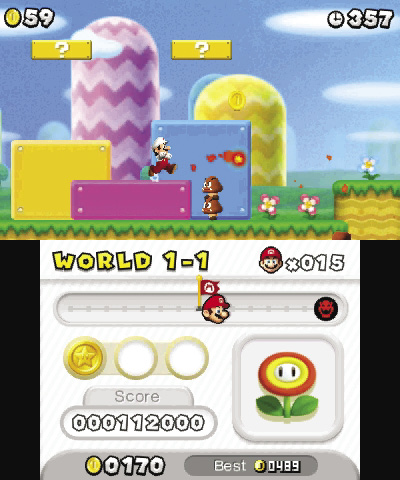
The action may take place on the 3D Screen, but the Touch Screen is a very important tool. While you’re in a level, the Touch Screen allows you to access your Stored Item. When you tap the stored item, the item will then appear on the 3D screen and fall from the top of the screen.
The Touch Screen also displays a variety of important information. While you’re in a level, use the Touch Screen to keep track of your remaining lives, your approximate position, which Star Coins you’ve collected, and more.
On the Map Screen
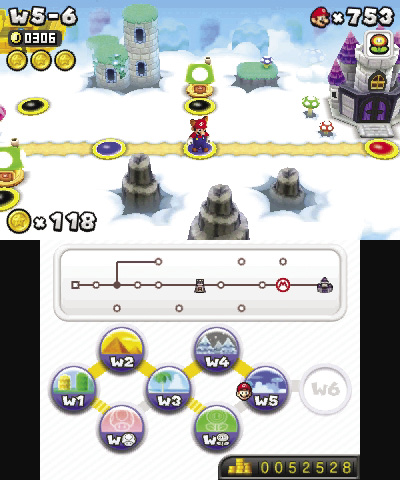
While on the Map Screen, the Touch Screen serves as an important navigational tool. Use the map at the top of the Touch Screen to review which paths and locations you’ve managed to unlock within your current World.
The Touch Screen also displays an icon for each World you’ve unlocked. To move to a different World, simply tap the corresponding icon.