
The Command Base
Firebase
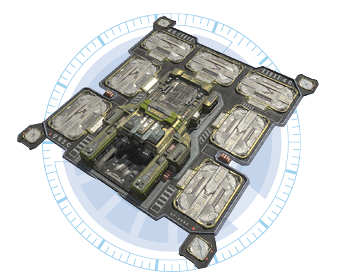
The UNSC Firebase combines the needs of a tactical communication command center and expansion into both a barracks and a production facility capable of assembling combat vehicles. The Firebase is a variant of the old colony starter units constructed out of polycrete and powered by a small hydrogen reactor. Because gaining a foothold quickly was key to fighting insurrection throughout the colonies, Spirit of Fire can directly deploy a Firebase’s entire assembly unit, making it immediately useful. This ability has also proven invaluable in the ongoing war with the Covenant and is often considered a key advantage of the UNSC on the ground.
Firebase (Forge and Anders Only)
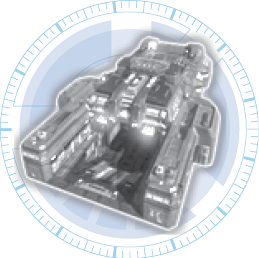

Building Class: Firebase
Units Trained: Warthog (and upgrades), Elephant (and upgrades; Cutter only), Cyclops (and upgrades; Forge only), Gremlin (and upgrades; Anders only)
You can request to have a small base dropped in from orbit. Eventually, you can expand that into a full base. When you destroy a neutral or enemy base, or you locate an empty base pad, you can build a Firebase if you have the supplies. It has three building pads and doesn’t feature any Turret base slots. Whether this is a good idea depends on the map (as some base locations are better than others), how strong the enemy is, and what position your forces are holding. Refer to the Campaign, Skirmish, and Multiplayer tactics for all the available base locations.
Station
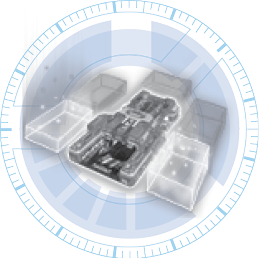

Building Class: Station
Upgrades to a Station, which adds two more building sites. Each building adds to the strength of the central structure. If you pick Forge or Anders, this is the initial base that you begin every battle with. It is automatically constructed if you’ve taken over a “new” base and you’re playing as Captain Cutter. It has five expansion pads and four Turret base slots. If you fear enemy attacks, it is better to upgrade from a Firebase to a Station and augment it with Turrets. It is wise to time the upgrade of this base to a Fortress so that a Fortress is built just as the last building rises up from a Station.
Fortress
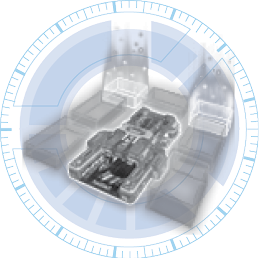

Building Class: Fortress
Upgrades base to a Fortress, which adds two more building sites. Each building adds to the strength of the central structure. If you pick Cutter, this is the initial base that you begin every battle with. It has a total of seven expansion pads and four Turret base slots (although these aren’t additional; it simply adds two more building pads to a Station). Judge whether the two additional pads are needed immediately; they certainly are on your initial base. It is almost always wise to upgrade to a Fortress, as the buildings allow the central command structure to absorb more damage.
Other Base Functions
Base Rally Point

New units from this base will move to this location when training is complete. Use the Global Rally Point to override this behavior. Utilizing this flag option is extremely important, as it allows you to point to an area of your map and have any troop type head there after building or training; this effectively takes the manual labor out of this function.
Remember where your Rally Point is, in case it falls to the enemy—you don’t want to send your troops straight into danger! Every base has its own Rally Point, allowing you to mass separate armies if, for example, you want to tackle a base from two directions.
Self-Destruct
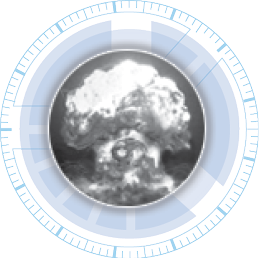
Instantly destroy this entire base to free it up for an ally. This is really the only advantageous method of using this function; otherwise, employ this if your base is under attack so your foe doesn’t have the satisfaction of destroying your base with his forces. Note that you do gain Supply Points if you blow up your own base; however, do this only if you have troops outside or elsewhere on the map that can quickly locate and build a new base. You are still at a serious disadvantage.
Lock

Units train as normal but are garrisoned inside the base instead of exiting into the world. Unlock will release all the garrisoned units at once. Locking and Unlocking your base allows you to surprise a foe who is checking out your location and to keep troops that you are massing safely inside your base’s protective walls. When you Unlock or Lock your base, the ramped doors clamp open or shut, respectively; also use this to determine whether an enemy’s base is open or not. Usually, this means you or your foe are massing troops. However, if you get into the habit of always Locking your base, you can fool your foe into thinking you’re massing troops, whether you are or not! Use this secrecy to your tactical advantage.