SimCity Guide Essentials Zoning
RCI Management
Establishing and maintaining the proper balance of RCI zones throughout your city (and region) is a constant challenge. Keep an eye on that ever-changing RCI Demand meter to respond to the needs for more residential, commercial, and industrial zones.
But if you want to really excel in your job as Mayor, it takes even greater involvement to keep up with the needs of the Sims living, working, and shopping in your city.
Smart Zoning
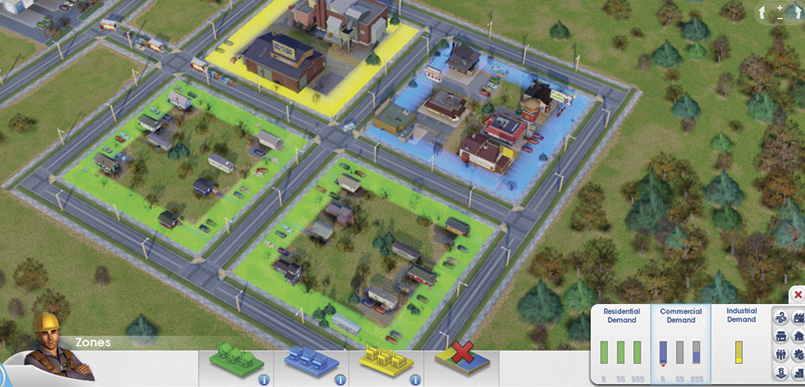
If you build zones close together, Sims can work and shop within walking distance of their house, cutting down on traffic and use of mass transit. Just be mindful of pollution generated by factories.
Designating residential, commercial, and industrial zones is easy—plus it costs nothing. Simply open the Zones menu, choose the desired zone from the tool bar, and draw the zone along an existing road.
If you’re planning to create a self-sufficient RCI system within your city, zone approximately two residential for every commercial and industrial zone—follow this 2:1:1 ratio to establish a stable tax base.
But before you start zoning, take into account the flow of activity between the different zones. For instance, where will your Sims live? Will they have to drive to work or can they walk to nearby factories and shops? How far will trucks have to drive to deliver freight to shops and Trade Depots?
By keeping zones close together you can maximize efficiency and significantly reduce traffic. However, there are pollution concerns to take into account, especially if relying on dirty factories to supply most of the jobs.
While keeping factories close to commercial and residential buildings is good for promoting pedestrian activity over vehicle traffic, the negative impact of pollution and low land value may lead to unhappy (and sick) Sims.
Consider keeping your industrial zones a safe distance from the residential and commercial areas until you have an educated work force. Once you have enough high school and college educated workers, clean and high tech buildings will begin appearing in industrial zones, producing far less pollution than their predecessors.
As these advanced facilities appear, consider shifting your commercial and residential zones closer to these cleaner buildings.
RCI on a Regional Scale
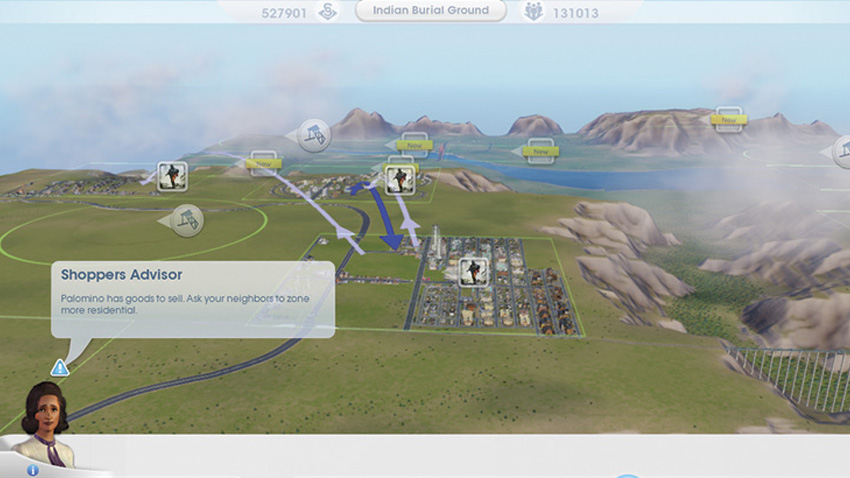
Don’t have enough shops? The Sims in your city will go to other cities to buy goods. Workers, freight, and students are also shared between connected cities.
In previous SimCity games, all RCI activity occurred within one city, making it relatively easy to manage local demand. But with multi-city play, all cities linked by the highway or mass transit can participate in the process.
In this sense, you no longer have to nurture that perfect RCI balance within the confines of your city. Instead, that balance must be accomplished on a regional level. Sims will freely travel to other cities in the region to work and shop. Freight produced at factories flows freely throughout the region too and is shipped to any connected shops in need of goods to sell.
The interconnection of cities allows you to take a more specialized approach when it comes to zoning. For example, you could build a city that’s purely industrial as long as there are enough Sims in neighboring cities to supply the workforce and enough shops to accept freight.
Or you could create a quaint suburb consisting entirely of residential zones as long as the Sims living there have access to jobs and shops in neighboring cities—and a way to get there in large numbers without clogging local roads and the regional highway.
Of course, such specialization requires a great deal of cooperation and communication between cities to ensure demands are being met. If you don’t feel like working with other cities, simply stick to the tried and true methods of maintaining the proper RCI balance within your city. This is the easiest way to establish a self-sufficient city with a stable tax base.
Wealth and Demand
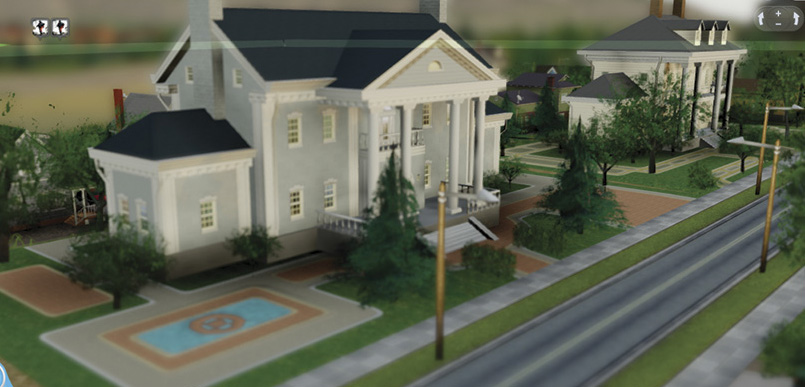
Plop an Urban or Formal park next to a residential zone and watch the mansions appear. Parks scrub away pollution and increase land value, making them a vital tool for attracting medium and high wealth Sims.
Wealth Designations
| Level | Name |
|---|---|
| W1 |
Low Wealth

|
| W2 |
Medium Wealth

|
| W3 |
High Wealth

|
The population of your city is divided into three rigid classes, referred to as low wealth, medium wealth, and high wealth Sims. Although these Sims occupy the same city, they live, work, and shop in buildings that cater to their class.
For example, a high wealth Sim will not shop or live in a building designed for low wealth Sims and vice versa. When zoning, you need to take into account your city’s demographics, ensuring each class has enough jobs and shops to keep the population happy.
When the Zones menu is open, the info tab shows an expanded RCI chart displaying the current demand based on wealth. Here residential and commercial demand is broken up into three columns per zone: low wealth (
), medium wealth (
), and high wealth (
).
Industrial demand is only represented by one column, since demand for factories functions independently from wealth. By studying this diagram you can better determine which types of zones need to be designated and where.
For example, housing and shops attracting high wealth Sims must be zoned in areas with high land value—access the Land Value data map to view these areas. Based on geography, each city site has differing amounts of natural high land value areas.
To encourage the creation of specific residential and commercial buildings you can alter land value by placing parks or government buildings nearby. When building parks pay attention to which kinds of parks you create, because each type attracts different classes.
Basic parks are popular with low wealth Sims while Sports and Nature parks attract medium wealth Sims. If you want to maximize land value, build Urban or Formal parks to attract buildings for high wealth Sims. Government and city service buildings like the Town Hall, Police Station, and Fire Station also increase land value.
So before placing one of these buildings, be aware of its impact on the surrounding zones, otherwise mansions may spring up in a neighborhood you intended for low wealth Sims.
Happiness and Density
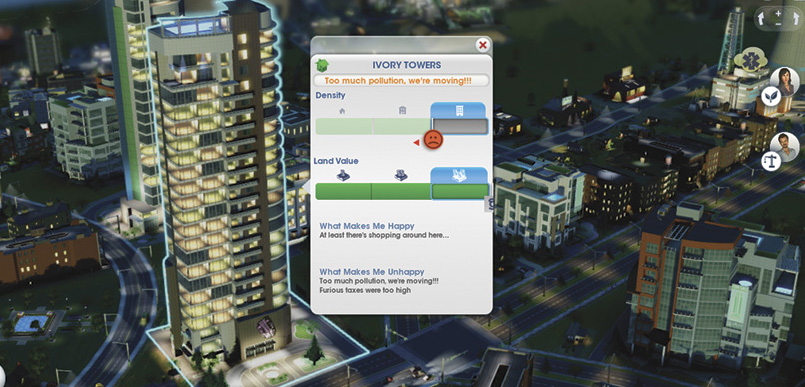
Uh, oh. The wealthy residents of this high-rise aren’t very happy. Address their concerns before the building is abandoned. You can gather a lot of information by clicking on any RCI building.
DENSITY Designations
| Level | Name |
|---|---|
| D1 | Low Density |
| D2 | Medium Density |
| D3 | High Density |
As your city expands and space becomes limited, there’s only one way to build—up! Density refers to how many Sims can live, work, or shop within a particular building. As a general rule, tall buildings support greater density than short buildings.
There are three levels of density: low density, medium density, and high density. Density is affected by happiness and the type of road adjacent to a building. The happiness of a building is determined by how happy or profitable the tenants are. If the Sims living in a residential building are happy and have few complaints, the building is eligible for an increase in density. Likewise, the profitability of a commercial or industrial building determines when it can increase in density.
Click on any occupied building to open a window revealing more details about its current density. The meter at the top of this window shows the current density and its progress to reaching a higher density, as indicated by a face icon. If the Sims in the building are happy or profitable, a happy face icon is shown, with a green arrow pointing to the right, indicating a move toward higher density.
If the Sims in the building have multiple complaints, they probably won’t be too happy, represented by an unhappy face icon and a red arrow pointing to the left, indicating stagnation—once a higher density has been reached, a building will never reduce in size. For residential and commercial buildings this window also shows the land value, displaying which wealth class the building serves.
In industrial buildings, instead of land value, the building’s tech level is shown, displaying the education level of its workers. Review the comments at the bottom of each window to study what makes the building happy or unhappy. These comments can help guide your future decisions. For example, if a building is complaining about a lack of power, open the Power menu and make sure your power plant is generating enough power for the city. Do your best to address each complaint in an effort to increase a building’s happiness.
No matter how happy or profitable, buildings can only grow if at least one adjacent road supports a higher density. For example, a happy low density building built next to Low Density Street can only grow if the road is upgraded to support medium or high density.
If the happiness or profitability of a building is maxed out, upgrading the adjacent road will trigger an automatic increase in density, so keep this in mind when upgrading lengthy road segments. If multiple buildings along the road increase in density simultaneously, you may face sudden utility shortages, not to mention an increase in traffic.
Abandoned Buildings and Demolition
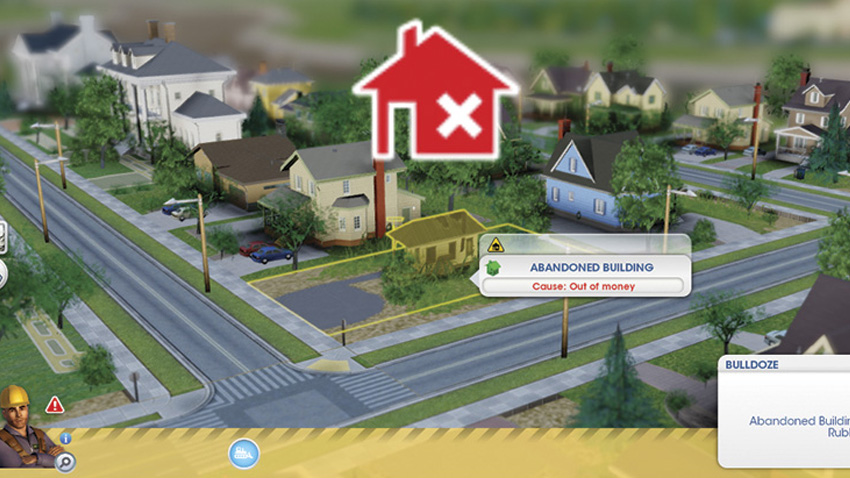
Abandoned buildings are often symptoms of bigger problems. Sims who run out of money were either unable to find a job or too sick to go to work. As a result, they can’t pay rent and are forced out of their house.
Sometimes things just don’t work out. Sims can’t find work and run out of money. Shops and factories shut down due to low profits or lack of workers. And in some instances, Sims simply get disgusted by your city and move out. When a building becomes unoccupied, it’s considered abandoned. All abandoned buildings in your city can be viewed by opening the Bulldoze menu—look for the flashing red icons to spot these troubled properties.
It’s a good idea to bulldoze these buildings quickly because they generate no tax revenue, lower land value, and simply take up space. But abandoned buildings aren’t completely hopeless. After a building has been vacated there’s a short span of time when new tenants can move in. So if a perfectly fine high density building goes abandoned, give it some time to recover.
However, the longer a building is abandoned, the higher the risk for fires and crime—abandoned buildings house formerly low wealth Sims who have become homeless due to hard times. If an abandoned building is ignored, it will eventually collapse into a pile of rubble—flashing yellow bulldoze icons appear over rubble when the Bulldoze menu is open.
Rubble serves no purpose at all, so bulldoze these unsightly piles of debris immediately. Immediately after an abandoned building or rubble has been bulldozed, a new building may pop up in its place, assuming demand is still high.
Most tenants would rather move into a new building than occupy an abandoned one. So don’t let those abandoned buildings sit around too long—you could be missing out on tax revenue.
Bulldoze: Points to Remember
- Abandoned buildings and rubble lower land value nearby.
- Homeless emerge from low wealth residential buildings when they go abandoned.
- Garbage in buildings will be converted to ground pollution if you bulldoze them.
- You can’t bulldoze buildings that are on fire.
- You can close a building rather than bulldoze it, to save on expenses.
- Bulldoze roads by dragging along them. All buildings on that road will be destroyed.
- Instead of bulldozing, disasters can be used for clearing space.
- You can trigger disasters manually or they can appear randomly.
- Complete achievements to be granted access to disasters.
Dezoning
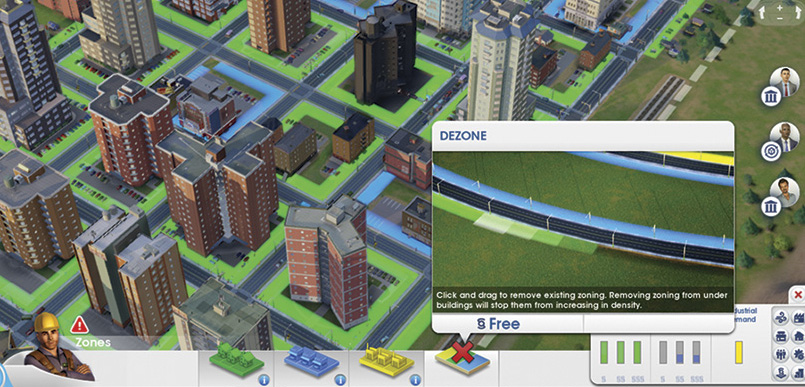
If any area isn’t developing well, or you simply need to create more space, use the Dezone tool to erase existing zones. This is also a handy way to prohibit new construction in already occupied zones.
Fluctuating demand and limited space may lead to situations where you need to alter your city’s zones. Before a zone can be redesignated, it must be dezoned first, using the Dezone tool in the Zones menu. Dezoning erases the green, blue, or yellow colors associated with a particular zone, preventing further construction. However, dezoning does not demolish any buildings currently occupying a residential, commercial, or industrial zone—you’ll need to bulldoze them to clear space.
Since new buildings often pop up immediately after bulldozing, it’s a good idea to dezone an area before demolition begins. Once dezoned and cleared of any unwanted structures, the area is eligible for new zoning or can simply remain undeveloped land.
In addition to returning land to its natural state, dezoning is also a powerful tool for controlling density. For example, if you want to maintain low density buildings in a particular zone, but need to upgrade the surrounding road network to increase traffic flow, dezone the area before upgrading the roads. Since dezoning prevents new construction, it prohibits those low density buildings from growing into medium or high density buildings, regardless of their happiness and access to higher density roads. This is a handy way to freeze growth, ideal when struggling to meet the needs of a city’s existing population.
RCI buildings left in dezoned areas function normally. However, if they ever become abandoned (or burn down) and require demolition, no new buildings will take their place until the area is zoned.
ZONING ACHIEVEMENTS
| Icon | Name | Criteria |
|---|---|---|

|
Apartment Rows | Have 50 high density, low wealth residential buildings in your city. |

|
The Big (Insert Fruit Here) | Have 50 high density, low wealth commercial buildings in your city. |

|
Billionaire’s Playground | Have 10 high density, high wealth residential buildings in your city. |

|
Elite Estates | Have 50 low density, high wealth residential buildings in your city. |

|
Office Parks | Have 50 low density, high wealth commercial buildings in your city. |

|
Skyscraper Magnet | Have 10 high density, high wealth commercial buildings. |

|
Technophile | Have 40 high density, high tech industrial buildings in your city. |
Working Up SimCity Wealth
Chris Schmidt, Tuning Designer