
SimCity Guide Essentials Roads
Road Planning and Management
The construction of your road network is one of the most important elements of developing an efficient and prosperous city. Before you start randomly drawing roads across your empty city site, take some time to think things through and ask yourself a few basic questions relating to your city’s infrastructure.
Where will your city get water? Where will you build your power plant? What about sewage and waste disposal? Roads must be created to support these basic pieces of city infrastructure. Taking it a step further, consider what kind of city specializations your city can support by studying the data maps.
If you plan to drill for oil or mine ore and coal, those facilities will also need to be connected to your road network. In a sense, each city site is a puzzle and, as Mayor, it’s up to you to figure out where all the pieces go and how they fit together. A rudimentary plan of your road network at the outset can save you a lot of time and money in the long run. In this section we take a look at a few considerations to keep in mind while constructing and expanding your city’s road network.
Transportation Overview
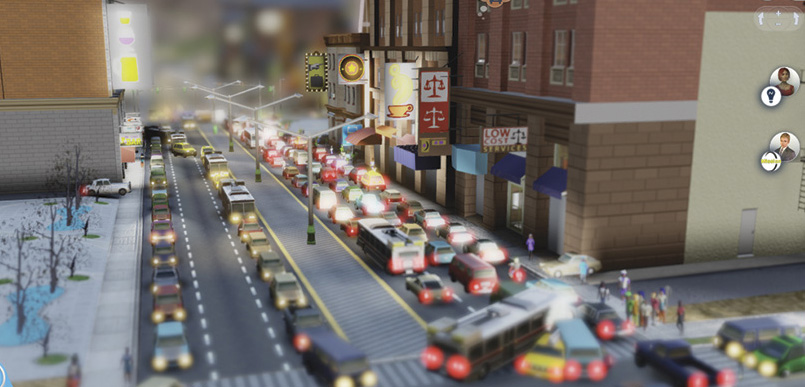
Keep a close eye on your road system. In some instances road upgrades may not be enough to alleviate gridlock. It may be time for a mass transit system.
SimCity is all about movement, and the core function of your road network is to transport Sims resources throughout your city. To understand the significance of roads it’s first important to grasp the interconnected relationships between the various RCI buildings in your city. Sims live in residential zones and must travel to industrial or commercial zones to work at a job.
Factories in industrial zones create goods called freight. This freight must then be shipped to shops in commercial zones where these manufactured goods can be purchased by Sims with money they earned at their jobs. Roads are absolutely essential for carrying out this cycle, not to mention the intricate supply chain concerns associated with city specializations like drilling and mining.
As Mayor, there’s a lot of issues vying for your attention, but make a concerted effort to slow down and study the flow of transportation throughout your city. Interruptions in these critical cycles must be addressed quickly.
Failure to address problems with the city’s road network may lead to a serious economical downturn as shops and factories go out of business and Sims lose their jobs, all leading to lower revenue from taxes. So it literally pays to keep a close eye on your roads.
Highway Connection
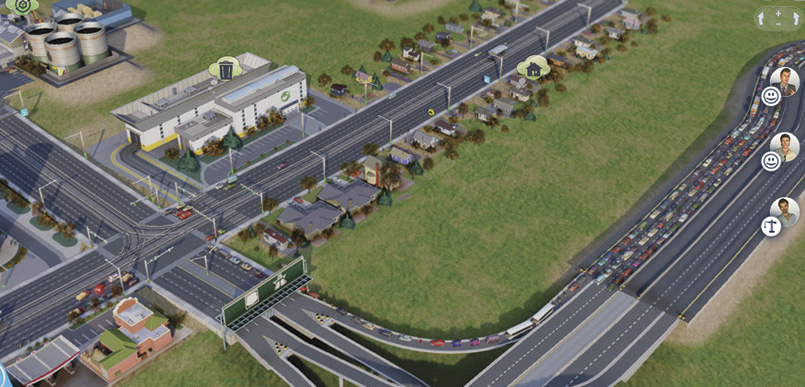
Placing intersections too close to your highway connection can lead to major backups on the highway.
When starting a new city from scratch, your first line of business is connecting the city to the regional highway by constructing a road. The task is simple enough, but improper planning at this early stage may have dire consequences as your city grows.
First of all, make sure you choose the right kind of road when making the connection to the highway. The Medium Density Avenue is the best choice for connecting your city to the highway. With four lanes and traffic lights, this avenue can handle the volume and keep traffic flowing in and out of your city at a steady rate.
Plus, the avenue can later be upgraded to accommodate more vehicles and even streetcars. Next, avoid placing any cross streets too close to the highway connection. Even with traffic lights, intersections can become bottlenecks, potentially leading to backups on the highway.
Instead, let traffic flow into your city with minimal interruptions. As your city expands, consciously limit the number of intersections along the avenue connected to the highway.
Grid Layout
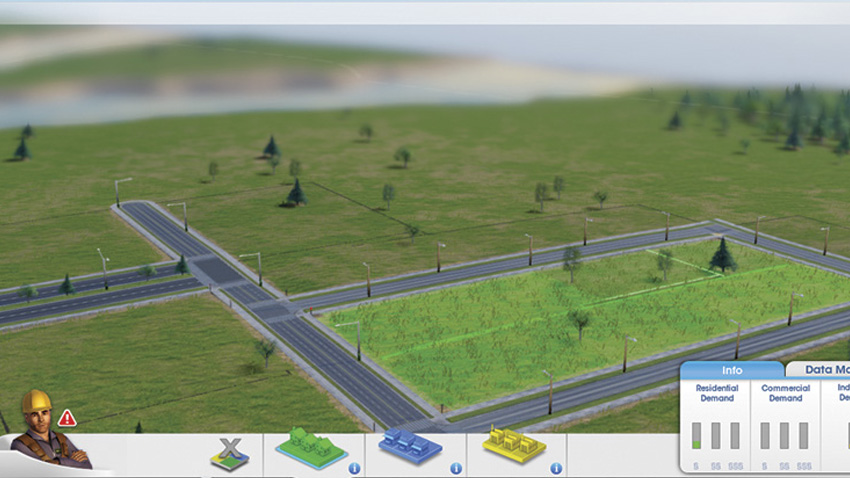
When developing your road network, utilize a grid system to maximize space for development within RCI zones.
For beginners, an empty city site looks massive, with plenty of room to expand and experiment. However, as you begin zoning and placing buildings, the amount of available space quickly dwindles. Perhaps all those curvy roads weren’t such a great idea after all? If your city site is relatively flat, the most effective use of space is a grid layout, similar to those used in all modern cities.
This allows you to divide your city into numerous city blocks, with all streets meeting at 90-degree angles. It may look boring, but it’s the most efficient solution when attempting to build a high density metropolis. While building your grid system, use the road guides to help determine the width of your blocks.
Proper spacing is important to ensure every bit of space can be developed. Instead of creating square-shaped blocks, draw elongated rectangle-shaped blocks to reduce the number of intersections. Limiting the number of intersections greatly increases the flow of traffic, allowing vehicles to travel greater distances without encountering stop signs or traffic lights.
However, a grid layout may not work in some areas due to challenging geographic features such as rivers and mountains. In such areas, consider using curvy roads to better follow the terrain. Using the road guides it’s possible to create parallel curvy roads with optimal spacing for zoning.
Density Control
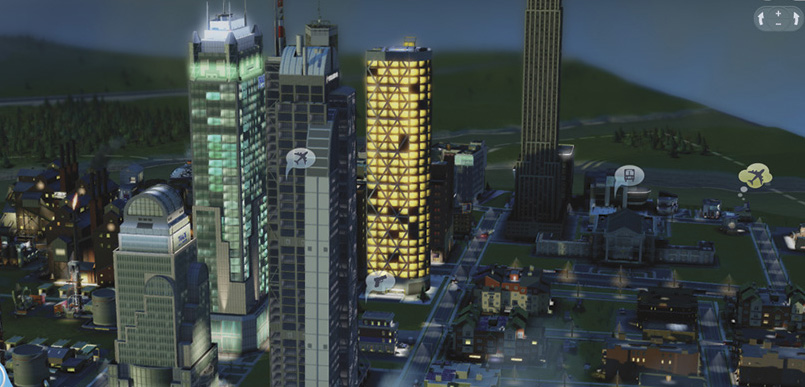
All cities experience growing pains when increasing density. Make sure your roads, utilities, and city services are capable of handling a sudden population increase.
One of the most important functions of roads is their ability to control density in adjoining residential, commercial, and industrial zones. Unlike previous installments where this was controlled by zoning for different densities, this time around density is governed by the roads adjacent to a zone.
This helps ensure the nearby roads are capable of handling the traffic associated with larger buildings. As previously discussed, each road can support different densities. So if you want to create a city with only low and medium density, only build roads that allow a maximum of medium density. This automatically puts on the brakes, preventing out-of-control growth, regardless of the demand.
There may be instances where you need the traffic benefits of a high density road, but want to maintain the current low and medium density buildings in the area. In such instances use the Dezone tool (in the Zones menu) to remove the zoning from the area you want to prevent from growing.
This essentially freezes the buildings, preventing them from attaining the next level of density, regardless of which road is placed next to them. Before upgrading roads, always take into account the consequences of nearby buildings increasing in density. With greater density comes greater problems, such as increased traffic, power/water consumption, and garbage/sewage output.
If you’re not careful, upgrading multiple roads in a short span of time could lead to a massive increase in density, putting a sudden strain on city utilities and services.
Utilities
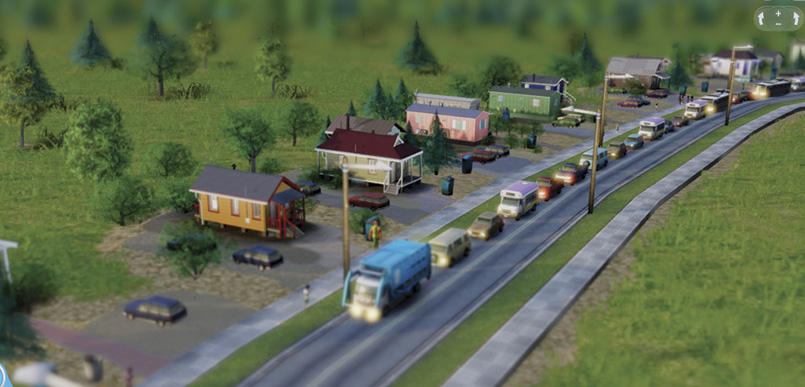
Nobody wants to get stuck behind a slow-moving garbage or recycling truck. Consider upgrading your two lane roads if congestion becomes an issue.
In addition to carrying your Sims around town, your city’s road network is also responsible for conveying all crucial utilities to every building. Access the Power, Water, or Sewage menus to view these vital services circulating beneath the city streets. Because a road is required to construct any building or zone, all buildings are automatically connected to these utilities by default.
There’s no need to construct a separate pipe or power line system. However, deficits in these utilities can still lead to outages. Usually buildings farthest from the source are the first to be affected. For instance, a factory on the west side of town will likely be one of the first to lose power if the power plant on the east side of town is struggling to meet demands. Buildings closest to the utility source are less likely to be affected by such deficits.
Garbage and recycling trucks also rely on the road system to conduct their daily waste disposal duties. During collection, trucks stop at each building to dump trash cans and recycling bins. Any cars stuck behind these trucks may experience significant delays unless traveling along a road with four or more lanes.
Avoid using the Low Density Street in high traffic areas lined with various buildings, otherwise the repetitive stop-and-go behavior of garbage and recycling trucks may lead to congestion.
Emergency Services
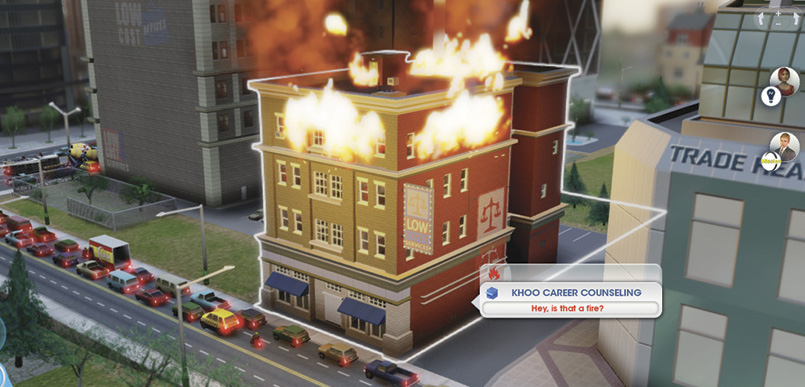
This building is burning down because fire trucks cannot reach it due to gridlock. Solve your traffic problems so emergency vehicles can respond to fires, crimes, and injured Sims.
The layout and efficiency of your road network is regularly tested by your city’s ambulances, police cars, and fire trucks. If they’re having trouble navigating your streets, imagine what it’s like for the average Sim trying to get to work. When you hear a siren and see flashing lights, zoom in on one of these emergency vehicles and follow it as it races to the latest fire, crime, or injured Sim.
Emergency vehicles automatically take the most direct route to their destination, blowing past stop signs and traffic lights. But even these emergency vehicles aren’t immune to gridlock. As a result, they sometimes get caught in traffic, particularly if responding to an emergency during the morning or evening rush hours.
For emergency vehicles, any delay can be deadly, putting the lives of Sims at risk. If your emergency vehicles are constantly getting caught in traffic, it may be time to rethink your road network. The easiest solution is upgrading roads so they can support more traffic.
But in large cities, even High Density Avenues can become parking lots. In these situations, you may need to build additional roads to alleviate congestion, or turn to mass transit solutions like buses and streetcars in an effort to reduce the number of Sims traveling by car.
The location of your emergency buildings can also make a big difference in response time. Try to keep these buildings located near the center of your city, along avenues, so they can quickly respond in any direction without traveling the entirety of your road network.
Tourism
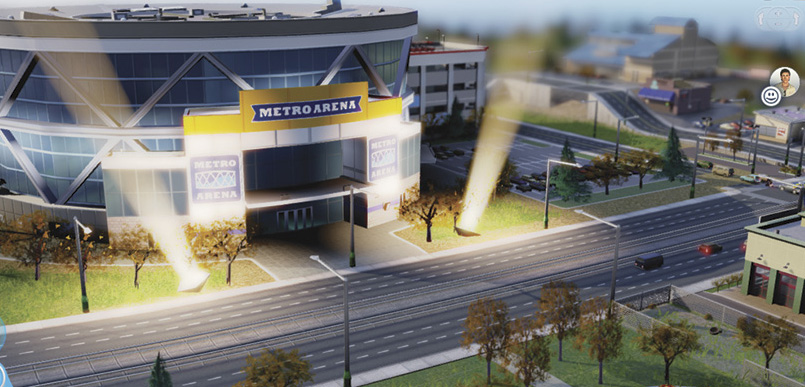
Culture buildings like the Expo Center draw large numbers of tourists into your city. Implement a mass transit system before constructing these attractions or suffer the consequences of cars and taxis clogging your roads.
No matter how well planned or designed, even the most robust road network cannot handle a massive influx of tourists. If the highway is your city’s only connection to the region, tourists can only arrive by car and taxi, often leading to backups on your roads and even the highway.
Gridlock caused by the arrival of tourists can absolutely cripple your city, blocking emergency vehicles and preventing Sims from getting to work. Congestion may have a ripple effect on the local economy too, preventing factories from shipping freight to shops, leading to the failure of buildings in your industrial and commercial zones.
Therefore, don’t try to attract tourists until your city has the transportation infrastructure required to handle large numbers of visitors. Construction of a Bus Terminal or Passenger Train Station reduces the number of cars and taxis flooding your city streets while helping draw large numbers of tourists to your city’s attractions.
Roads: Points to Remember
- Roads carry traffic, water, power, and sewage.
- A road’s number of lanes impact traffic capacity.
- Roads can be upgraded with the Road Selector tool.
- Buildings won’t upgrade in density unless they are in zones along roads which support that density.
- Bridges and tunnels can be built over water or through mountains—just drag a road across them.