
SimCity Guide Essentials Disasters
Disaster Management
For the most part, disasters are bad for your city. Sure, they all have their perks, but the widespread random destruction usually isn’t worth any benefit. However, maybe your city needs an overhaul? And disasters are much more efficient for leveling large swaths of your city than a bulldozer.
Plus, they’re fun to watch. Whether you trigger a disaster yourself or one randomly occurs, it’s important to be prepared for the aftermath by planning ahead and fostering relationships with neighboring cities to assist in disaster relief.
Triggering Disasters
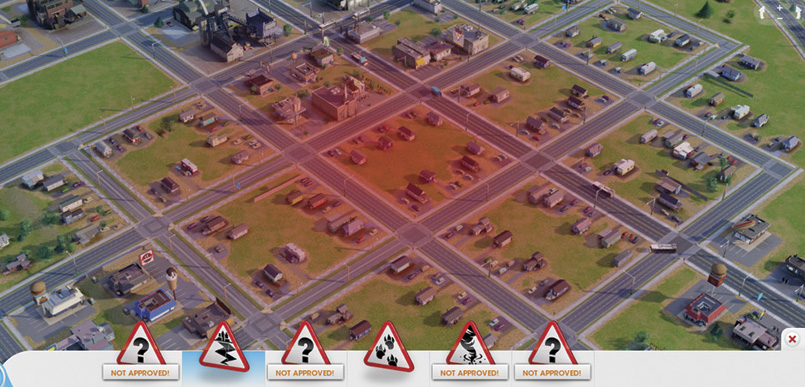
Some disasters, like the earthquake and meteor, have a wide impact radius, dishing out destruction over a large area.
So you still want to unleash a disaster on your city? First, you must complete the secret achievements associated with each disaster. Once a disaster is unlocked, it appears within the Disaster menu. Simply select the desired disaster from the menu and then choose where in your city you want the disaster to begin.
The cursor becomes a transparent glowing red circle, showing you where the disaster will be centered. For radius-based disasters like the earthquake and meteor, this red circle is large, indicating the area that will be affected—this is a good way to target specific areas of your city you wish to demolish.
For the unpredictable disasters like the tornado or UFO, you can choose an area where the disaster will first appear. But for the tornado, you have no idea where it will travel, potentially carving a destructive path through areas you never intended to destroy.
And as for the UFO, you can give it an approximate appearance site, but there’s no telling what it will do when it arrives—it may destroy a building, abduct Sims, or simply steal resources from a nearby storage lot. The big lizard is a bit more predictable, traveling in a straight line from the starting point to the nearest Garbage Dump, clearing a path along the way.
But no disaster allows the control of a bulldozer, so don’t expect scalpel-like precision when it comes to demolishing parts of your city. Be prepared to tolerate unforeseen collateral damage.
Emergency Response
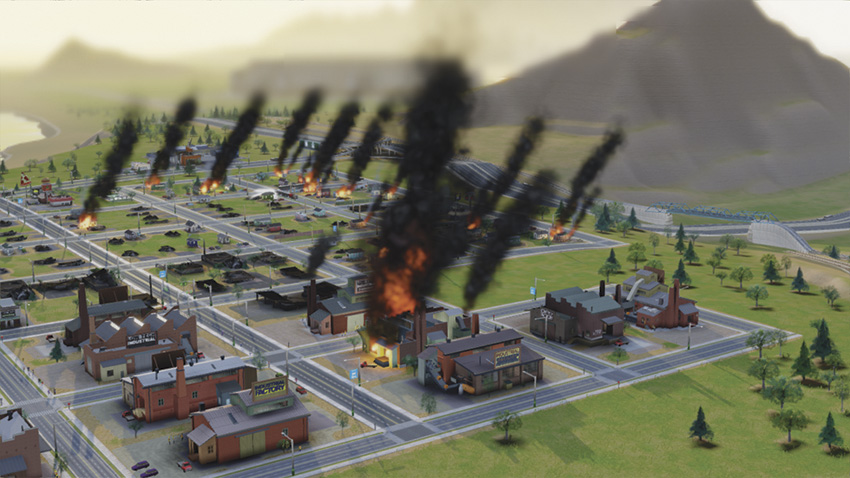
You’ll need some help putting out all those fires. Ask neighboring cities to volunteer fire trucks and other emergency vehicles.
The occurrence of a random disaster can be completely demoralizing. But there’s no time to shed a tear for Sims and buildings lost in the destruction. Chances are buildings are burning and injured Sims are scattered about requiring urgent treatment. It’s time to jump into action and salvage what’s left of your tattered city.
Any untouched Fire Stations and Large Fire Stations will immediately jump into action, dispatching trucks to fires. Clinics and Hospitals will do the same, sending out ambulances to gather injured Sims. But your city’s emergency services may not be enough. If you haven’t already, reach out to neighboring cities and request ambulances and fire trucks to assist in the aftermath of a disaster.
Your fellow mayors should be more than happy to help—plus they earn fees for each fire they extinguish and each injured Sim they treat. In the chance your entire emergency infrastructure has been destroyed, you’ll need to rely solely on assistance from other cities to stop the spread of fires. For this reason, it’s a good idea to plan ahead, long before a disaster strikes.
Volunteer your emergency vehicles to other cities and other mayors are likely to do the same. All volunteered emergency vehicles automatically respond when needed, providing some comfort in knowing that you’re not in this alone.
Cleanup
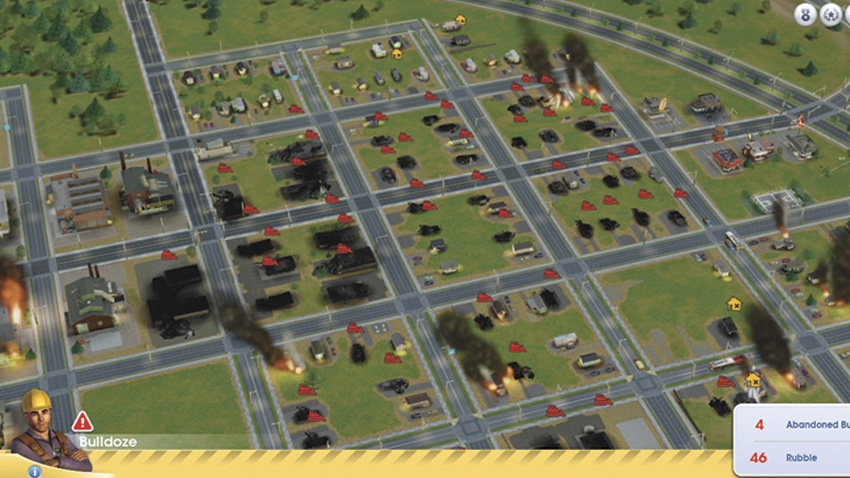
Look at all that rubble! Bulldoze those rubble piles as soon as possible. New construction can’t begin until the rubble is gone.
Once the smoke clears and all fires have been extinguished, it’s time to think about rebuilding. Sometimes disasters provide a fresh start, allowing you to improve your city by better meeting the demands of the surviving residents. But before you can start drafting new plans, you need to deal with all those unsightly piles of rubble where buildings once stood.
Rubble reduces land value, so it’s important to get rid of it as soon as possible—pause the game and then go to work with the bulldozer. While you’re at it, you may also want to bulldoze any unwanted roads, as a disaster only destroys buildings. With the rubble cleared, do a quick triage of your city’s infrastructure.
Address the loss of any utilities, replacing power plants and water sources first, followed by sewage and waste disposal. Next, repair damage to any facilities associated with city specializations and their supply lines, especially if your economy depends on exports.
The rebuilding of city services such as Hospitals, Police Stations, and Fire Stations can wait as long as other cities volunteer emergency vehicles to provide coverage. Rebuilding isn’t cheap, so consider taking out loans. Neighboring cities may also assist in disaster relief by gifting Simoleons. Once your city’s infrastructure is restored, turn your attention to rebuilding the demolished parts of your city. Here’s your second chance to make the city better than ever!
Disaster Achievements
| Icon | Name | Description |
|---|---|---|

|
Blowin’ in the Wind | Have 24 Wind Turbines at Wind Power Plants in your city to gain access to the Tornado disaster. |

|
Dug Too Greedily and Too Deep | Mine 100 tons of coal or raw ore in your city to gain access to the Earthquake disaster. |

|
Laboratory Outbreak | Add a Diagnostic Lab to a Hospital and have 15 Sims die in a day to gain access to the Zombie Attack disaster. |

|
We Are Not Alone | Ship any resource to a Space Center Great Work to gain access to the UFO Encounter disaster. |

|
What Goes Up Must Come Down | Have 200 tourists arrive on flights at the Municipal Airport in a day to gain access to the Meteor Strike disaster. |

|
What’s Cookin’? | Burn 100 tons of garbage in an Incinerator at the Garbage Dump to gain access to the Big Lizard disaster. |