
The Sims 3 Pets Guide Walkthrough Dogs
Dog Petology
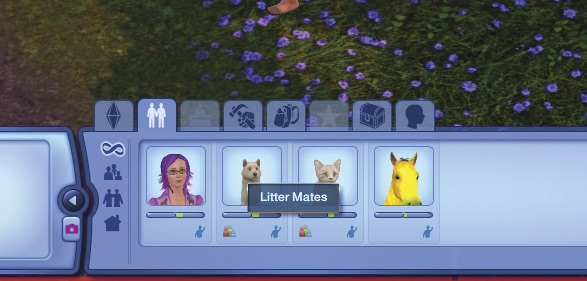
The Dog UI
Like horses, dogs are full members of the household, and are under your control. Dog icons appear to the right of the household Sims icons in the UI, along with the icons of any other household pets.
Dogs have the following panels: Petology, Relationships, Careers (This tab is grayed out because pets don’t have jobs), Skills, Inventory, Opportunities (This tab is grayed out because pets don’t receive opportunities), Lifetime Happiness, Needs.
Petology and Relationships
All pets have similar Petology and Relationship tabs, which are very much like those for Sims, and pretty self-explanatory. Remember that dogs, like all pets, start out with certain traits, but those traits will be added to and subtracted from based on the training and reinforcement they receive from their Sim guardians.
Pets have slightly different relationship levels than Sims do. Rather than Acquaintance, pets who know another Sim slightly show them as a Familiar Sim. There can also be Familiar Cat, Familiar Dog, and Familiar Horse relationships. Pets also have access to the Best Friend Forever relationship level, and can bestow it upon favored Sims or other pets. Pets are also considered Mates if the Mate relationship was set in Create a Sim, or if they have bred.
Dogs that were created together in Create a Sim are considered Litter Mates unless you have set their relationship to Mate.
Dogs don’t have careers, so that tab is grayed out. Neither do they have opportunties.