
The Sims 3 Pets Guide Essentials New Features
Scrapbook
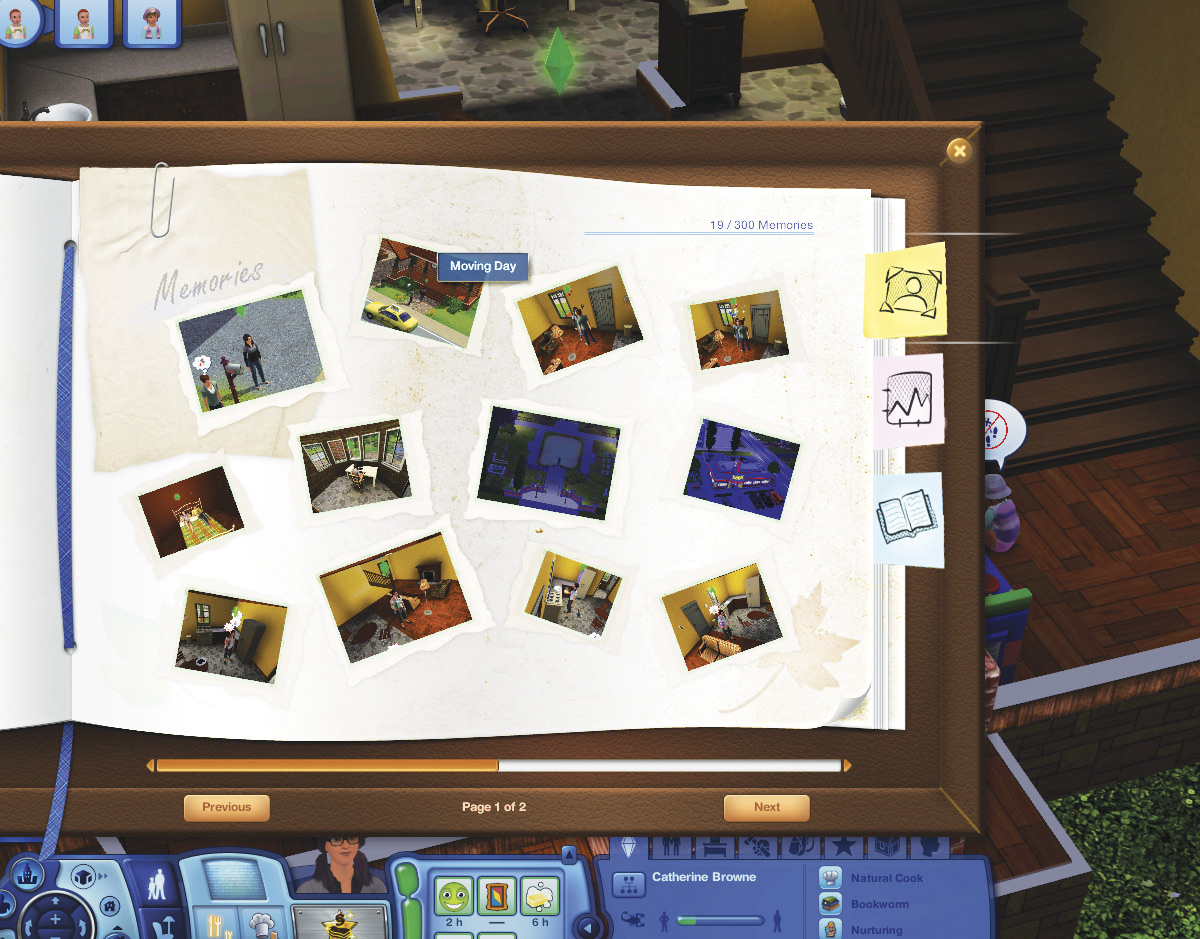
Although it’s fun to share memories on Facebook, sometimes you just want to keep things to yourself. The new Scrapbook allows you to browse through saved memory snapshots and review the story of your Sims’ lives. The Scrapbook actually looks like a real-life scrapbook, complete with photos artfully arranged on each page. When you mouse over a memory, you see information about it. Clicking on a memory enlarges it, letting you view the scene in greater detail.
The Scrapbook is accessed via the Sim Panel’s Simology tab. (It’s next to Favorites.) When launched, the action pauses and the Scrapbook opens. You can store up to 300 memories in the Scrapbook (feel free to delete unwanted memories—there are usually things a Sim would rather forget).
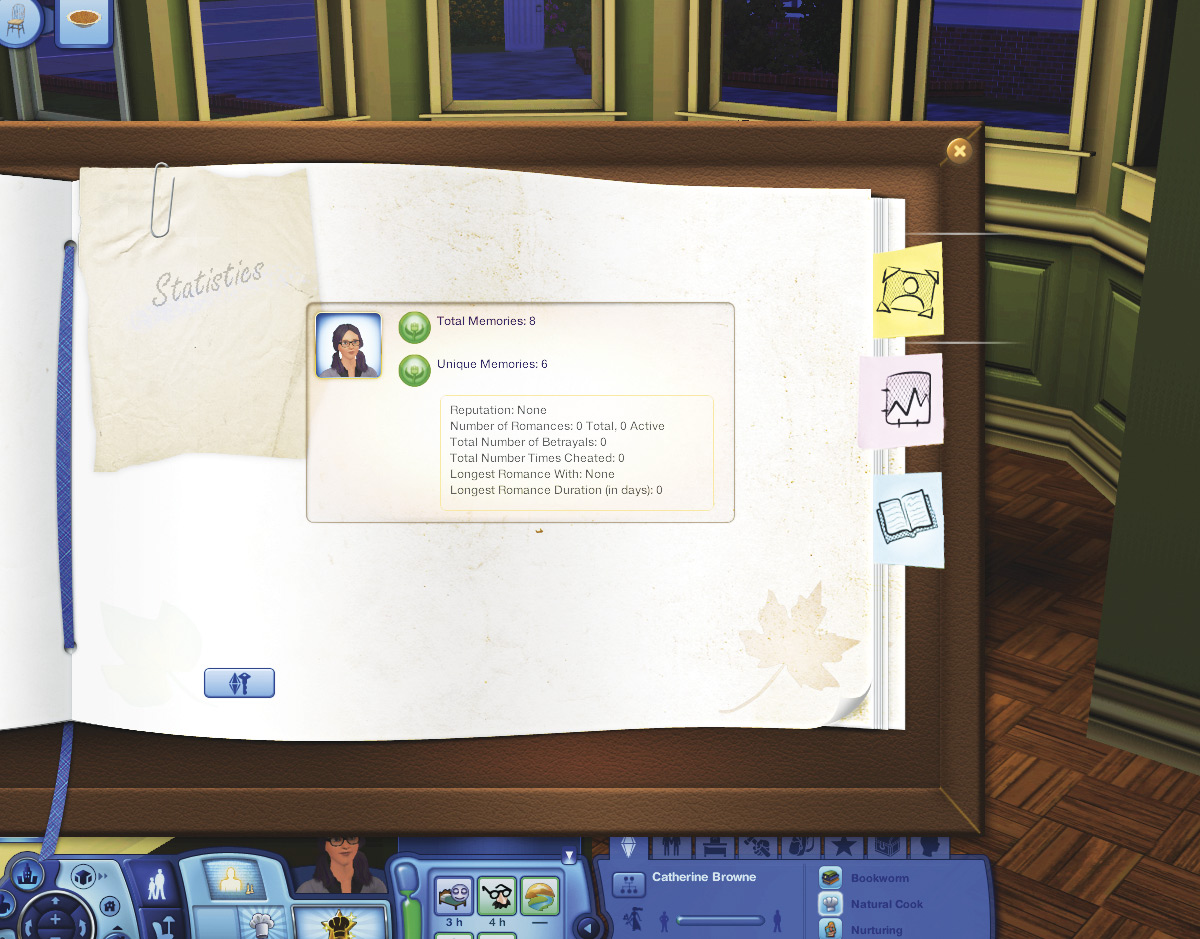
There are two additional tabs in the Scrapbook. The Statistics tab tracks the number of memories each Sim in the household has. The current reputation is tracked, as are the general stats regarding the Sim’s love life. The third tab is Biography. Here, you can write a new biography for your Sim and attach it to the Scrapbook.
The Scrapbook can be shared if you log in to The Sims 3 community and link it.