
The Sims 3 Pets Guide Walkthrough Create a Pet
Create a Pet introduction
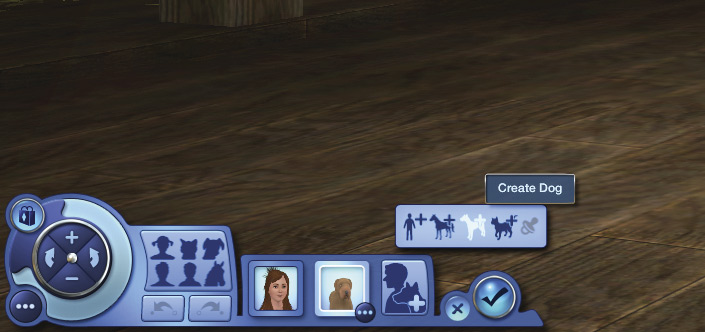
Although established Sim households can gain pets through adoption or by taming wild animals, the most obvious way to gain a household pet is to create one. And you probably want to check out the new town of Appaloosa Plains anyway! It’s much more pet-friendly than other towns, with room to roam, ride, and ramble. And there are new traits to be explored, so let’s start out by making a whole new household in Appaloosa Plains.
When you go into Create a Household, you’ll see that the Add a Sim button has changed to Add a Sim or Pet. However, the first household member must be a Sim. Pets can’t live in a household by themselves; they need at least one Sim to take care of them. Pets also need at least one Sim to shower with love and affection... and an occasional hairball.
Now you can choose to create a Sim, horse, dog, or cat. The last button (grayed out in the image) is the Play with Genetics button.
You cannot have just pets in a household. There must always be at least one Sim to feed and care for them. So in Create a Sim, you must make or add one Sim before you can start making pets. And if you are splitting a household in the Edit Town menu, you cannot split a household so that only pets remain in it. You’ll get a message asking you to choose a house with a family to take care of the pets.