
The Sims 3 Pets Guide Essentials New Features
Pets and Other Expansion Packs
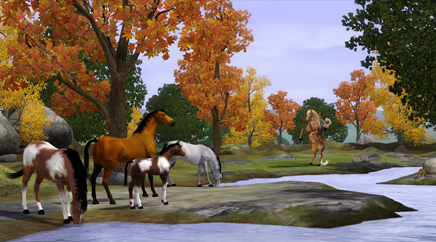
Travel with Pets (World Adventures)
Sims love to travel to exotic locales. But pets really don’t. Pets are most comfortable in their own homes, with familiar sights and smells around. When pets travel in real life, they have to get a bunch of shots, get stuffed in a box on an airplane, then sometimes be quarantined once they arrive! That’s really no fun for the pets. So it’s much better to just leave pets at home when your Sims travel. In fact, it’s your only choice! Pets cannot be selected as traveling companions.
However, that doesn’t mean travel is out of reach for households with pets. Sims can still travel, and their pets will be well cared for. If all the young adult, adult, and elder Sims in the household sign up for a trip, a pet babysitter automatically comes over to care for the pets. You get a message saying: “Don’t worry, I’ll make sure your pets are taken care of while you are gone! They are in good hands!”
Horseman/Horsewoman Skill-Based Profession (Ambitions)
If you have the Ambitions expansion installed, you can sign up to be a self-employed horsewoman or horseman. This is a skill-based profession, and it plays out like the others introduced in Ambitions, such as writer, painter, or inventor.
In Ambitions, Sims who choose to focus on creative endeavors can participate in a career-like system. Skill-based careers are similar to professions in that you can seek promotions and advances, but instead of having specific responsibilities or metrics to manage, promotions are based on overall value earned by the skill. When a Sim crosses a value threshold, a promotion is awarded.
As is the usual case, if you wish to join this skill-based profession, you start with a phone call or a trip to city hall. Choose the Register as Self-Employed option, and select Horseman/Horsewoman. If you started with a phone call, your Sim will have to go down to city hall to complete some paperwork, then you’re all set.
As you earn money by winning competitions, selling horses, or putting your stallion to stud, you get promotions in the career. Some of these come with cash or other bonuses. To really bring in the Simoleons with your horses, you need to train them up to the top of their skill levels, while also making sure to enter them in a competition every day. The higher the level of the competition, the more money you will earn from winning. And the more competitions your horse wins, the more valuable the horse becomes when sold or put to stud. Not only that, but if you breed your well-trained horses, and care for them well, their offspring may get a head start on the training when they level to adulthood. That means they can start winning higher-level competitions even sooner!
Use the phone or computer to register for a profession.
You can invest in venues throughout Appaloosa Plains. If you have the Simoleons that is. The option won’t appear if you don’t have the dough. If you have to ask, dahling, you can’t afford it.
The following table shows the profession’s progression:
Horseman/Horsewoman Skill-Based Profession (Ambitions)
| Level | Title | XP | Reward |
|---|---|---|---|
| 1 | Trail Duster Taster | 500 | |
| 2 | Apprentice Saddle Polisher | 800 | |
| 3 | Barn Sanitation Technician | 1,600 | |
| 4 | Mane Quality Supervisor | 2,800 | |
| 5 | Warm-Up Jockey | 4,800 | §500 |
| 6 | Consistently Upright Rider | 8,000 | |
| 7 | Pony Partner | 12,000 | §1,500 |
| 8 | Blazer of Trails | 17,000 | |
| 9 | Horse Psychic | 24,000 | §2,500 |
| 10 | Equestrian Master | 32,000 | §5,000 |
Howl with... (Late Night)
Late Night is all about nights on the town, and that’s not something you usually do with your pets, although you can always carry (or ride) your pets to parties or venues. Pets cannot became vampires, and they can’t join your band. However, there is one fun activity your pets can do to join your Late Night antics. Pets—at least pets that don’t have the Quiet trait—love to get involved when their Sims are playing music.
If your Sims are jamming, your dog might begin to howl along. Cats yowl along with the music, and horses tap their hooves in time! You could have a boot-scootin’ hootenany out by the barn with your band and your pets!
Haystack (Late Night)
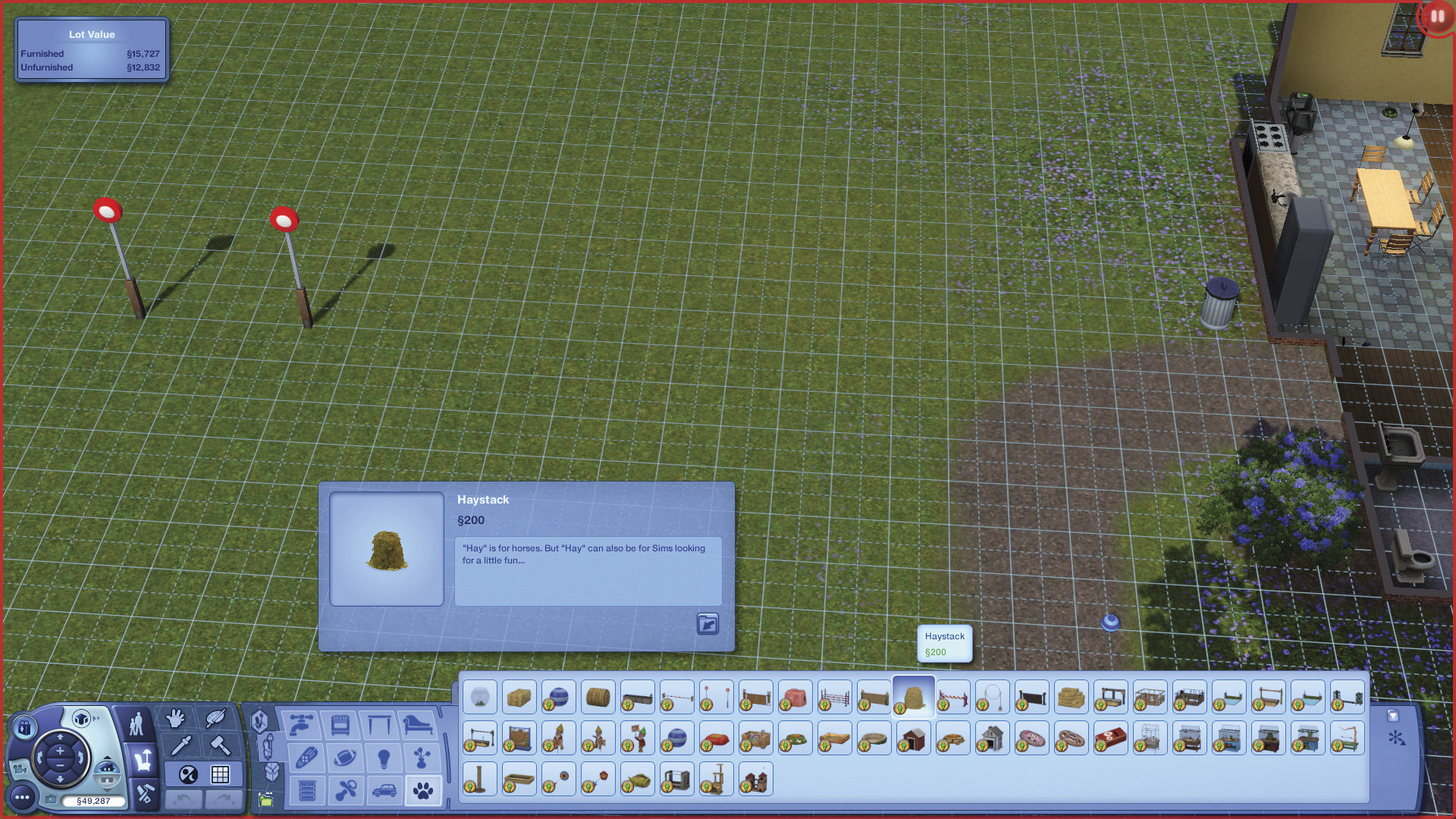
There’s another feature in Pets that interconnects with Late Night, but for this one, pets aren’t actually involved. Pets introduces a new Haystack object that lets romantically inclined Sims have a little roll in the hay! This is scratchy, risque fun, but more importantly, if your Sim happens to have the Master Romancer Lifetime Wish that was introduced in Late Night, they now have one more place to WooHoo in, which helps them reach that goal.
Memories (Generations)
If you installed the Generations expansion pack, your Sims can recall memories of important moments in their lives. The Sims 3 Generations offers the freedom to share these elaborate, funny, and heartbreaking narratives with the world. With new Facebook integration, your wall can now serve as a creative outlet for sharing memories, either through automatic snapshots or use of the new Capture This Moment feature that lets you freeze priceless moments in pixels and post them on Facebook. Memories are also stored in your new Scrapbook, which serves as a growing tapestry of life stories for all members of a household.
Generations introduces a wealth of Facebook functionality to The Sims 3. Now, players can post photos and stories from their town to their Facebook walls, keeping friends updated on the latest in their Sim adventures.

You have multiple ways to share memories via Facebook. The Sim panel now has a new button for creating a memory snapshot, called Capture This Moment. These are not like the screenshots you take with C. Those are saved to the Screenshots folder of the Sims directory on your hard drive. Snapshots taken with this new tool are instead directed to both Facebook and the all-new Scrapbook feature.
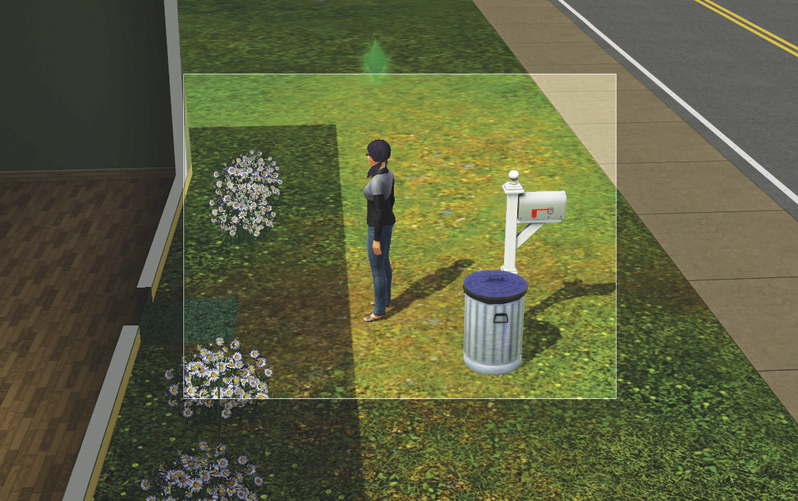
When you click on the purple camera button, a frame appears on-screen. Use Z and X (or your mouse scroll wheel) to zoom in and out of the action, and move the mouse to perfectly frame your shot. Once you have the photo arranged to your liking, tap C to snap the photo.
The photo now appears in a window. Within this window, you can title the memory and write a short description. (Keep in mind both of these will appear on your wall, so be mindful of what you type here.) Then, give a “tone” to the memory: positive, neutral, or negative. Once these have all been decided, click on the “Share” button to post it to your Facebook wall.
If you’d rather not post the memory on your Facebook wall, you can still save it to your Scrapbook. Click on the checkmark to save the memory. The title and description you assigned to the memory will appear when you thumb through the Scrapbook, which we’ll get to in just a moment.
In addition to the memories you purposefully capture with this new tool, if you have Generations installed, the game also alerts you when life events take place, whether its the advancement of a skill or the first time a Sim picks up his pet. When one of these determined memories happens, a memory snapshot is taken automatically. In the screen’s upper-right corner, a message appears telling you about the memory and offering the chance to share it on your Facebook wall. You can, of course, decline and just save it to your Scrapbook.