
Assassin's Creed Unity Guide Primer
Onscreen Display
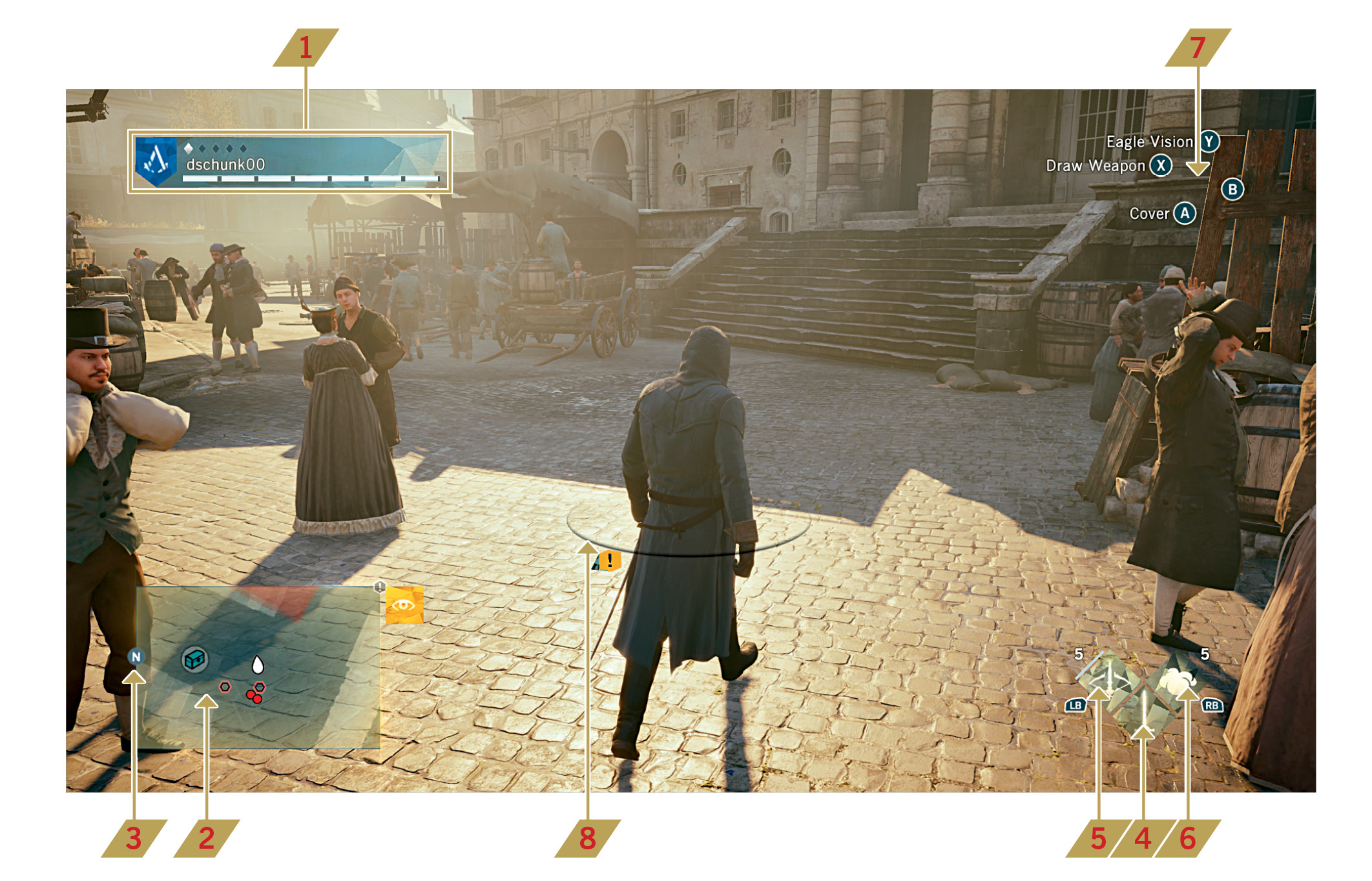
 Arno’s Data: The long white gauge at the bottom of this display is Arno’s Health Bar, which represents his physical state. As you advance in the storyline and unlock new skills and equipment for Arno, your progression is represented by the small diamond-shaped meter at the top. Each filled segment corresponds to a level, up to five. When you reach the maximum level (six), the meter turns golden.
 Mini-Map: This illustrates Arno’s immediate surroundings, including essential details such as potential enemies and points of interactivity.
 Compass: The N icon attached to the mini-map always points north.
 Weapon: This displays Arno’s primary weapon. As a general rule, attacks are launched by
pressing  /
/ .
.
 Ranged Weapon: When Arno is equipped with a ranged weapon, you can fire by tapping
  /
/ or hold that button to aim with
  and then fire with
  /
/ . The number next to the icon indicates how many shots he can fire. Press
  to select or change weapon.
 Tool: Arno’s currently selected tool – the attack or action activated with
  /
/ (tap for an immediate use; hold and release if you need to aim). This can be a special ability (such as Throw Money), or a special device (such as Smoke Bombs). You can change between all actions in this category with
  .
.
 Controls HUD: This section of the display highlights contextual actions that can be performed with the face buttons of your controller.
 HUD Belt: Whenever Arno is in danger of attracting the attention of potential aggressors, or actively engaged in combat, a circular Heads-Up Display “belt” that surrounds his body will show the positions of all actual or aspirant combatants. The position of each Detection Icon indicates the relative location of every assailant that you must fight or avoid.