
Assassin's Creed Unity Guide Primer
Navigation
Walking & Running
 Movement & Camera: Use
  to move Arno, and
  to control the camera. Note how Arno’s movements are made in relation to the direction that the camera is facing. Tilting
  forward will always cause him to move “into” the screen. You can also click ö at any time to swiftly align the camera in accordance with the direction that Arno is facing.
 Walk: Walk with
  . This is the easiest way to navigate crowds while reducing the possibility that nearby aggressors will notice and react to Arno’s presence. If you hold
  /
/ simultaneously, this activates Stealth Mode, making Arno crouch, which reduces both his visibility and the level of noise he generates while moving.
 Run: Use
  +
+  /
/ to make Arno run.
Free Running
Though the process of scaling buildings or leaping from rooftop to rooftop may seem like demanding feats, you will find that these are not activities that require great finesse or advanced gaming prowess. It’s actually your ability to identify suitable (and, moreover, efficient) routes that really matters.
As long as you point the astonishingly agile Arno in the right direction, he will generally do the hard work for you. Once you acquire the ability to plan in advance, the physical inputs that enable you to move on your chosen route become an entirely instinctive activity.
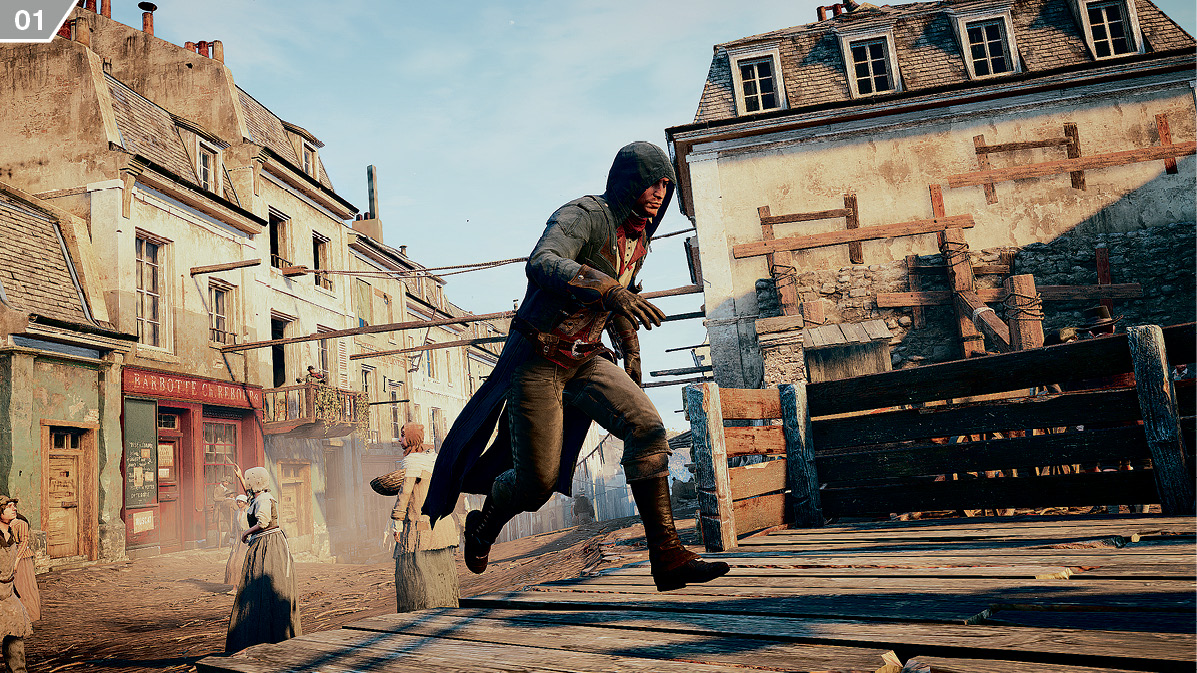
 Free Running: Boiled down to its very essence, basic free running is performed by holding
  +
+  /
/ , and directing Arno on a course that he might reasonably hope to follow (
 ). An essential lesson to learn is that Arno will only perform jumps when a suitable surface or hand-hold is within his range. Run him to the edge of a tall building where a fall might lead to injury or death, and he will come to an abrupt halt.
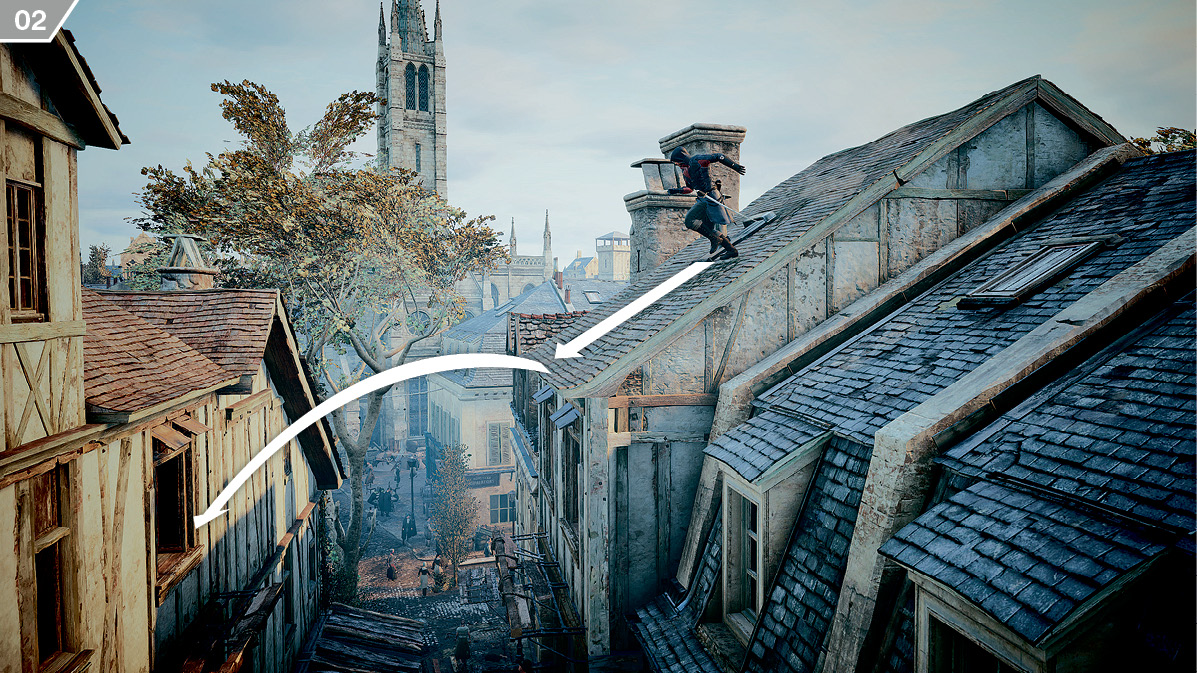
 Free Running Up & Down: Assassin’s Creed Unity introduces two major new commands to the free running system, which enable you to enjoy a far greater degree of control over Arno’s movements. While the standard free running controls described above will enable him to follow simple courses and jump over medium distances (
 ), he will not usually begin climbing, vault long distances or make risky long-range ascents or descents unless you use one of two new free run button modifiers.
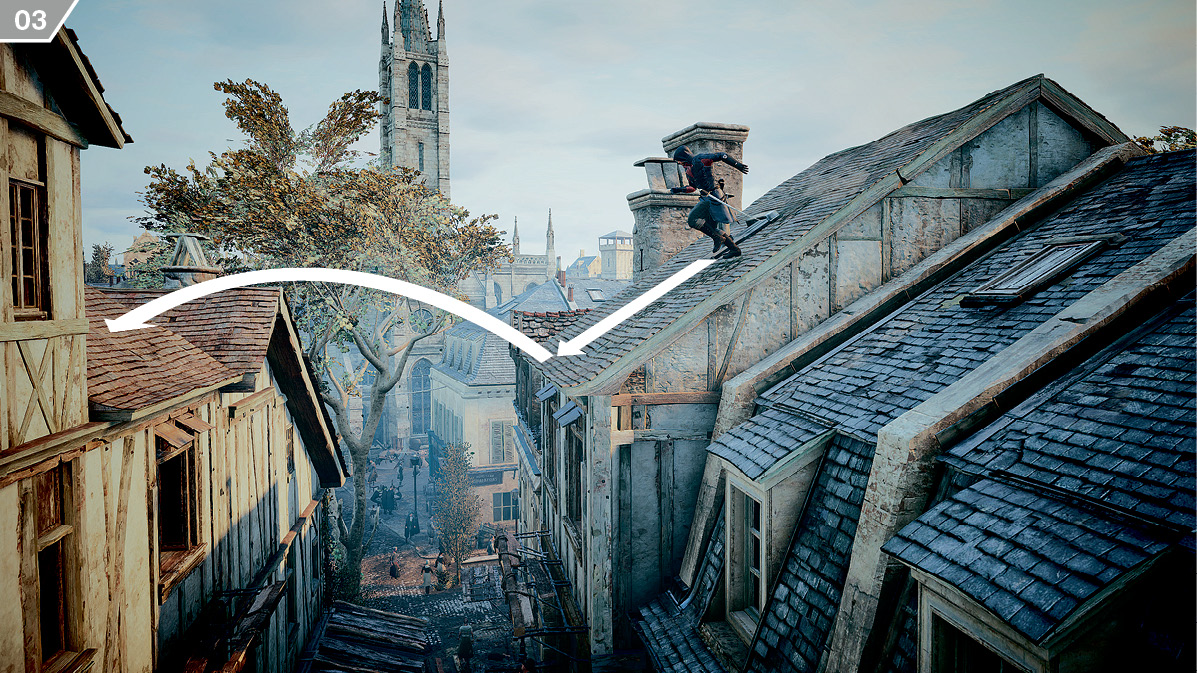
 Free run up is achieved by pressing or holding
  /
/ in addition to
  +
+  /
/ . This leads Arno to make leaps over longer distances (
 ), and to climb walls or steep slopes. If Arno pauses during a climb with a surface within his reach, or prior to a jump within his athletic capabilities, you can tap the button to resume his progress. It also adds an element of risk to traversal: direct Arno towards a sheer drop with the button held, and he may leap from the edge.
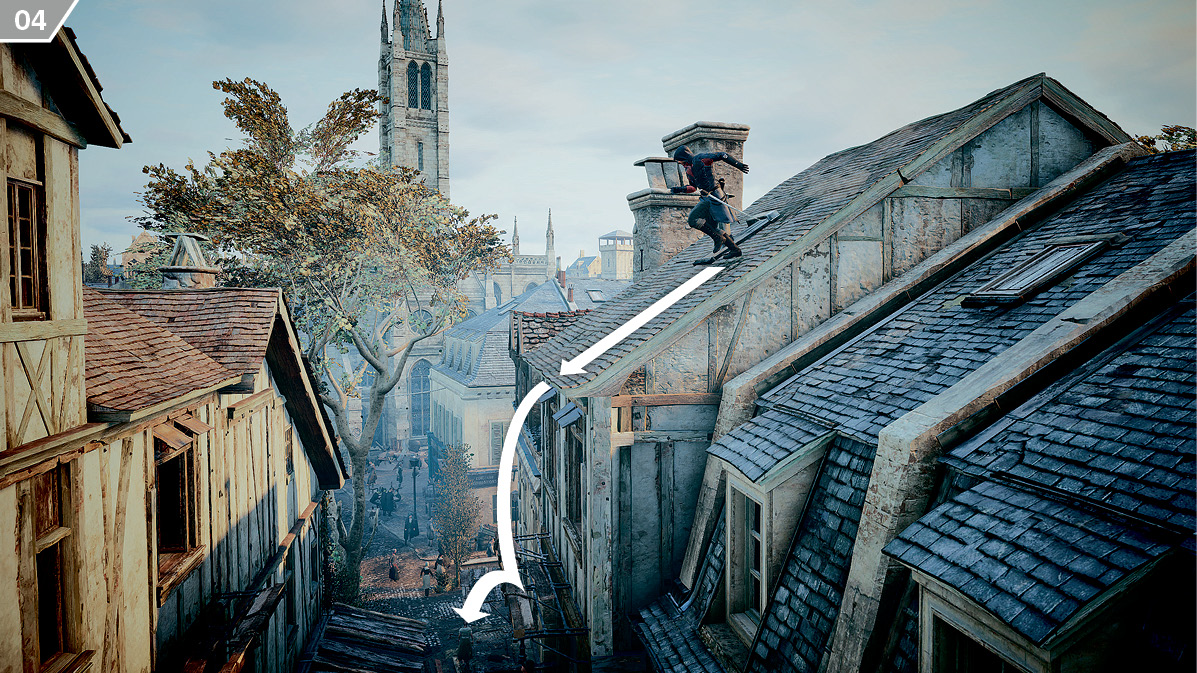
 Free run down is achieved by holding
  /
/ in addition to
  +
+  /
/ . This leads Arno to safely drop downwards, slide down slopes, and, generally speaking, rapidly descend from rooftop level to street level (
 ).
).
Note that you do not need to hold these button modifiers at all times: after you initiate a climb, for example, you can release  /
/ until the button is required again.
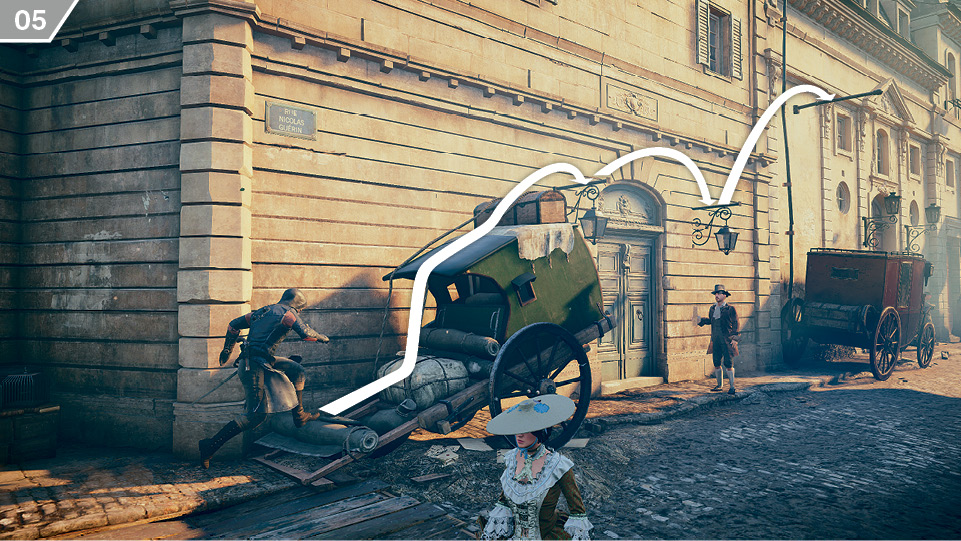
 Free Run Courses: You will regularly encounter free run “courses” that begin at ground level (
 . These can be used to ascend or descend quickly and safely to different elevations.
 Manual Jump: When you need to override Arno’s caution to make a leap that lies just outside his default range or may result in physical harm, press
  in the required direction, hold
  /
/ , then tap
  /
/ .
.
 Swinging: Arno will automatically swing from poles, branches and the like while you hold
  +
+  /
/ .
.
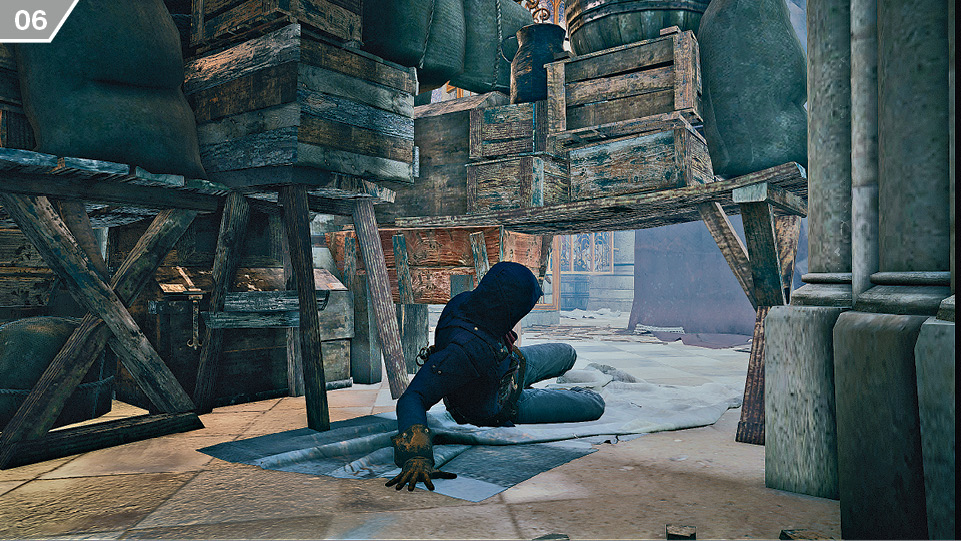
 Pass Through & Pass Under: While holding
  +
+  /
/ , press (and, if required, hold)
  /
/ to smoothly negotiate many obstacles. With the button modifier held, Arno will effortlessly slide through gaps, hop through open windows and swiftly vault low obstructions (
 . This can be extremely useful when you are pursuing a target or attempting to leave aggressors trailing in your wake.
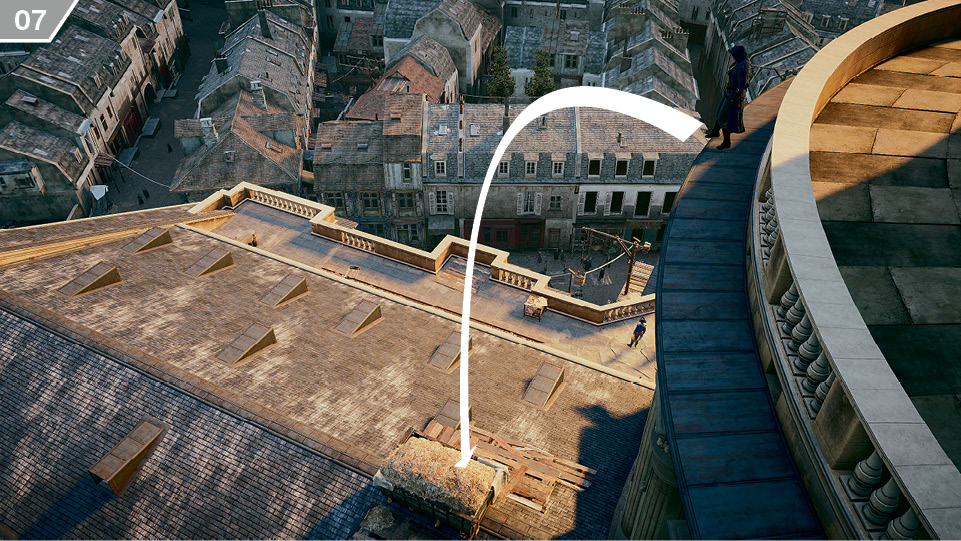
 Leap of Faith: Whenever you can see water or a hiding place comprising leaves, hay, branches or a similar “soft” landing position, the quickest and most convenient way to reach a lower level is to perform a Leap of Faith (
 ). Tilt
  in the direction of the required landing position, hold
  /
/ , then tap
  /
/ or
or  /
/ to perform a spectacular swan dive.
 Route Recognition: With free running and climbing, the real challenge isn’t the use of
  to move: it’s judicious use of
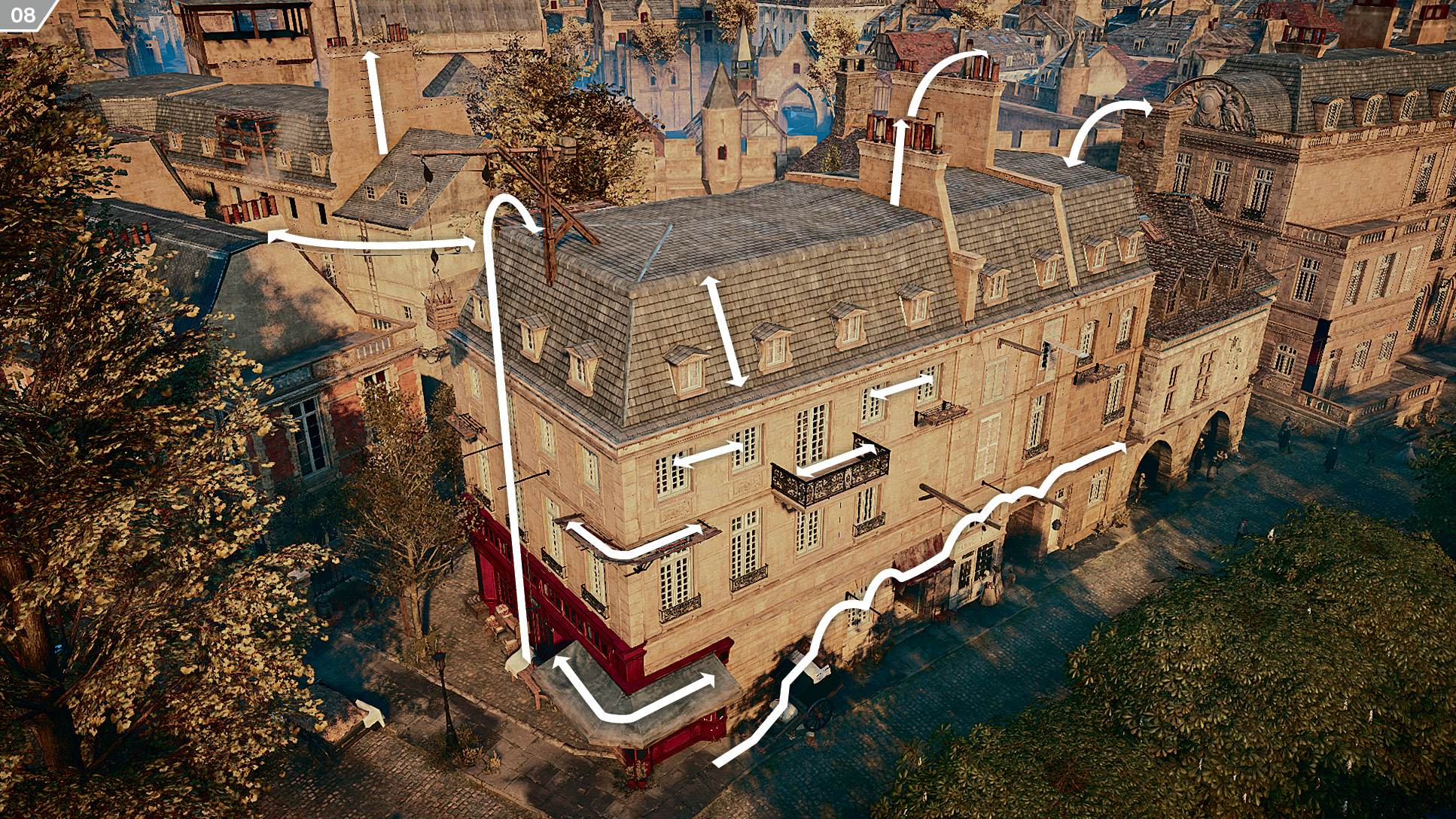
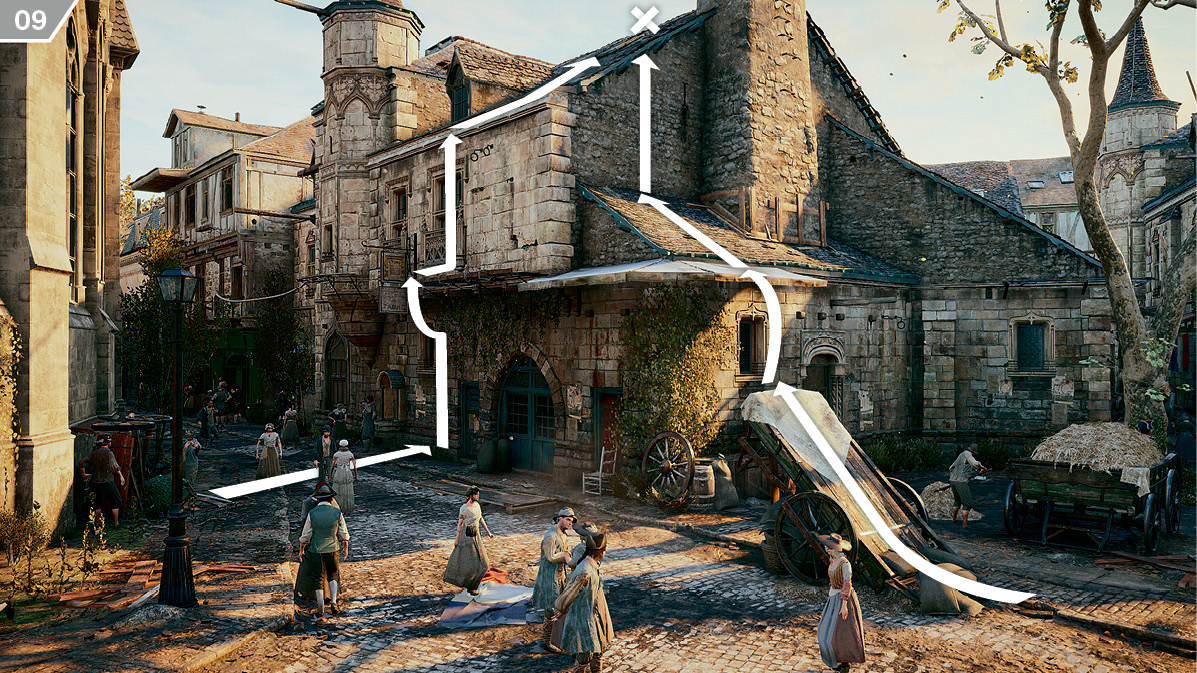
  to command the camera, enabling you to identify, plan and adapt your route throughout any given pursuit, escape or journey. In short, the essence of becoming a master at climbing and free running is the capacity to read your environment clearly. You shouldn’t just see the world in terms of doorways and windows, or trees and branches, but in a more pure sense as waypoints that combine to form routes (
 ).
).
Climbing
 Climbing Basics: To begin a climb, simply free run up (
 +
+  /
/ +
+  /
/ ) into a solid surface with obvious handholds within Arno’s reach. Use
  to ascend, traverse to the left or right, or descend. Employing
  to adjust the camera and see the route ahead is a vital skill. Buildings in urban areas invariably offer several potential climbing routes to a destination (
 ); identifying the quickest and most direct of these is a talent you acquire with practice.
 Descent: To begin a descent from a standing position on a high vantage point, free run down (
 +
+  /
/ +
+  /
/ ). The longer you hold the buttons, the further down you will go, until you reach the ground.
 Drop: To make Arno release his grip on a surface while climbing, tap
  /
/ . He will automatically perform a “catch back” on another ledge as he falls past.
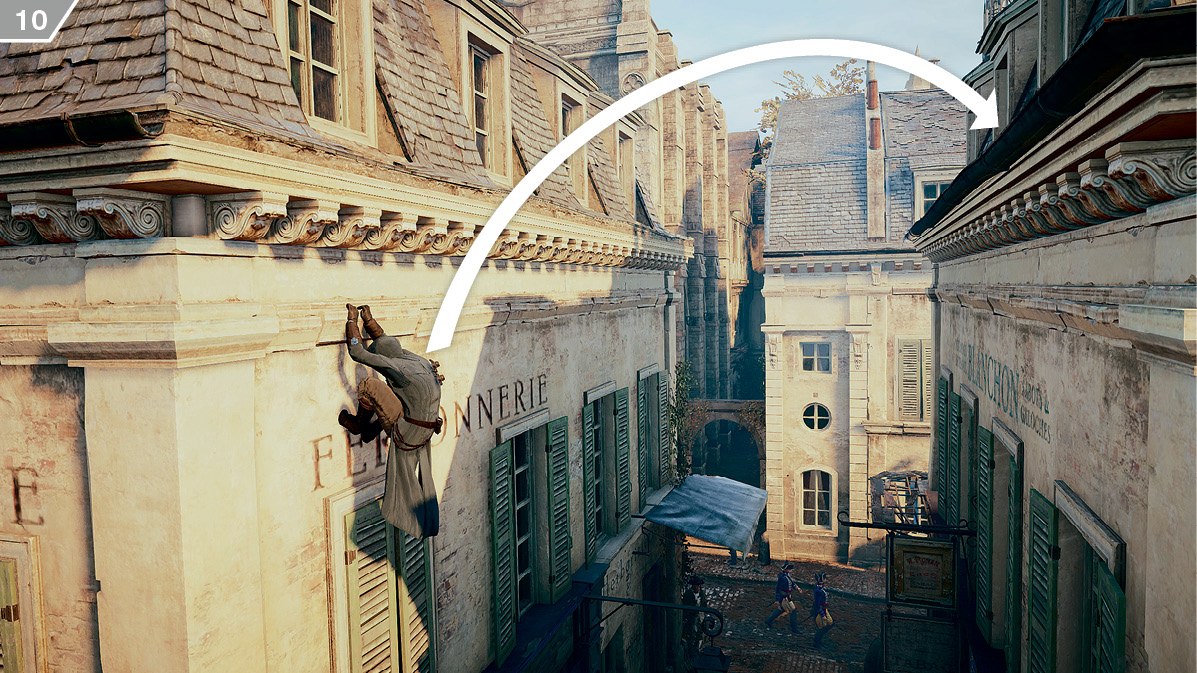
 Back Eject: While climbing, release
  , hold
  /
/ and tap
  /
/ to perform a Back Eject (
 ). This will cause Arno to spring away from a surface, automatically grabbing a ledge behind him or dropping to the ground.
Swimming
 Swim: Use
  to move in water, and hold
  /
/ to increase Arno’s stroke rate.
 Exit Water: Arno will automatically switch to wading in shallow water. To climb onto a surface above his position but within his grasp, hold
  /
/ and steer Arno in the appropriate direction.