Battlefield Bad Company 2 Guide Essentials Basic Training
Interface
Interface
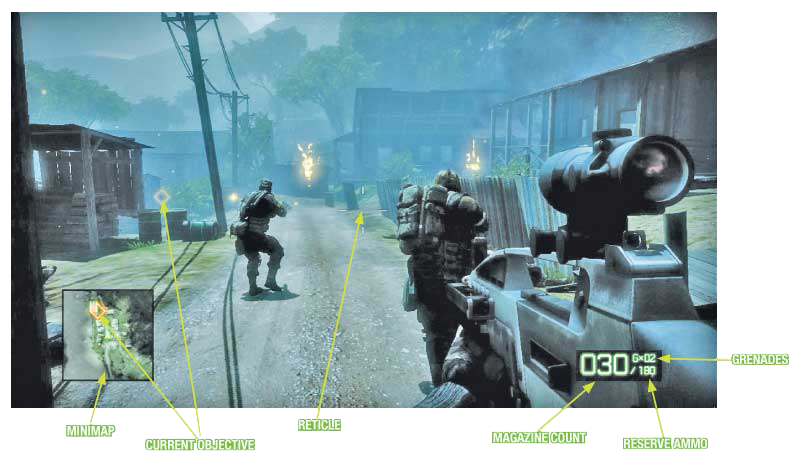
The heads up display, or HUD, is the way that vital information is displayed on your screen. None of the items on your HUD are there for aesthetics. They are there to help you accomplish your mission and keep you alive.
Reticle
The reticle is always located in the center of the screen. The reticle is the aiming point for your weapon. To hit a target, place the crosshairs over it.
Some weapons, such as sniper rifles, do not have a reticle. Instead, they must be aimed using iron sights or scopes. Other weapons, such as grenade launchers or other weapons that lob a projectile, feature a reticle with a vertical line of arrows for aiming at various ranges.
Minimap
Located in the bottom left corner of the screen, the minimap provides a top-down, 360-degree view of the environment through which you are moving.
The minimap rotates as you change direction so that the top of the minimap is always the direction you are currently facing. In addition to showing the terrain, the minimap also shows the location of all detected enemies as red triangles or red vehicle icons.
Friendly units are displayed in blue and empty vehicles are represented by white icons. It is a good idea to constantly refer to the minimap to keep track of enemies.
Even if you can’t see them visually, the minimap lets you know where they are located, whether behind a hill or inside a building.
The minimap also comes in handy when looking for ammo. The icon with three green bullets represents an ammo crate while green pistol icons show you where you can pick up weapons or gadgets.
Finally, red diamond icons show you the location of objectives—these same objective icons also appear on the HUD
Ammo Count
The ammo count box is located in the bottom right corner of the screen. Your ammo is represented by three numbers. The number to the left of the vertical line is the number of rounds you currently have loaded in the weapon’s magazine while the number to the right is the amount of ammo available in unloaded magazines.
As you reload your weapon, the number on the right decreases as the number on the left increases up to the maximum amount the weapon’s magazine can hold. The third number, above the ammo reserves, represents how many grenades you have.
Contextual Actions
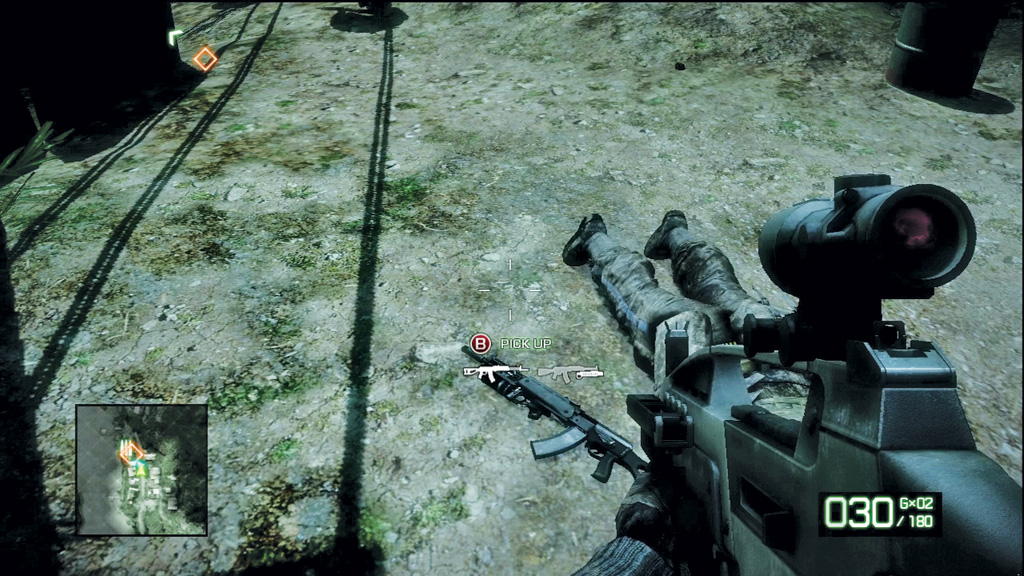
During gameplay, you have the opportunity to interact with some objects. At these times, instructions appear on the screen.
For example, when you are near a weapon on the ground or next to a vehicle not occupied by enemies, a note appears at the bottom center of the screen stating which button you need to press to pick up the weapon or to get into the vehicle.
Other instructions appear along the right side of the screen when operating a vehicle or using a new weapon, informing you how to accomplish different actions.
Interacting with M-COM stations (in single and multiplayer modes) makes you initiate a timed explosive charge used to destroy the crate.
Health
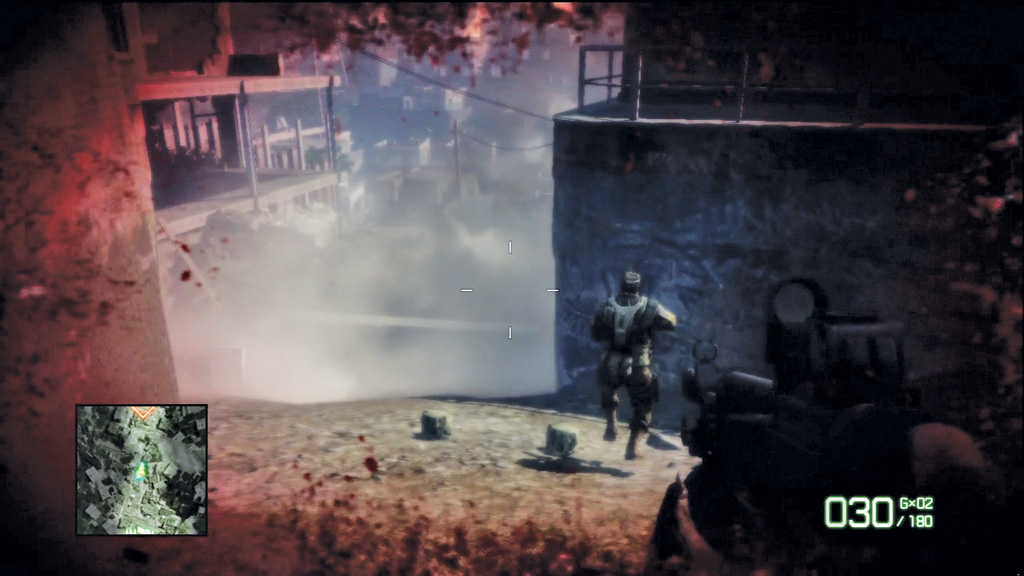
In Bad Company 2, there is no longer a health bar showing you how close you are to dying. Instead, as you take damage, the HUD’s perimeter turns red with splotches of blood and your vision blurs.
Whenever this happens, seek cover immediately. While in cover, you slowly heal over time and the HUD returns to its default pristine condition.
The new health system functions the same way in both single-player and multiplayer campaigns. In multiplayer it takes much longer to heal while in cover, however, so you better find a medic’s medkit to expedite the process.