
Madden NFL 16 Guide Madden Ultimate Team
Start Your Squad
From the main menu, select the Ultimate Team panel to get started building your team. Complete your objectives as soon as possible to continue your progress and unlock new challenges. Make sure to equip offensive and defensive playbooks, along with uniforms. The last thing to keep an eye out for is a coach who will help give your team an identity with his style.
Solo Challenges

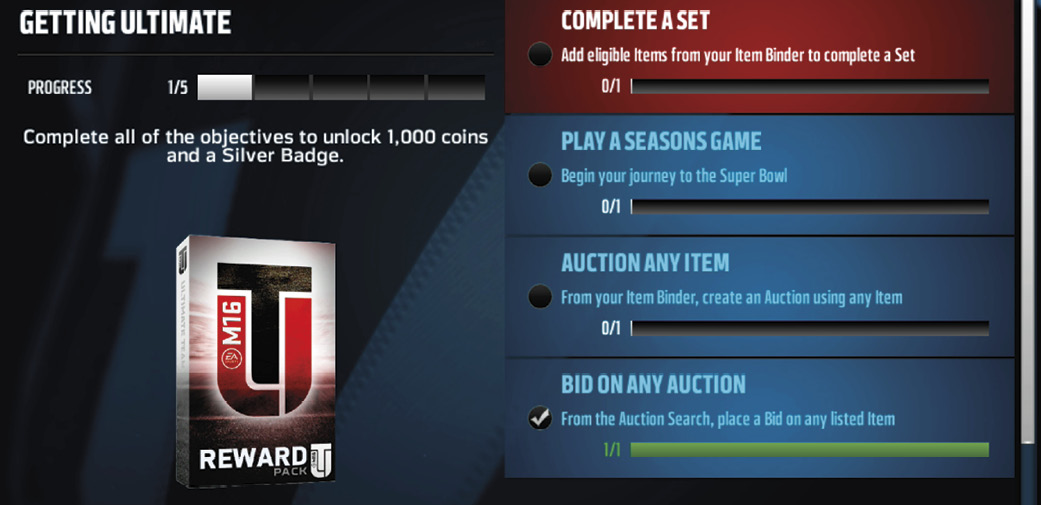
Solo challenges are an excellent place to start once you get all your positions filled out and your roster set. Don’t worry if you haven’t built your full ultimate team yet, since these challenges start out on an easier difficulty level before ramping up. You will have plenty of time to build your team by earning coins and items in these early challenges. Our favorite challenge is currently the Gauntlet, which requires you to defeat all 32 NFL teams on each difficulty level. Doing that unlocks a “boss” challenge. If you win those battles, you earn a Gauntlet Master collectible, which can later be used in the set. After completing those, you should have plenty of items to make lineups for different styles. Go after the Style Kickoff solo challenges next.
NFL Journey
Embark on the NFL Journey, where you will play against every team in different types of games and situations while earning rewards and improving your team along the way. Take on 16 challenges at each of the 10 levels, which get more difficult as you rise.
Levels:
- Prospect
- Rookie
- Starter
- Pro
- Veteran
- All-Pro
- Superstar
- All-Madden
- Elite
- Ultimate
Madden Ultimate Team Seasons
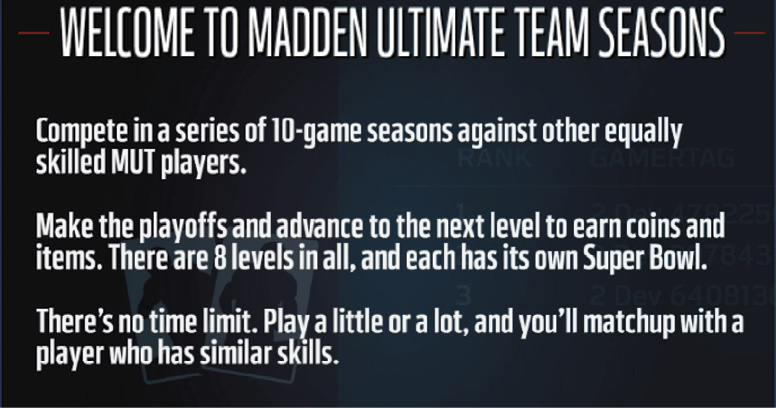
Another option to start building your ultimate team is to play Madden Ultimate Team seasons. These allow you to compete in a series of 10-game seasons against other equally skilled MUT players. If you win enough games, you will make the playoffs and advance to the next level. The higher you climb, the more coins and items you will earn as rewards. Each level has its own Super Bowl and its own rewards. Although you are taking on a human opponent instead of the CPU, there is plenty of magic in place to make sure you get a matchup of similar skill. By getting some solo challenges done early, you can get your team in a great position to compete with anyone you match up against.
Super Bowl Rewards
- Rookie 2nd String: 2,000 Coins, 1 Pack
- Rookie 1st String: 2,250 Coins, 1 Pack
- Pro 2nd String: 2,500 Coins, 1 Pack
- Pro 1st String: 3,500 Coins, 1 Pack
- All-Pro 2nd String: 4,550 Coins 1 Pack
- All-Pro 1st String:5,500 Coins, 1 Pack
- All-Madden 2nd String: 7,000 Coins, 1 Pack
- All-Madden 1st String: 10,000 Coins, 1 Pack
Adjust Lineup
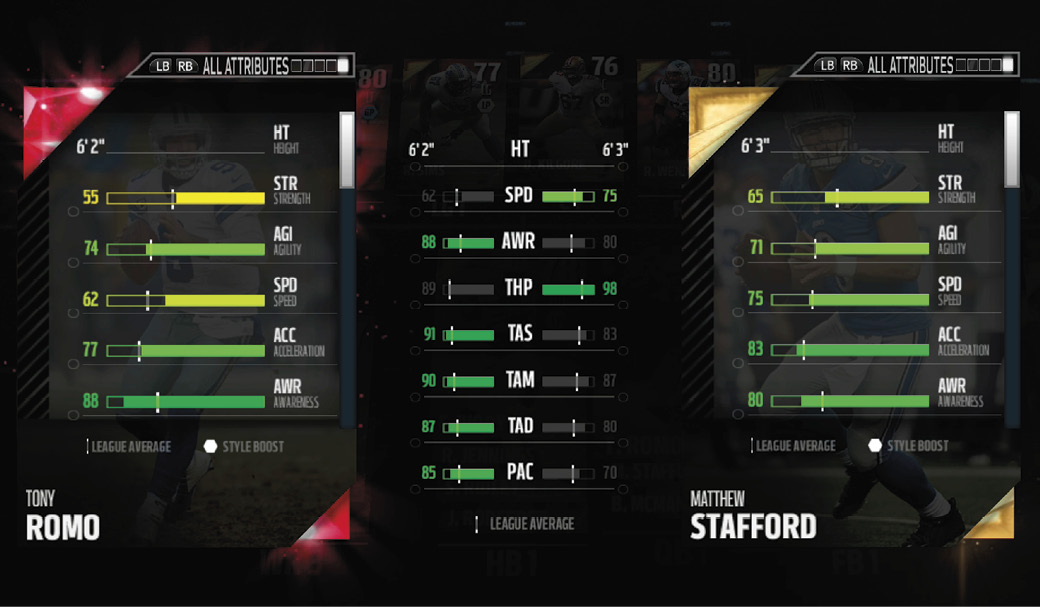
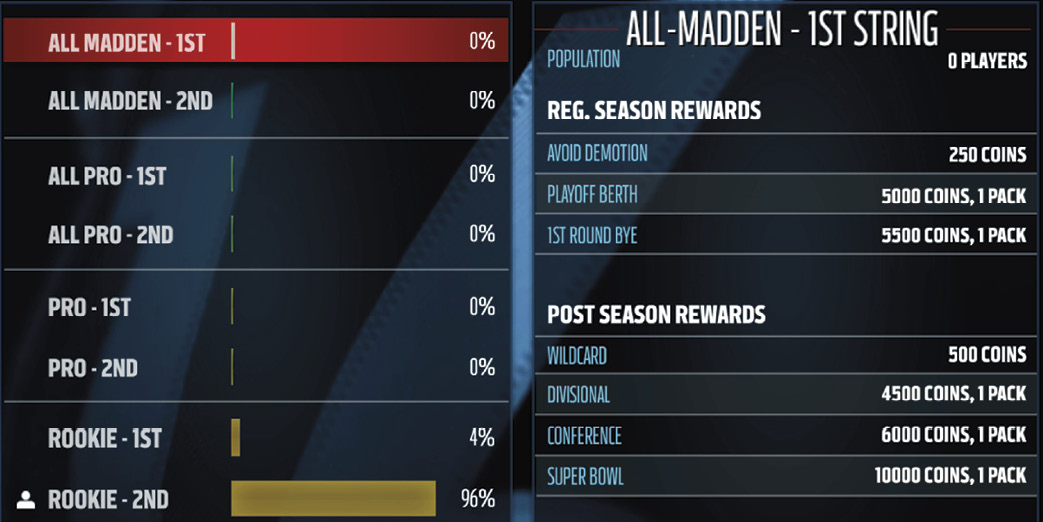
Getting your best players into position to make plays is the key to Madden Ultimate Team. This is where the Lineup screen comes in handy. Scroll over to the Team tab and choose Adjust Lineup. This allows you to make changes to the starting lineup and depth chart. You can let the game handle it automatically, or you can do it on your own. By clicking on a player item, you can compare items in your starting lineup with those in backup roles. Then you can determine which player you want in the lineup based on his abilities and style. There are five different tabs to look at for each item, and all will help you make the best decision. You can view your entire offense, defense, or special teams on the screen at once. You can also head into your Item Binder for a different view and click on player items. From here, you can choose to promote a player to starter.
Two other important things to look at on the Team screen are the Coaching & Equipment panel and the Team Management panel. The first is where you set your coach and playbooks, and the latter is where you set your team style and name.
Item Binder
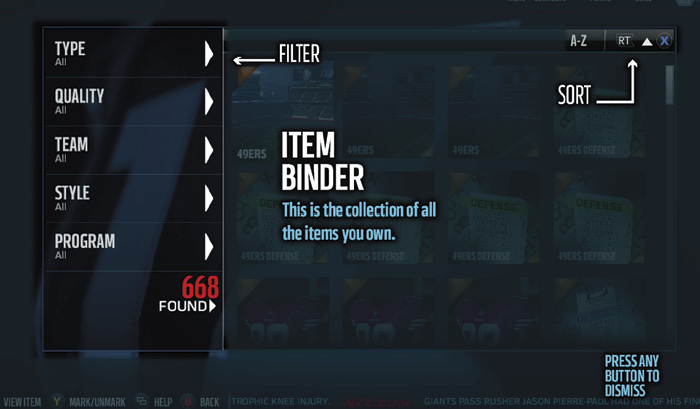
Item Binder Filters
- Type
- Quality
- Team
- Style
- Program
Keeping track of all the items you collect over the season can seem overwhelming at first, but the Item Binder makes it very easy. By using different filters, you can narrow down and find the item that you want. If you are only looking for items from a certain program, the game will simply show you those, and you can quickly make a decision on how to proceed.
Item Viewer
Once you locate the item you want, select it to bring up an extended view. From here, you can view the card in detail and perform actions. Use this screen to:
- Compare Against Similar Items by Position
- Promote to Starter
- Extend Contracts
- Add to Sets
- Auction
- Trade
- Quick-Sell
- You can also navigate to other tabs on the Item Viewer screen. You can see information like player ratings, contracts remaining, style, date acquired, and full attributes!
Sets
One of the biggest aspects of MUT is collecting items. Eligible items are placed into “sets” to earn rewards. Set rewards can be anything from coins to items that are earned when you add and complete everything in a set.
As you inspect the items required to complete a set, the ones you can use will be highlighted. Fill in all the blanks to complete the collection and claim your reward. Sets are updated throughout the year, so any items that didn’t seem to have a purpose when you got them may become valuable later in the season.
Marketplace
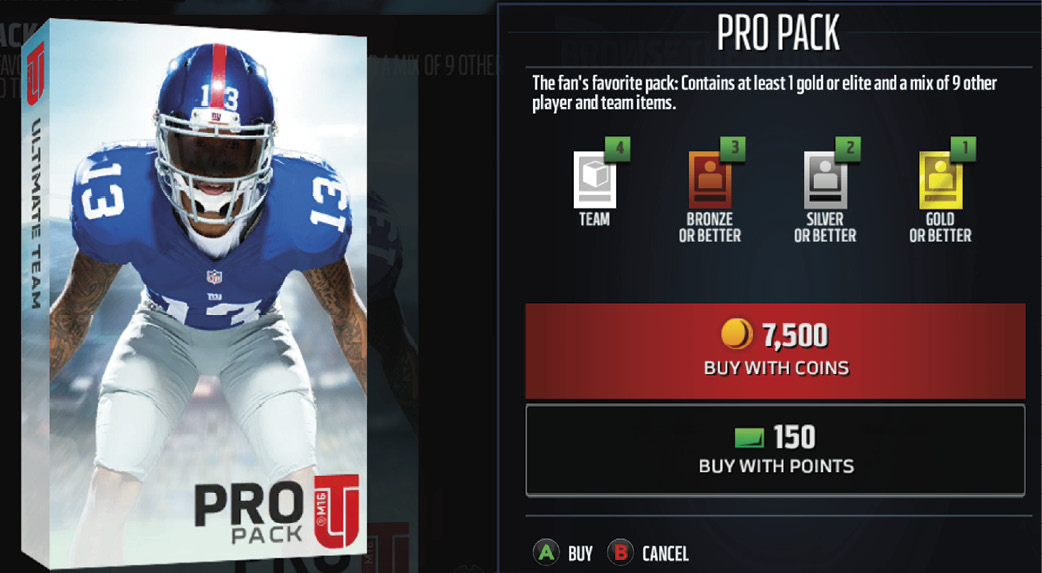
If you are looking to pick up packs without spending in-game coins, you can select the Store and buy items or packs. Opening new packs is a fun way to go hunting for new items that have been eluding you due to a lack of coins. You might even find a rare player that you don’t need and put him up on the auction block. You can buy points that will allow you to purchase packs — the bigger the bundle the more points you save.
Auctions
The Auction House allows players to search active auctions to find items to buy or to bid on. If you have already placed an offer or posted an item, you can view those in My Bids or My Posted Auctions. By knowing exactly which items you want to buy and how much you are willing to pay, you can find good deals. The more patient you are and the more coins you have available, the better you will do.
Trade Block
If you are looking for a specific item in return rather than coins, the Trade Block is where you want to be. At the Trade Block you post a specific item from your collection and specify what you would like in return. You can also search for an item if you don’t have enough coins to buy it at the Auction House and offer something from your collection.
Team Styles
Selecting a style is a great way to get your team some boosts during gameplay. Keep an eye what type of items you are starting to collect and start to build out a lineup. Remember that you can find players that match your current style by using filters in your Item Binder. Focus on one, but make sure to keep some spare players around, and always test out different combinations. The higher the style, the more you can feel the boosts on the field.
Style Pack Rookies
- SP: Jameis Winston
- LP: Amari Cooper
- GP: Todd Gurley
- SR: Melvin Gordon
- ZD: Landon Collins
- MD: Trae Waynes
- PR: Vic Beasley
- RS: Leonard Williams
Offensive Styles
- Short Pass (SP) style boosts Catch in Traffic and Pass Blocking to improve your ability to complete short to intermediate passes.
- Long Pass (LP) style boosts Route Running and Pass Blocking and improves your ability to complete intermediate to deep passes.
- Ground and Pound (GP) style boosts Trucking and Run Blocking, thus increasing your effectiveness with a power running game plan.
- Speed Run (SR) style boosts Elusiveness and Run Blocking, increasing the effectiveness of a running game plan built around quickness.
Defensive Styles
- Zone Defense (ZD) style boosts Play Recognition and Zone Coverage, so there’s an increased chance of success when you call zone coverage plays.
- Man Defense (MD) style boosts Play Recognition and Man Coverage for an increased chance of success when you call man coverage plays.
- Pass Rush (PR) style boosts Pursuit and Block Shedding, so players blitzing the QB are more likely to escape blocks.
- Run Stuff (RS) style boosts Tackling and Block Shedding, so defenders have a better chance of shutting down plays.