
Lego Star Wars III: The Clone Wars Guide Essentials DS Game Basics
Character Abilities (DS)
Character Classes
Most Story characters fall into one of five main character classes. Character classes are defined by a unit’s special abilities, and are the key to understanding the characters in your party. Experiment with the different classes to see which characters best match your playing style, and how to make the most of your party’s abilities.
Jedi
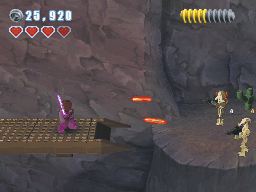
Jedi serve as the peacekeepers and protectors of the Galactic Republic, so it’s no surprise they’re among the most capable characters in the game. The Jedi has an impressive skill set, and offers an excellent option for general play.
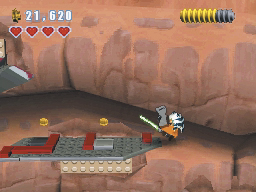
A Jedi’s Lightsaber is a powerful and versatile tool. Run in and use the Lightsaber in close combat, or hang back and use well-timed deflections to turn incoming blaster fire against your enemies.
A Jedi can use superior agility to execute an impressive double-jump. Use the extra height and distance from the double-jump to reach areas other characters can’t.
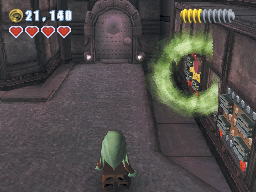
The Force allows a Jedi to lift heavy objects from a distance. Keep an eye out for the glowing objects, then use the Force to manipulate your surroundings.
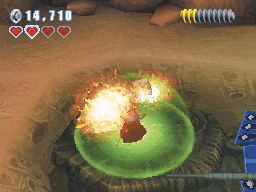
When dealing with a squad of battle Droids, the Jedi ground slam is an absolutely devastating tool. Resilient Droids caught in the sphere of impact are temporarily disabled, while weaker Droids are destroyed outright.
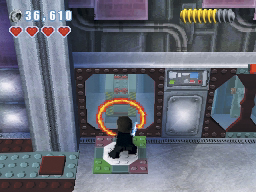
Jedi pads allow the Jedi to perform even more remarkable feats. Activate these pads to perform Force jumps, climb walls, or cut new paths straight through obstacles. The available action is determined by the Jedi pad, but every pad allows a Jedi to reach otherwise inaccessible areas.
Sith
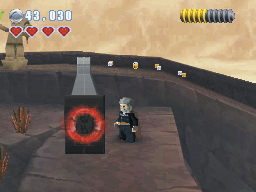
The Sith possess all of the same skills as the Jedi. The Lightsaber, double-jump, Force lift, ground slam, and Jedi pads are can all be used by both the Jedi and Sith, but the two character types are attuned to opposite sides of the Force. Some objects only respond to the light or dark sides of the Force. When an object emits a faint red glow—even in the presence of a Jedi—only a Sith can use the Force to affect it.
Light Clone
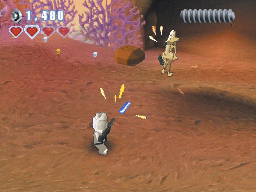
Light clones favor precision and mobility over raw power. These expert marksmen are capable of basic combat, but a light clone’s special abilities are best used away from the battlefield. Although most of these characters are clones, this class extends to individuals with the same abilities: many smugglers, bodyguards, and officers can also be considered light clones.
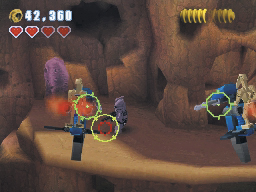
Light clones always carry some variety of blaster. Blasters may not be particularly powerful, but they are both accurate and lightweight.
Sharpshoot targets allow light clones to showcase their skill with a blaster. Whenever you come across a sharpshoot target, take careful aim and let precision accomplish what brute force can’t.
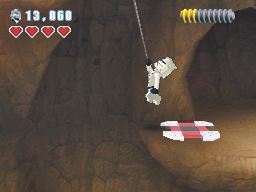
Grapple pads allow light clones to reach otherwise inaccessible areas. Activate these pads to swing across gaps, reel yourself up to high ledges, or topple obstacles in the environment.
Heavy Clone
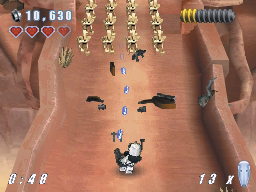
There are several varieties of heavy clone, but they all have one thing in common: firepower. Heavy clones carry powerful blaster cannons capable of clearing an entire battlefield. Their focus on combat makes heavy clones ill-suited to exploration, but few units can hope to match their raw power.
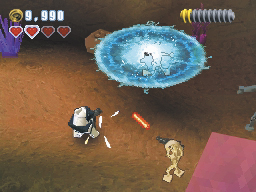
Thanks to the rotating barrel, the heavy clone’s blaster cannon has a very high rate of fire. Heavy clones sacrifice efficiency for effectiveness; their massive weapons virtually eliminate the need for aiming.
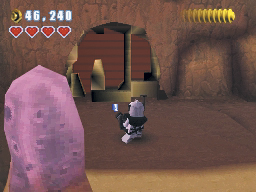
Heavy clones also carry Droid poppers—EMP grenades capable of disabling or destroying any Droids within the blast radius. Aside from the Jedi’s ground slam, the heavy clone’s Droid popper is the only tool capable of penetrating a Droideka’s shield.
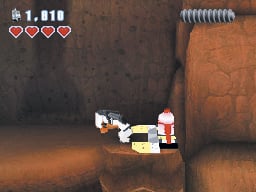
Some obstacles can be cleared away only by the heavy clone’s blaster cannon. Whenever you come across a stack of flashing bricks, use the heavy clone’s firepower to clear the way.
Use the heavy clone’s weapons expertise to detonate large bombs. Explosions from these special bombs can dramatically alter the environment, removing obstacles and revealing secret areas in the process.
Bounty Hunter
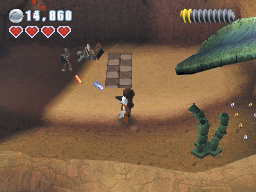
Most bounty hunters act as soldiers for hire, offering their services to anyone willing to pay. Many bounty hunters carry advanced weaponry, but their independent nature results in more variety than you’ll find in the other character classes. Because of their mercenary nature, many pirates and gang members are also considered bounty hunters.
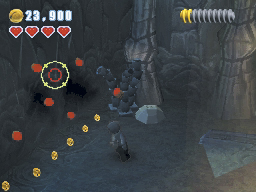
Bounty hunters rely on a wide variety of equipment, but nearly all of them use blasters for basic combat.
Most bounty hunters use thermal detonators to intimidate enemies and overcome superior numbers. These unstable explosives are extremely dangerous, but they can be very useful outside of combat. Whenever you find clusters of thermal detonators in the environment, use a bounty hunter to set off a chain reaction.
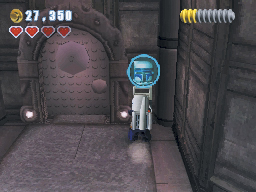
Bounty hunters can make use of special control panels. Approach a control panel to find out which characters can use it; if a portrait of Jango Fett appears above the panel, any bounty hunter can use it.
Secondary Traits
Secondary traits are special abilities or characteristics that aren’t standard within any of the main character classes. Some of these traits appear in multiple character classes, while others allow miscellaneous characters to fill supporting roles within your party.
Droid
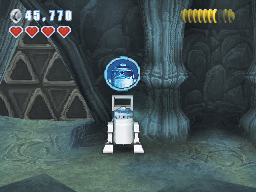
Since they’re designed for such a wide variety of uses, Droid models can have wildly different abilities. One thing most Droids have in common, however, is the ability to use special control panels. Look for a portrait to appear above the Droid control panel, and then select the appropriate character to access it.
Separatist
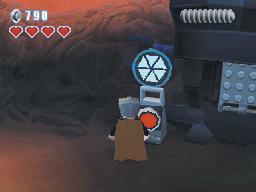
Separatists are members of the Confederacy of Independent Systems, or individuals who are sympathetic to its cause. Multiple classes contain Separatist elements, and all of these characters can operate designated control panels. Whenever the CIS symbol appears over a panel, use a Separatist character to access it.
Small
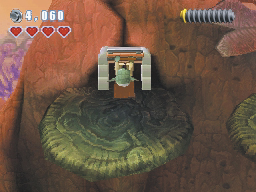
Some characters are small enough to fit through narrow passages. These narrow passages are indicated by special doors. Whenever you come across one of these doors, use a small character to access a hidden area.
Jetpack
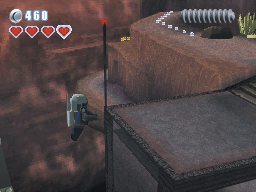
A jetpack allows a character to hover for a short time. Certain Droids, bounty hunters, and clone troopers are equipped with jetpacks, which makes it possible for them to cross large gaps without the need for grapple or Jedi pads. Characters like King Katuunko or R2-D2 are also considered jetpack characters, even though they have different methods of hovering.
Control Panel Minigames
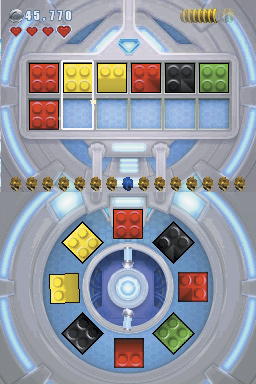
When a valid character uses a control panel, it triggers a short minigame. Droid, bounty hunter, and Separatist control panels each offer different challenges. Complete a panel’s minigame within the time limit to activate a nearby mechanism. All of the minigames involve matching LEGO bricks, and all of them reward extra studs for doing so quickly.
After you activate a Droid control panel, quickly check the sequence of bricks on upper screen. Use the stylus to rotate the matching bricks into place on the touch screen. Find each brick, and move it each one into the top position on the wheel. When a brick snaps into place, it appears on the upper screen. You can then safely move onto the next brick in the sequence.
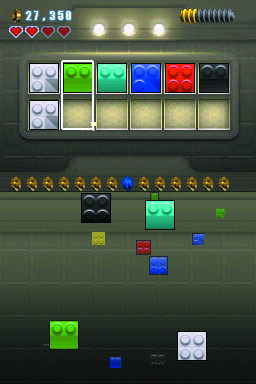
When you activate bounty hunter control panel, follow the brick sequence in the upper screen by grabbing the matching bricks from the touchscreen. The falling bricks move quickly, so snap each one into place before the timer runs out.
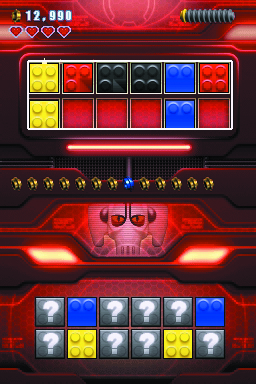
The Separatist control panel’s minigame requires you to find the matching pairs of bricks on the touchscreen. Touch a slot to reveal the hidden brick, then try to find the matching brick somewhere on the touchscreen. If the selected bricks match, the appropriate brick appears on the upper screen. Match all six pairs to fill the slots on the upper screen before time runs out.