
Ninja Gaiden 3 Guide Essentials Introduction
Control Key
There are multiple controller configurations available in Ninja Gaiden 3. Use whichever configuration feels best to you. However, for ease of use this guide refers to the default controller configuration (Type A).
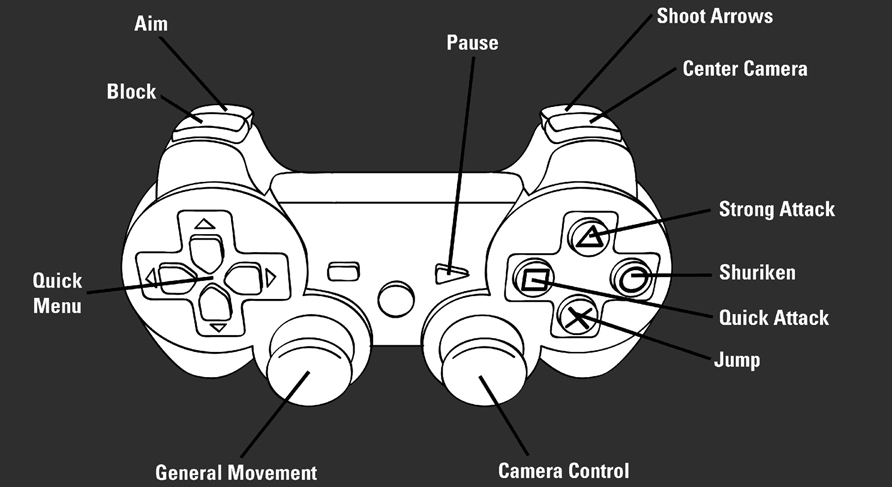
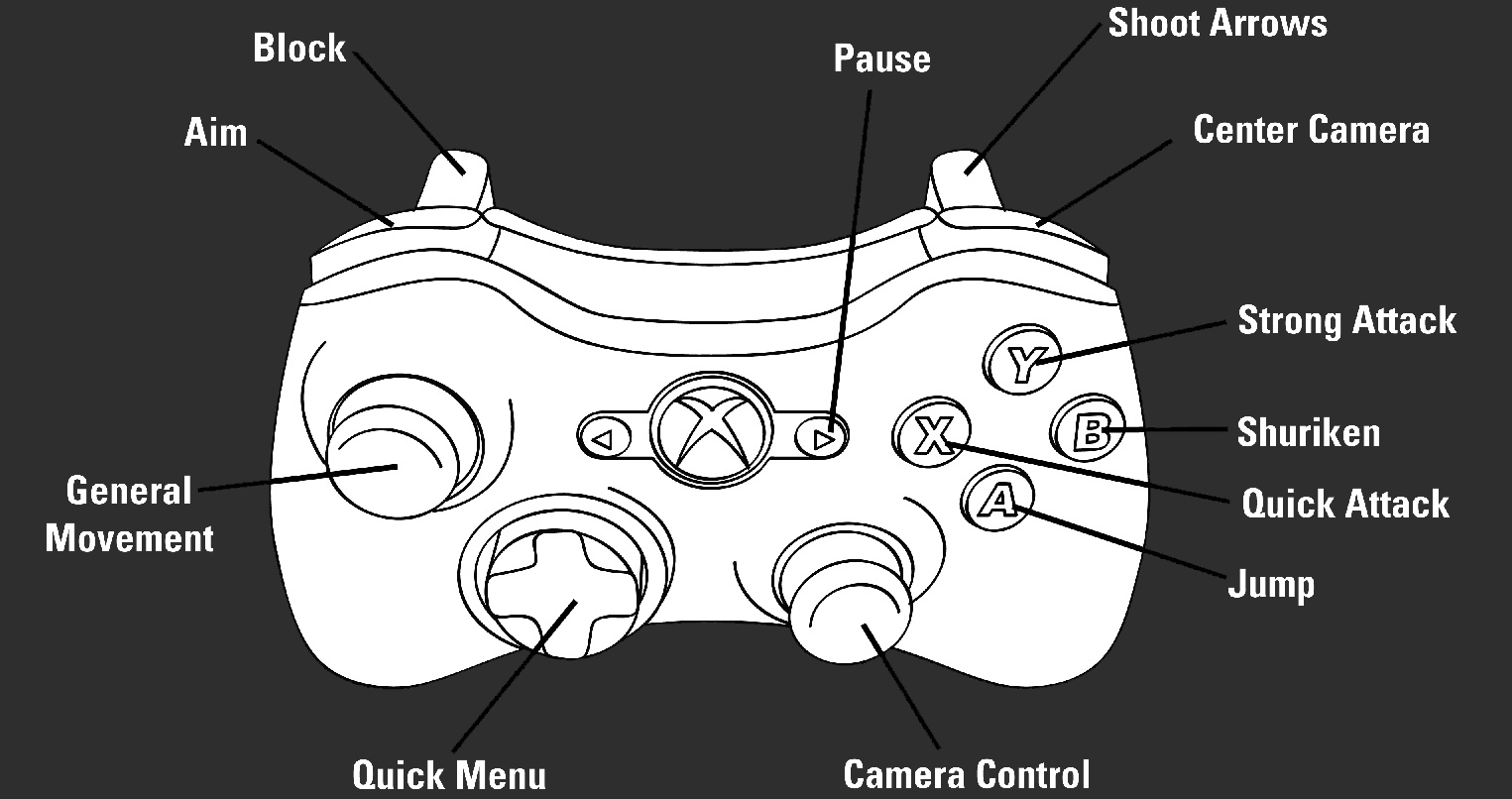
Default Controller Configuration (Type A)
Action |
Xbox 360 |
PlayStation 3 |
|---|---|---|
|
General Movement |
Left Analog Stick |
Left Analog Stick |
|
Camera Control |
Right Analog Stick |
Right Analog Stick |
|
Center Camera |

|
|
|
Camera Zoom |
|
|
|
Aim |
Hold
|
Hold
|
|
Quick Attack |
|
|
|
Strong Attack |
|
|
|
Shoot Arrows |
|
|
|
Shuriken |
|
|
|
Ninpo |
|
|
|
Jump |
|
|
|
Block |
Hold
|
Hold
|
|
Sliding |
Left Analog Stick + Hold
|
Left Analog Stick + Hold
|
|
Wind Run |
|
|
|
Detect Route |
Hold
|
Hold
|
|
Counterattack |
|
|
|
Obliteration Technique |
|
|
|
Ultimate Technique |
Hold
|
Hold
|
|
Quick Menu |
|
|
|
Game Settings Menu |
|
|

 While Aiming


