Kingdom Hearts HD 1.5 Remix Guide KHFM: Essentials The Basics
The Basics
Game Controls
It takes a while to learn all the buttons in the game, and even longer to master your combos. Keep in mind that the controller functions will change based on the mode you’re in. For example, Battle Mode is different from Underwater Mode. Also, some of your functions won’t be available until later in the game.
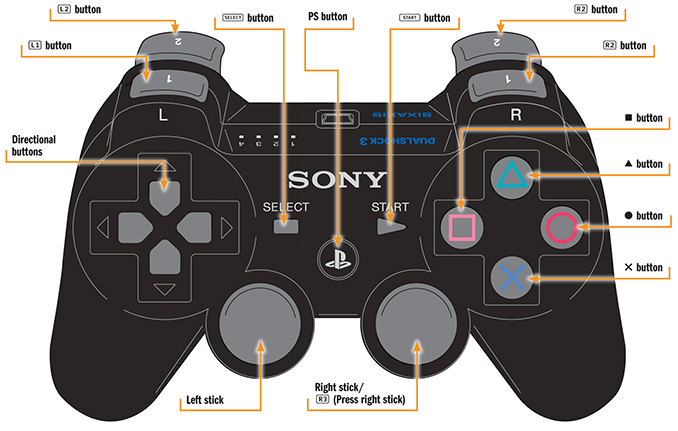
| Button | Action |
|---|---|
 Button
|
Hold down to display magic shortcut menu |
 Button
|
Cycle through available targets while locked on |
 Button
|
Engage or disengage target lock |
 Button (Press right stick)
|
Revert camera to default frontal view |
| Directional buttons | Move cursor / Move cursor in command menu |
| Left stick |
Move character / Move Camera (when in first person mode by pressing
 )
)
|
| Right stick | Move Camera |
 Button
|
Display main menu / Pause (during battle and cutscenes) / Skip events (during cutscenes) |
|
Button
|
Toggle first-person view on and off |
 Button
|
Cancel / Press while holding the
button to cast assigned spell
|
 Button
|
Special Commands (Talk / Open Chests / Save, etc.) / Use Special Abilities (P21) / Call Allies (battles) / Press while holding the
button to cast assigned spell
|
 Button
|
Use abilities (Dodge Roll, etc.) / Descend when flying or swimming / Press while holding the
button to cast assigned spell
|
 Button
|
Confirm /Jump / Release / Ascend when flying or swimming |
Press the
,
,
,
 ,
and
buttons together to perform a Soft Reset, returning the game to the Start menu. Pause and Soft Reset are disabled during certain scenes.
,
and
buttons together to perform a Soft Reset, returning the game to the Start menu. Pause and Soft Reset are disabled during certain scenes.
Starting a New Game
Your first choice: Do you want to play on Normal or Expert? Gameplay will be different depending on the difficulty level you select. Expert Mode opponents inflict twice the damage of Normal Mode opponents. In space, your gummi ship begins with half the standard armor rating and enemy ships will deliver twice the damage that a Normal Mode enemy ship would deliver. Unless you are already a hard-core player, it’s recommended that you begin with Normal Mode and advance to Expert Mode after you’ve had some experience with the game.
Key Terms
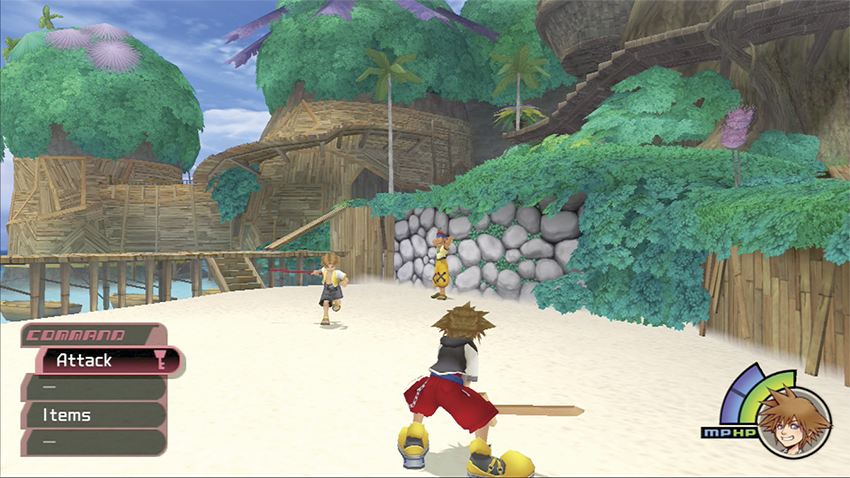
All these terms will become very familiar to you as you journey through the worlds. Take a glance through the following terms if they’re new to you or you need a refresher on their meanings:
Ability: Think of these as character skills that you unlock by leveling up. You need AP to activate abilities.
Accessories: Equipment that your party members can put on for improvement to stats and resistances.
AP (Ability Points): These points are used to equip abilities. The higher your level, the more Ability Points you have to spend on your skills.
DEF (Defense): This stat reduces the damage characters take from attacks.
EXP (Experience): You earn EXP for defeating opponents. All characters receive EXP, even if you don’t land the final blow against an opponent or if you don’t happen to be in the party at that moment.
Gummi Ship: This is a special vessel that enables you to travel between worlds. Gummi blocks are items that you can attach to your ship to improve performance.
HP (Hit Points): A character’s health, or stamina, is represented by hit points (HP). The right side of the screen displays HP as a green rounded meter surrounding a character’s portrait. If Sora’s HP meter drops to zero, the game ends and you choose an option on the Continue screen. If another party member’s HP meter hits zero, the character is temporarily knocked out but will recover after 45 seconds (except for Donald and Ariel, who recover after 60 seconds).
Items: Most usable objects fit under this term, such as a Potion or Ether. You can set which items are available on your shortcuts through the Items menu.
LV (Level): Characters’ levels increase through EXP and range from 1 to 100. The higher the level, the more powerful a character’s stats become, especially HP, AP, and STR.
Max AP: A character’s maximum ability points. This may increase based on level.
Max HP: A character’s maximum hit points. This may increase based on level.
Max MP: A character’s maximum magic points. This may increase based on level.
MP (Magic Points): Your spells consume magic points. MP balls dropped from opponents can refill your MP meter, as well as Ethers and Elixirs.
Munny: The game’s unit of currency. You spend munny on equipment and items in shops.
STR (Strength): Strength determines how much damage you inflict through physical attacks.
Trinity Marks: These are colored symbols you discover on the ground, five in all: blue, red, green, yellow, and white. When you stand on or near a Trinity Mark, the Trinity ability appears in the Command menu. You can only use Trinity Marks if Donald and Goofy are in your party.
Weapons: Most characters have only one default weapon. However, Sora, Donald, and Goofy can change their weapons. Look for upgrades throughout the game.
The Main Screen
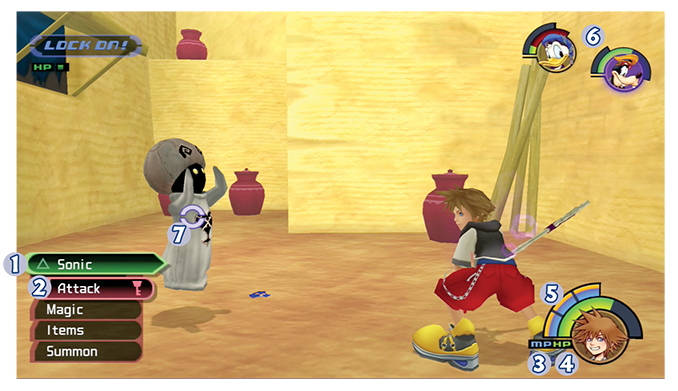
 Command Menu
The Command menu changes depending on the game situation. Blue is the standard, noncombat setting. It turns red for Battle Mode when opponents appear in the area. Green abilities will flash atop the Command menu when they are available in combat.
 Currently Selected Option
Your selected command is highlighted from Attack, Magic, Items, and Summon options.
 MP Gauge
Sora’s blue Magic Point meter surrounds his portrait. Each segment represents one MP.
 HP Gauge
Sora’s green Hit Point meter surrounds his portrait. If you want to know the exact HP figure, check the Status menu.
 Charge Gauge
Sora’s orange Charge meter surrounds his portrait. Once enough Charge fills up, it converts to MP. Low-MP spells subtract from the Charge meter first.
 Party’s Gauge
The other characters in your party are displayed in the top-right corner of your screen. Watch their HP and MP meters to know when to use items.
 Target Icon
This symbol appears on an opponent or object that you target with the “Lock On” function.
Lock On Feature
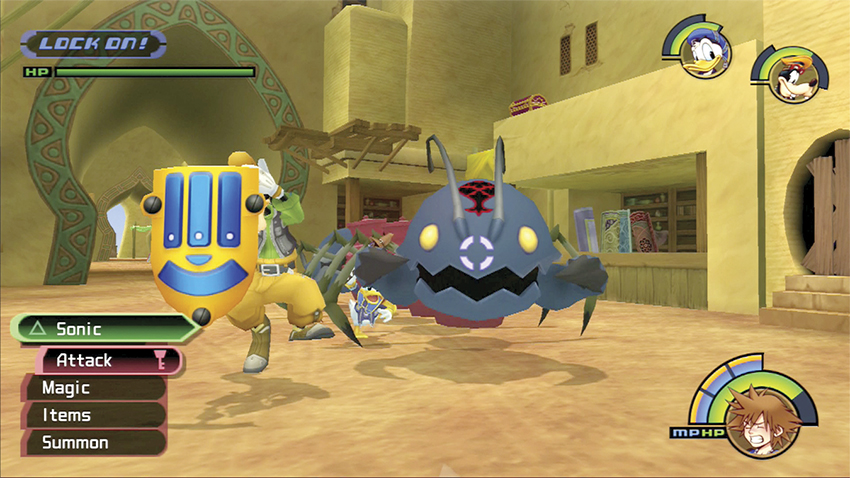
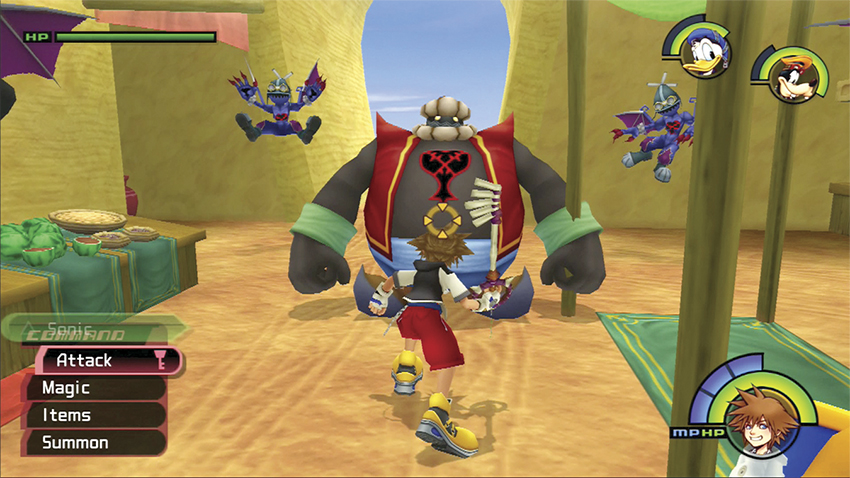
You can lock onto targets four different ways. At long range, you can manually lock onto an opponent or object and your target lock will appear as a purple circle divided into four segments. At medium range, you can manually lock onto an opponent or object and your target lock will appear as a purple circle divided into two segments. At short range, you can manually lock onto an opponent or object and your target lock will appear as a complete purple circle. If you move close enough to an opponent or object, the Auto Lock feature will display as an orange circle with four arrows. Remember that you can toggle among targets, and if you can’t lock onto a target, you know that there is nothing to interact with in the area.
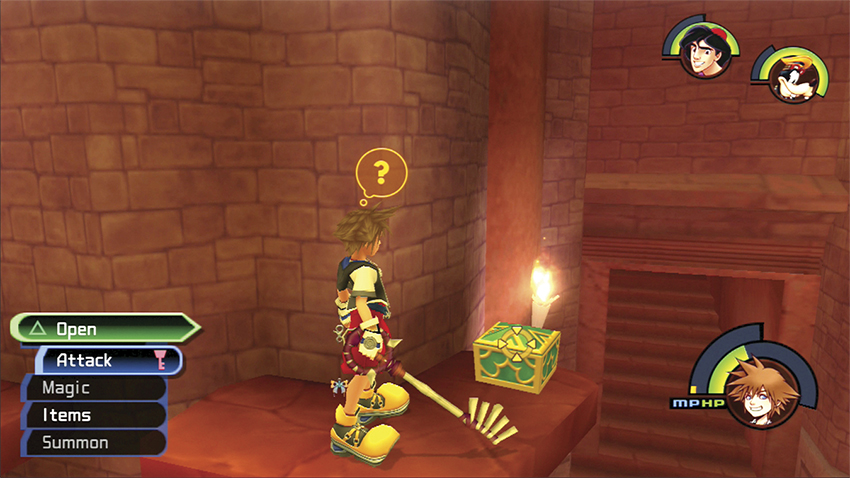
When you get close to a character or object, the symbol above your head will also change. An exclamation point over your head indicates that the uppermost option in the Command menu has changed. For example, the Attack option will be replaced by a Talk option when you approach a character with something to say. A question mark over your head indicates that the lowermost option in the Command menu has changed. These special commands generally include Open, Examine, Save, Drink, Trinity, and Lift.
Menus
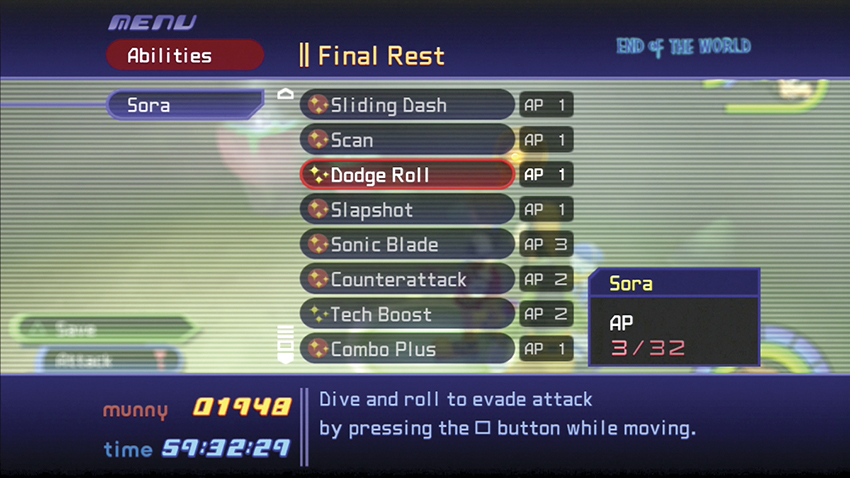
The game’s various menus give you access to its rich content, from items to customizing shortcuts to peeking into your journal to see what’s been done and what still needs doing. Here’s a quick rundown on your menu options:
Main Menu: Everything begins here. Your sub-menus are listed on the left side, while your world location is displayed at the top of the screen. Current party members are shown on the main screen, with their stats below them. Any fourth character who joins you will be listed too, with his or her name, level, HP, and MP listed. In the bottom-left corner, look for your current munny total and the amount of time you’ve played your current game.
Items Menu: You can choose your party’s items here, and you’ll be back often to stock up on Potions and other useful consumable items. Remember that you can only use items in combat that have been previously assigned through this menu, though you will gain more item slots as you level up. You can also view your gummi blocks from this menu.
Equipment Menu: Look for your characters’ weapons and accessories in this menu. The top slot of each character is for a weapon; the remaining slots are for accessories. When you choose a new weapon or accessory, a stats list to the right shows the changes that will occur if you decide to equip that piece. Blue figures represent an increased stat, while red represents a decrease; gray signals that the stat will remain the same.
Abilities Menu: You can equip or remove character abilities from this menu. Scroll through a character’s list of abilities and select abilities that you would like to equip. So long as you have the required AP (shown to the right of the ability), you can equip the ability. Details about the selected ability are written at the bottom of the screen. Equipped abilities are displayed with a star field enclosed by a red circle; unequipped abilities just show a star field.
Customize Menu: This is where you set up your three magic shortcuts. Choose the three spells that you use the most often, such as Fire and Cure, or you can customize the shortcuts before boss fights to better prepare for that specific battle. Though you can’t assign shortcuts to other characters, you can predetermine their fighting styles by altering their individual Customize settings. You can choose from three categories to affect the how often a character performs an action: Constantly, Frequently, and Occasionally.
Status Menu: Your characters’ stats, equipment, and abilities appear here for a quick overview. The main Status screen shows each party member’s HP, MP, AP, STR, DEF, LV, and EXP. You can also check to see how much experience they need to hit the next level. Scroll through the other screens for details on equipment, abilities, and available summons.
Journal Menu: Jiminy Cricket keeps a record of your story and things you’ve accomplished and collected. Details that you can read about include your Chronicles (summaries of your adventures to date), Ansem’s Report (which parts you have so far), Characters (information on the characters and Heartless you’ve encountered), 101 Dalmatians (which puppies you’ve rescued and which still remain missing), Trinity List (keeps track of which Trinity Marks you’ve activated by color), and Mini-Games (shows the records held in the various games).
Config Menu: Here you can configure all the game settings. Set your personal preferences for Auto Lock, Target Lock, Field View, Vibration, Sound, and Challenge Level.
Actions
Movement
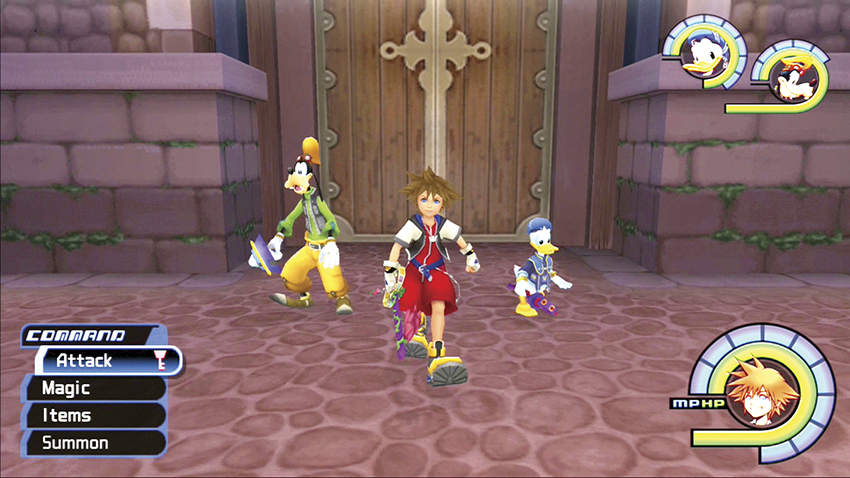
You move around with the left analog stick. Tilt it slightly forward and you walk; continue tilting it and you will run.
Jumping
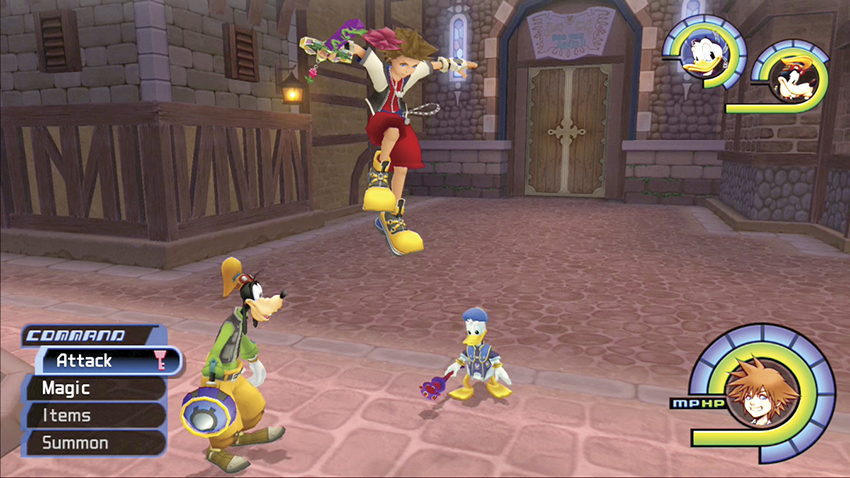
If you want to avoid certain opponents’ attacks or reach higher platforms, jumping is your best option. You can extend a jump by attacking at the end of the leap. Also, later abilities like High Jump and Glide improve your performance.
Climbing
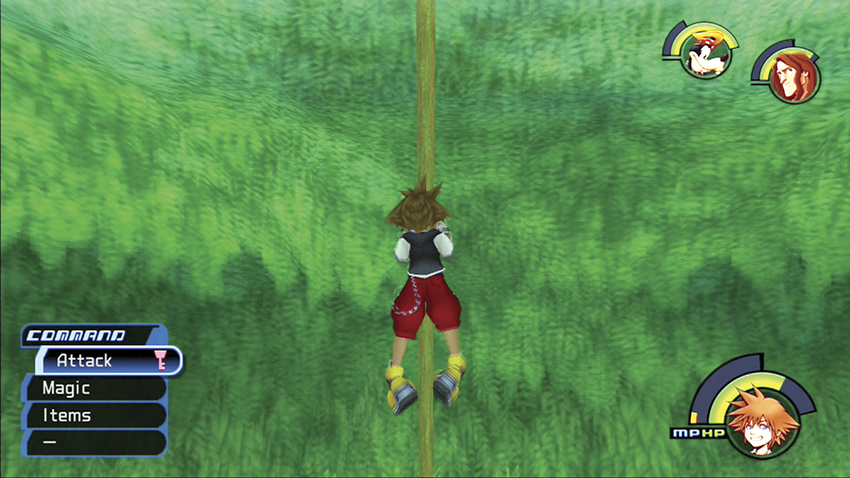
When you move up against climbable objects like trees, poles, and ladders, you automatically climb up them. If you fall just short of a jump, you may catch hold of a platform’s edge and hang. You can then flip yourself up onto the platform to safety.
Exploring
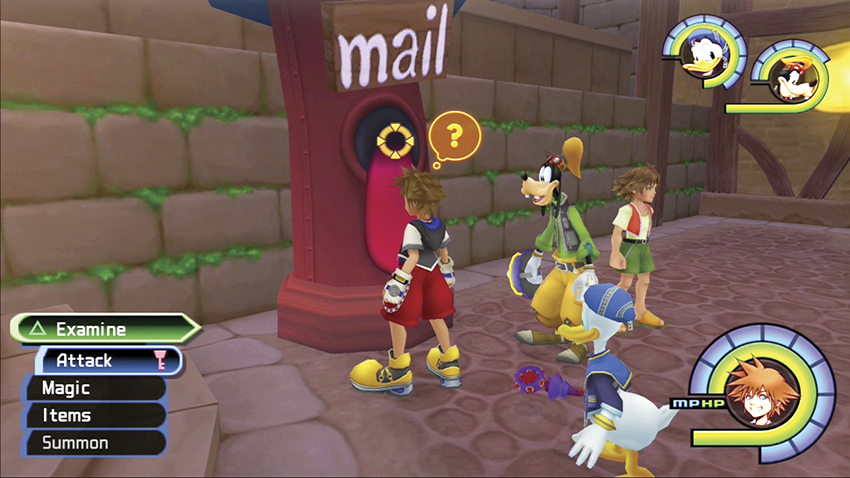
Whenever you approach an object you can examine, use, or open, the Lock On feature automatically activates for easy access.
Talking
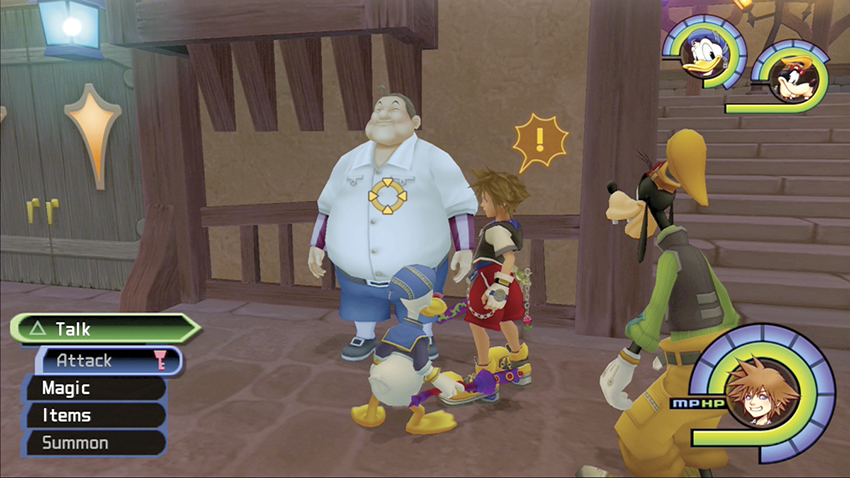
The automatic Lock On feature activates when you approach characters with something to say. Select the “Talk” option to speak with the character.
Trinity Marks
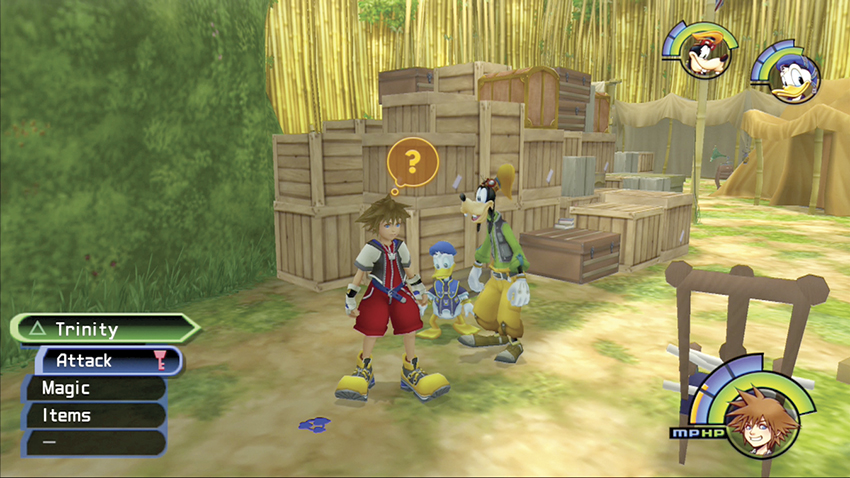
You need Donald and Goofy in your party to activate Trinity Marks, and you will earn different colored Marks as you level up. Trinity Jump (blue), Trinity Charge (red), Trinity Ladder (green), Trinity Push (yellow) and Trinity Detect (white) are all detailed as they appear in the corresponding walkthrough chapters.
Saving
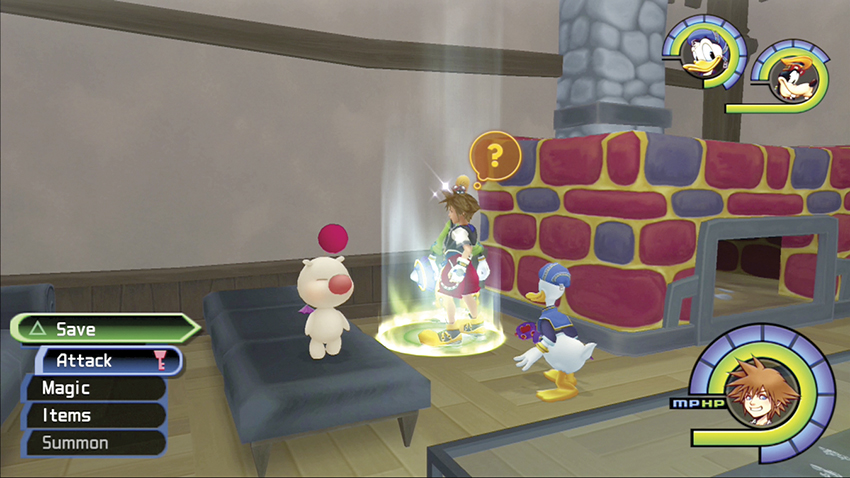
Glowing green circles on the ground represent save points. These save points may only show up one or two times in a world, so save often when they are nearby. You can also switch party members at a save point, or board your gummi ship and travel between worlds.
Switching Party Members
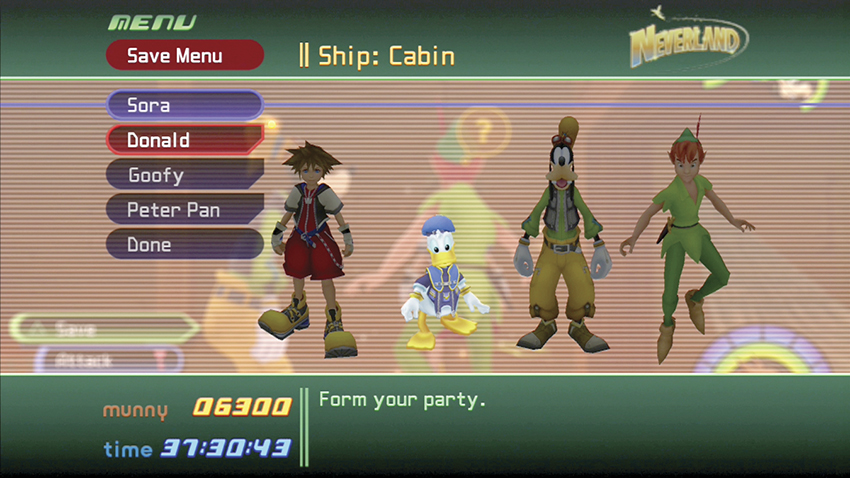
Once you encounter Donald and Goofy in Traverse Town, you form a party. On various worlds, you may meet world-specific heroes; these characters are only available in that world, but are powerful allies who have already learned their abilities. If you have more than two heroes (not counting Sora), you can choose which two heroes to include in the three-person party. Think carefully about the trials ahead before you choose your characters. If you want a magic presence, keep Donald, while Goofy offers more defense in combat. In most areas, unless you want to unlock Trinity Marks, you should keep the world-specific hero in your party and remove either Donald or Goofy.
| World | Character | Meeting Condition |
|---|---|---|
| Deep Jungle | Tarzan | After battling Sabor for the first time |
| Agrabah | Aladdin | Defeat opponents in the Desert Cave |
| Atlantica | Ariel | Defeat opponents in the Tranquil Grotto |
| Halloween Town | Jack Skellington | Enter the Research Lab |
| Neverland | Peter Pan | At the start of the world |
| Hollow Bastion | Beast | Meet in Rising Falls |
Gaining Items
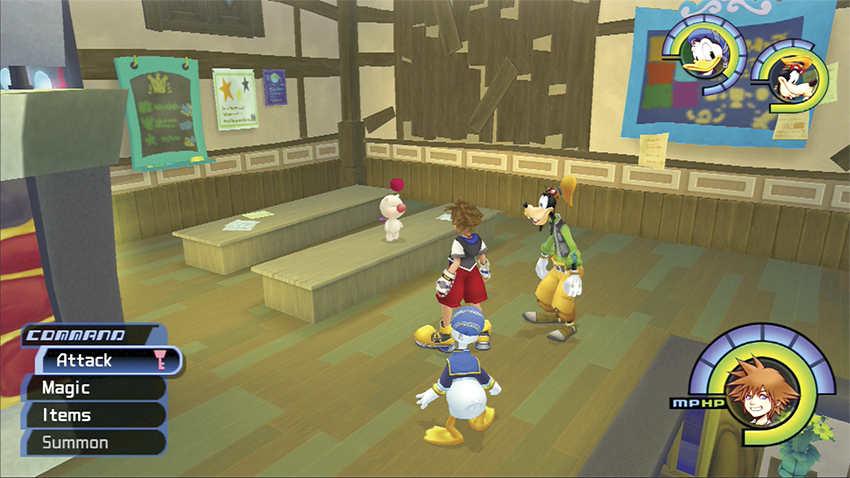
Characters level up through experience, but it’s through equipment and items that you can really beef up your fighting prowess. Some equipment and items can be bought in shops, such as the Accessory Shop, Item Shop, and Moogles’ Workshop in Traverse Town. Some can be found in chests or picked up as drops off of fallen opponents. You might even find some through Trinity Marks or as special prizes for winning a boss fight. Once you earn the ability to activate green Trinity Marks, you can gain access to the Moogles’ Workshop above the Accessory Shop in Traverse Town. Inside the Workshop, you can synthesize special equipment and items by giving the Moogles items you have collected on your travels and letting them craft these ingredients into extremely useful items. For a complete list of these powerful items, see the “Synthesis Items” chapter.
Abilities
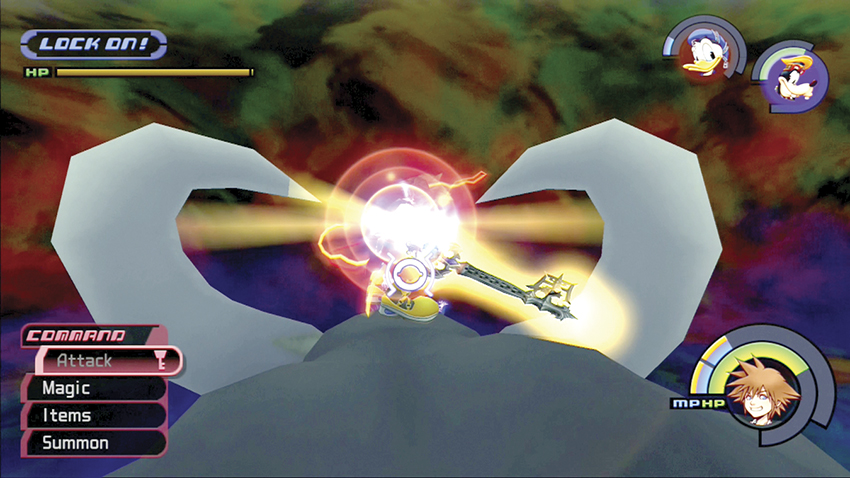
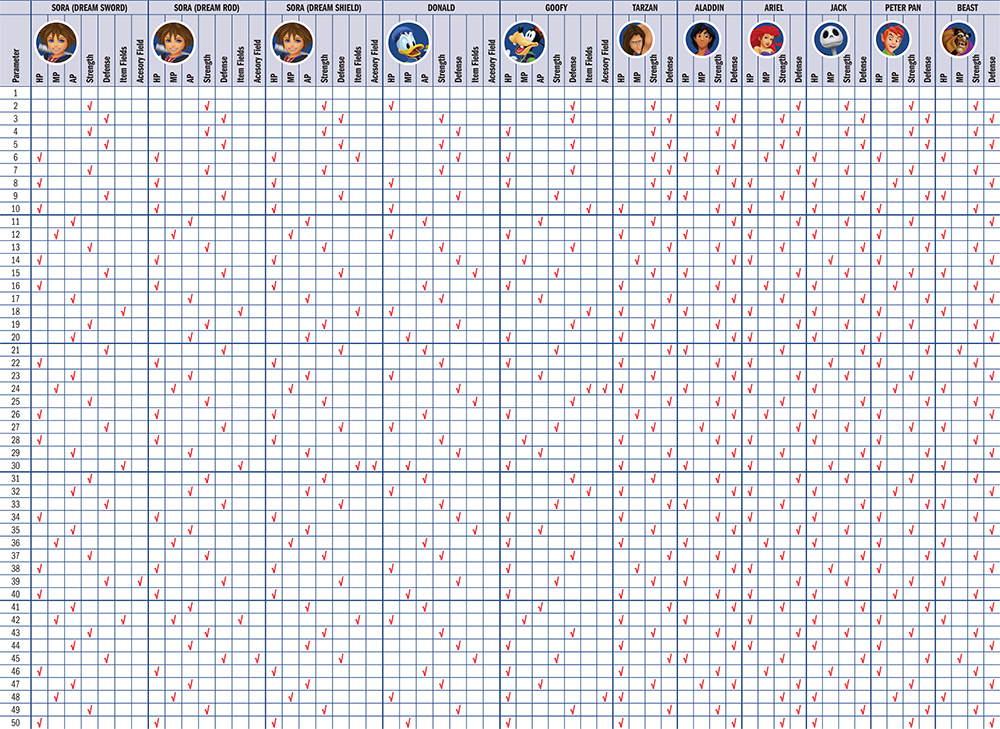
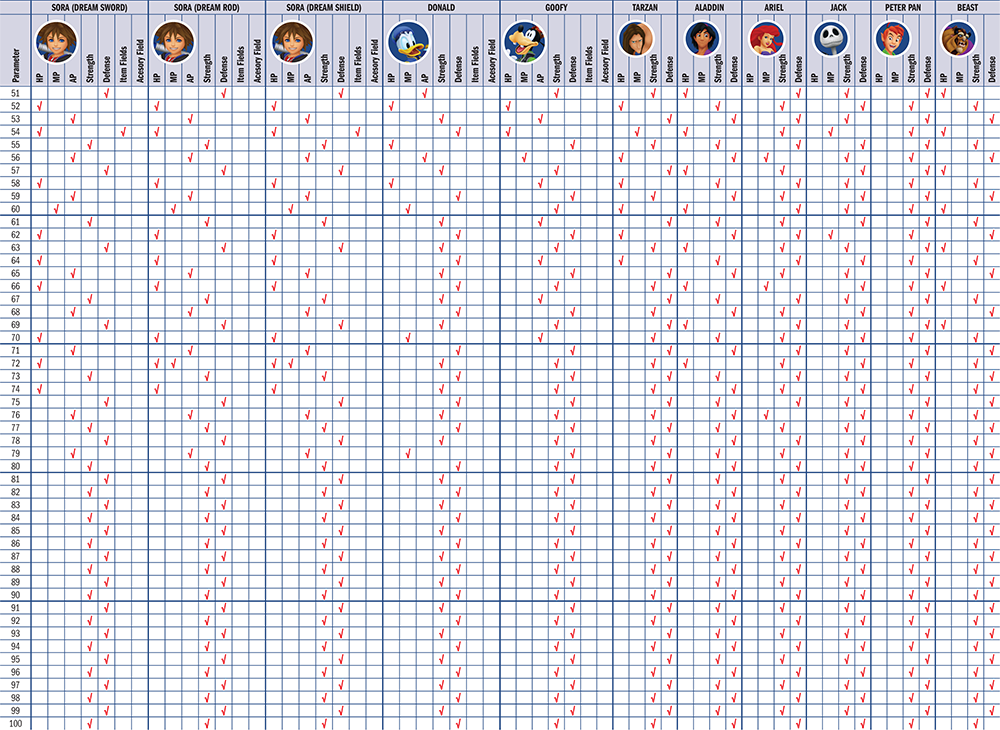
Your choice at the beginning of the game to keep one and discard one of the sword, staff, and shield affects how you gain abilities (see the “Dive Into the Heart” chapter for complete details). As you gain levels, you will also earn more AP to spend on your abilities. Throughout the game, you will gain shared abilities at times for performing special tasks, such as defeating a difficult foe or sealing a world’s keyhole. Shared abilities are used by everyone in your party.
Donald and Goofy also gain abilities as you adventure along. World-specific heroes, such as Ariel and Peter Pan, do not gain abilities—they already have all their abilities when you first meet them.
| Ability | AP | Cost | Type | Description | Sora | Donald | Goofy | Tarzan | Aladdin | Ariel | Jack | Peter Pan | Beast |
|---|---|---|---|---|---|---|---|---|---|---|---|---|---|
| Aerial Sweep | 2 | - | - | Leap at an airborne enemy and strike a mighty blow. | Yes | - | - | - | - | - | - | - | - |
| Aero Potion | 3 | 2 MP | Defense | Use potions packed with Aero power. | - | - | - | - | - | Yes | - | - | - |
| Air Combo Plus | 1 | - | - | Extends aerial combo attack by one step. Equip more to extend it further. | Yes | - | - | - | - | - | - | - | - |
| Applause! | 1 | 1 MP | Special | Upstage foes with this dramatic long-range sliding attack. | - | - | - | - | - | - | Yes | - | - |
| Ars Arcanum | 4 | 3 MP | Short-Range | A formidable attack. After a combo, select followup attack again for a double combo. (Short-range attack. Cost: 3 MP.) | Yes | - | - | - | - | - | - | - | - |
| Asp's Bite | 2 | 1 MP | Special | Knock out an enemy with a powerful blow. | - | - | - | Yes | - | - | - | - | - |
| Berserk | 1 | - | - | Boosts attack power when HP is critically low. Combine with a weapon skill for more power. | Yes | Yes | Yes | Yes | - | - | - | - | Yes |
| Blazing Fury | 2 | (*1) | Special | Blast enemies with scorching fire. | - | - | - | - | - | - | Yes | - | - |
| Blitz | 3 | - | - | Strike enemies ahead of you with a powerful finishing combo. | Yes | - | - | - | - | - | - | - | - |
| Bolts of Sorrow | 3 | 1 MP | Special | Call lightning down to shock enemies. | - | - | - | - | - | - | Yes | - | - |
| Charge | 1 | 1 MP | Special | Charge and knock out an enemy with shield. | - | - | Yes | - | - | - | - | - | - |
| Cheer | 1 | - | - | Increases the summons' MP gauge, giving them more time and attacks per battle. Equip to entire party to boost effect. | Yes | Yes | Yes | - | Yes | - | Yes | - | - |
| Combo Master | 3 | - | - | Deliver combo attacks even if attacks do not land. | Yes | - | - | - | - | - | - | - | - |
| Combo Plus | 1 | - | - | Extends ground combo attack by one step. Equip more to extend it further. | Yes | - | - | - | - | - | - | - | - |
| Counterattack | 2 | - | - | Strike back after parrying an enemy blow. Successful counterattacks restore MP. | Yes | - | - | - | - | - | - | - | - |
| Crescent | 2 | 1 MP | Special | Jump straight up to attack enemies overhead. | - | - | - | - | Yes | - | - | - | - |
| Critical Plus | 2 | - | - | Increases the odds of dealing critical damage. Equip more to boost effect. | Yes | - | - | Yes | Yes | - | - | Yes | Yes |
| Cure Potion | 3 | 1 MP | Defense | Use potions packed with Cure effect. | - | - | - | - | - | Yes | - | - | - |
| Dodge Roll | 1 | - | - |
Dive and roll to evade attack by pressing the
 button while moving.
|
Yes | - | - | - | - | - | - | - | - |
| Encounter Plus | 1 | - | - | Increases odds of encountering enemies in the field. | Yes | - | - | - | - | - | - | - | - |
| Evolution | 3 | 3 MP | Support | Give up MP to give 30 HP to entire party. | - | - | Yes | - | - | - | - | - | - |
| Ferocious Lunge | 2 | 1 MP | Special | Lunge at an enemy from a distance. | - | - | - | - | - | - | - | - | Yes |
| Furious Bellow | 3 | 1 MP | Special | Knock out surrounding enemies with a raging bellow. | - | - | - | - | - | - | - | - | Yes |
| Ghostly Scream | 3 | 1 MP | Special | Summon dark spheres to crush enemies. | - | - | - | - | - | - | Yes | - | - |
| Gravity Break | 2 | - | - | Has a 30% chance of unleashing a gravity-based finishing combo attack that deals damage equal to a % of the target's HP. | Yes | - | - | - | - | - | - | - | - |
| Guard | 2 | - | - |
Guard against an enemy attack by pressing the
button.
|
Yes | - | - | - | - | - | - | - | - |
| Healing Herb | 3 | 1 MP | Defense | Recharge HP with an energizing herb. | - | - | - | Yes | - | - | - | - | - |
| Hurricane Blast | 2 | - | - | From an aerial combo, unleash an extremely powerful finishing combo attack to the enemy below. | Yes | - | - | - | - | - | - | - | - |
| Hummingbird | 2 | 1 MP | Special | Dart in to rain countless blows upon the enemy. | - | - | - | - | - | - | - | Yes | - |
| Icy Terror | 2 | (*2) | Special | Freeze enemies with a bone-chilling blizzard. | - | - | - | - | - | - | Yes | - | - |
| Jackpot | 2 | - | - | Receive more munny and HP / MP balls in battle. Equip to entire party to boost effect. | Yes | Yes | Yes | - | Yes | - | Yes | Yes | - |
| Leaf Bracer | 5 | - | - | Stop enemies from breaking Cure ability on self. | Yes | Yes | - | - | - | - | - | - | - |
| Lucky Strike | 3 | - | - | Raises luck so that enemies drop rare items more often. Equipe to entire party to boost effect. | Yes | Yes | Yes | - | Yes | Yes | - | Yes | - |
| MP Gift | 3 | 1 MP | Support | Give up MP to give 3 MP to a friend. | - | - | Yes | - | - | - | - | - | - |
| MP Haste | 3 | - | - | Boosts MP recovery rate in battle, allowing more spellcasting. | Yes | Yes | Yes | - | - | Yes | - | Yes | - |
| MP Rage | 2 | - | - | Recover MP whenever you're hit in battle. Heavier damage restores more MP. Equip more to boost effect. | Yes | Yes | Yes | - | - | Yes | Yes | - | Yes |
| Raging Boar | 2 | 1 MP | Special | Thrash surrounding enemies with spear, blowing them out of the way. | - | - | - | Yes | - | - | - | - | - |
| Ragnarok | 4 | 3 MP | Aerial | After aerial combo, select followup attack at right time to unleash Ragnarok. (For airborne targets. Cost: 3 MP.) | Yes | - | - | - | - | - | - | - | - |
| Ripple Drive | 3 | - | - | Unleash a powerful finishing combo attack upon surrounding enemies. Attack power is relative to max MP value. | Yes | - | - | - | - | - | - | - | - |
| Rocket | 1 | 1 MP | Special | Leap at an airborne enemy and attack with shield. | - | - | Yes | - | - | - | - | - | - |
| Sandstorm | 2 | 1 MP | Special | Strike at enemies while charging through them. | - | - | - | - | Yes | - | - | - | - |
| Scan | 1 | - | - | View an enemy's HP gauge during battle. | Yes | - | - | - | - | - | - | - | - |
| Second Chance | 2 | - | - | Keep 1 HP even after taking a critical hit. | Yes | Yes | Yes | Yes | - | - | - | - | Yes |
| Second Wind | 3 | - | - | Recover from KO status quickly with HP fully restored. | - | Yes | Yes | Yes | - | Yes | - | - | Yes |
| Slapshot | 1 | - | - | Rapidly strike enemies ahead of you. Occasionally deals critical damage. | Yes | - | - | - | - | - | - | - | - |
| Sliding Dash | 1 | - | - | Rush and strike a distant enemy. | Yes | - | - | - | - | - | - | - | - |
| Sonic Blade | 3 | 2 MP | Mid-Range | Slash an enemy while rushing past. Select followup attack at right time for a combo. (Mid-range attack. Cost: 2 MP.) | Yes | - | - | - | - | - | - | - | - |
| Spiral Wave | 1 | 1 MP | Special | Charge at a target with a spinning attack. | - | - | - | - | - | Yes | - | - | - |
| Storm's Eye | 3 | 2 MP | Defense | Wrap yourself in a protective whirlwind. | - | - | - | - | - | - | - | Yes | - |
| Strike Raid | 3 | 2 MP | Long-Range | Hurl the Keyblade at an enemy. Select followup attack at right time for a combo. | Yes | - | - | - | - | - | - | - | - |
| Stun Impact | 2 | - | - | Has a 30% chance of unleashing a finishing combo attack that renders surrounding enemies unconscious. | Yes | - | - | - | - | - | - | - | - |
| Tech Boost | 2 | - | - | Increases Tech Points obtained by parrying enemy attacks. Equip more to boost effect. | Yes | - | - | - | - | - | - | - | - |
| Thunder Potion | 3 | 1 MP | Special | Use potions packed with Thunder power. | - | - | - | - | - | Yes | - | - | - |
| Time-Out | 4 | 2 MP | Special | Freeze time for enemies, halting their movement. | - | - | - | - | - | - | - | Yes | - |
| Tornado | 2 | 1 MP | Special | Whirl after an enemy, using shield to attack. | - | - | Yes | - | - | - | - | - | - |
| Treasure Magnet | 2 | - | - | Attract nearby HP / MP balls, munny, and items. Equip two to attract them from even further away. | Yes | Yes | Yes | - | Yes | Yes | Yes | Yes | - |
| Trinity Limit | 1 | ALL | Special | Channel the party's remaining MP to crush surrounding foes. Minimum 3 MP. (With companions nearby. Cost: All MP.) | Yes | - | - | - | - | - | - | - | - |
| Vortex | 1 | - | - | Close the distance to nearby enemies with this powerful spinning attack. | Yes | - | - | - | - | - | - | - | - |
| Wind Armor | 3 | 2 MP | Defense | Protect yourself with a cloak of air. | - | - | - | Yes | - | - | - | - | - |
| Zantetsuken | 2 | - | - | Has a 30% chance of unleashing a finishing combo attack that can destroy a weaker enemy. | Yes | - | - | - | - | - | - | - | - |
| Shared Abilities | Effect | World Learned |
|---|---|---|
| Glide |
Press
to glide when airborne. This enables Sora to cover a greater distance.
|
Neverland |
| High Jump | All party members can jump higher and further. | Monstro |
| Mermaid Kick |
Press
or
twice when in the water, holding the button down the second time you press. This enables Sora to swim faster and against strong currents.
|
Atlantica |
| Superglide |
Press
to glide when airborne. The effect is similar to that of Glide, another shared ability. However, Sora glides faster.
|
End of the World |
Combat
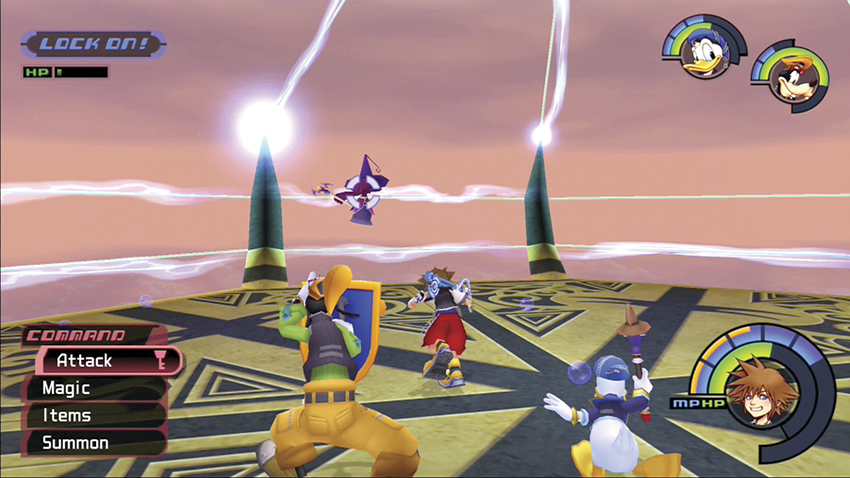
Everyone loves experience, and you gain EXP from defeating opponents in combat. In most areas, and sometimes when you revisit an area, many Heartless opponents will materialize out of thin air. Other battles, particularly the boss battles, initiate after cut scenes and you automatically enter Battle mode.
Standard Attacks
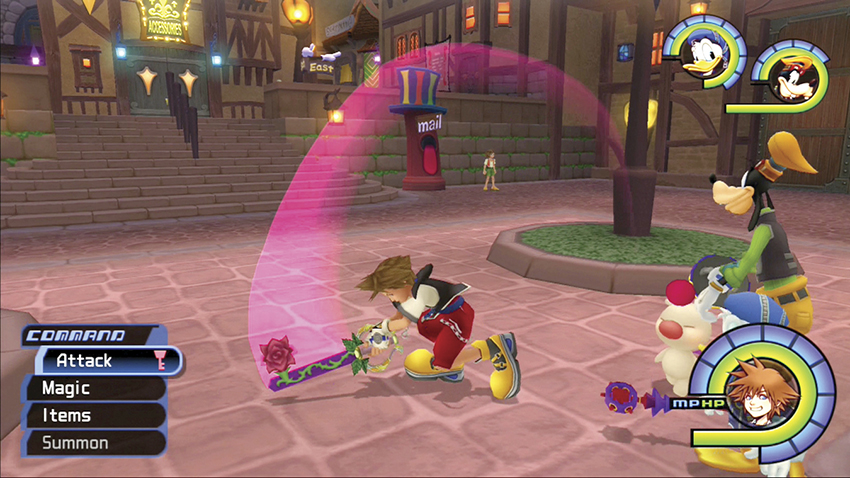
How a standard weapon strike performs depends on your opponent’s position. Against a close opponent on the ground, you rush forward and strike once for each button push. Against airborne opponents, you automatically leap into the air and strike if you’ve locked onto your foe. While in the air, you will strike the closest foe if there are multiple opponents flying around.
Combos
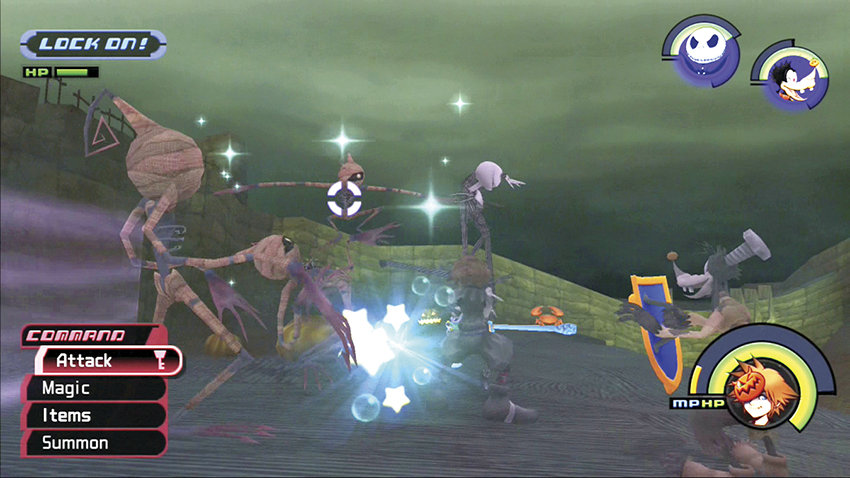
You can strike with your weapon or blast an opponent with a magic spell with a simple button push. However, when you string strikes together, you deal more damage. When you execute a follow-up attack immediately after your first strike, you perform a series of attacks called a “combo.” Without special abilities, you can only strike for a maximum of three times. Higher-level abilities will allow you to “chain,” or string, combos together for more and more damage.
Target Lock
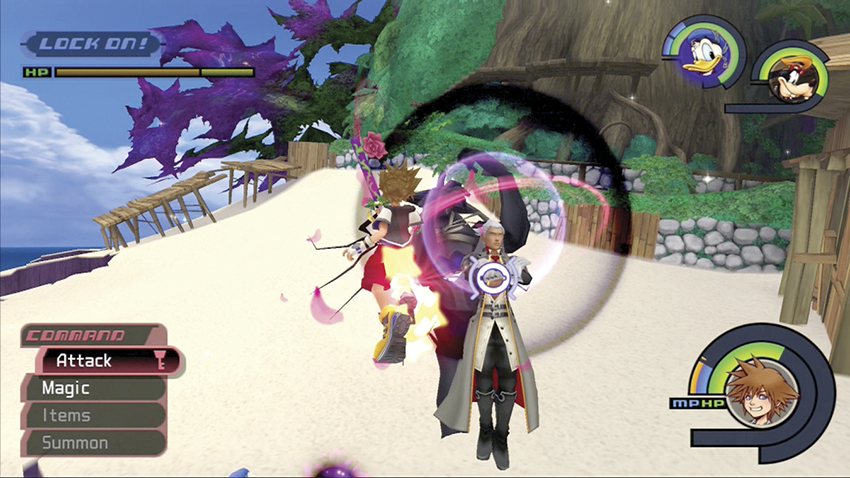
Locking onto a target can help you focus on that opponent during a fight or zero in on a specific body part on larger enemies. In combat with multiple foes, however, you may want to remove your target lock. You will only attack a single target with the lock, when it might be more advantageous to strike multiple opponents in reach. Also, certain spells are more effective when you don’t have the target lock on. Remember that the target lock feature will prevent you from fleeing a battle.
Attack Power
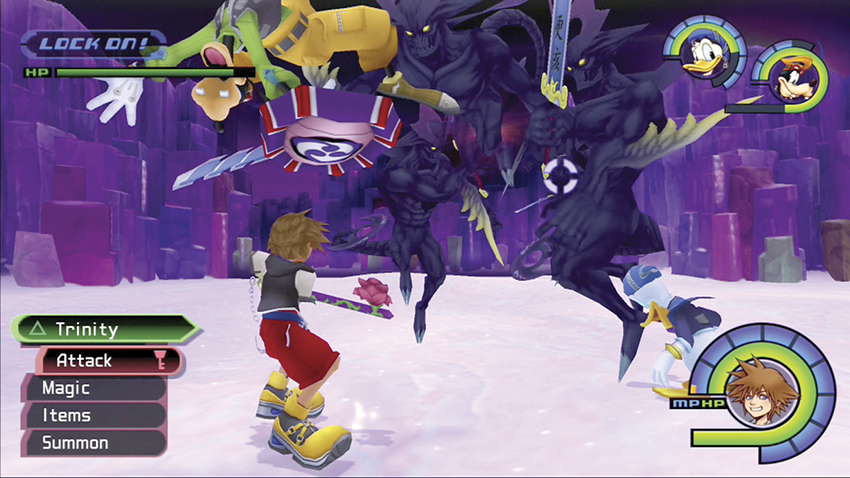
Damage inflicted by an attack is determined by several factors, including the STR of the assailant in physical attacks, the Max MP of the assailant in magic attacks, potency of the attack or spell, attack type, opponent’s DEF value, and other unique characteristics (see the “Opponents” chapter for details on all your foes).
Attack Type
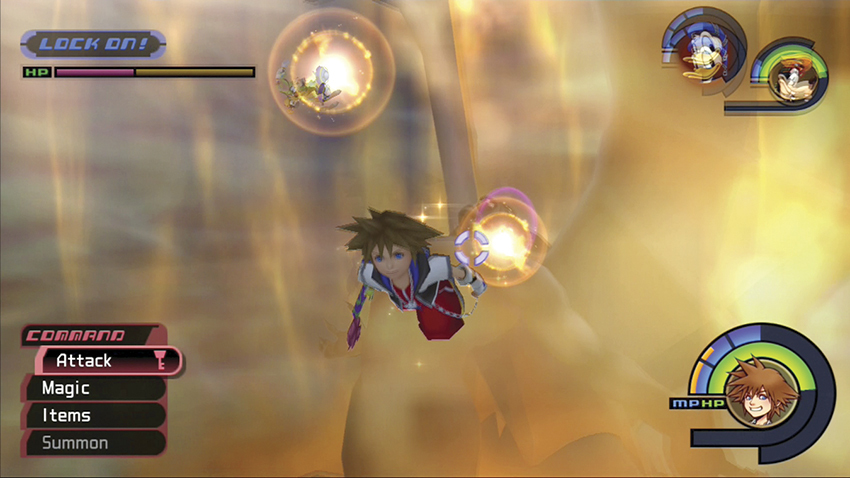
The main attacks can be classified according to their elemental properties: Fire (explosion), Blizzard (cold), Thunder (electrical), Dark (darkness-based), and standard physical attacks. Keep in mind that some opponents are immune or vulnerable to certain attack types. Check the “Opponents” chapter for details. Also, all opponent stats are presented the first time a Heartless opponent or boss show up in a walkthrough chapter.
Blocking and Counterattacking
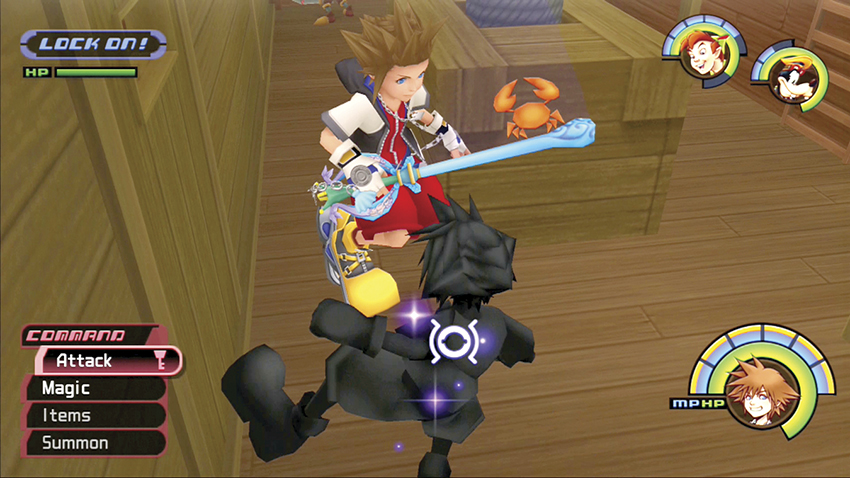
If both you and your opponent attack at the same time, your weapons clash and damage is canceled. You can also deflect some opponents’ attacks back to cause damage to them. After blocking an attack, you will need time to recover; the stronger the opponent, the longer your recovery time after a blocked attack. Pay attention to your defensive abilities for their advantages. The Guard ability gives you a defensive stance for about a second and automatically repels all attacks during this time. Your Aero spells repel some attacks and generally half the damage taken from others. Counterattack allows you to attack during your recovery stage.
Lifting and Throwing
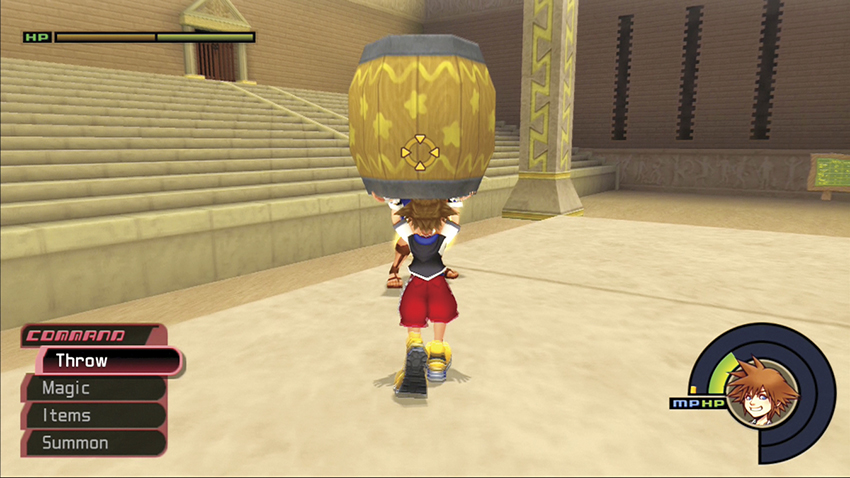
You can pick up certain objects and throw them, even during combat, if you have the time. Barrels and crates are prime candidates. Unfortunately, you are vulnerable while lifting an object and preparing to throw, so generally it’s better to simply attack unless the opponent calls for a specific tactic.
Calling for Help!
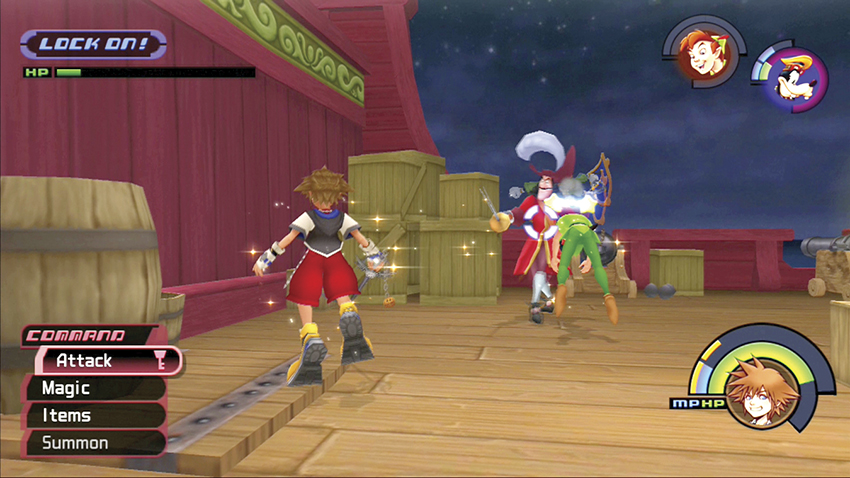
You can always call for help during combat when you need support quickly. If you aren’t locked onto a target and press the triangle button once, a randomly chosen party member rushes to your aid. If you aren’t locked onto a target and press the triangle button twice, both party members rush to your aid. If you are locked onto a target and press the triangle button once, a randomly chosen party member will attack the target.
Enhancing Abilities
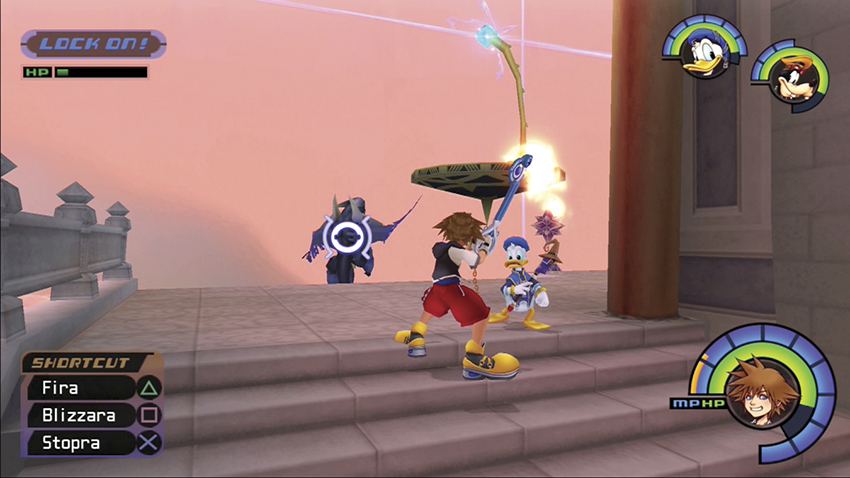
Some of your party members’s abilities will increase based on your magic. For example, if you upgrade Thunder to Thundara, Ariel’s Thunder Potion and Jack’s Bolts of Sorrow also upgrade.
| Companion Enhancements | |
|---|---|
| Sora’s Magic | Enhances |
| Fire | Jack’s Blazing Fury |
| Blizzard | Jack’s Icy Terror |
| Thunder | Ariel’s Thunder Potion, Jack’s Bolts of Sorrow |
| Gravity | Jack’s Ghostly Scream |
| Cure | Tarzan’s Healing Herb, Ariel’s Cure Potion |
| Aero | Tarzan’s Wind Armor, Ariel’s Aero Potion, Peter Pan’s Storm’s Eye |
| Stop | Peter Pan’s Time-Out |
Ending Combat
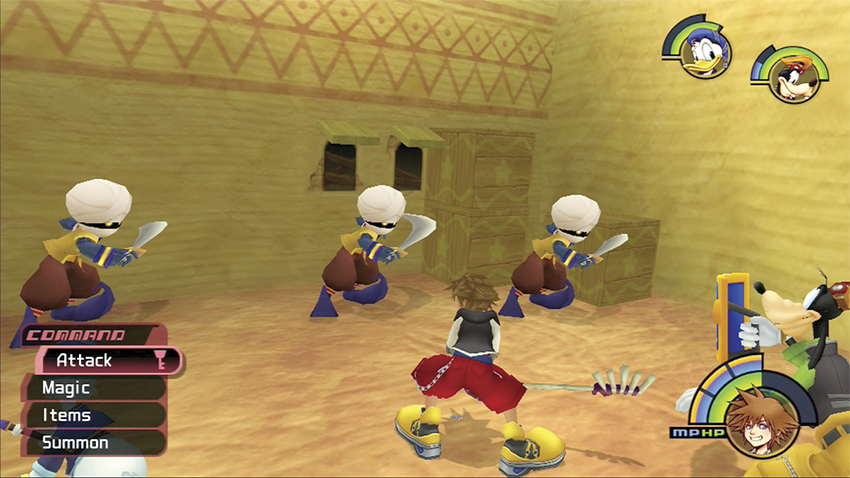
Battles end when you defeat all the opponents in the area or if you leave via an exit (though this is not possible for boss fights). In large areas, it’s sometimes possible to end a battle by defeating the opponents close to you and not moving far; by staying to a confined area, you will not spawn new opponents. Of course, if Sora’s HP hits zero, the game also ends and you are taken to the Continue screen, where you can load a previous save or continue your story from the area you had just been knocked out of.
Magic
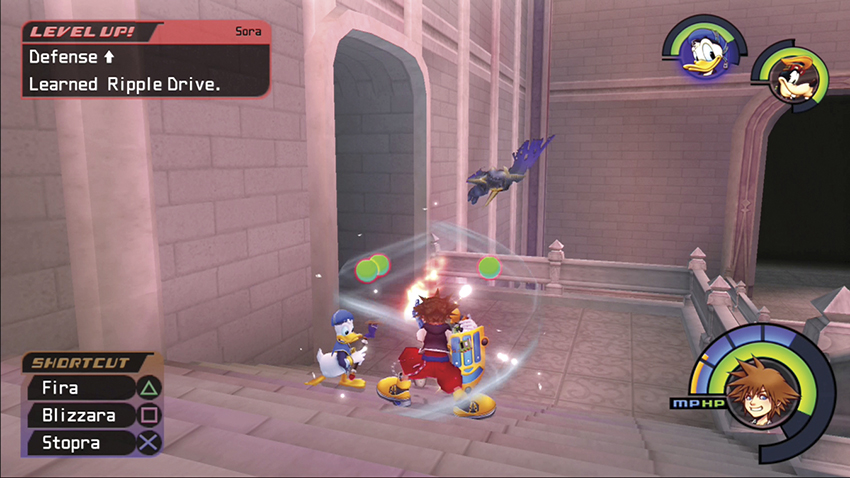
There are seven main types of spells, and each type has three levels of strength (normal, “ra” spells, and “ga” spells), which can all be cast for the same MP cost. To cast a spell, use your magic shortcuts or select the Magic option from the Command menu. If it’s an attack spell, it’s cast immediately, while your Cure and Aero spells require a target first. You need the necessary MP to cast the spell; you can replenish spent MP with Ethers and Elixirs, or by filling your Charge bar through physical attacks and other actions.
Each segment of your blue MP meter represents one magic point. The orange Charge bar next to it represents your magic points filling up; when the Charge bar exceeds your current MP status, it adds one segment to your MP meter and resets. Each Charge bar segment is equal to 30 points. The Charge bar fills when you pick up MP balls (2 points for small MP balls; 15 points for large MP balls), attack opponents (3–24 Charge points), or if you are attacked with the MP Rage ability equipped (points equal to half of the amount of HP lost).
Summons
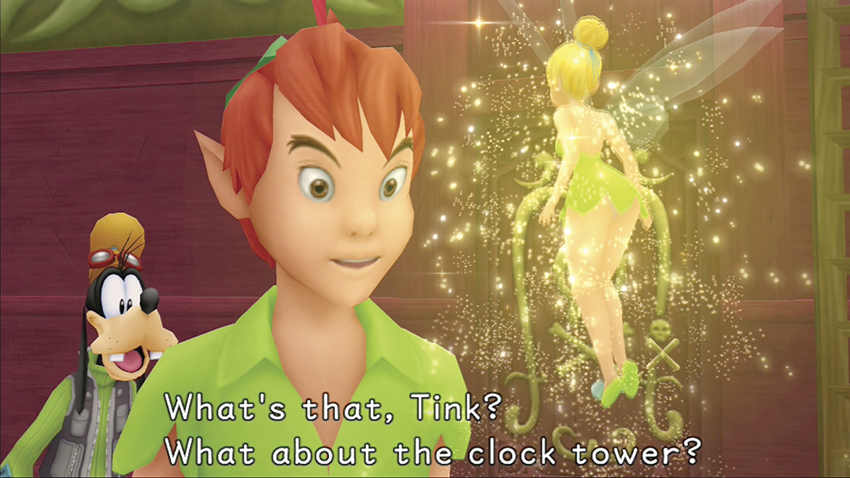
To learn a unique Summon, you must first find a special gem item and then present it to the Fairy Godmother in Traverse Town’s Magician’s Study. Genie and Tinker Bell, however, become allies automatically after you help seal Agrabah and Neverland, respectively. Summoned allies can only help you for a short period of time and only once per battle; while summoned, you cannot use special abilities, call other Summon allies, or leave the current area. You cannot summon out of combat, if one of your companions is unconscious, or while up in the air, and you must have enough MP to complete the summoning. Summoned allies are invulnerable, use their own MP (that depletes over time, after which they disappear), lose MP if they attack, and base their Strength and Max MP off of your stats (increased by the Cheer ability, if you have it equipped).
Rewards
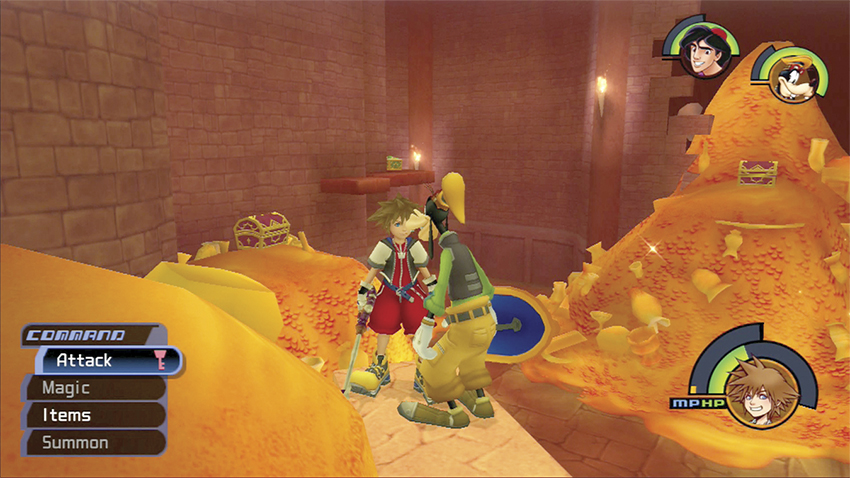
Defeating opponents gains you EXP, and, to a smaller degree, you also gain experience from specific battle actions. The “tech points” can be gained from any of the following:
- Blocking an incoming attack
- Striking an opponent with a deflected attack
- Hitting specific parts of an opponent
- Striking an opponent with attacks to which it is vulnerable
Beaten opponents also leave behind goodies. Green HP balls restore hit points (one for the small balls; five for the large balls). Blue MP balls restore magic points (small ball restores two points or 1/7 Charge bar segment; large ball restores 15 points or 1/2 Charge bar segment). Yellow munny balls give you funds (one for small ball; five for medium ball; 20 for large ball).
Leveling Up
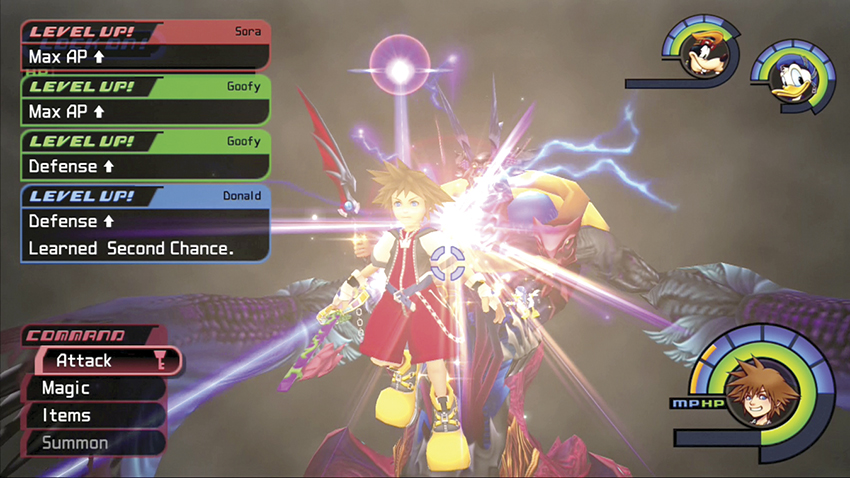
Look for experience (EXP) every chance you can get, and at lower levels, you may want to reenter areas to spawn opponents and earn a few extra EXP to level up quicker. If your total EXP exceeds the next limit level, you “level up” and gain the benefits of that level. Colored windows will display on the screen when characters level up to show the stat and ability gains.
Characters’ Experience Points
| Level | Sora: Average | Sora: Fast | Sora: Slow | Donald | Goofy | Other Characters |
|---|---|---|---|---|---|---|
| 2 | 18 | 14 | 24 | 26 | 8 | 8 |
| 3 | 42 | 33 | 56 | 61 | 19 | 19 |
| 4 | 75 | 59 | 98 | 108 | 35 | 35 |
| 5 | 120 | 96 | 155 | 171 | 57 | 58 |
| 6 | 181 | 147 | 231 | 256 | 89 | 90 |
| 7 | 265 | 218 | 331 | 366 | 134 | 136 |
| 8 | 375 | 316 | 461 | 516 | 198 | 202 |
| 9 | 525 | 446 | 641 | 716 | 289 | 296 |
| 10 | 675 | 576 | 821 | 916 | 380 | 390 |
| 11 | 825 | 706 | 1001 | 1116 | 471 | 484 |
| 12 | 1035 | 886 | 1241 | 1396 | 591 | 614 |
| 13 | 1245 | 1066 | 1481 | 1676 | 711 | 744 |
| 14 | 1455 | 1246 | 1721 | 1956 | 831 | 874 |
| 15 | 1735 | 1506 | 2041 | 2326 | 1011 | 1064 |
| 16 | 2015 | 1766 | 2361 | 2696 | 1191 | 1254 |
| 17 | 2295 | 2026 | 2681 | 3066 | 1371 | 1444 |
| 18 | 2685 | 2386 | 3111 | 3566 | 1631 | 1714 |
| 19 | 3075 | 2746 | 3541 | 4066 | 1891 | 1984 |
| 20 | 3465 | 3106 | 3971 | 4466 | 2151 | 2254 |
| 21 | 3995 | 3606 | 4541 | 5246 | 2511 | 2634 |
| 22 | 4525 | 4106 | 5111 | 5926 | 2871 | 3014 |
| 23 | 5055 | 4606 | 5681 | 6606 | 3231 | 3394 |
| 24 | 5785 | 5296 | 6451 | 7526 | 3751 | 3934 |
| 25 | 6515 | 5986 | 7221 | 8446 | 4271 | 4474 |
| 26 | 7245 | 6676 | 7991 | 9366 | 4791 | 5014 |
| 27 | 8235 | 7636 | 8991 | 10566 | 5531 | 5784 |
| 28 | 9225 | 8596 | 9991 | 11766 | 6271 | 6554 |
| 29 | 10215 | 9556 | 10991 | 12966 | 7011 | 7324 |
| 30 | 11515 | 10856 | 12291 | 14566 | 8011 | 8424 |
| 31 | 12815 | 12156 | 13591 | 16166 | 9011 | 9524 |
| 32 | 14115 | 13456 | 14891 | 17766 | 10011 | 10624 |
| 33 | 15915 | 15256 | 16691 | 19966 | 11411 | 12124 |
| 34 | 17715 | 17056 | 18491 | 22166 | 12811 | 13624 |
| 35 | 19515 | 18856 | 20291 | 24366 | 14211 | 15124 |
| 36 | 22015 | 21356 | 22691 | 27366 | 16311 | 17324 |
| 37 | 24515 | 23856 | 25091 | 30366 | 18411 | 19524 |
| 38 | 27015 | 26356 | 27491 | 33366 | 20511 | 21724 |
| 39 | 30415 | 29856 | 30691 | 37366 | 23411 | 24824 |
| 40 | 33815 | 33356 | 33891 | 41366 | 26311 | 27924 |
| 41 | 37215 | 36856 | 37091 | 45366 | 29211 | 31024 |
| 42 | 41815 | 41756 | 41491 | 50766 | 33411 | 35524 |
| 43 | 46415 | 46656 | 45891 | 56166 | 37611 | 40024 |
| 44 | 51015 | 51556 | 50291 | 61566 | 41811 | 44524 |
| 45 | 57315 | 58256 | 56091 | 68966 | 47711 | 50924 |
| 46 | 63615 | 64956 | 61891 | 76366 | 53611 | 57324 |
| 47 | 69915 | 71656 | 67691 | 83766 | 59511 | 63724 |
| 49 | 78515 | 81056 | 75491 | 93666 | 67911 | 72824 |
| 49 | 87115 | 90456 | 83291 | 103566 | 76311 | 81924 |
| 50 | 95715 | 99856 | 91091 | 113466 | 84711 | 91024 |
| 51 | 107415 | 112856 | 101491 | 126866 | 96711 | 104024 |
| 52 | 119115 | 125856 | 111891 | 140266 | 108711 | 117024 |
| 53 | 130815 | 138856 | 122291 | 153666 | 120711 | 130024 |
| 54 | 145815 | 156856 | 136291 | 171666 | 137711 | 148524 |
| 55 | 160815 | 174856 | 150291 | 189666 | 154711 | 167024 |
| 56 | 175815 | 192856 | 164291 | 207666 | 171711 | 185524 |
| 57 | 190815 | 210856 | 178291 | 225666 | 188711 | 204024 |
| 58 | 205815 | 228856 | 192291 | 243666 | 205711 | 222524 |
| 59 | 220815 | 246856 | 206291 | 261666 | 222711 | 241024 |
| 60 | 235815 | 264856 | 220291 | 279666 | 239711 | 259524 |
| 61 | 250815 | 282856 | 234291 | 297666 | 256711 | 278024 |
| 62 | 265815 | 300856 | 248291 | 315666 | 273711 | 296524 |
| 63 | 283815 | 318856 | 262291 | 333666 | 290711 | 315024 |
| 64 | 301815 | 336856 | 276291 | 351666 | 307711 | 333524 |
| 65 | 319815 | 354856 | 290291 | 369666 | 324711 | 352024 |
| 66 | 337815 | 372856 | 304291 | 387666 | 341711 | 370524 |
| 67 | 355815 | 390856 | 318291 | 405666 | 358711 | 389024 |
| 68 | 373815 | 408856 | 332291 | 423666 | 375711 | 407524 |
| 69 | 391815 | 426856 | 348291 | 441666 | 392711 | 426024 |
| 70 | 409815 | 444856 | 364291 | 459666 | 409711 | 444524 |
| 71 | 427815 | 462856 | 380291 | 477666 | 426711 | 463024 |
| 72 | 445815 | 480856 | 396291 | 495666 | 443711 | 481524 |
| 73 | 463815 | 498856 | 412291 | 513666 | 460711 | 500024 |
| 74 | 481815 | 516856 | 428291 | 531666 | 477711 | 518524 |
| 75 | 499815 | 534856 | 444291 | 549666 | 494711 | 537024 |
| 76 | 517815 | 552856 | 460291 | 567666 | 511711 | 555524 |
| 77 | 535815 | 570856 | 476291 | 585666 | 528711 | 574024 |
| 78 | 553815 | 588856 | 492291 | 603666 | 545711 | 592524 |
| 79 | 571815 | 606856 | 508291 | 621666 | 562711 | 611024 |
| 80 | 589815 | 624856 | 524291 | 639666 | 579711 | 629524 |
| 81 | 607815 | 642856 | 540291 | 657666 | 596711 | 648024 |
| 82 | 607815 | 642856 | 540291 | 657666 | 596711 | 648024 |
| 83 | 643815 | 978856 | 572291 | 693666 | 630711 | 685024 |
| 84 | 661815 | 696856 | 590291 | 711666 | 647711 | 703524 |
| 85 | 679815 | 714856 | 608291 | 729666 | 664711 | 722024 |
| 86 | 697815 | 732856 | 626291 | 747666 | 681711 | 740524 |
| 87 | 715815 | 750856 | 644291 | 765666 | 698711 | 759024 |
| 88 | 733815 | 768856 | 662291 | 783666 | 715711 | 777524 |
| 89 | 751815 | 786856 | 680291 | 801666 | 732711 | 796024 |
| 90 | 769815 | 804856 | 698291 | 819666 | 749711 | 814524 |
| 91 | 787815 | 822856 | 716291 | 837666 | 766711 | 833024 |
| 92 | 805815 | 840856 | 734291 | 855666 | 783711 | 851524 |
| 93 | 823815 | 858856 | 752291 | 873666 | 800711 | 870024 |
| 94 | 841815 | 876856 | 770291 | 891666 | 817711 | 888524 |
| 95 | 859815 | 894856 | 788291 | 909666 | 834711 | 907024 |
| 96 | 877815 | 912856 | 806291 | 927666 | 851711 | 925524 |
| 97 | 895815 | 930856 | 824291 | 945666 | 868711 | 944024 |
| 98 | 913815 | 948856 | 842291 | 963666 | 885711 | 962524 |
| 99 | 931815 | 966856 | 860291 | 981666 | 902711 | 981024 |
| 100 | 949815 | 984856 | 878291 | 999666 | 919711 | 999524 |
Party Characteristics