
The Sims 3 World Adventures Guide Walkthrough Tomb Building
Getting Started
You can build tombs on your own lots through Build and Buy Mode. Although you are not required to build underground for a tomb, you may want to start by installing a basement under your house via the new Basement tool in Build Mode.
Once you have constructed a basement, make sure you have stairs leading down to it so Sims can access the would-be tomb.
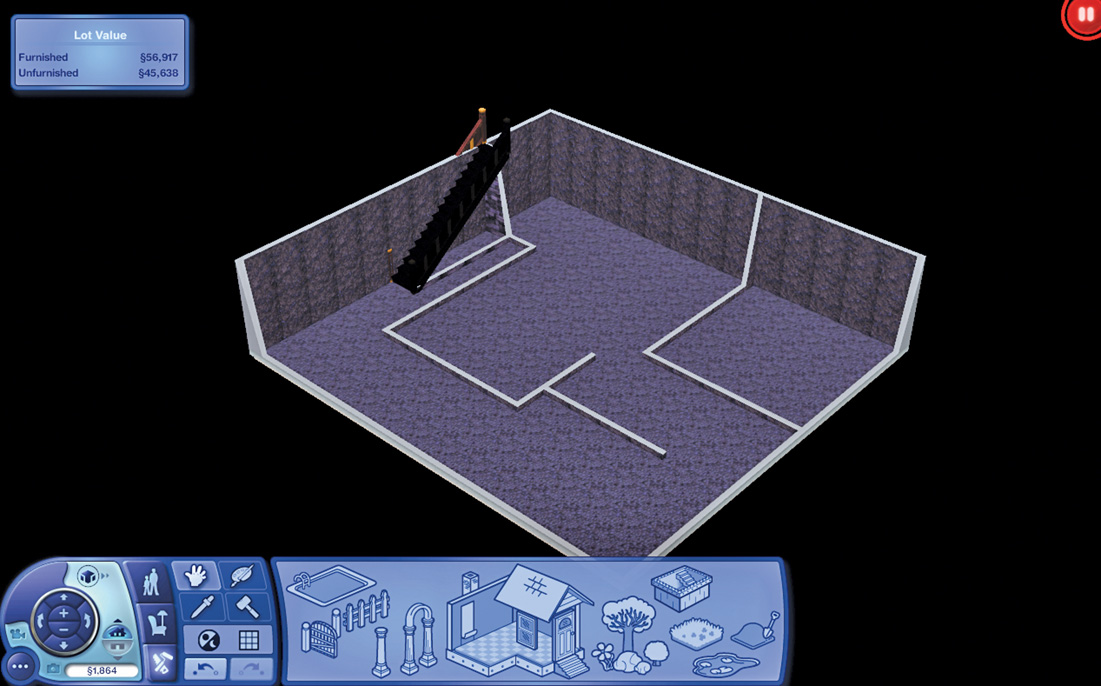
Basements make great tombs, but you could set up traps in a bedroom if you really wanted to.
To build a tomb, you have to open the Cheat menu and input a command to access a special collection of Buy Mode objects. To access this Cheat menu, press [Shift] + [Control] + [C].
In the blue line that drops from the top of the screen, type: buydebug. This unlocks a new category in Buy Mode: Special Items.

Once you have activated the special Buy Mode collection of tomb items, you can enter Buy Mode and start placing the very same traps, triggers, and tomb objects you have seen in your travels.
The tomb objects are located in the new Debug collection, viewable if you choose to sort the objects by function.
Here is a full catalog of the tomb objects you can purchase in this special tomb-building Buy Mode:
Tomb Objects:
| Tomb Object |
Price
(in Simoleons) |
|---|---|
|
Ancient Coin Pile |
0 |
|
Corner Rubble Pile |
0 |
|
Dive Well |
0 |
|
Escape Dust |
0 |
|
Floor Skeleton |
0 |
|
Giant Boulder |
0 |
|
Hidden Trigger Panel |
0 |
|
Large Rubble Pile |
0 |
|
Keystone Panel |
0 |
|
Left Eye of Horus |
0 |
|
Right Eye of Horus |
0 |
|
Pangu's Axe |
0 |
|
Processor |
0 |
|
Puddle/Burnt Tile Marker |
0 |
|
Sands of Understanding |
0 |
|
Small Hole - Floor |
0 |
|
Small Hole - Wall |
0 |
|
Soulpeace Statue |
0 |
|
Tomb Room Marker |
0 |
|
Torch Lever |
0 |
|
Trap - Floor |
0 |
|
Trap - Wall |
0 |
|
Treasure Spawn Point |
0 |
|
Sarcophagus |
1 |
|
Floor Switch |
3 |
|
Keystone |
3 |
|
Inscription Plaque |
10 |
|
Pushable Statue |
10 |
|
Tomb Passage from TombTech |
80 |
|
Tomb Passage Deluxe from Tomb Tech |
125 |
|
Elegant Double Doors |
400 |
|
The Sultan's Keep-All |
310 |
|
Treasure Chest of Alouette |
430 |
|
Jiangzhou's Chest |
475 |
Of course, just placing traps and switches in your basement does not automatically make it a tomb. You must set up triggers and behaviors so the tomb also works as more than just a gallery.
The first thing you need to do is go back into the Cheat console. Then, input: “testingcheatsenabled true” (no quotation marks).
This allows you to then start assigning triggers and behaviors. To add triggers to objects, left-click on them while holding down [Shift] + [Control].
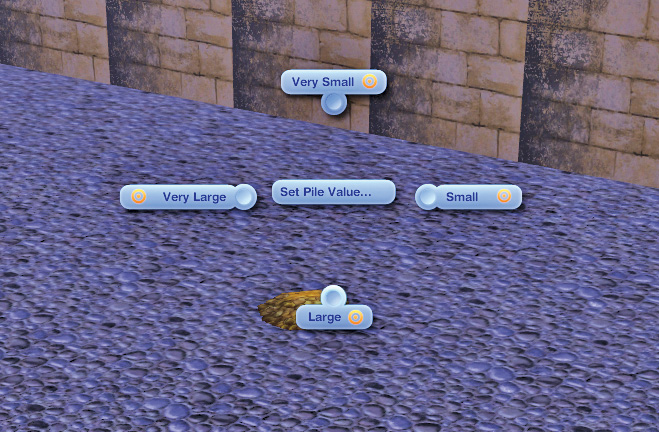
For treasures, such as a pile of Ancient Coins, you must set up a value. You can place objects in chests or use the treasure spawner to place treasures out in the open.
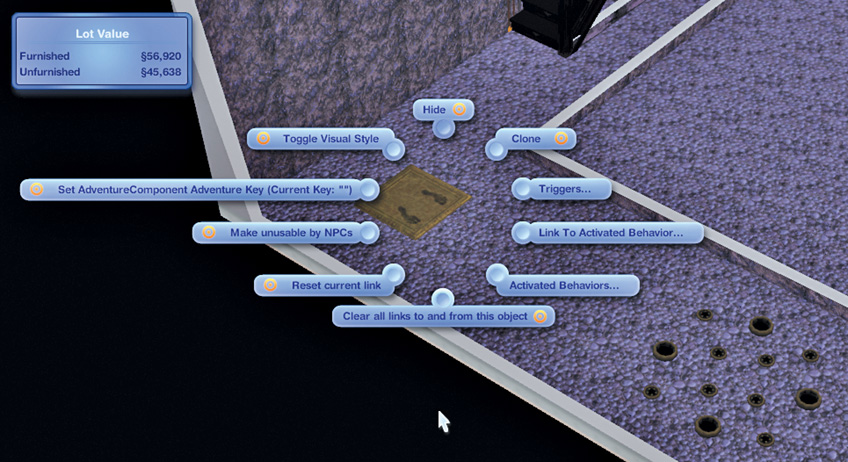
For switches, the trigger menu lets you select a behavior, such as shutting off the nearby trap.
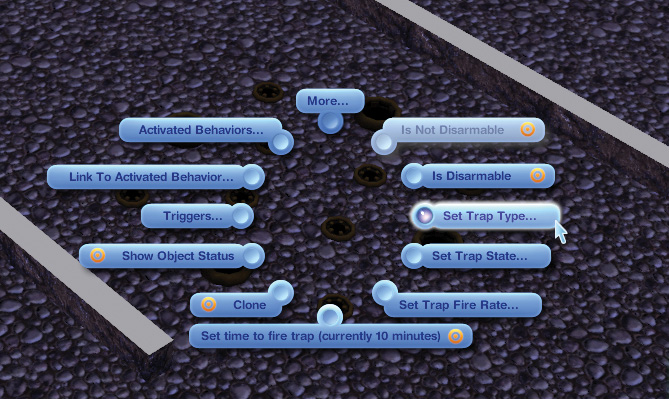
To select what kind of trap you are setting, click on the placed trap and then choose “Set Trap Type.” You can then choose how the trap functions with “Set Trap State” and make the trap invisible, disarmable, dormant, and more.
By now, you recognize many of the tomb objects such as traps, rubble piles, and floor switches. But there are a few objects in the catalog that you need to understand how to use to improve your tombs:
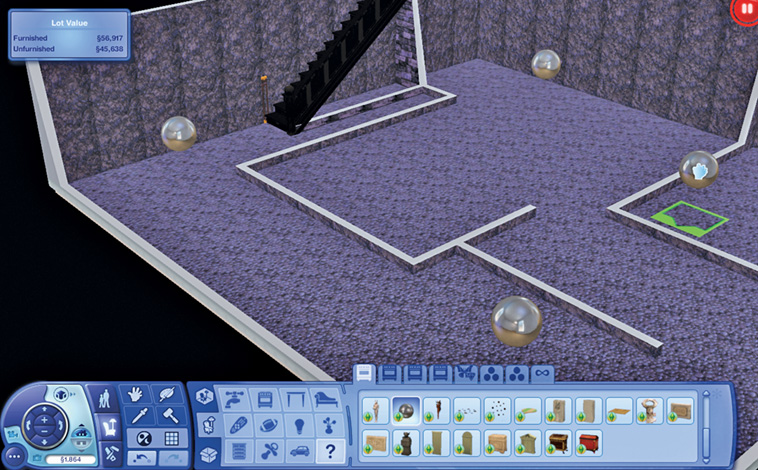
Tomb Room Marker: This silver orb is actually the fog that casts a room in darkness until a Sim enters it. This lets you create a real atmosphere of mystery (or dread) in your tomb.
Install these in rooms so the player will not see everything in the tomb right away.
Inscription Plaque: Leave notes and hints on the walls for Sims to read. This is a good way to add personality to your tomb.
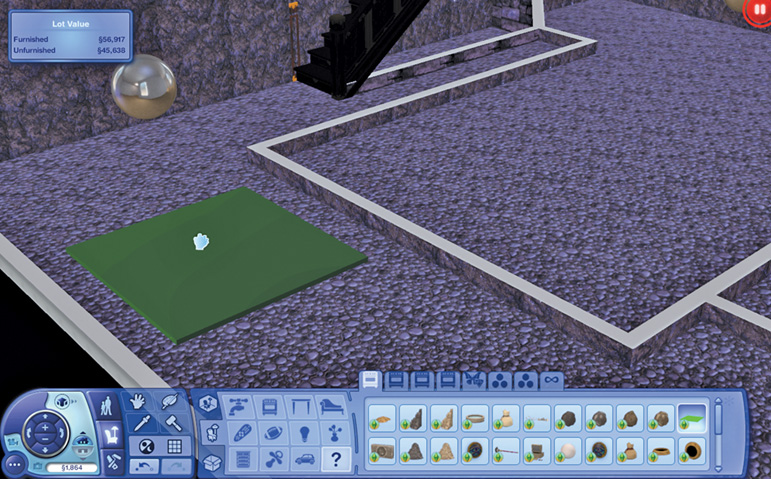
Hidden Trigger Panel: You know how sometimes traps started firing when you walked into a certain area of a room? The hidden trigger panel controls those.
Place these in your tombs and associate them with traps and such to make the tomb interactive and full of surprises.