LEGO Star Wars: The Force Awakens Guide Game Basics
Fighting for the Fate of the Galaxy
The adventure spans multiple planets, and sometimes in the space around those planets. Expect to run, climb, fight, and encounter a variety of puzzles while you strive to keep the galaxy safe. Before you hop into your Corellian YT-1300 Light Freighter, take some time to familiarize yourself with the basics of the newest LEGO Star Wars game.
Character Portrait
The character portrait provides an at-a-glance overview of the status of the character you’re currently controlling. When you’re piloting a vehicle, the information remains the same, except that vehicles do not use the combat bar.
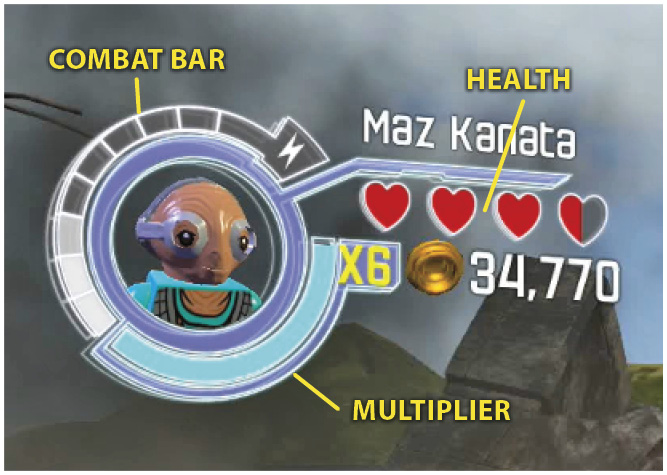
Health is measured by the four hearts (red for characters, gray for vehicles). Taking damage once causes a heart to become half empty. Taking damage a second time empties that heart, which vanishes. Picking up a heart dropped by a defeated enemy returns a heart half full, or refills a partially empty heart. When a character’s health is depleted, they drop a pile of studs before reappearing in the same spot. Quickly recollect these studs to minimize any losses.
Multiplier increases the value of studs collected. For more information about the multiplier, look under “Studs and the Multiplier” later in this section.
Combat Bar is an important aspect of winning battles. To learn more, skip ahead to the “Combat” section.
Abilities
Abilities are the one piece of information you can’t learn about characters from the character portrait. Abilities are special powers and gadgets possessed by characters. Examples include jetpacks that allow bounty hunters to extend the distance of their jumps, protocol droids speaking multiple languages, and using the Force to control objects and people.
Some characters have a special ability tied to the Use button. Other abilities are passive traits that grant resistances to hazards, such as toxic gas and extreme cold. These abilities are the keys to finding all the collectibles and hitting 100% completion. There’s a complete breakdown of abilities, including the abilities each character possesses, in the Characters section of this guide.
Overcoming Obstacles
Some hallways are blocked by more than enemy troops. You can’t leap over every gap, even with jetpack-boosted jumps. Sometimes you must push heavy objects or turn valve wheels to make it possible to continue your exploration.
Common Obstacles
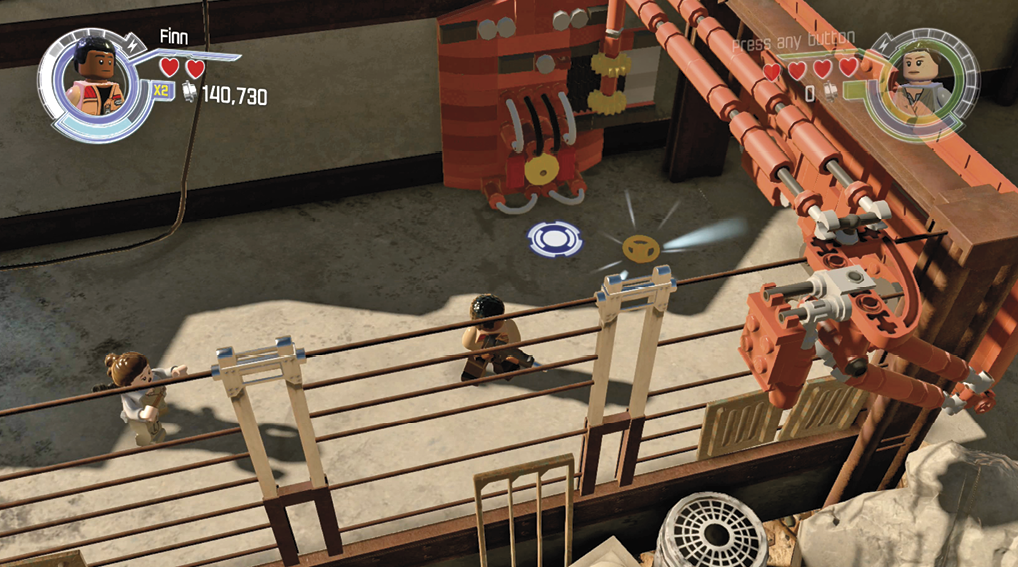
Many obstacles can be overcome by any character; all you need to do is press the correct button or move the control stick in the indicated direction. You may need to hunt down a yellow valve wheel and attach it to a machine before it works, but any character is capable of turning the wheel once it’s in place. The grip handles attached to a vertical face of a cliff or cave wall are available for anyone to use, but be ready to quickly tap a second button if your character’s grip slips!
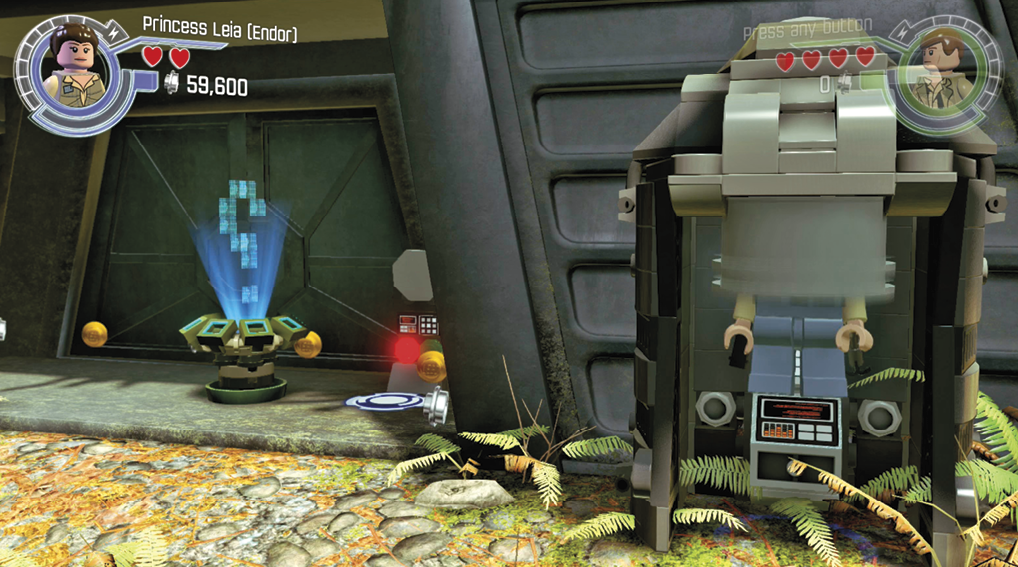
While most terminals require a character to be part of a group (being a protocol droid or a member of the Resistance for example) to use it, a scanner opens for anyone wearing the proper hat. You must obtain this hat from a nearby hat dispenser.
Obstacles that Require Abilities
When characters encounter something unknown to them, whether it’s a terminal they can’t access or an object they can’t clear, they’ll helpfully shrug their shoulders and hint at someone who could help. If you run into something you haven’t encountered before, refer to the following list for assistance in moving past it.
Cracked Lego objects
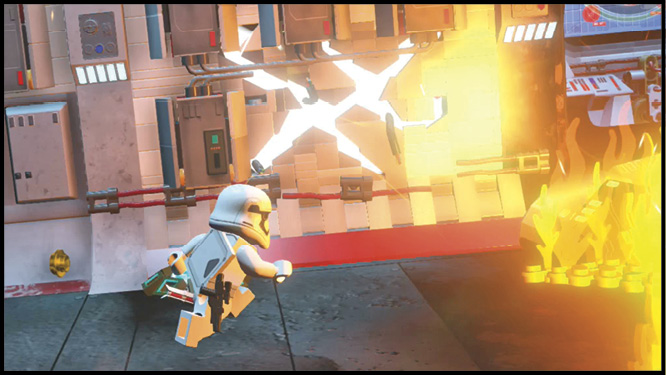
Cracked bricks come in many shapes and sizes, but characters must have the Cracked ability to break them down. Some mountable creatures, such as luggabeasts, allow anyone to break through these bricks.
Gold Lego Objects
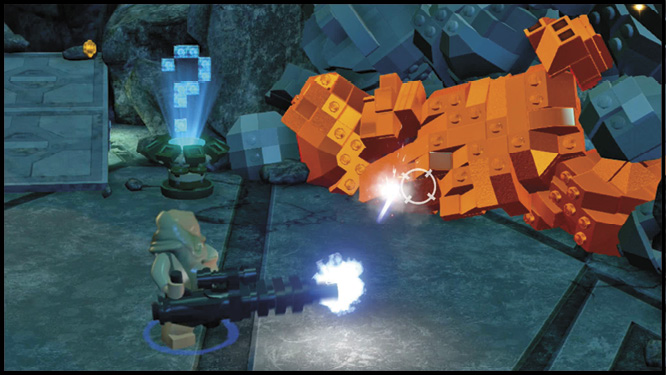
Rapid fire attacks, such as Captain Phasma’s blaster rifle, steadily heat up gold bricks until they explode.
Ice LEgo Objects
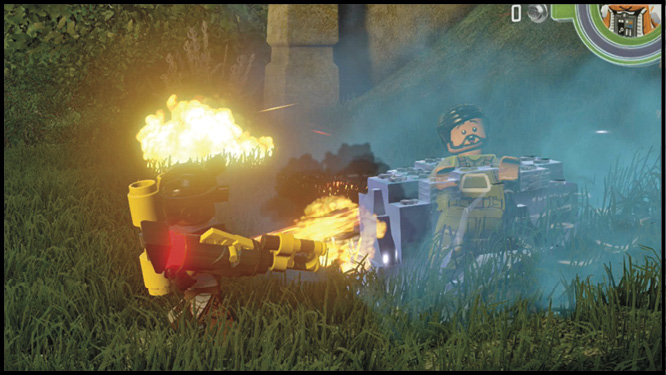
Without help from a conveniently placed X-wing thruster, only fire-based attacks like the Flametrooper’s flamethrower can melt frozen bricks.
LEGO Bricks—Silver
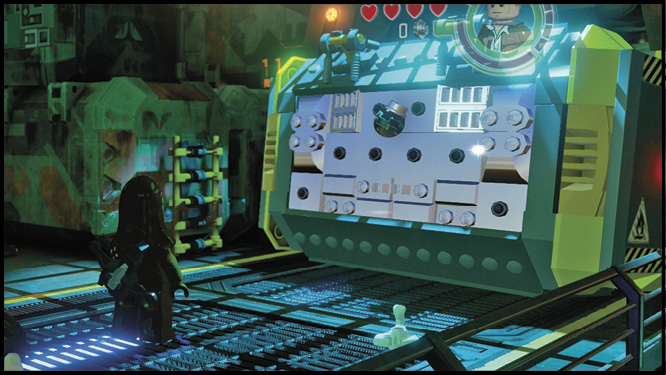
Silver bricks sparkle and shine to stand out from the metal used to construct buildings and spaceships. When you need to get it out of the way, target them with an explosive attack like Chewbacca’s thermal detonators.
Force LEgo
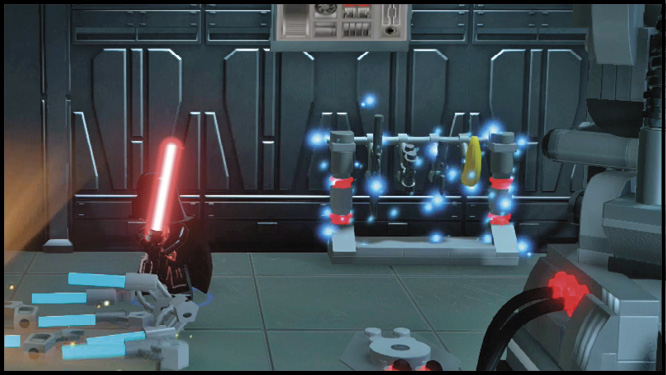
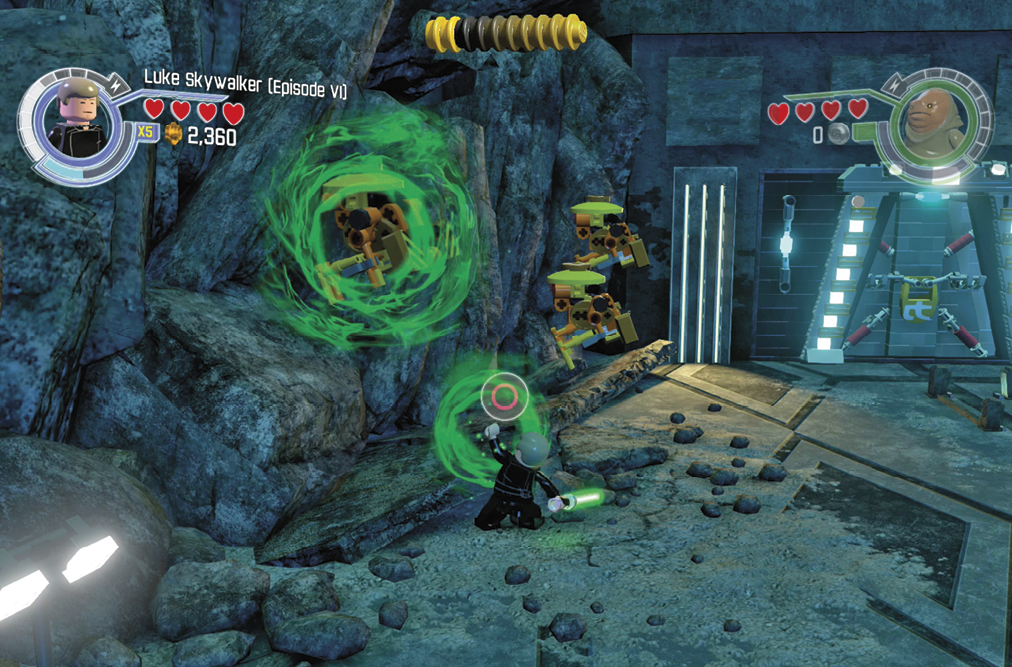
Force-sensitive characters, such as Luke Skywalker, must be called in to handle sparkling LEGO bricks. Jedi repair broken components, or gently move blocks from their path. Sith violently destroy whatever they can reach with the Force.
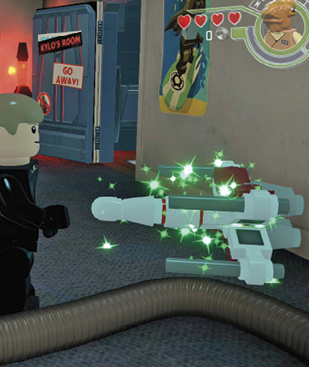
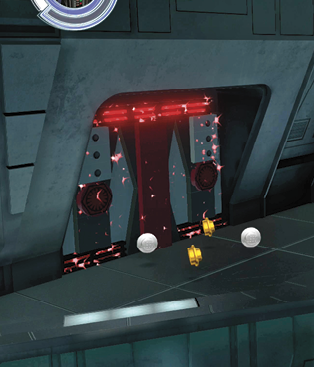
Sith characters use dark side Force powers against dark bricks highlighted by red sparkles. Green sparkles indicate only a Jedi can move the object.
Access Hatch
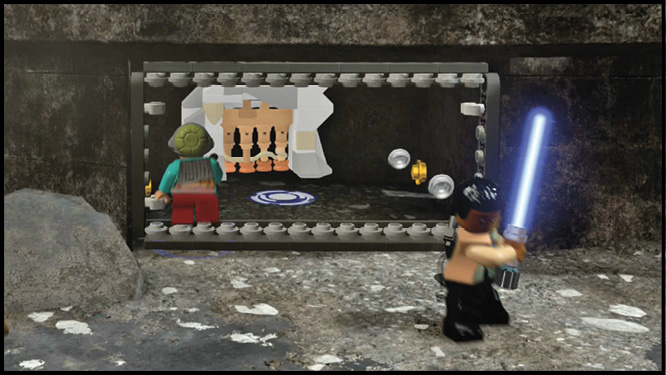
Access hatches link two areas. But only characters of small stature, like Maz Kanata, are able to pass through them.
Wall Run
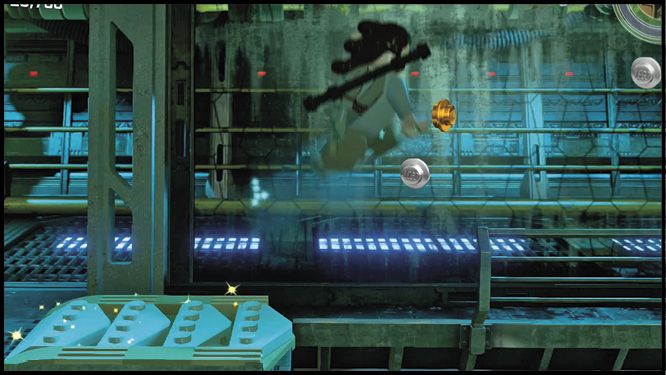
These arrows are typically white or orange and your character runs across the wall at the arrows.
Astromech Access
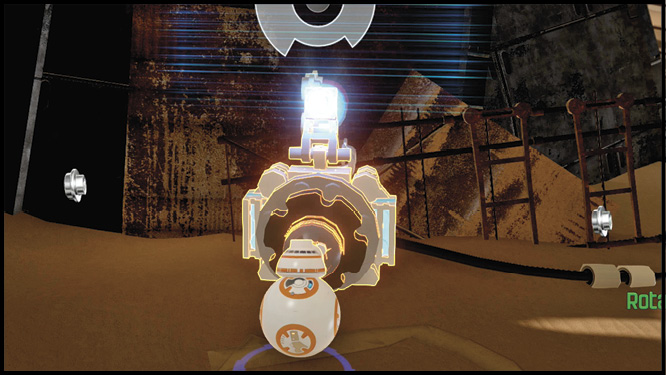
Astromech droids and BB-8 are able to interact with these ports, which require you matching up layers of shapes by spinning the pieces before they lock in place.
Climb Wall
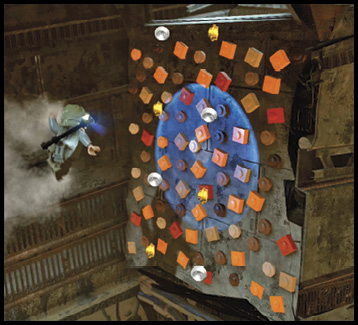
These walls with thin LEGO handholds can be scaled by agile characters like Rey.
Lightsaber Cut
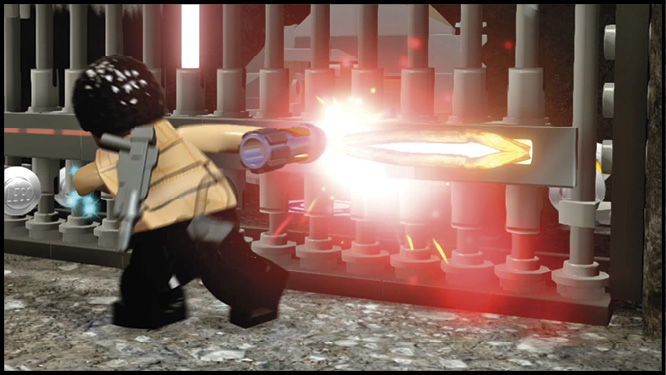
Glowing lines on a wall or door must be cut open with a lightsaber.
Dive Pools
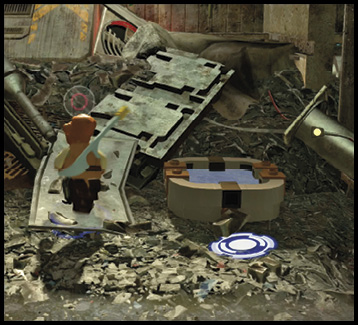
Aquatic characters, like Admiral Ackbar, jump into these small bodies of water and emerge a short distance away.
First Order Access Terminal
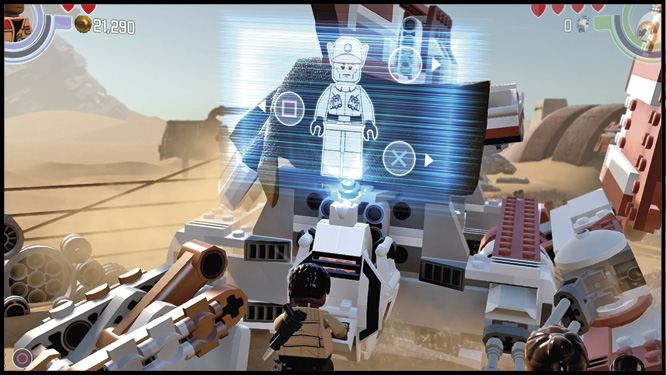
These stormtrooper-colored terminals require membership in the First Order to operate. You must cycle through the top, center, and bottom sections until each displays the white figure segments.
Freezing Areas
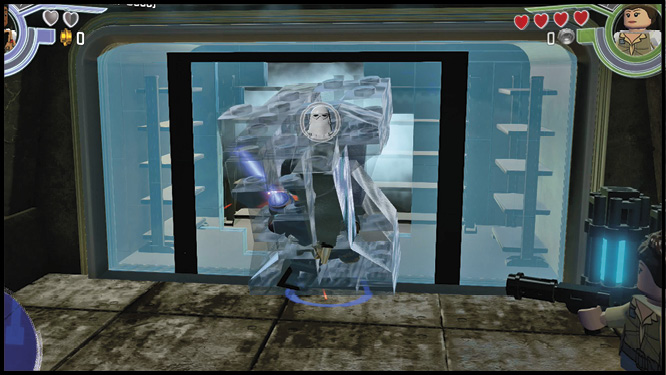
There are two types of freezing areas. The first type is so cold that it instantly freezes any character. The second type gives enough of a warning that characters back away automatically when they move too close. Only characters with Immunity (Cold), like Snowtroopers, can handle the temperature.
Grapple Handle
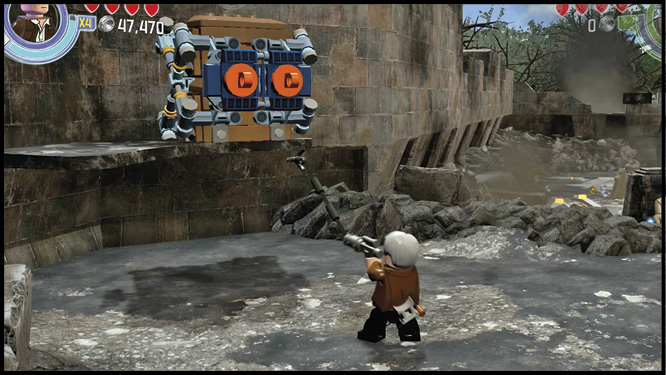
Orange grapple handles work a few ways, but only characters with grapple guns, such as Poe Dameron, can use them. Grapple handles allow characters to open containers and doors, and swing over a gap or up to a higher level. There are two different command inputs for grapple handles: the first is tapping a button, the other is holding a direction on your control stick.
Grip Wall
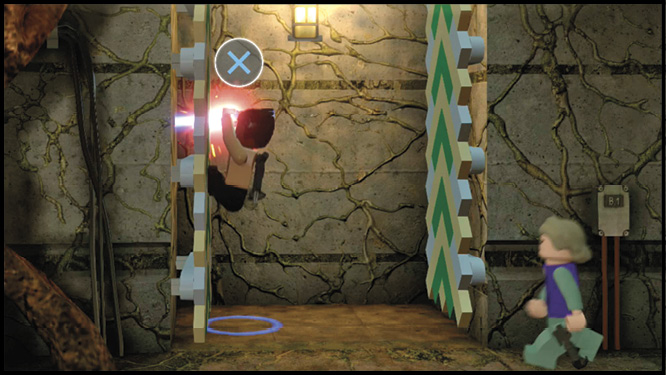
Jumping up these walls requires either an agile character like Rey, or a character carrying a lightsaber.
Launch Pad
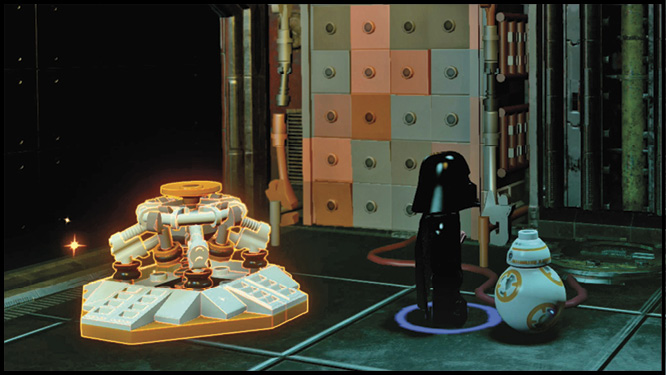
This orange and white device is designed specifically for BB-8. The launch pad sends the versatile droid to higher spots.
Electricity Charge
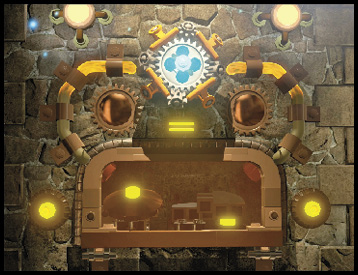
When BB-8 or GNK-143 interface with these nodes, you must keep the arrow balanced in the green area of the meter long enough to restore power.
Protocol Access Terminal
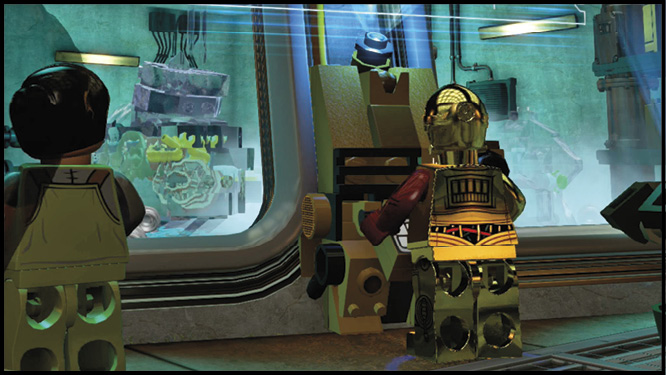
These gold terminals require the language skills of a protocol droid. Note the order of the colors and simple images shown in the main window, then select the three smaller images in the same order.
Resistance Access Terminal
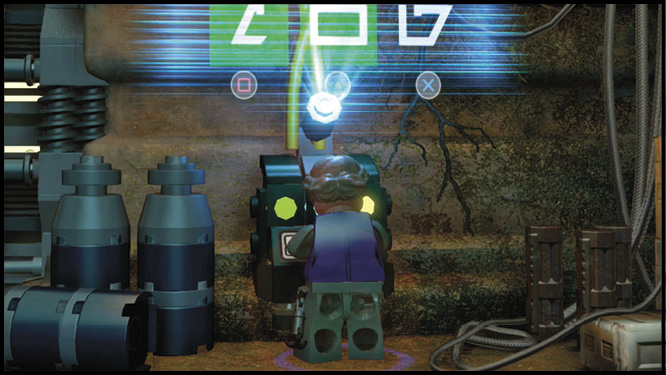
Green terminals are reserved for members of the Resistance. When the changing symbol matches the symbol above it, tap the button underneath that column to lock it in place. Match all three columns to activate the terminal.
Rotary Control
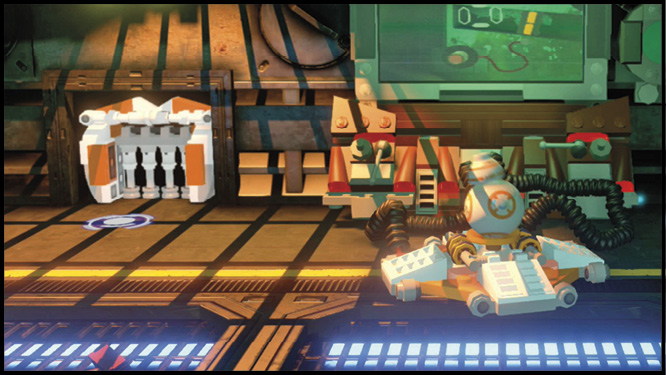
This orange and white interface is designed specifically for BB-8. Rotary controls work with a number of different machines. The lights on the interface turn green when BB-8 moves in the correct direction.
Scan Spots
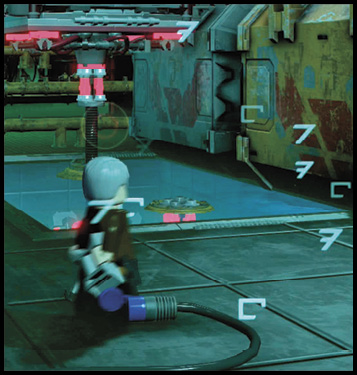
Watch for columns of white symbols floating in mid-air. These symbols indicate something is hidden from regular view. Only characters with quadnoculars can uncover these hidden objects. Move your goggle view until the two indicators move close together and a button prompt appears.
Staff Spinners
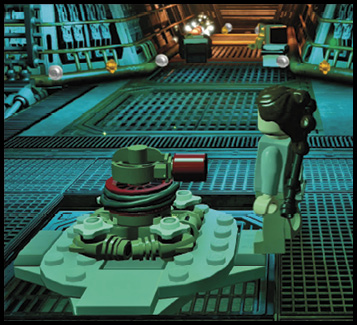
When you encounter a spinner switch, you need to supply a staff to make it work. Switch to staff-wielding characters, such as Lor San Tekka, who employ their staff as a lever to turn the switch. Push the control stick in the indicated direction to open gates, or move large objects.
Strength Handles
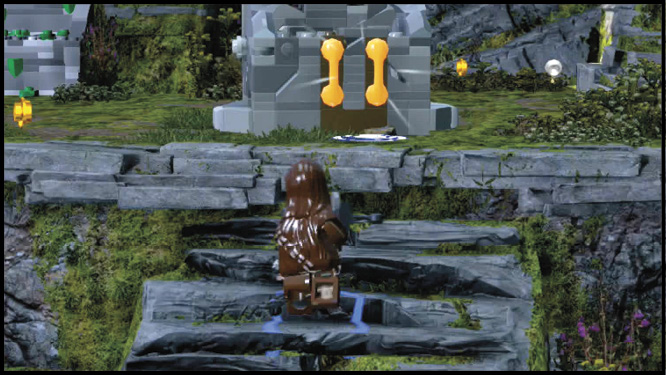
As the name implies, you need to tag in a strong character like Chewbacca to move strength handles. Strength handles work three different ways: push the control stick in a direction, tap a button repeatedly, or time your button push when the arrow is in the center of a meter.
Sharpshoot Target
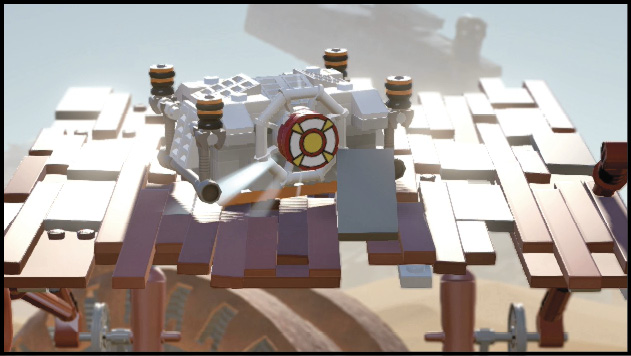
To hit a target, all you need is a ranged attack. Characters, like Finn, that carry a blaster or hurl a melee weapon, like Darth Vader, are able to take out targets.
Toxic Gas
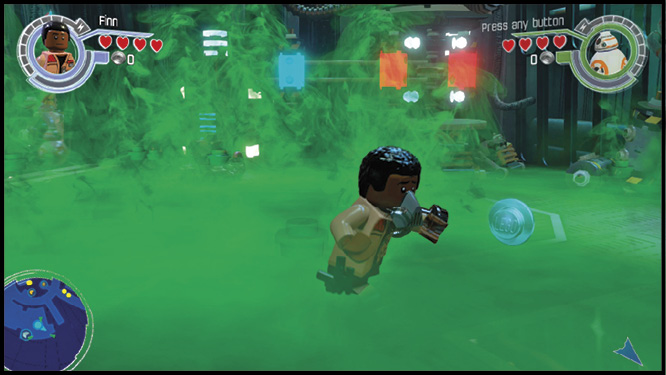
Rooms, corridors, and even open spaces become impassable when filled with green gas. Regardless of where it’s encountered, only gas masks or lack of breathing allow characters to pass through safely.
Twirl Poles
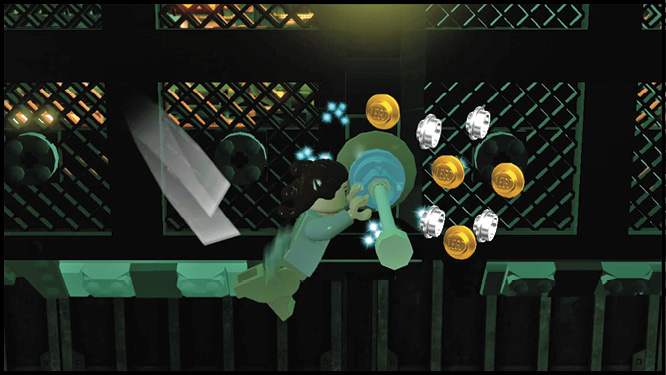
Twirl poles are another way to cross wide gaps safely. Most characters simply hang from twirl poles, but agile characters like Rey spin around the poles and can leap between them with a single button press.
Combat
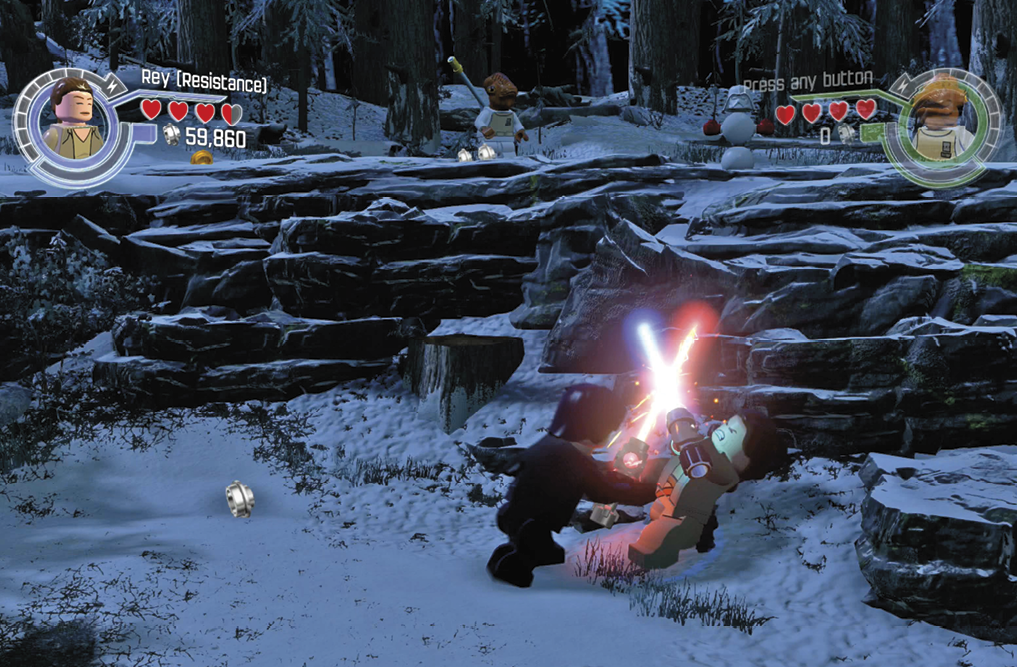
Every character can mix it up with enemies in close quarters. Many characters carry a weapon that allows them to strike from long range. When characters have a ranged attack, the attack they use depends on how close a target is when you press the Attack button.
Melee Attacks
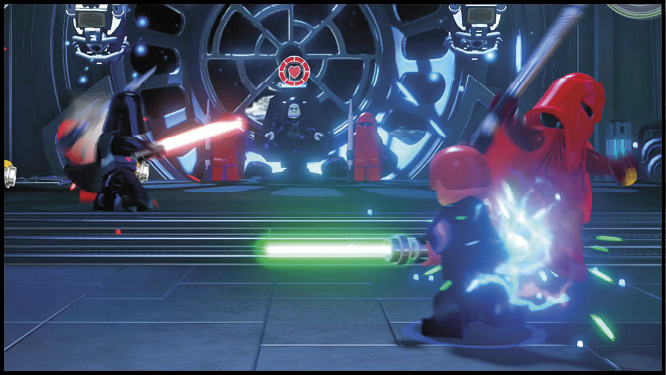
The majority of characters attack with punches and kicks, but a few carry weapons such as a staff or lightsaber.
Ranged Attacks
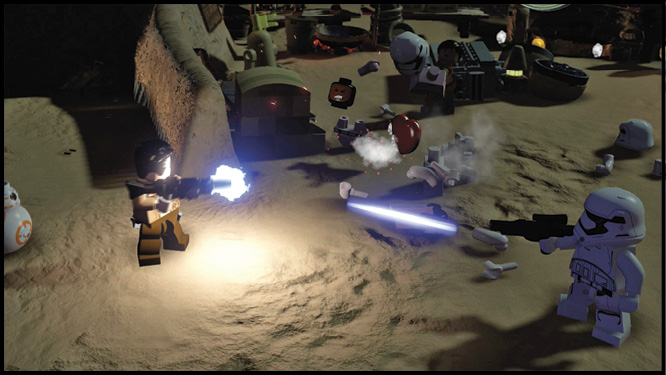
For characters with a ranged attack, tap the Attack button to shoot in the direction they are facing.
Combat Bar & Special Attacks
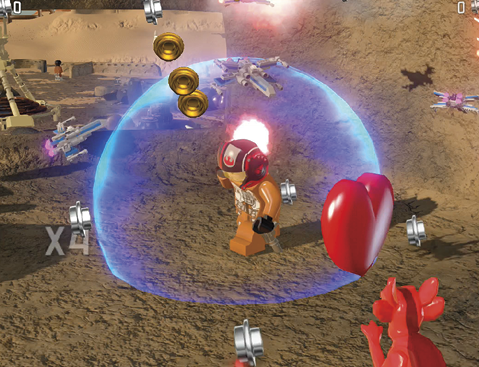
The segmented ring around a character’s portrait that ends with a lightning bolt is the combat bar. Segments of the combat bar are filled each time your multiplier (there’s more on the multiplier later in this section) increases. The combat bar stays with the player, so switching characters will not change it, but characters losing all their health will empty it.
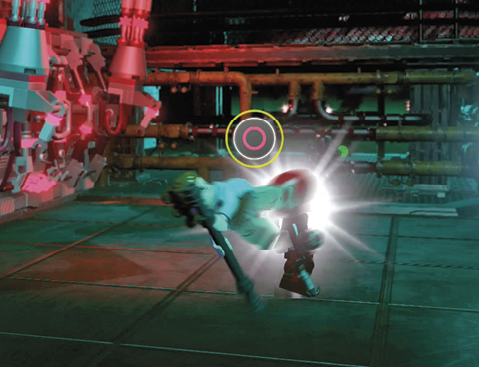
One full segment is required to perform a special attack (button prompt flashes blue or yellow). A fully charged combat bar, indicated by a flashing lightning bolt segment, unleashes a more powerful attack that damages multiple enemies, provided they are within range of the attack. Your character must be in melee combat range to perform any special attack.
Blaster Battles
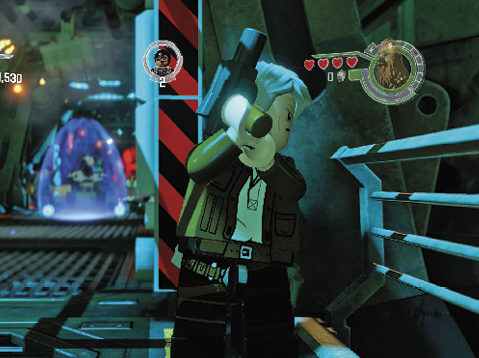
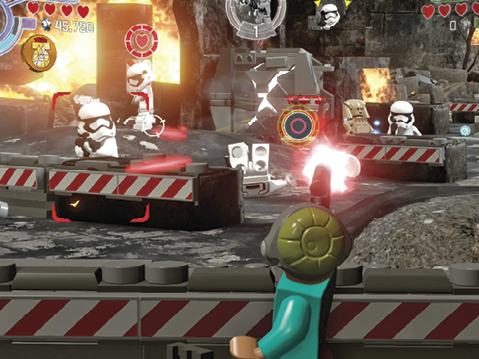
Blaster Battles are a new form of combat that uses cover (from barricades to broken columns) to avoid incoming blaster fire. Forward movement is restricted, but moving from side to side is allowed as long as cover is available. Characters recover health while protected by cover. Any time their health gets low, stay down and wait for a few hearts to return.
To shoot back, press the indicated button to pop out from behind cover and press the Attack button to shoot. Your control stick moves the aiming reticle that appears on-screen. Watch for yellow prompts over the heads of enemies. The prompt indicates when someone is acquiring a target and is ready to fire.
Listen for the sound and watch for the flashing button prompt that indicates your combat bar is full. Activating the combat bar in a Blaster Battle slows down the action and supercharges weapons, causing them to shoot faster and deal more damage.
Aerial Combat
Portions of many chapters take place inside a starfighter’s cockpit. Directional controls can be inverted if that’s your preferred method of flying. You can activate thrusters to increase your speed, but weapons aren’t available while thrusters are active. You also have a button for quick turning and flips when sudden changes of direction are required.
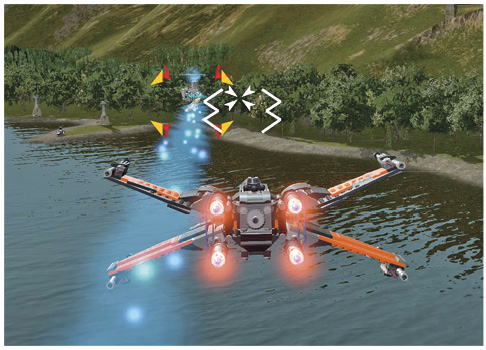
Starfighters are equipped with blasters that you’re free to fire with the Attack button. If you keep an enemy in your aiming reticle, your targeting computer will help aim your shots. The Use button is linked to a secondary attack that tracks targets once you’ve acquired a lock on to them. Fill your combat bar to activate your secondary attack.
Attacking the Environment
Wars fought to stave off intergalactic domination won’t win themselves. Sometimes things need to get messy, so don’t worry about destroying every container and machine in your quest for studs and building bricks.
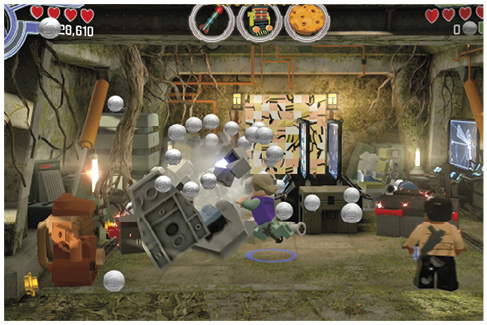
Most objects and studs fade away shortly after they appear but some bricks remain no matter how long you wait. In fact, they’ll wiggle and bounce to get your attention. These are the bricks you use for building.
Building
With the exception of certain droids, all characters will assemble bouncing bricks when you press and hold the Use button. Objects built in this way are necessary for completing a task. If you’re stuck and unsure of what step to take next, attack every nearby object and see if there’s something you can build.