
Build, Discover, Survive! Mastering Minecraft, Revised and Expanded Guide You Can Do Anything with a Little Practice
Biomes
What Are Biomes?
Biomes are often referred to as “ecosystems.” They’re large areas separated from each other by climate and geography. In Minecraft, just like the real world, each biome has its own set of geographical features, elevations of natural formations, plants and animals, temperatures, humidity ratings, weather, and sky and foliage colors.
The mixture of different biomes creates the world you explore in Minecraft. The specific set of biomes used to generate a world is called a “seed.” When you first create your Minecraft world, you have the option to use a randomly generated world (a random seed) or enter a known seed. Although you may be familiar with some features available in a known seed, your experience in the world will still be unique; the only difference is that you may be more experienced with nearby environments or interesting locations.
Looking Up SeedsYou can search online to find fun seeds that other people have discovered; you can also share exciting seeds of your own. Some worlds have especially awesome landmarks or rare temples. Whatever you’re looking for, feel free to search through other people’s listings and try out their worlds. |
Biome Categories
Regardless of how your world is created, you soon find yourself in one of several possible biomes. You can tell which biome you’re in simply by looking around and examining the terrain’s color, the number of mountains and hills, and the kinds of trees. The types of blocks that are immediately available to you also provide a good indication.
If you don’t like the biome in your starting location, you have two options. First, you can restart and generate a different world. Each time you create a world, you start in a different location (you may not get a different biome; some biomes are more common than others). The second option is to pick a direction and run as fast and as far as possible. If you’re still in a region you don’t like by the time night falls, dig a hole three blocks deep, cap it off with a ceiling block, and wait inside for day to break. Either way, you’ll eventually arrive at a biome with your preferred conditions.
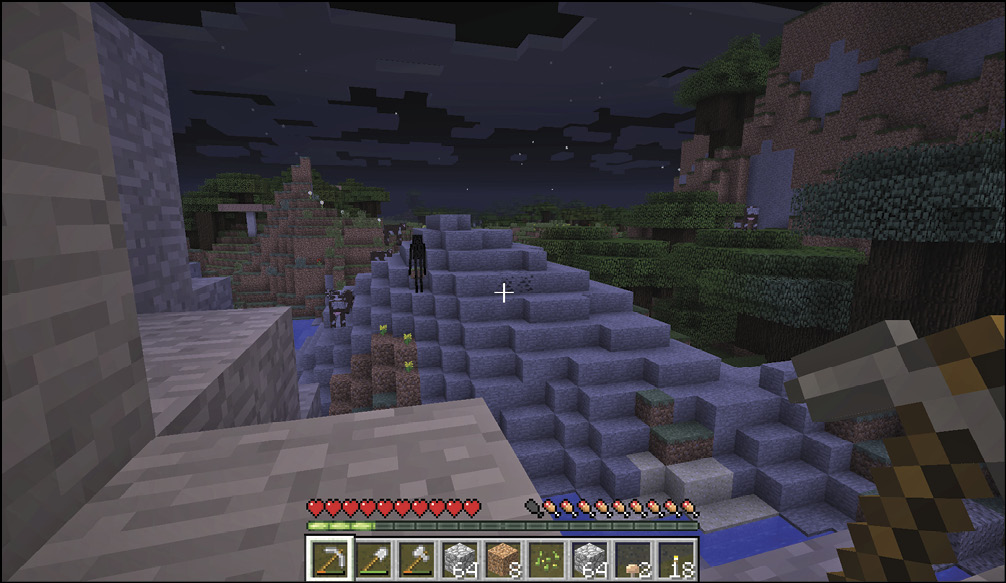
The biome types in Minecraft are divided by temperature. There are five categories: snowy, cold, medium, dry/warm, and neutral. The temperature ranges prevent biomes with large differences from being next to each other; for example, deserts aren’t found next to ice plains.
Weather
A biome’s temperature range also determines its weather. Depending on where you are, your biome may have snow, rain, both, or neither. In game terms, both snow and rain are considered the same weather effect, but whether you get snow or rain varies according to biome type. If a non-snowy biome touches a snowy biome, there can be both rain and snow. The required values for different weather conditions are <0.15 for snow, 0.15-0.95 for rain, and >1.0 for none.
Elevation also plays a role in weather. An area with hills or mountains has a greater chance to have snow over rain. In the same way, a low, hot region of desert has no rain or snow at all.
Noteworthy weather can occur during the day or night. Usually, weather occurs every seven Minecraft days and continues for 15 minutes. If you don’t like the weather, you can use a Bed to sleep through it during evenings or thunderstorms.
Both rain and snow have a chance to form thunderstorms. Thunderstorms are relatively rare occurrences, but their dark conditions and potential for lightning make them more dangerous than other weather. Even if it’s daytime during a thunderstorm, the low light causes monsters to spawn. There’s also the potential for lightning to strike enemies. Creepers that are struck by lightning do a huge amount of damage, so be on the lookout at all times.
Possible Effects of Lightning
- Starts fires
- Turns Pigs into Zombie Pigmen
- Supercharges Creepers (watch out!)
- Damages players
- Turns Villagers into Witches (requires Version 1.8)
Biome Types
There are 61 total biomes. Some are quite similar to others, but each has a few distinct elements. Your current biome determines the availability of various blocks, plants, and creatures.
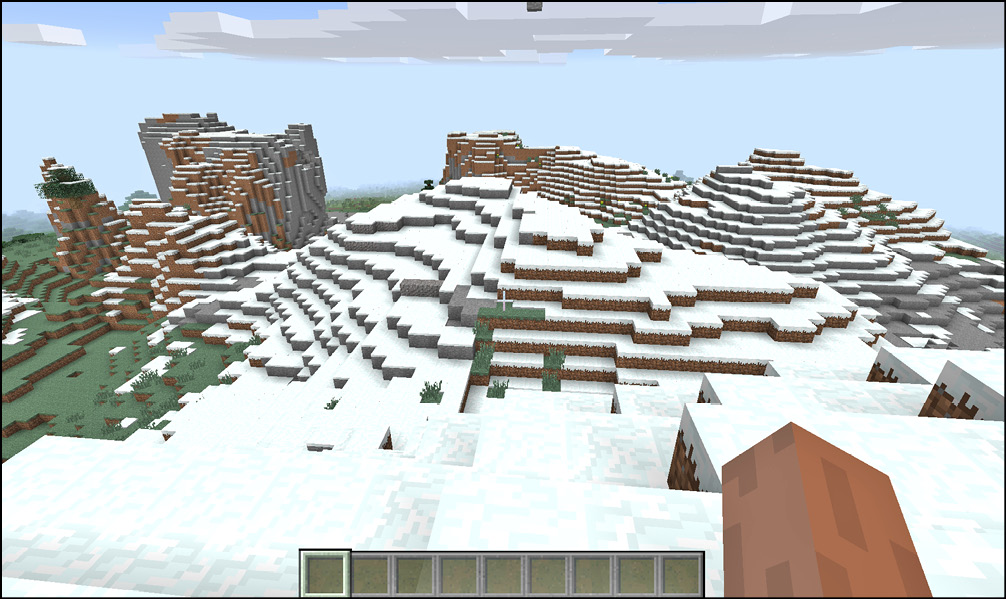
Snowy Biomes
| Common Features | Snow at any elevation |
| Grass and Foliage | Blue/Green |
Free Irrigation!Storms bring water into a region, causing crops to grow faster for a little while. This offers the same effect as irrigating your crops. |
| Biome | ID | Features |
|---|---|---|
| Cold Beach | 26 | Desolate, cold beaches |
| Cold Taiga | 30 | More trees are here, making this an easier snowy biome to start |
| Cold Taiga (M) | 158 | Cold taiga with much taller mountains |
| Frozen River | 11 | Fairly clear area, few features, ice on all water |
| Ice Plains | 12 | Flat, snowy; has icy water, limited wood |
| Ice Plains Spikes | 140 | Lovely fields of frozen spikes |
Cold Biomes
| Common Features | Snow at higher elevation, rain at lower elevation |
| Grass and Foliage | Blue/Green |
| Biome | ID | Features |
|---|---|---|
| Extreme Hills | 3 | High peaks and low valleys |
| Extreme Hills (M) | 131 | Less plant growth, even higher mountains |
| Extreme Hills+ | 34 | Adds some much needed tree growth to the biome |
| Extreme Hills+ (M) | 162 | Again, adds more trees to the extreme hills (M) biome |
| Mega Spruce Taiga | 160 | Thick forests are here, limiting movement and visibility |
| Mega Taiga | 32 | Huge spruce trees dominate this area |
| Stone Beach | 25 | Raised beaches with stone drop-offs into the water |
| Taiga | 5 | Spruce trees, Wolves, and cold temperatures are key features here |
| Taiga (M) | 133 | Makes the taiga terrain more mountainous |
Medium Biomes
| Common Features | Snow only at extreme elevations, rain anywhere lower |
| Grass and Foliage | Green |
| Biome | ID | Features |
|---|---|---|
| Beach | 16 | Sandy lowlands that lead into the ocean |
| Birch Forest | 27 | A forest of birch trees |
| Birch Forest (M) | 155 | A forest of tall, impressive birch trees |
| Birch Forest Hills (M) | 156 | A forest of birch trees with large hills and taller trees |
| Flower Forest | 132 | A forest with slightly fewer trees and many more flowers |
| Forest | 4 | Simple biome with a strong mix of resources and few downsides; wood and food are prevalent |
| Jungle | 21 | Dense wooded areas with heavy foliage; it’s hard to move quickly through these areas, so they can be dangerous if you’re caught by monsters |
| Jungle (M) | 149 | Add mountainous terrain to the usual jungle biomes |
| Jungle Edge | 23 | Jungles thin out near their borders with other major biomes |
| Jungle Edge (M) | 151 | Greater elevation changes are present in this version |
| Mushroom Island | 14 | Has Mycelium instead of Dirt; Mushrooms are found in great quantities, and Mooshrooms are the only animals that appear in this area |
| Mushroom Island Shore | 15 | Provides a border between Mushroom Islands and the sea |
| Plains | 1 | Simple grasslands, not much wood access; you can find Horses here |
| River | 7 | Clay blocks, fairly shallow water |
| Roofed Forest | 29 | Oak forest with a heavy canopy and little light |
| Roofed Forest (M) | 157 | Has cliffs and valleys to make the roofed forest even more daunting |
| Sunflower Plains | 129 | Similar to plains but with many more flowers in the area |
| Swampland | 6 | Movement is hampered by many pools of Water; increased danger from unusual monster spawns (including Witches) |
Dry/Warm Biomes
| Common Features | No rain or snow |
| Grass and Foliage | Yellow/Brown |
| Biome | ID | Features |
|---|---|---|
| Desert | 2 | Sandy, dry area with Cacti |
| Desert (M) | 130 | There are occasional oases here |
| Mesa | 37 | Dry, Clay-filled hills |
| Plateau | 36, 38, 39 | Wide, open hills with livable areas up top |
| Plateau (M) | 164, 166, 167 | Very high plateaus |
| Savanna | 35 | Open grasslands with the potential for Horses |
| Savanna (M) | 163 | Mountainous grasslands |
Neutral Biomes
| Common Features | Mid-range temperature |
| Grass and Foliage | Varies |
| Biome | ID | Features |
|---|---|---|
| Deep Ocean | 24 | Especially deep Water |
| Hills | 17, 18, 19, 22, 28, 31, 33, 156, 161 | These hill sections are often embedded in other biomes |
| Ocean | 0 | Large swaths of Water tiles |