
Bayonetta 2 Guide Chapter II: Know Kourself - Game Primer
Playing The Game
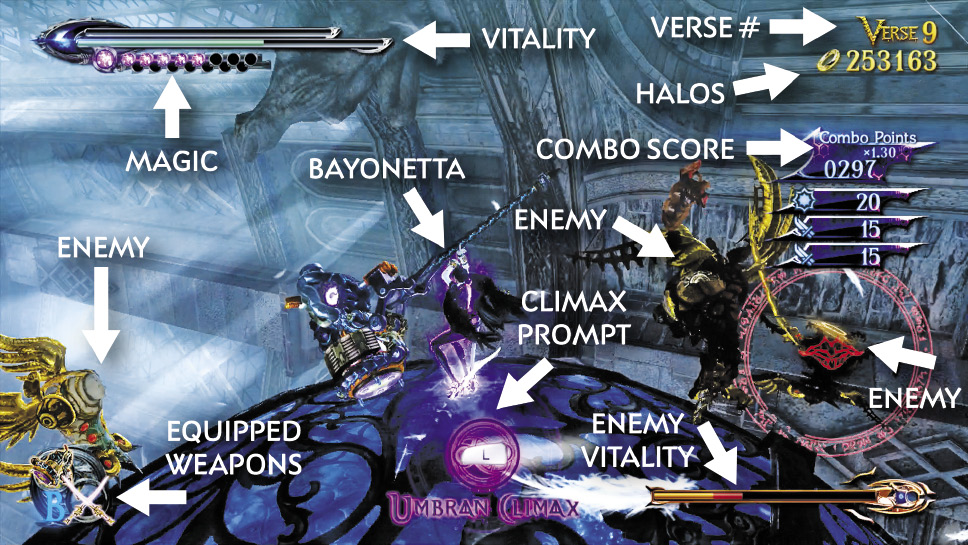
As you play Bayonetta 2, you’ll see screens similar to the above. This screen is packed with information that players must internalize to be truly effective in combat.
Bayonetta
The lady, the legend, the Bayonetta herself! As the player, it’s up to you to control her and make sure she defeats foes and overcomes all obstacles, as stylishly and beautifully as possible.
Vitality
This green gauge represents Bayonetta’s total vitality. Avoid being hit by enemy attacks (or missing Quick Time Event prompts) to make sure it never depletes. Should the gauge deplete to zero, it’s Game Over.
Magic
This set of orbs represents Bayonetta’s total magic, which allows her to use abilities like Umbran Climax, Torture Attacks, and some exclusive accessory abilities. Every eight small orbs filled becomes a single large orb. Bayonetta won’t be in danger of a Game Over if her magic depletes to zero, but fights become much tougher without access to her enhanced moveset!
Verse Number
Every Chapter in the game consists of a specific number of battles, or Verses. Overcome as many of these as possible to obtain the highest possible score and ranking for the Chapter.
Halos
Halos (and Orbs) are dropped by enemies when defeated. Exchange these for goods from The Gates of Hell, which add to Bayonetta’s impressive combat repertoire.
Combo Score
A key to high Chapter Ranks is achieving high-scoring combos!
Enemies
The armies of Paradiso and Inferno are after Bayonetta, and they throw wave after wave of their forces at her. Expect to be constantly fighting foes.
Enemy Vitality
Particularly strong enemies have their own vitality gauges. The best way to deplete these is with a flurry of stylish combo attacks. Don’t give them an inch!
Equipped Weapons
The weapons Bayonetta is currently wielding are always shown here.
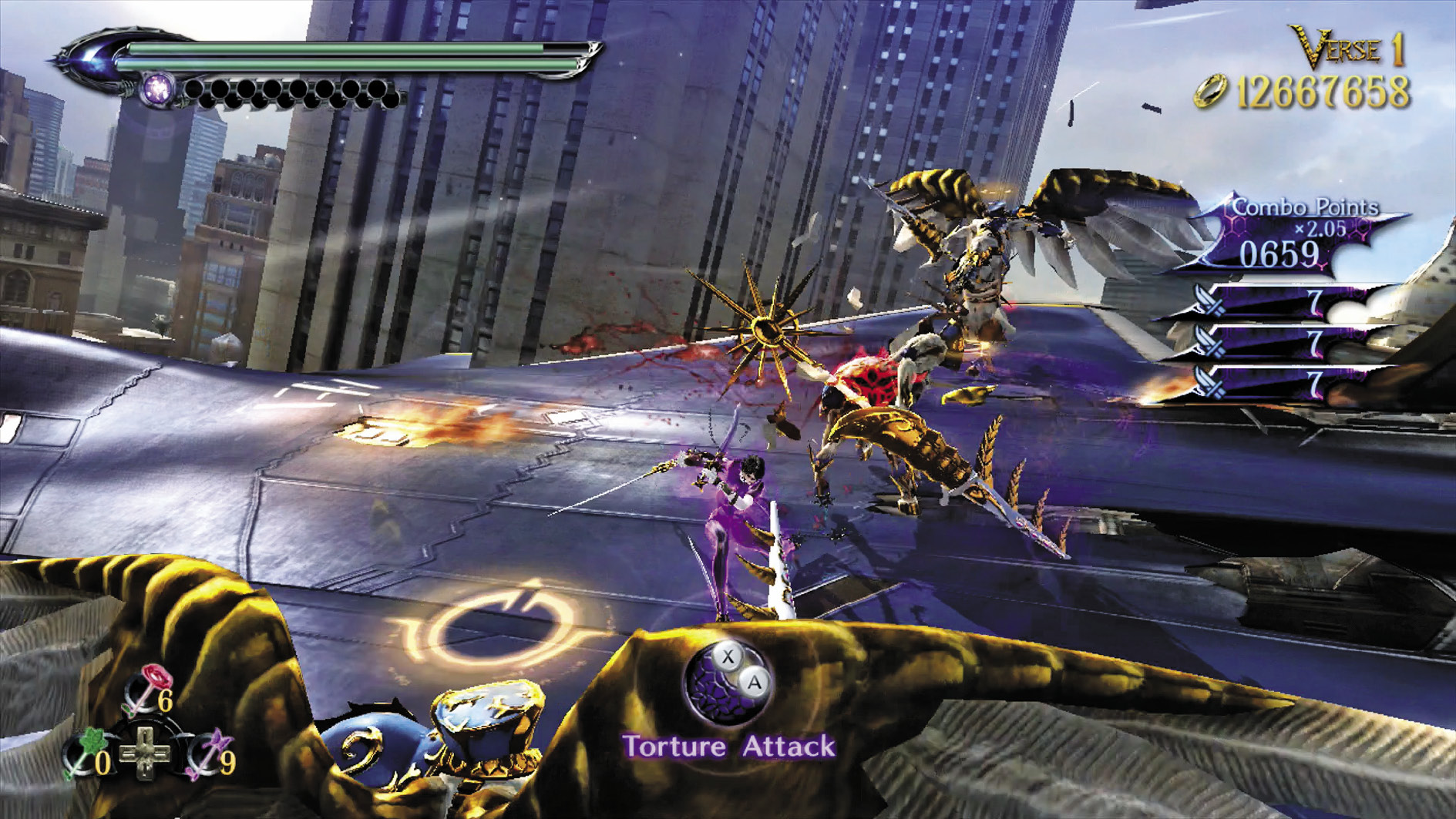
Equipped Consumables
The consumable items Bayonetta currently has equipped are always shown here. (The exception is the Red Hot Shot, which the player is instantly given the option to activate once Bayonetta’s vitality is depleted.)
Climax Prompt
Climax Prompts show up in the lower center of the screen, and are context-sensitive. They can be anything from a Quick Time Event prompt to a Torture Attack prompt to an object interaction prompt, or even just the ability to activate Umbran Climax. Pay attention to these—you never know what actions you might be able to perform next!