
WWE 13 Guide Essentials WWE Universe 3.0
Edit Universe
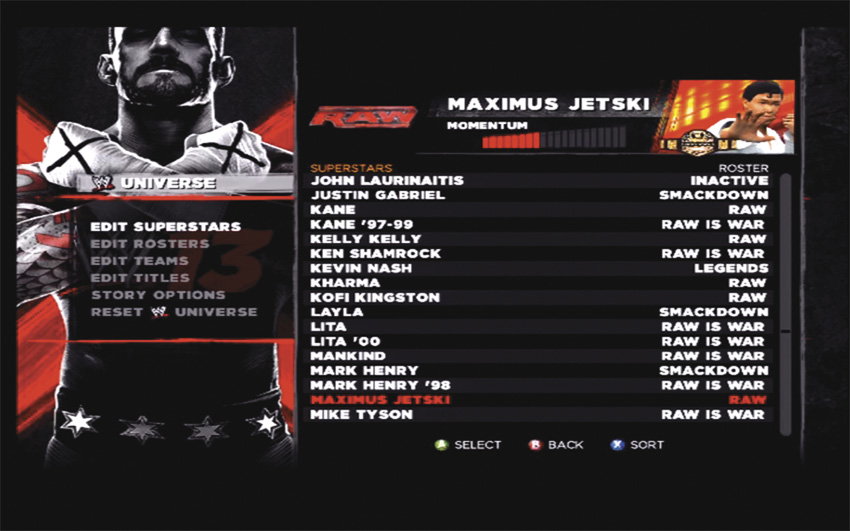
This is mission control for your Superstars, Rosters, Teams, Championships, and Story Options.
Edit Superstars
This screen allows you to become the puppet master between matches. Attribute sliders, HP ratios, abilities, brands, allies and rivals, and even crowd cheers or boos are under your direct control. Match outcomes will also affect your WWE Universe storyline, but this is the hub for your “manual” controls.
Gameplay within these matches is essentially the same as that of matches chosen from the main menu. The major differences lie in the organic momentum and attribute changes that occur based on match results. Additionally, you can affect the WWE Universe by manually editing your Superstar’s attributes or abilities.
Momentum
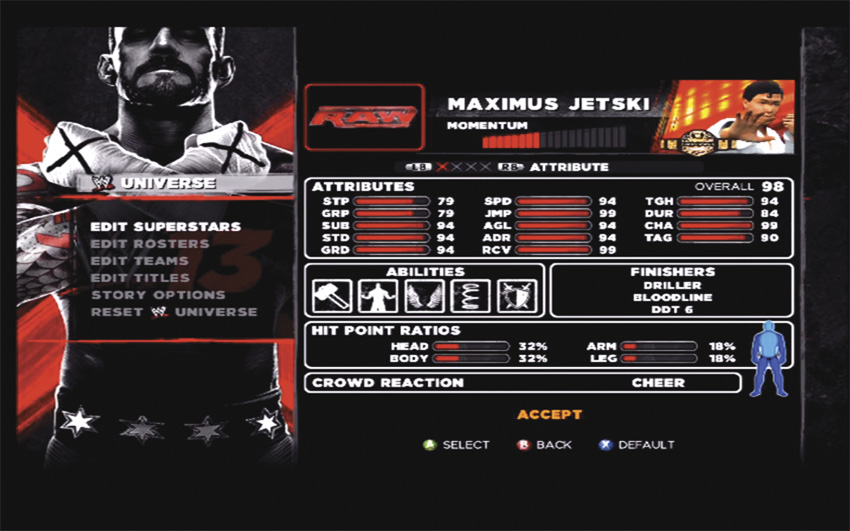
On the “Edit Superstar” screen, you’ll notice a momentum meter at the top, just underneath the Superstar’s picture. This rating is dependent on how the Superstar is performing at any given time. Take a few losses and the meter will fall. Put together some solid wins and you’ll see the Superstar’s momentum grow.
Brand & Championship
This is one of two places to edit brand affiliations. If you want to edit the brand of an individual Superstar, go to the “Edit Superstar” screen and click on the brand of your liking. Add a Championship to the Superstar by selecting a Championship from the inventory. If the Superstar has more than one Championship at that time, the picture will cycle between all held belts.
Allies & Rivals
The outcomes of matches will naturally create allies and rivals. Choosing to interfere in matches will also result in Superstars picking sides. For ultimate control, however, you can go right into the “Edit Superstar” screen and select the allies and rivals you want. There are five slots in the allies field, and five slots in the rivals field. You can increase or decrease the intensity of each ally or rival relationship with the intensity meter.
Attributes & Abilities
In the WWE Universe, Superstars can get better or worse—they get serious attribute adjustments based on their performance in the ring. Here you can check out how well a Superstar has been doing in the ring. To give the player total control, manipulating the slider bars from this screen allows you to manually customize both attributes and Superstar abilities.
Select the slider for a particular attribute and you can move it to increase those attributes to the maximum allowable threshold. This way, you can easily make any Superstar’s overall rating 100. There are still some limits, though. Each Superstar’s attribute limit is tied to their weight class, so you’re not going to be able to make Mark Henry the fastest guy in the ring or give Chavo Guerrero a 100 Strike Power rating.