
The Sims 4 Guide Meet Other People
Aging
As part of life, Sims age as time progresses. The amount of time it takes to age up depends on your selections in the Game Options menu under Gameplay. You can set the Sims’ lifespan to short, normal, or long. You can even turn off aging altogether. With aging turned off, elder Sims won’t succumb to old age, but babies, children, and teens won’t grow up either. To find out how long a Sim has until they age up, go to the Simology window in the lower right corner of the game screen. The various ages are: baby, child, teen, young adult, adult, and elder.
When a Sim gets ready to age up, you can just wait around for them to age up on their own. However, they may receive negative moodlets for not having a celebration for their birthday. While you can have a Birthday Party social event, all you really need is a cake. Once you have a cake, put some candles on it. Then you have these options: Blow Out the Candles, Make a Wish, or Taste the Frosting. Any of these actions will then age up your Sim.
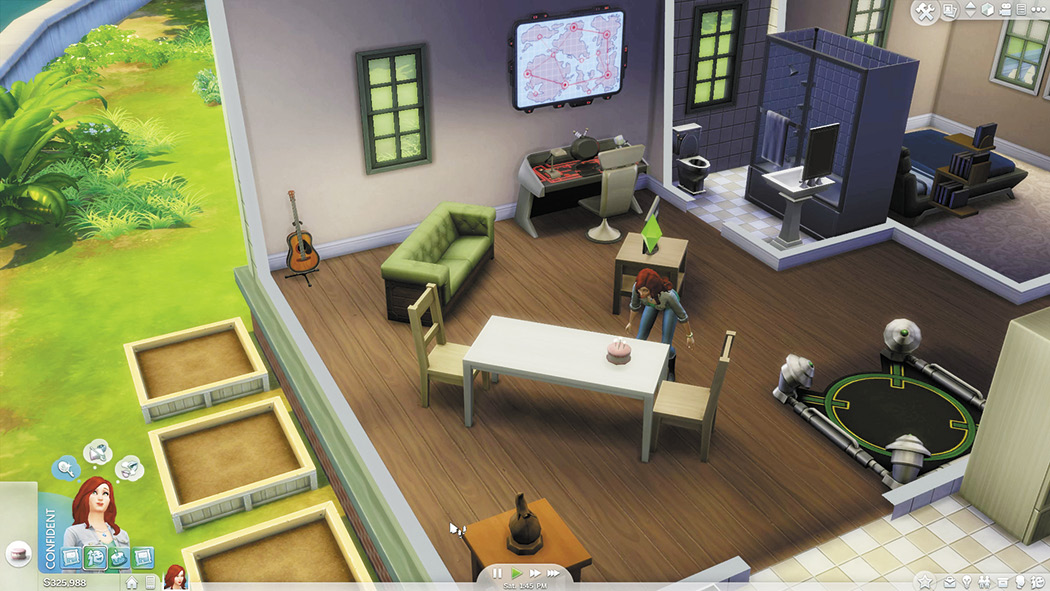
Blow out those candles to age up your Sims.
Aging OptionsAs already mentioned, you can go into the Game Options from the main menu to modify how Sims age. Select Gameplay from the choices and then there are three options that deal with aging. The first lets you choose if your played Sims will automatically age. You can select yes or no. Or you can choose to have only the Sims in the currently active household age (if you have more than one household in the same game). The second option lets you choose whether you want unplayed Sims to age. If you leave this checked, you will see your neighbors aging as time goes on. Finally, you can select the lifespan of Sims. The default is a normal lifespan. However, you can make their lifespans short or long as well. |