
The Sims 4 Guide Make a New You
Creating a Sim
Create A Sim Overview
Creating A Sim
Creating your first Sim can seem a bit daunting to some. Not to worry. The Sims 4 can provide as much or as little assistance as you want. While you can start with a blank canvas and create your Sim from the ground up, you can also use the powerful randomizer tools to let the game make the Sim for you.
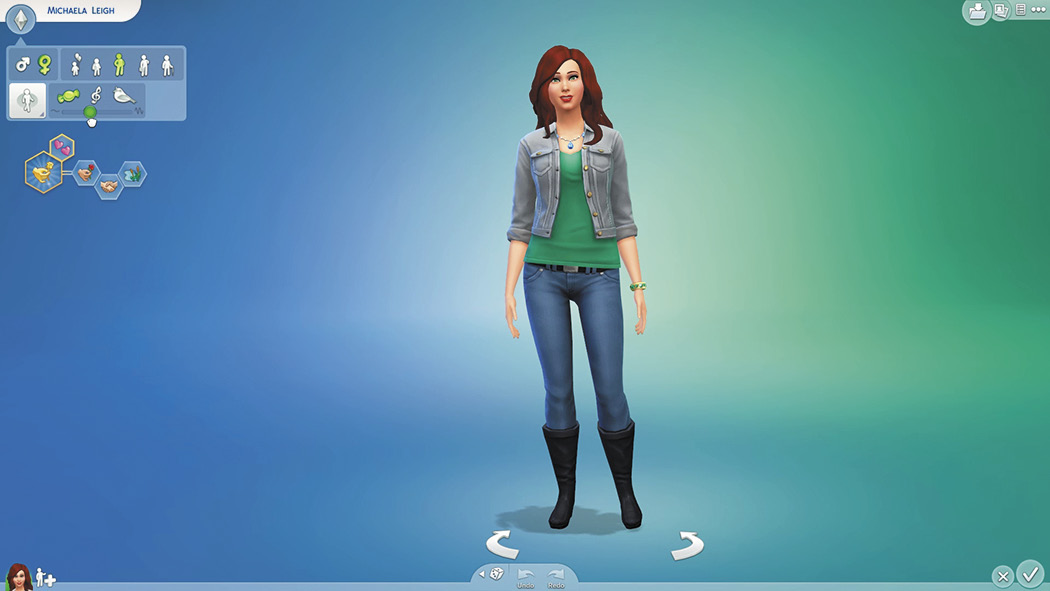
Creating a Sim has never been easier or more powerful.
When you first begin a game, The Sims 4 provides a Sim for you. However, this is just a starting place. Choose where you want to begin, and when you’re ready there are endless options for working on your Sim’s characteristics. You could start with the Personality panel to select gender, age, and a few other options. You can also select Aspirations and traits here, or come back later to choose these or make changes. This is also where you name your Sim.
If you’d rather start out with your Sim’s physical features, you can determine what their body looks like—their build, skin tone, structure, and so forth. You could even start out by selecting your Sim’s wardrobe!
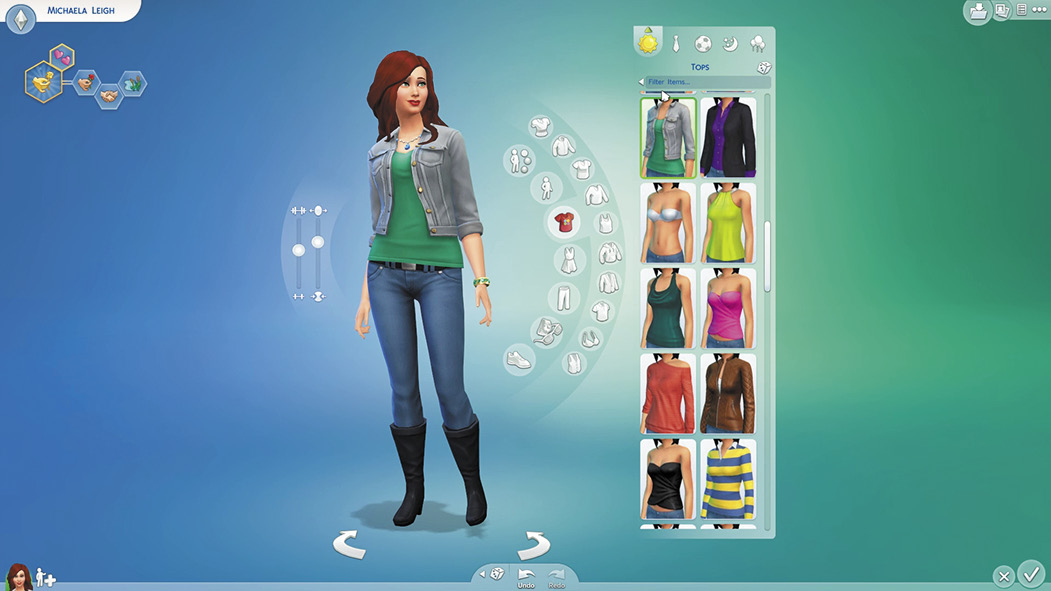
Most of the interface is hidden and only appears as you need it. Click on something to bring up the tools for what you want to do.
The Personality Panel
You may want to complete the basics here before moving on, because the basics really determine personality and looks. To begin with, select the gender of your Sim. You can pick either male or female. Now you can begin customizing your Sim.
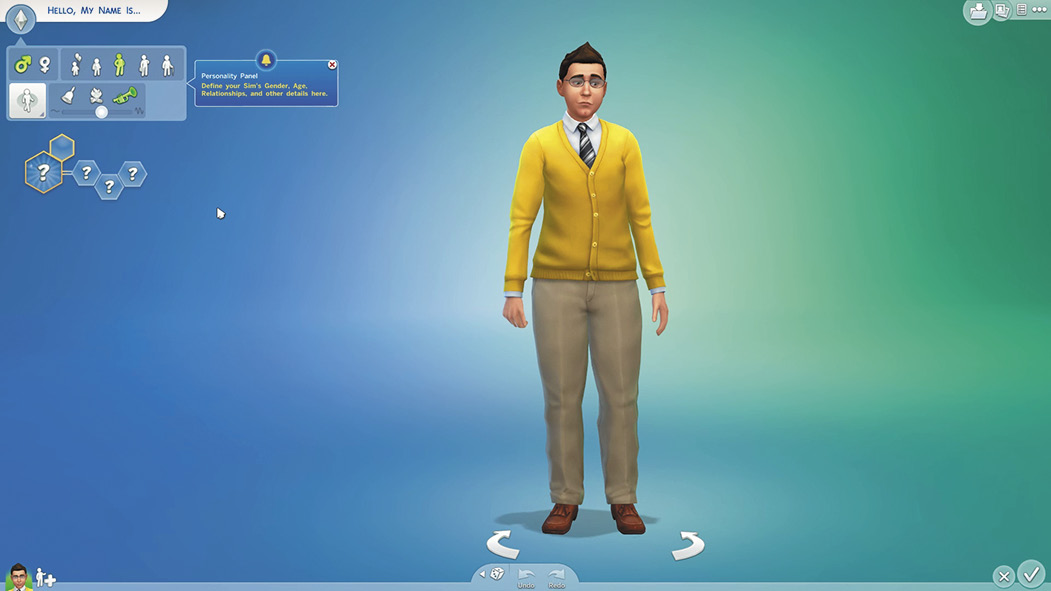
I got a male Sim to begin with. However, I wanted to create a female Sim.
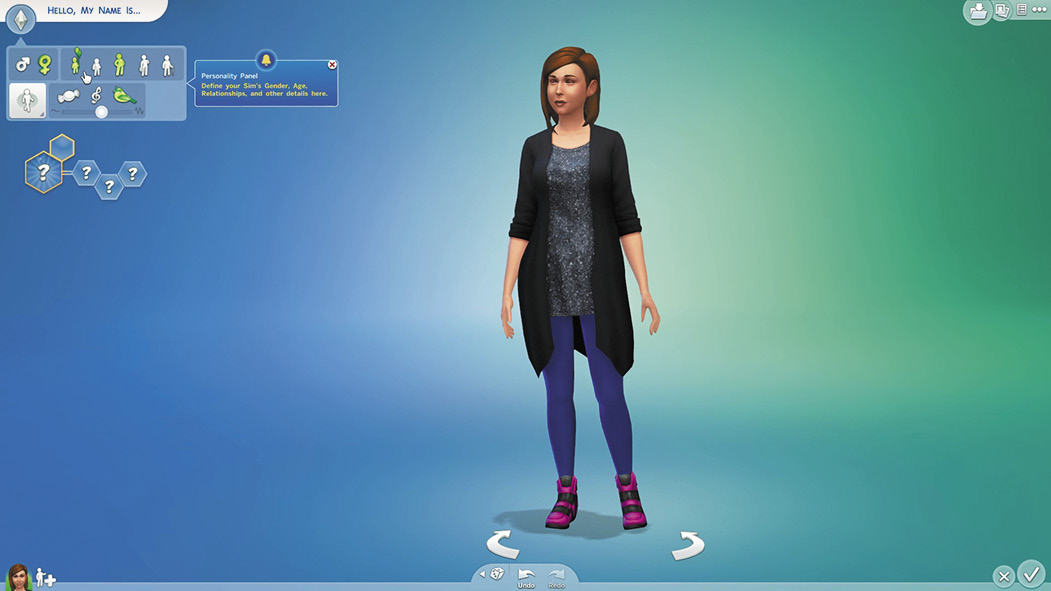
Next you can select your Sim’s age. You have five options: child, teen, young adult, adult, and elder. Your Sim’s age influences their personality and gameplay options. For example, children and teens have school for a career and have fewer choices of Aspirations and traits. If you pick an elder, you will have less time to complete your Aspiration.
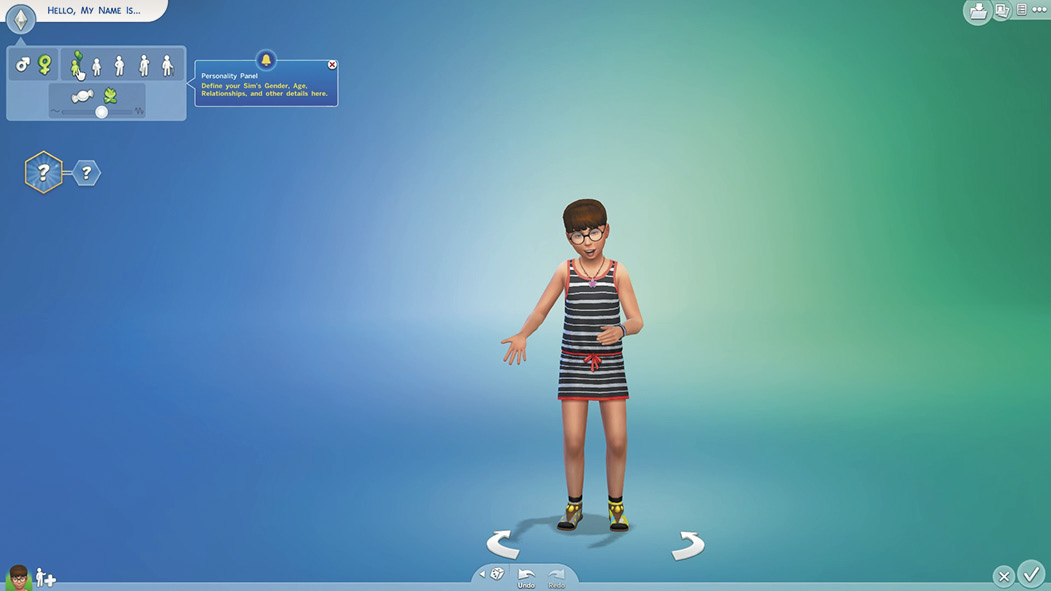
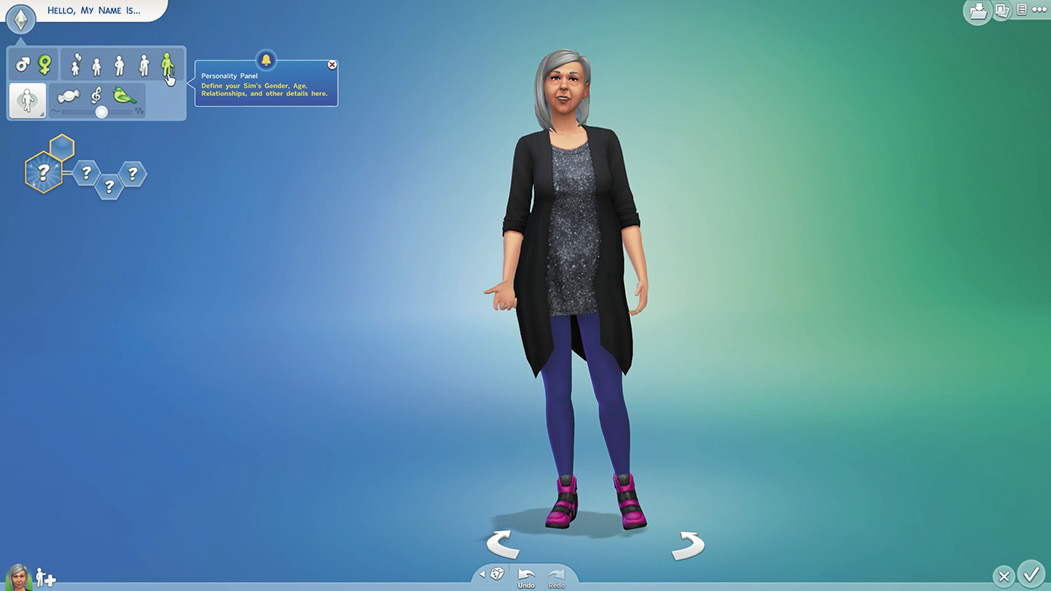
When you change your Sim’s age, the game modifies the features you have chosen. While differences between teens, young adults and adults may be more subtle, you can customize them to really play up their ages with younger clothes or salt & pepper hair.
Aspirations
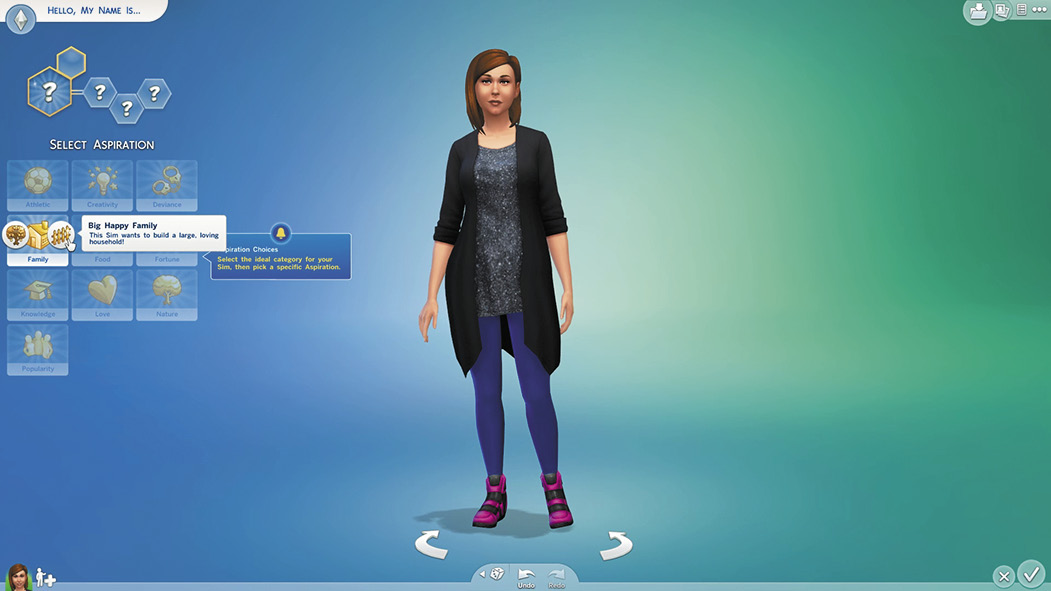
Aspirations guide not only a Sim’s personality, but also their career and skill choices as well as many other aspects of their lives. So pick carefully.
Once you decide on the personality and lifestyle you want for your Sim, it’s a good time to Aspiration. Aspirations are long-term goals that will require your Sim to meet a specific set requirements in order to achieve them. Aspirations fall within 10 categories. Each category has a bonus trait that you automatically get when you select that category. Within each category, you can pick from one to three Aspirations. You receive a reward trait once all of your Aspiration’s requirements are met. Here’s a quick look at Aspirations; for more details, including the reward traits you receive for achieving an Aspiration, see Aspirations.
 Athletic
Bonus Trait: High Metabolism—It is easier to stay fit and trim when you have High Metabolism.
- Body Builder—The Sim wants to work out and be as fit as they can be.
 Creativity
Bonus Trait: Muser—Musers get better boosts to their skills when they’re inspired.
- Painter Extraordinaire—This Sim wants their life to be all about art and painting.
- Musical Genius—This Sim wants to be an expert musician and songwriter.
- Bestselling Author—This Sim wants to write books and become a famous author.
- Artistic Prodigy (Child Only)—This Sim has dreams of succeeding in the arts.
 Deviance
Bonus Trait: Dastardly—Dastardly Sims perform stronger and more successful mean interactions.
- Public Enemy—This Sim wants to make enemies and be a famous criminal!
- Chief of Mischief—This Sim is all about pranks and mayhem.
 Family
Bonus Trait: Domestic—Domestic Sims will see their familial relationships grow stronger and faster.
- Successful Lineage—This Sim wants to have a family that succeeds in life!
- Big Happy Family—This Sim wants to build a large, loving household!
 Food
Food
Bonus Trait: Essence of Flavor—Sims with the Essence of Flavor make higher quality food and drink.
- Master Chef—This Sim wants to master the culinary arts!
- Master Mixologist—This Sim wants to know everything there is to know about bartending and crafting beverages.
 Fortune
Bonus Trait: Business Savvy—Business Savvy Sims earn more than the standard rate from careers.
- Fabulously Wealthy—This Sim wants to get rich and have a successful career!
- Mansion Baron—This Sim is all about owning the biggest, fanciest home!
 Knowledge
Bonus Trait: Quick Learner—Quick Learners build all skills a little bit faster.
- Renaissance Sim—This Sim wants to excel at multiple skills and careers!
- Nerd Brain—This Sim wants to be a book smart, handy rocket scientist!
- Computer Whiz—This Sim wants to know everything about computers, from playing games to careers!
 Love
Love
Bonus Trait: Alluring—Alluring Sims are more successful at romance than others.
- Serial Romantic—This Sim wants to play the field and go on dates with all sorts of interesting people!
- Soulmate—This Sim wants to find and live a rewarding life with “The One”!
 Mental (Child Only)
- Whiz Kid—This Sim wants to be the smartest kid in school.
 Motor (Child Only)
- Rambunctious Scamp—This Sim wants to be playful and nimble.
 Nature
Bonus Trait: Collector—Collectors can find rare collectibles more often!
- Freelance Botanist—This Sim wants to grow plants and become an expert gardener!
- The Curator—This Sim wants to collect everything the world has to offer!
- Angling Ace—This Sim wants to know everything about fishing!
 Popularity
Bonus Trait: Gregarious—Gregarious Sims build friendly relationships faster.
- Joke Star—This Sim wants to tell jokes and become a famous comedian!
- Party Animal—This Sim wants to throw and attend amazing parties.
- Friend of the World—This Sim wants to make and keep as many friends as they can!
 Social (Child Only)
- Social Butterfly—This Sim wants to talk to everyone and make friends.
Traits
Traits affect your Sims’ desires and their core personalities. For young adults and older Sims, you can select three different traits. While it is a good idea to pick traits that complement one another, this is not required. Some traits are opposites and if you pick one, you can’t pick the other.
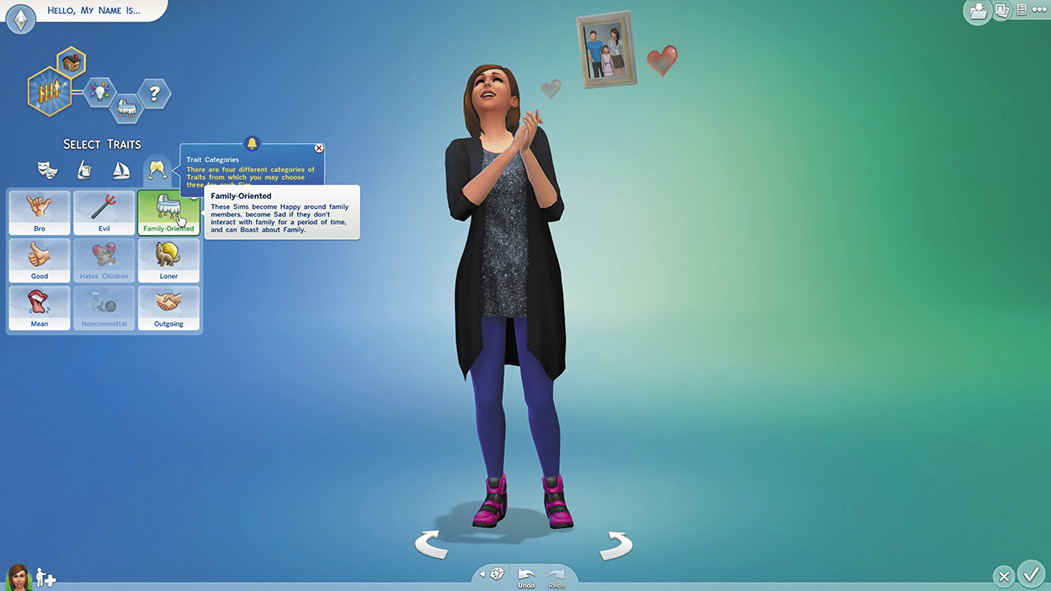
When you select a trait, notice how your Sim acts out that trait.
Traits are important, so take some time selecting them. Because you pick your Aspiration first, choose traits that will help you achieve your Aspiration. For example, if you pick a Family Aspiration, you probably want to get the Family-Oriented trait and not the Hates Children trait.
Traits also affect your Sim’s emotions. Sims with the Romantic trait need to socialize and have the opportunity to flirt. Therefore, think of the types of emotions that would go well with your Sim’s personality and then select traits that will help your Sim get and maintain those emotional states. Following is a list of the various traits from which you can choose as well as a brief description of each. The traits are divided into four different categories.
Emotional Traits
| Trait | Description | |
|---|---|---|
 |
Active | These Sims tend to be Energized, can Pump Up other Sims, and may become upset if they don’t exercise for a period of time. |
 |
Cheerful | These Sims tend to be Happier than other Sims. |
 |
Creative | These Sims tend to be Inspired, can Share Creative Ideas with other Sims, and may become upset if they’re not creative for a period of time. |
 |
Genius | These Sims tend to be Focused, can Share Ideas with other Sims, and may become upset if they haven’t improved their Mental skills for some time. |
 |
Gloomy | These Sims tend to be Sad, can Sigh to other Sims, and while Sad, gain a boost to their Creative skill. |
 |
Goofball | These Sims tend to be Playful. |
 |
Hot-Headed | These Sims tend to be Angry, can Rile up other Sims, and become Angry when targeted with Mischief. |
 |
Romantic | These Sims tend to be Flirty and may become Sad if they don’t have any Romantic social interactions for a period of time. |
 |
Self-Assured | These Sims tend to be Confident. |
Hobby Traits
| Trait | Description | |
|---|---|---|
 |
Art Lover | These Sims gain powerful moodlets from Viewing works of art and can Admire Art and discuss art in unique ways. |
 |
Bookworm | These Sims can powerful moodlets from reading books and can Analyze Books and Discuss Books in unique ways. |
 |
Foodie | These Sims become Happy and have Fun when eating good food, become Uncomfortable when eating bad food, and can Watch Cooking Shows for ideas. |
 |
Geek | These Sims become Happy when Reading Sci Fi or Playing Video Games, may become Tense if they haven’t played much, are better at finding collectibles, and can Discuss Geek Things with other Geek Sims. |
 |
Music Lover | These Sims gain powerful emotions and boost their Fun need when Listening to Music and become Happy when playing instruments. |
 |
Perfectionist | These Sims take longer to craft items, but tend to make them higher quality, gain powerful moodlets after crafting a high quality item, and gain negative emotions after crafting a low quality item. |
Lifestyle Traits
| Trait | Description | |
|---|---|---|
 |
Ambitious | These Sims gain powerful moodlets from career success, gain negative emotions from career failure, and may become upset if not promoted. |
 |
Childish | These Sims gain powerful moodlets from watching the Kids Network, become Playful when playing with children, and become Happy when playing with children’s toys. |
 |
Clumsy | These Sims tend to fail more often at physical activities and tend to laugh at failure instead of becoming upset. |
 |
Glutton | These Sims have a greater negative reaction to Hunger, always enjoy eating, no matter the quality of the food, and will eat spoiled food. |
 |
Insane | These Sims can Talk to themselves and have unpredictable emotions. |
 |
Lazy | These Sims gain powerful moodlets from Watching TV or Napping, as well as from comfortable furniture, become Fatigued more quickly from exercise, and grow Tense when performing household chores. |
 |
Loves Outdoors | These Sims can Enthuse about Nature to other Sims and become Happy when outdoors. |
 |
Materialistic | These Sims can Admire and Brag about Possessions and become Sad when they haven’t purchased a new item for a period of time. |
 |
Neat | These Sims become Happy and have Fun when performing household chores, can have a Cleaning Frenzy, and become really Uncomfortable in dirty surroundings. |
 |
Slob | These Sims are not affected by dirty surroundings, make household items dirtier faster, and can Rummage for Food in garbage. |
 |
Snob | These Sims can Critique Work on low quality items, are bored by “low brow” television, and gain Confidence around other Snob Sims. |
Social Traits
| Trait | Description | |
|---|---|---|
 |
Bro | These Sims can Bro Hug other Bros, gain Confidence around other Bros, and become Energized from Watching Sports. |
 |
Evil | These Sims become Happy around Sims with negative emotions, can Laugh Maniacally and Discuss Evil Plans, and become Angry when interacting with Good Sims. |
 |
Family-Oriented | These Sims become Happy around family members, become Sad if they don’t interact with family for a period of time, and can Boast about Family. |
 |
Good | These Sims become Happy around Sims with positive emotions, can Donate to Charity, become Sad when interacting with Evil Sims, and can Discuss World Peace. |
 |
Hates Children | These Sims become Angry around children, become Tense after Try for a Baby, and can be Mean to Children. |
 |
Loner | These Sims become Happy when alone, do not receive negative emotions when their Social need is low, become Tense around strangers, and become Embarrassed more often by social rejection. |
 |
Mean | These Sims become Happy when being Mean or Mischievous to other Sims and become Confident after winning a fight. |
 |
Noncommittal | These Sims become Tense after a while in the same job or relationship, become Happy when they Quit a Job or Break Off a relationship, take longer to Propose, and can Discuss their Fear of Commitment. |
 |
Outgoing | These Sims gain powerful moodlets from Friendly socialization, have their Social need decay quickly, and gain more negative moodlets when their Social need is low. |
The Walk and the Talk
A big part of a Sim’s personality is the way he or she walks down the street as well as the sound of his or her voice. The walk style you select in CAS is what you will see in Live Mode when your Sims walk around the neighborhood and community— the way they walk helps express their personality. You can choose from nine different walks. Select the one that suits your Sim from the following:
- Default
- Tough
- Perky
- Goofy
- Snooty
- Sluggish
- Swagger
- Bouncy
- Feminine
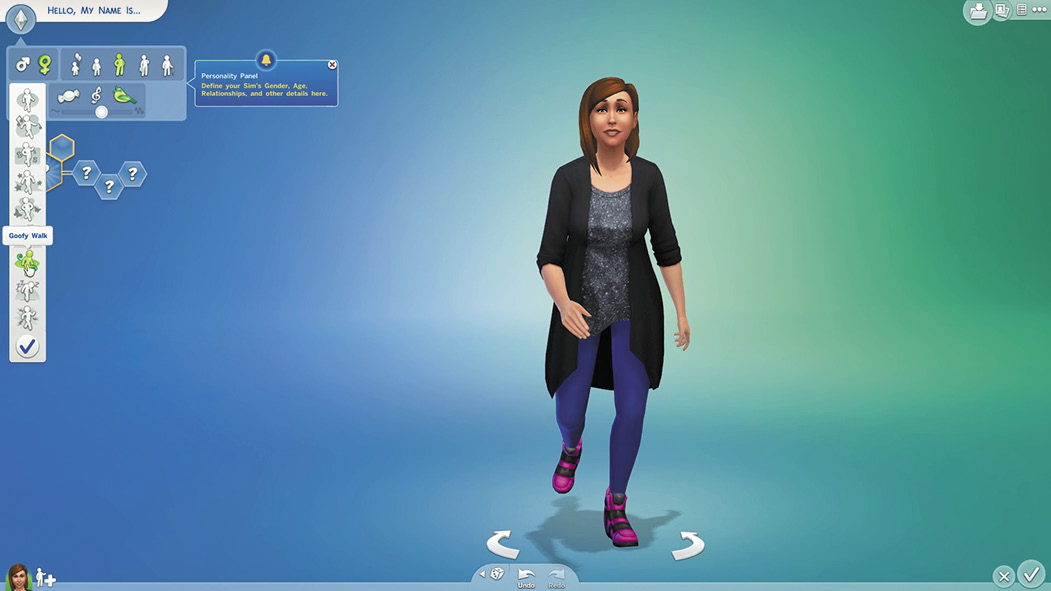
Select a walk for your Sim and then watch as he or she demonstrates it.
While you can’t really understand what Sims are saying because they speak their own language, you can customize their voice. There are three different tones for each gender. Female Sims can have a sweet, melodic, or lilted tone, while male Sims can have clear, warm, or brash tones. In addition, a slider allows you to adjust the Sim’s pitch. Play around with the tone and pitch until you get a voice that fits the personality you want.
Physical Features
How do you want your Sim to look? The Create a Sim feature in The Sims 4 is a powerful editor that lets you manipulate virtually every aspect so you can make a Sim exactly how you want him or her. With body manipulation, you can adjust several parts of the Sim’s body structure as well as skin tones. Then you can choose your Sim’s hair color and styles. Play around until your Sim looks just right. You can also select the clothing and accessories for your Sim’s wardrobe. Create a Sim lets you choose just how much detail you want to include and can even help you just quickly create a Sim without spending a lot of time on the process. But if you’re a power-user, you’ve still got deep and powerful advanced options.
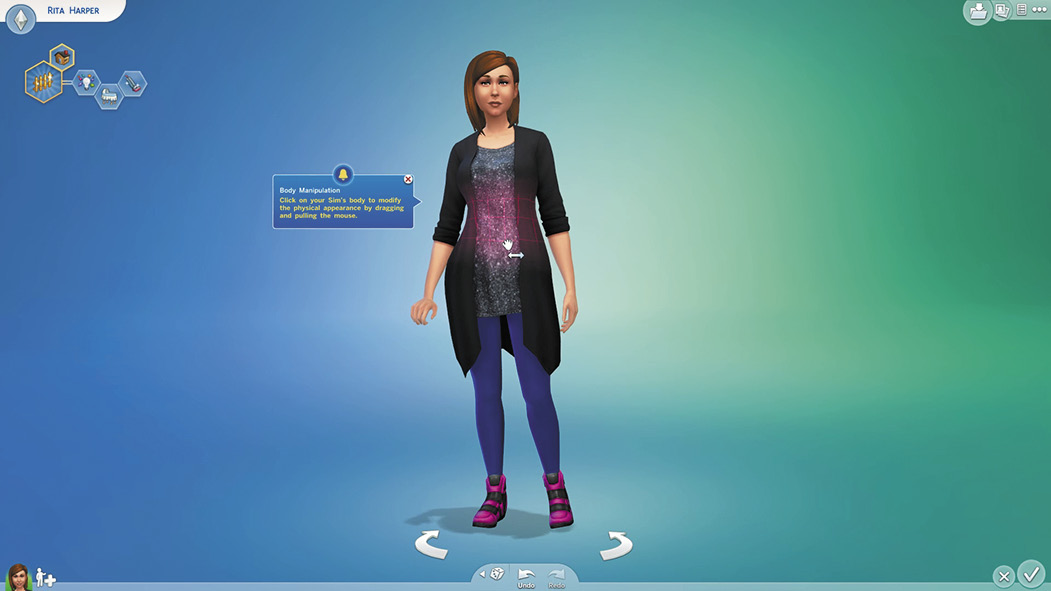
Just click on your Sim to get started with the physical features.
Body Manipulation
To begin modifying your Sim’s body, just click on the Sim. One place you could start is with the head. As you click on the head, the view zooms in and a menu appears on the right. Select the top button for Face and then select Faces and Skin Tones from the secondary menu. Here you can select from a variety of different faces. Don’t worry if you can’t find a perfect face. Just pick one that is close to what you want. You can modify it later. Also pick the skin tone for your Sim.
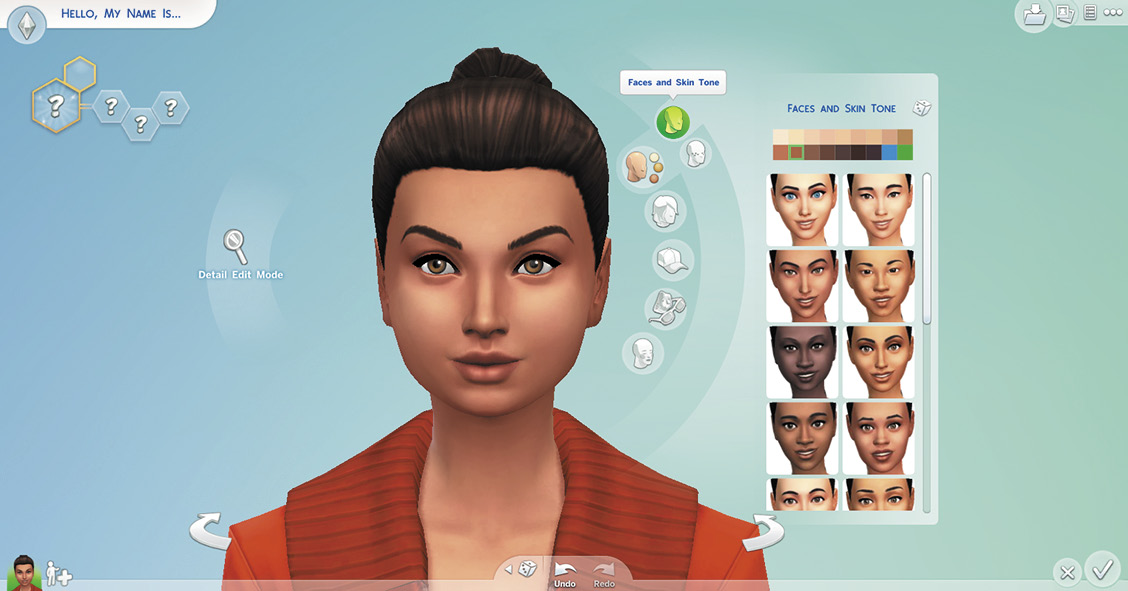
The Faces and Skin Tones menu.
Along with Skin Tones, you can also choose some Skin Details from the sub menu under Face. This lets you add creases to the forehead and around the mouth as well as freckles and beauty spots.
Looks
Now that you have the basic face, work on your Sim’s looks. Think of this as fine tuning your Sim’s face. You can manipulate the looks in a couple ways. When you click on a feature such as chin or nose, a menu of pre-made facial parts pops up and you can select the one you like. On the other hand, hold down the left mouse button while on a feature and then drag the cursor around to pull that part of your Sim’s face into exactly the configuration you want. You can adjust several different features.
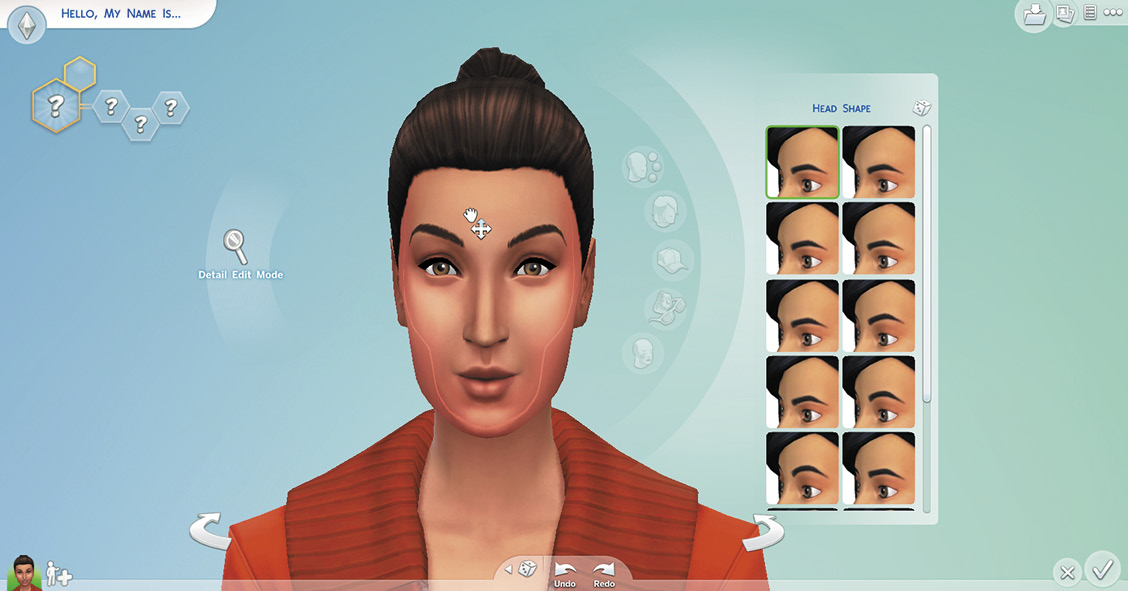
Head Shape lets you make your head long or short, as well as wide or thin.
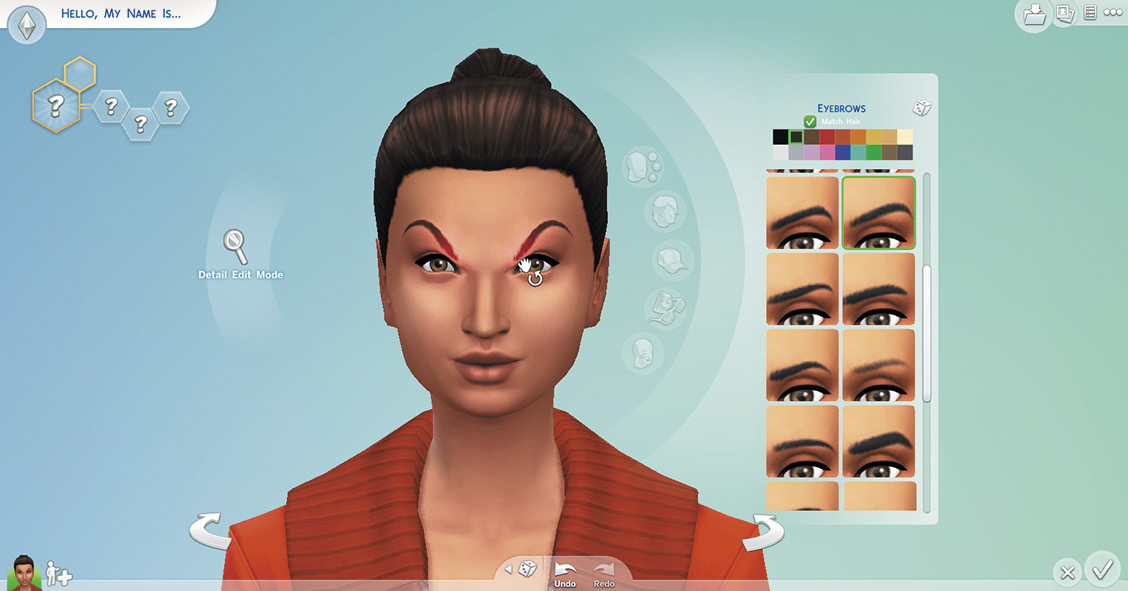
Eyebrows not only lets you manipulate the shape, but also select the color. Match them to your hair or select another color.
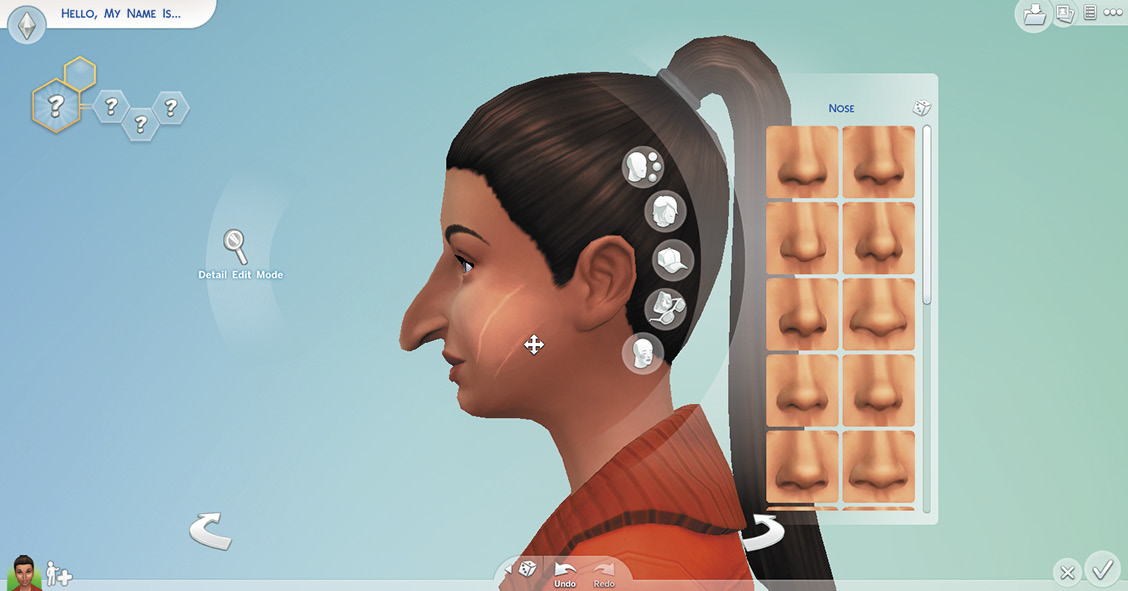
You can make your Sim’s nose wide or narrow, long or short, and even turn the tip up or down.
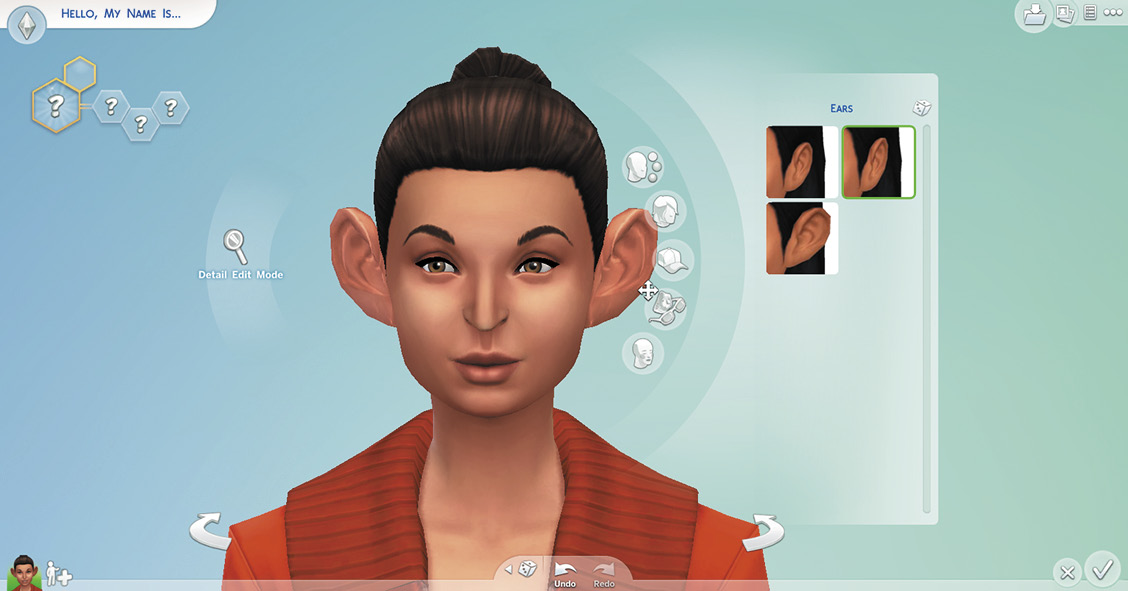
Adjust the size of your Sim’s ears and whether they stick out or lie close to the head.
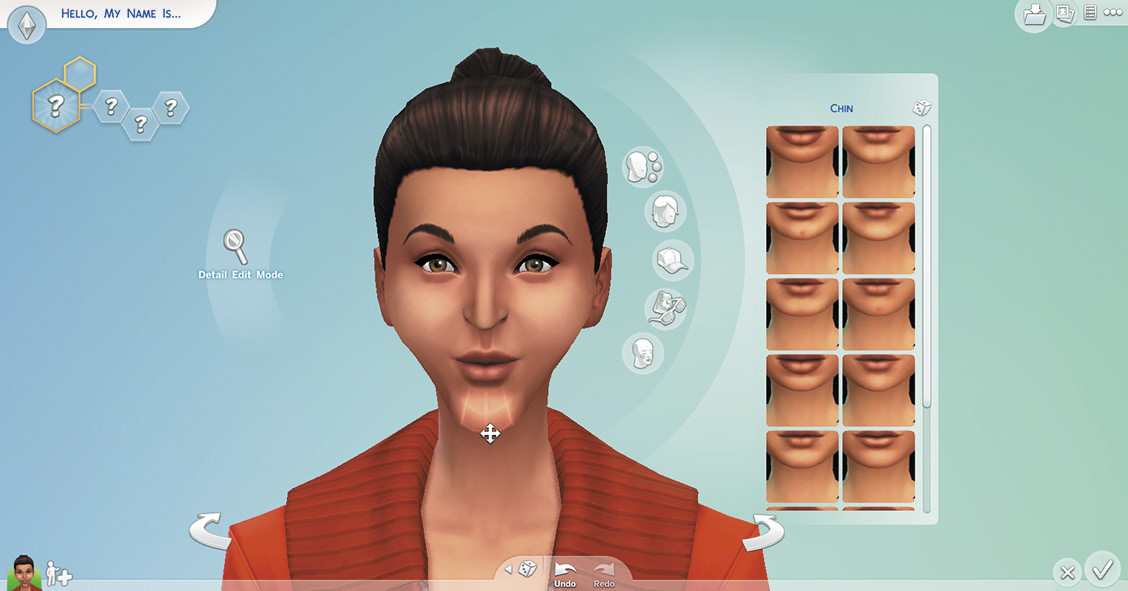
The cheeks, jaw, and chin can all be independently modified to customize the lower part of your Sim’s face.
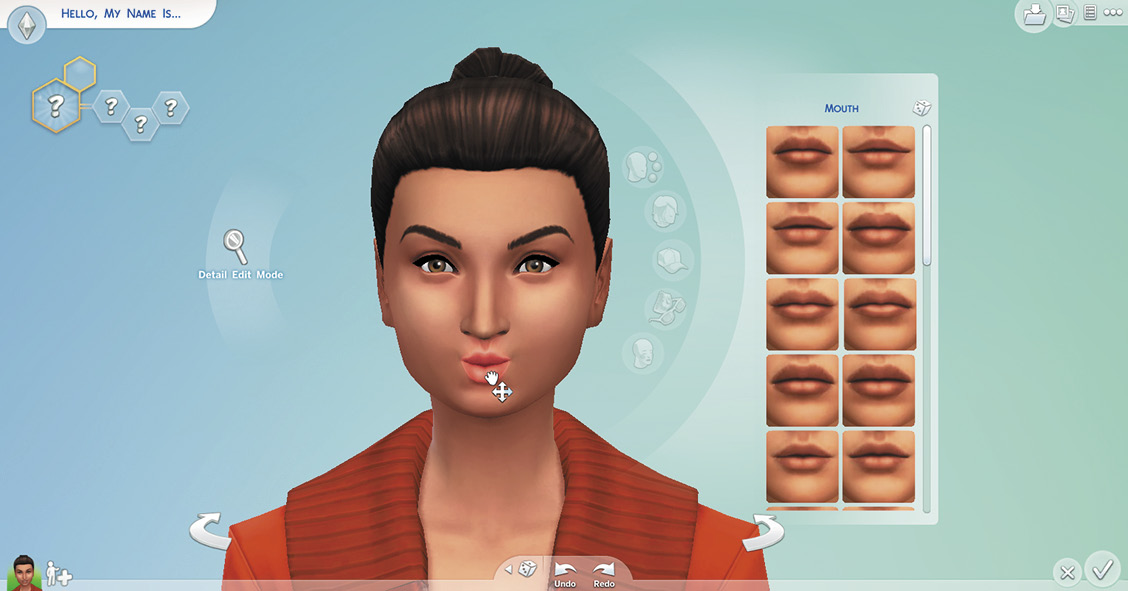
Adjust the size of the mouth and fullness of the lips to your preference.
Use Detail Mode to customize even further. Quickly enter Detail Mode by double-clicking on a feature, or you can click on the small magnifying glass icon to the left of your Sim’s face. Here you can really fine tune your Sim’s looks. Independently adjust the shape of the tops, bottoms, inner, and outer sides of eyes; adjust the size of the iris and pupils; adjust the tip and nostrils of the nose; adjust both upper and lower lips; and further manipulate the shape of the ears.
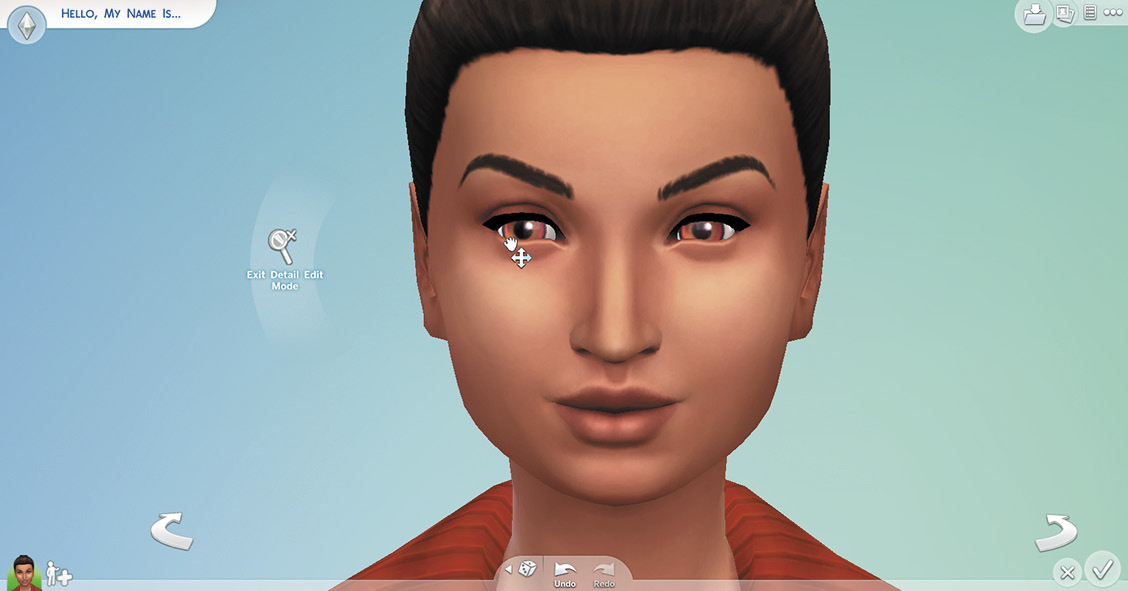
Get in close for some detail work.
Body Shape
You can also modify the shape of the Sim’s body. Click on the Sim’s body and then select Body from the menu and then Bodies and Skin Tones from the sub menu. This opens up a selection of pre-created body types. You can choose one or do your own customizing.
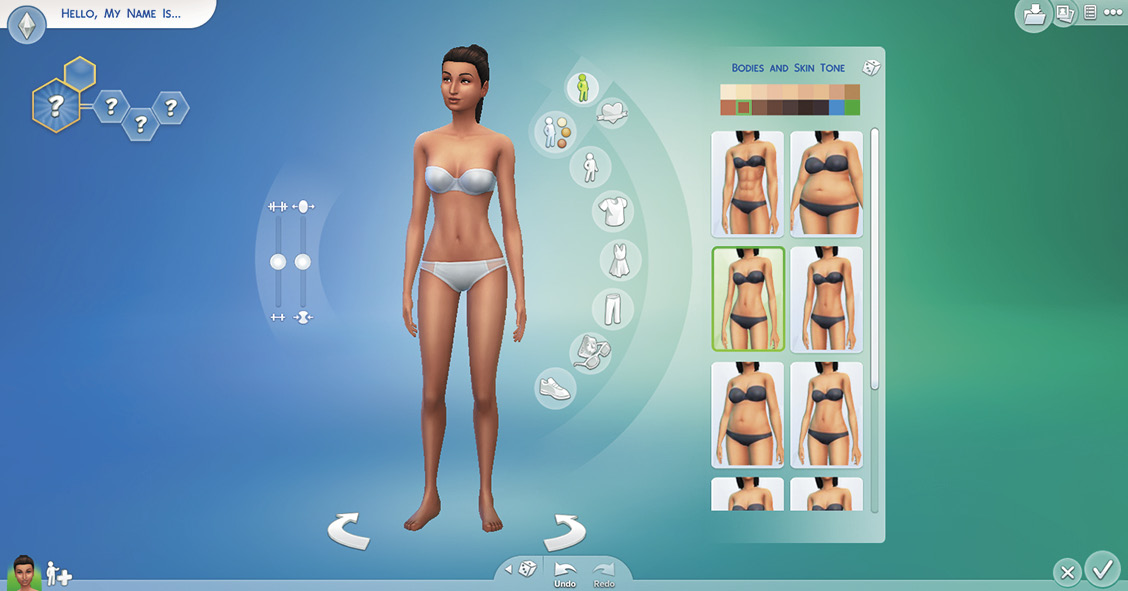
Choose from several different body types.
Along the left side of your Sim are a couple of sliders. Moving one adjusts the muscle tone and definition of your Sim while the other adjusts the heaviness. Furthermore, you can click on a part of the body and adjust it individually. You can drag the cursor on the following parts of the body for customizing:
- Neck
- Hips
- Shoulders
- Butt
- Spine/posture
- Upper Arms
- Breasts (Female)
- Lower Arms
- Chest (Male)
- Thighs
- Waist
- Calves
- Belly
- Feet
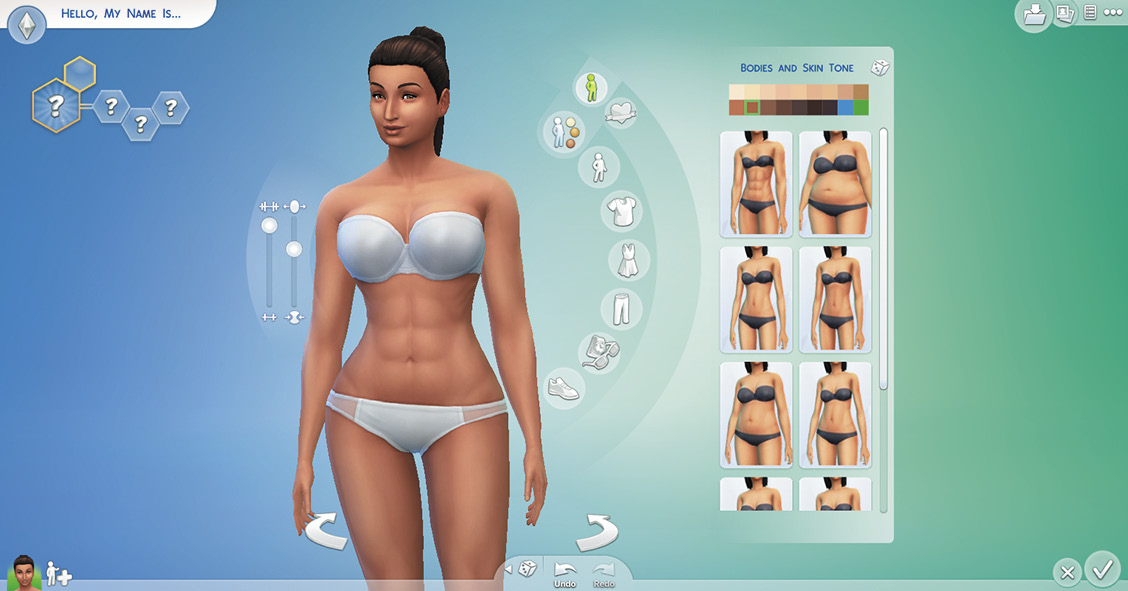
Customize different parts of the body and even add muscle definition.
Tattoos
Consider adding some body art. You can place tattoos on your Sim’s arms, chest, back, and legs. Some tattoos also allow you to select from a few different ink colors.
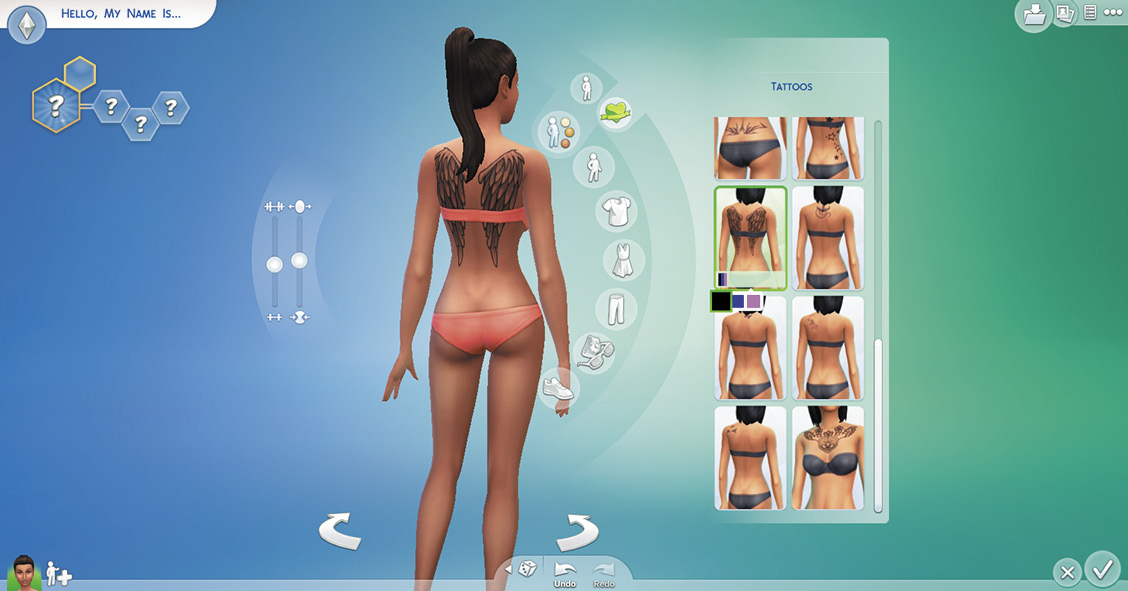
Want your Sims to express themselves? Give them a tattoo or two.
Hair
Hair styles are always fun to choose. When you click on the Sim’s hair, or the Hair button, you open the Hair menu. Here you can look at all your options or slim it down into short, medium, and long styles. Once you pick a style, you can choose a color.
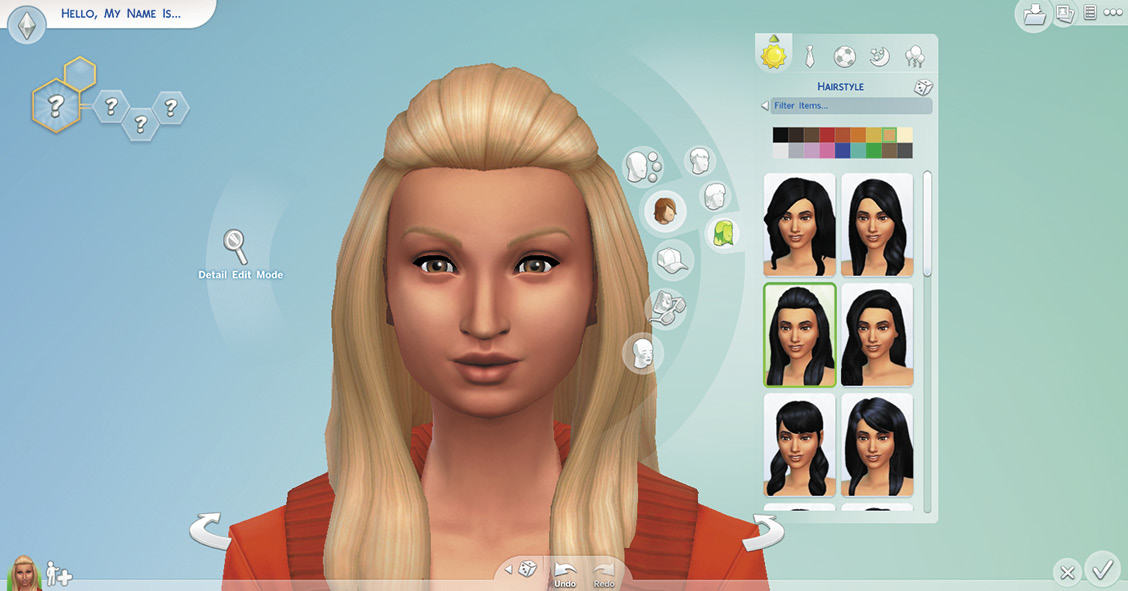
Changing a hair style and hair color can really change the look and unique styleof a Sim.
When you open the Hair menu, you see five outfit categories at the top of the menu. You can pick a different hair style—and even hair color—for each of your five different outfit categories. For example, maybe you want your hair up for formal attire, pulled back for athletic workouts, and let down for partying. Because you want your hair to match your outfit, you will probably want to come back to the Hair menu as you are picking out your wardrobe.
Clothing
At any time in the process, you can start putting together outfits for your Sim to wear. Each Sim has five different outfits when you are creating your Sim. An outfit consists not only of clothing, but also a hair style and any accessories and makeup. Most of the time your Sim will wear the everyday outfit. When they go to a formal occasion, they wear a formal outfit. The athletic outfit is for working out, the sleep outfit is for sleeping (or WooHoo), and the party outfit is for parties and other social functions. During play, you can click on your Sim and then choose to change your outfit at any time. Want to go into the museum in your sleep outfit? You can do it. Also, during play, you can change or modify your outfits. Just click on a dresser item and select the Plan Outfits action.
Outfit ToolsThere are some great tools you don’t want to miss. 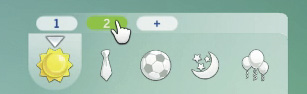 You can create up to five different outfits in each category. Just click on the arrow above the currently selected outfit category and then click on the + to add another outfit for that category. If you do add multiple formal outfits or gym outfits your Sim will randomly choose between them if pushed to dress up for a party or the gym. 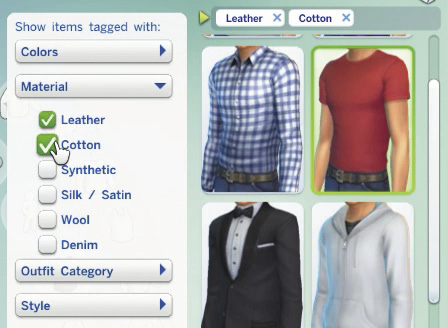 The filter option can help you quickly find the outfit you want. Click on the arrow next to the filter box and a window opens allowing you to choose filters for color, material, outfit category and style. 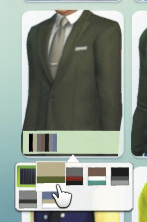 To change the color or patterns of a selected article of clothing. click on the palette icon that appears in the lower left corner of the clothing picture to opne a small box where you can change the color or pattern of the clothing. |
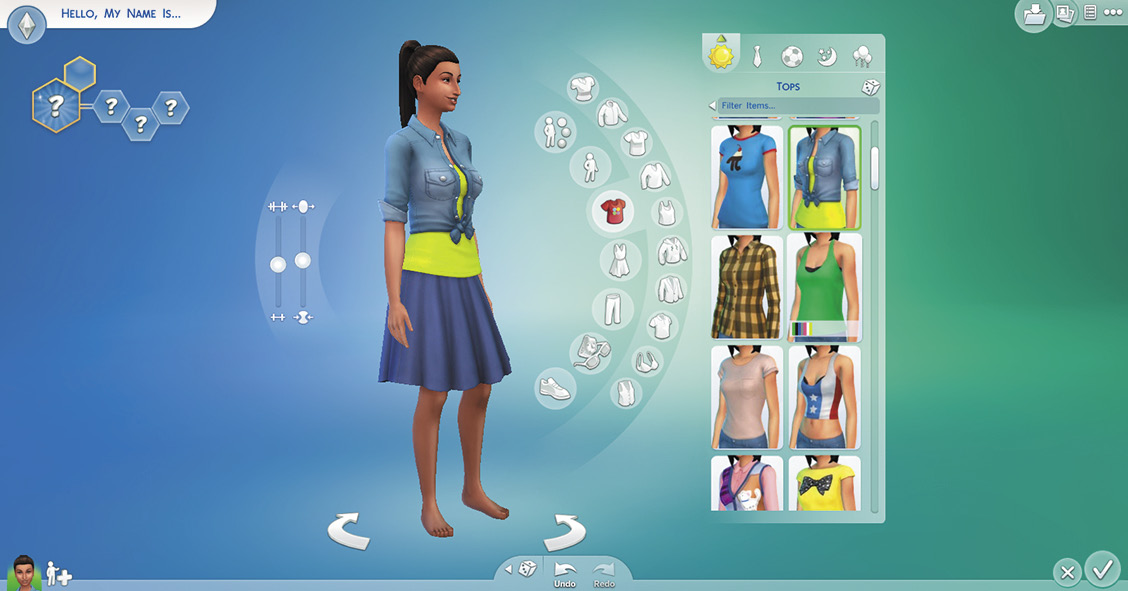
Something comfy and informal is great for your everyday outfit.
Within the clothing menus, several sub menus help you narrow down your choices. Also, some types of clothing are filtered out for certain types of outfits. For example, ball gowns aren’t visible by default for sleep outfits. Click the X in the filter bubble to make all clothing available in any category. Once you find an article of clothing, you can then click on the color palette at the bottom of the menu selection to choose a color or pattern for the clothing.
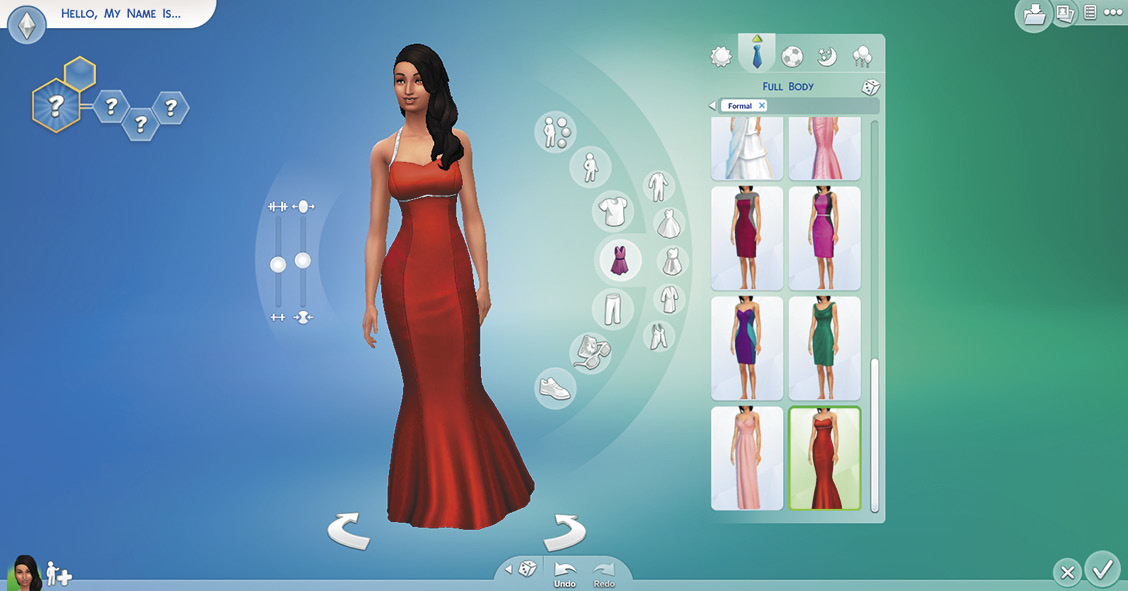
It looks like she is ready for the red carpet in her formal outfit.
Hats, Accessories, and Makeup
Another step for your Sim is to accessorize. Click on the Sim’s face and then you can select a hat, glasses, earrings, necklaces, and even makeup. To add bracelets, watches, gloves, leggings, and socks, click on the Sim’s body and then select Accessories.
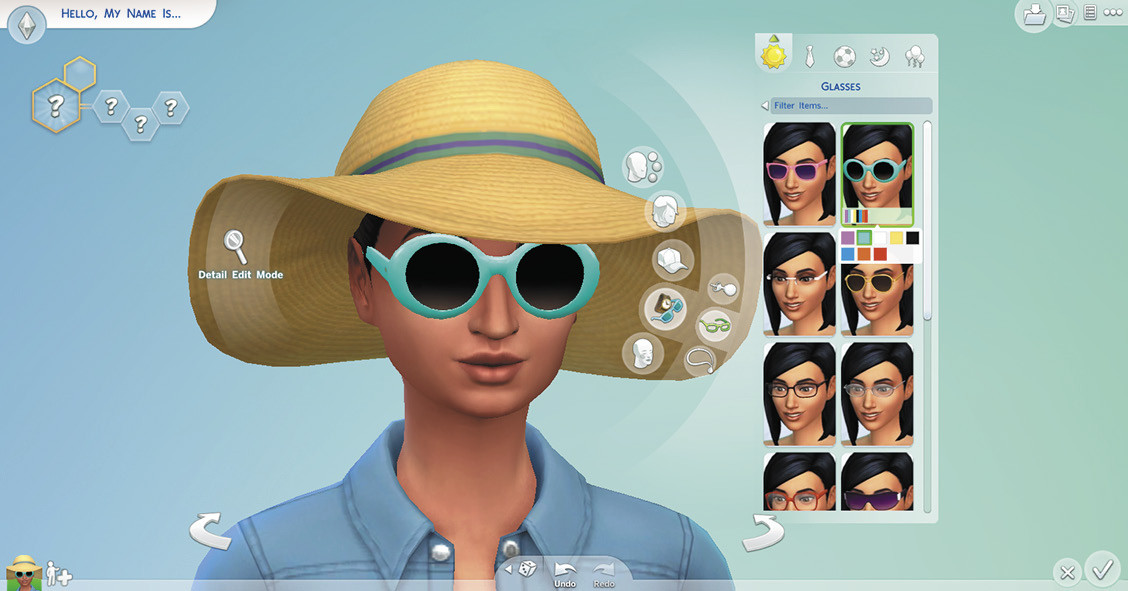
Hats, glasses, and jewelry put the finishing touches on a Sim’s outfit.
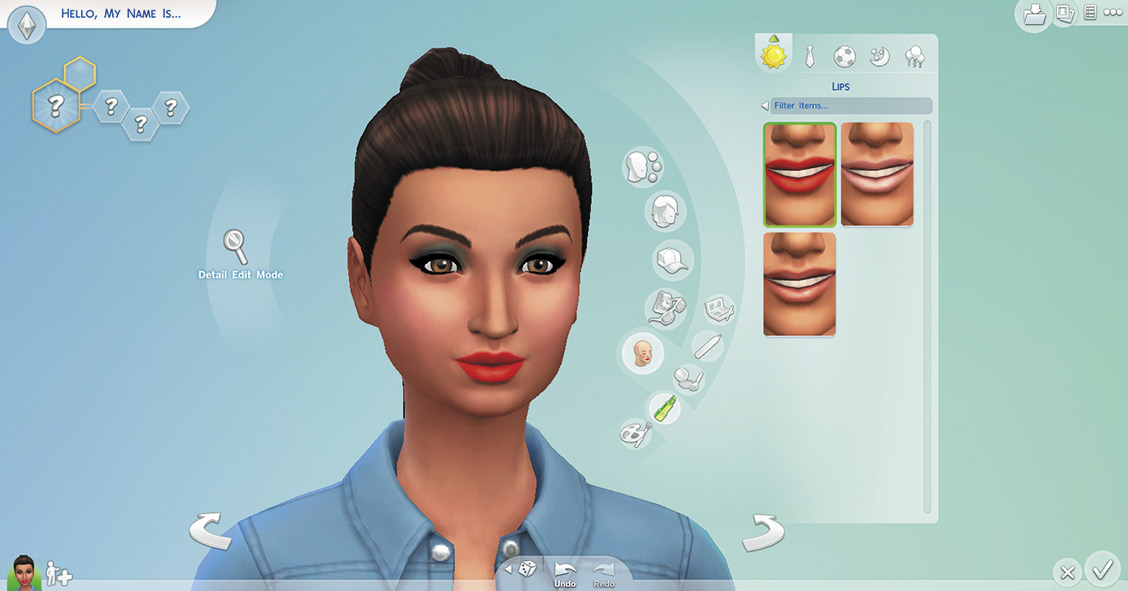
You can add eye shadow, eye liner, blush, lipstick, and even facepaint to your Sim. Makeup opacity automatically adjusts to your selected skin tone.
Styled Looks
Sometimes you are in a hurry or don’t want to spend a lot of time picking out outfits for your Sim. Not to worry. Styled Looks will save the day. Styled Looks were designed around specific themes (such as hipster, cowboy, goth, and preppy) to quickly convey a Sim’s personality. When selecting outfits, click on the Styled Looks button and for each type of outfit, there will be two to five different styles where all of the articles of clothing and accessories are coordinated. You can even select between several color schemes for each outfit.
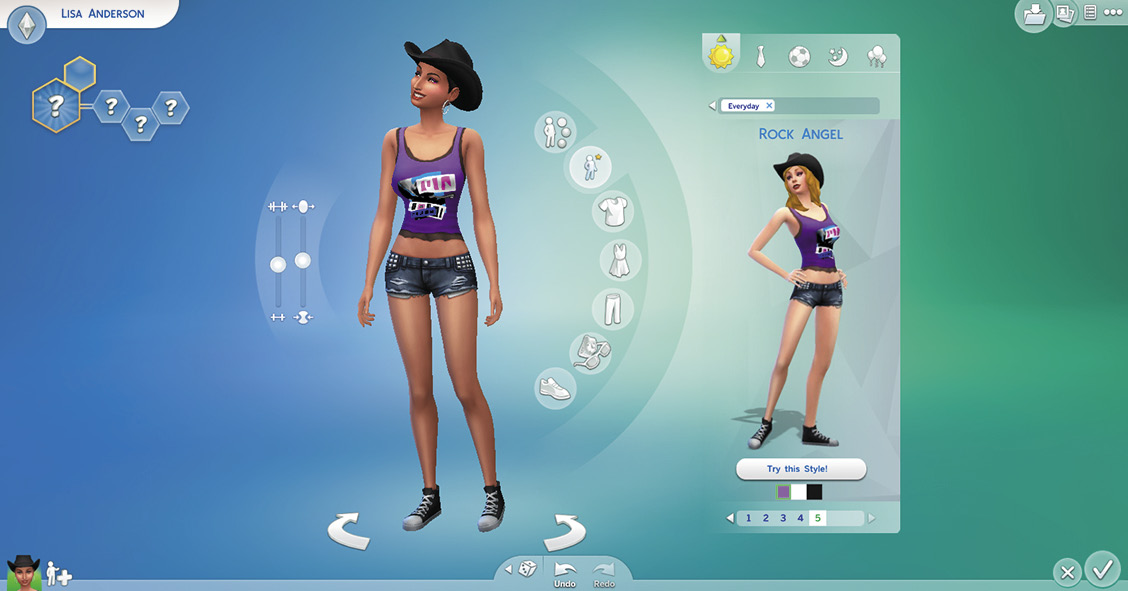
You can pick out all five outfits for your Sim in a matter of minutes by using the Styled Looks feature.
Smart Randomizer
The Sims 4 contains a powerful ability to randomize many features of your Sim. Click on the Dice icon to change everything about your Sim. Or click on the triangle next to the dice and select only those features you want to randomize. The Smart Randomizer menu allows you to toggle the following aspects of your Sim on or off for randomizing:
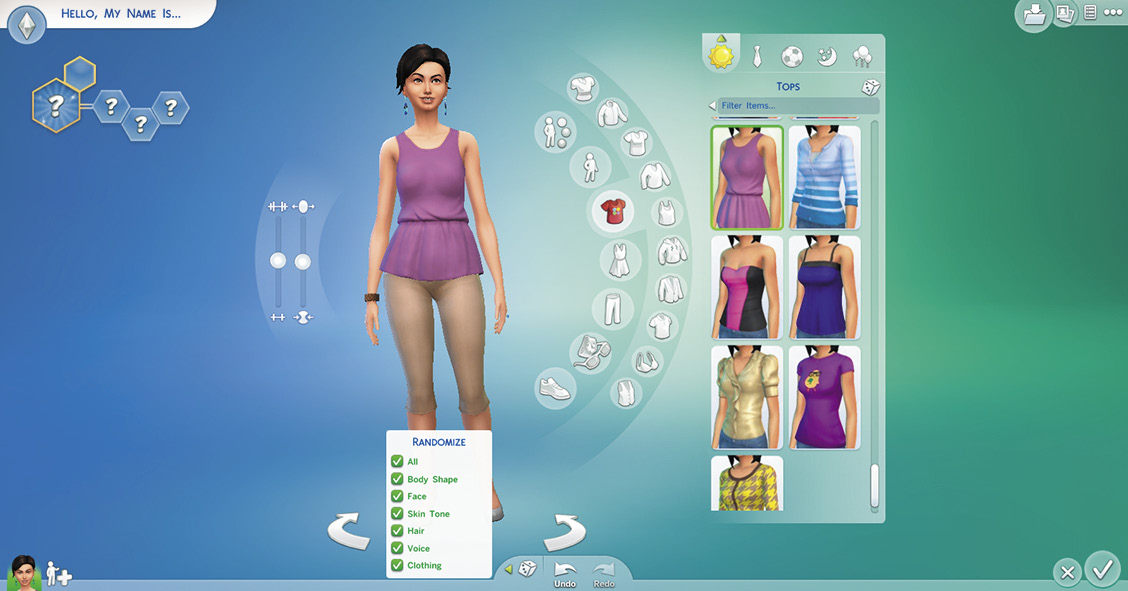
- Body Shape
- Facial Hair (male)
- Face
- Voice
- Skin Tone
- Clothing
- Hair
Use the Smart Randomizer menu to quickly create Sims and change only those aspects you want.
When randomizing your entire Sim, clicking the dice will create a Sim that has a cohesive outfit style and a coordinated color scheme. The randomizer truly weird and random Sim--that’s up to you! Also, if you want to randomize only certain features of your Sim, you can; each preset catalog has a randomize option, so you can get more granular with your playful randomize options than ever before.
Give Your Sim a Name
Now that you have made a Sim, it is time to name him or her. You can type in first and last name, or you can let the randomizer do it for you. Just click on the dice next to each name and then keep clicking until you get names that you like. Some players actually like to start out with a name, and then build their Sim around the name. Fun fact: many of the random names are the names of developers on the team!
Making a Family
Sim to have a family, rather than just adding more Sims to your household, you can create a family member that uses the features of your Sim. Click on the Add a Sim button next to your Sim’s icon in the screen’s lower left corner, then select Play with Genetics. You can then use your Sim to create a child, a sibling, or a parent. If you have two adult Sims, you can combine their attributes to create a child. Within the Play with Genetics menu, you can even randomize a twin for a sibling.
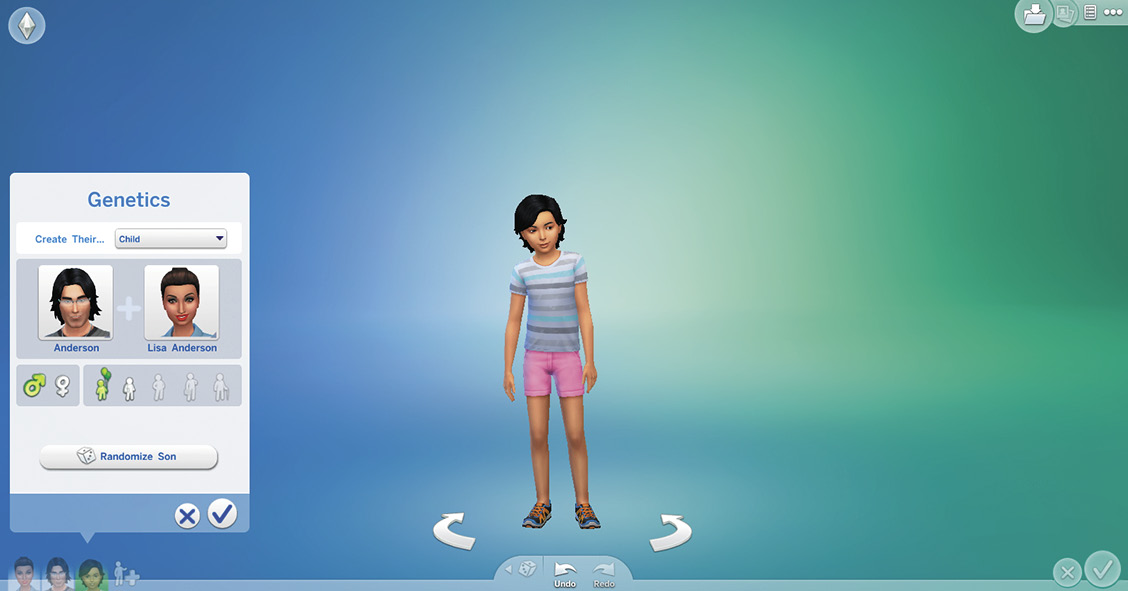
You can quickly create a number of related Sims by using the Play with Genetics feature. Create a child of two Sims, or even a parent of one of your Sims.