
The Sims 3 Late Night Guide Essentials New Socials
Grouping Up
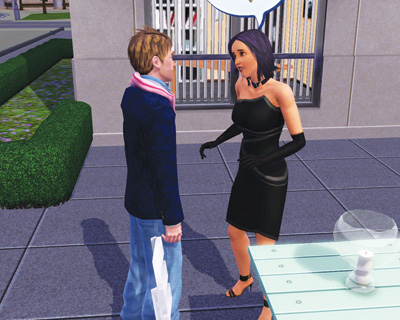
One big change in Late Night is the ability for Sims to group up and hang out together while touring Bridgeport. This is a cool way to be social with several Sims without having to manage individual invites or relationships.
To start a group, you need at least one Sim with an acquaintance-level relationship. Click on that Sim and choose the Form Group interaction.
If the target of the invite accepts, they join the group. Alternately, you can use your mobile phone (found in the Inventory tab of the Status Panel) to Invite Out other Sims, which also encourages them to join the group.
You can also use the phone to invite multiple Sims at the same time to join a group. If one of the invitations is declined for whatever reason, a brief message pops up telling you which Sim could not make it out.
When Sims are invited to join a group, they report to the lot or venue with the inviter.
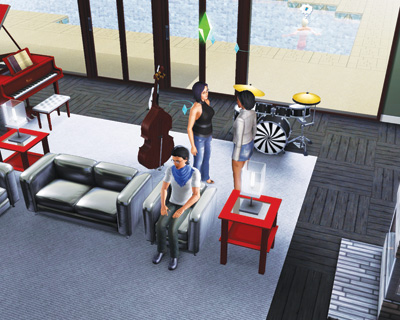
Sims in a group are noted with a special mini plumb bob over their heads.
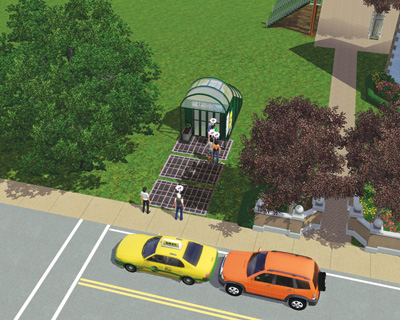
Alright, the group has, well, grouped up. Now what? Now it’s time to lead this group to a night out on the town. It’s important to note that Sims in a group are more inclined to go to Fun or Social activities, such as a flick at the cineplex or a ballgame at the stadium.
Groups also love to go to bars and clubs. If you do an activity that costs Simoleons, you are only responsible for the Sims in your group that you actively control.
If you keep the good times rolling, your relationship with the Sims in that group improves. However, if the night ends badly, your relationships can take a hit.
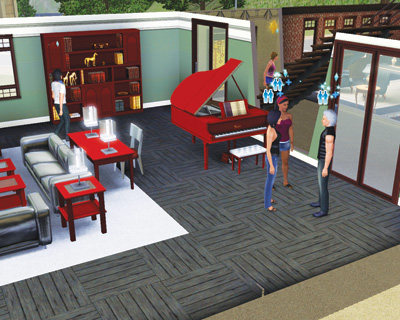
While in a group, Sims will visit with each other. Unless you direct your active Sim’s socials, they too will automatically socialize with other Sims, but keep it strictly friendly.
However, there is a chance for romance to blossom from within a group. If a Sim in the group is Flirty or Inappropriate, there is a high chance they will use a romantic social on somebody in the group.
However, even if these romantic socials are started, it will not get anywhere beyond the flirty stage without your direct input.
If your Sim becomes involved in a romantic convo with another Sim in the group, you will see this message: “This is starting to get a little hot, maybe we should end the party and get more personal?”
At this point, you can decline the romance and revert everything back to friendly socials. But if you accept, the group will disband because your public displays of affection change the dynamic of the scene.
That said, Inappropriate Sims will likely hang around because they aren’t fazed by things like that.
Eventually, the group has to disband. Things like work or exhaustion tend to break up groups. Now, you can use Ask to Leave Group on specific Sims to thin the herd, but if you just need to leave, select your Sim and choose Quit Group.
You can also scatter the group entirely by choosing the Disband Group interaction on your Sim.