
The Sims 3 Late Night Guide Essentials Build And Buy Modes
Interior
Late Night is all about adding a touch of style to your life.
The new features let you install platforms to draw attention to specific parts of your lot, section off rooms with half-walls, and adjust the height of artwork hanging in your house so you can make attractive collections.
Platforms
Platforms are used inside the home to highlight specific areas, giving them a bit of a subtle spotlight without actually pointing out the features on top of the platform. In Late Night, you can now add platforms to interiors—both home and the businesses you own.
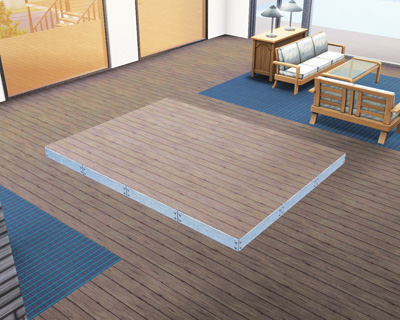
Platforms allow you to create things like dance floors, stages, and raised bars. Platforms can be any shape or size, but they cannot replace an entire floor of a building.
There must be at least one square of flooring that is the same height as the bottom of a door.
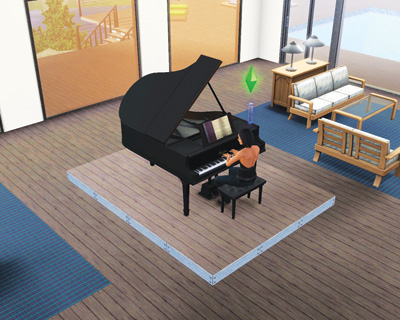
Use platforms to highlight the central feature of a room, such as the grand piano owned by an accomplished musician.
The height of a platform cannot be adjusted. Platforms are always only as tall as a normal step, so there is no need for ramps, stairs, or any other feature required to let Sims walk on top of them.
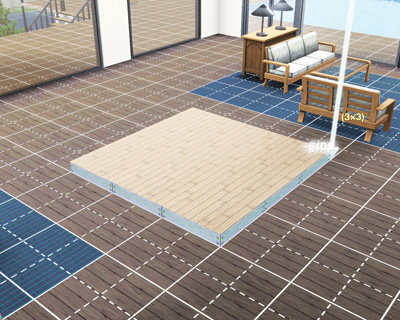
To create a platform, open Build Mode and select the Foundation tool. There are now three options—foundation, deck, and platform. When you select platform, you have the same draw cursor as a fountain.
You may either lay the platform square by square, or hold down the left button of the mouse and drag a shape across the floor. When you release the button, the platform is installed.
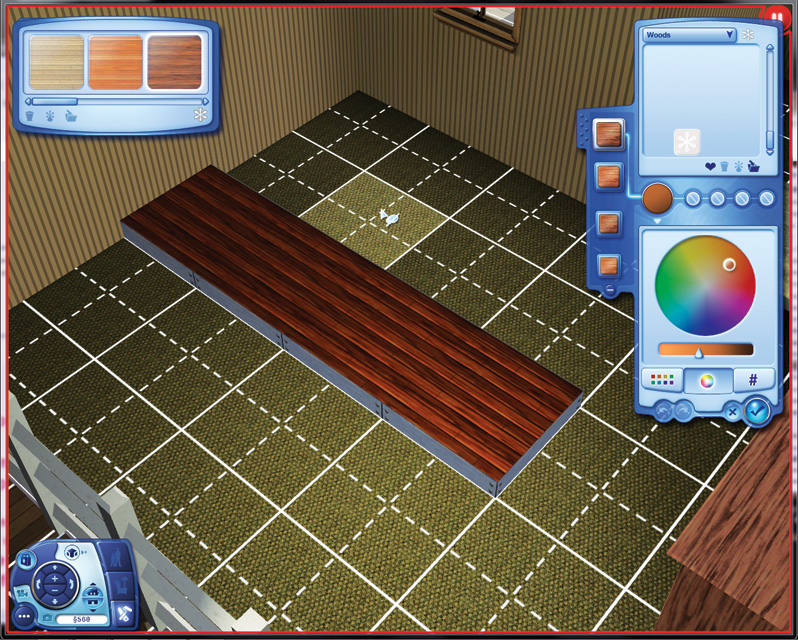
Once installed, platform can be given new textures just like a floor. Select the floor covering category from Build Mode and dress up the platform with any floor texture, or dip into Create a Style and design something entirely new.
You may wish to match the floor covering of the normal floor around the platform, or you may wish to go with something entirely different to really draw eyeballs.
Elevators
If you’ve checked out any of the high-rise high-rise buildings in downtown Bridgeport, you’ve already spotted an elevator. You use them to access high- rise buildings and many of the bars and clubs.
But you can also install these new features on your lots, too, whether it is a bar you create on a purchased lot or in your very own home.
To install an elevator, enter Build Mode. The elevators are in the Stairs section.
Here, you will find the elevator doors and sections of the elevator shaft. You need to have the same number of floors between the elevator entrances and exits on different floors of the building.
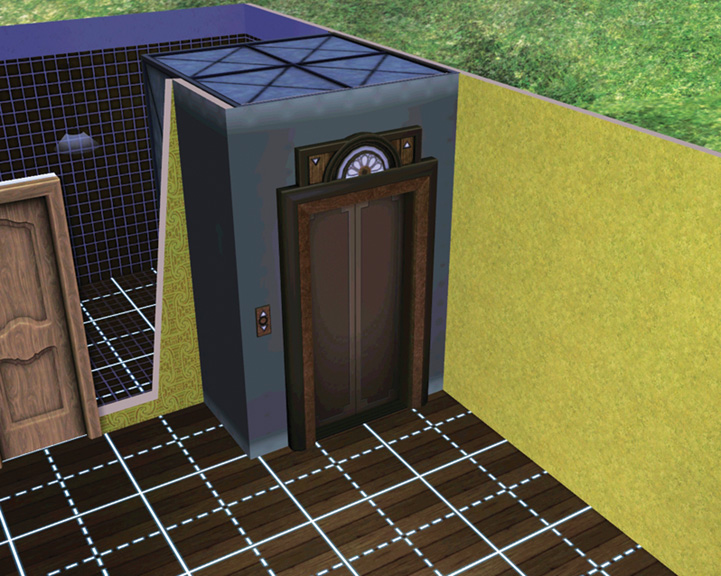
The elevator entrance must be placed against a wall. So, if you try to install an elevator inside your house, for example, the elevator will lock to the exterior wall of the building.
To place the elevator in the center of a room, though, you need to build at least a 2x2 cube of wall panels.
Now you can place the elevator in the cube of walls, but like any other routing feature on a lot, you need adequate entrance space in front of it. Use the red and green squares to determine if you have enough space for entering the elevator.
Once you install the elevator, you’re only halfway there. You need to then place another elevator stop on a different floor on the lot—basement, next story up, eight stories up, whatever.
You just need to make sure you have an elevator at each stop—and then have those stops connected by the free segments of elevators shafts.
Once you install multiple stops on an elevator, connect them all, and then return to Live Mode, you can then use it.
The main interaction is Go to Floor. A menu pops up which all available choices for the elevator ride. Any basement level is listed with a “B” in front of it, such as B1 for the first level of a basement.
Wall Decor Adjustments
Interior design is never uniform. And so Late Night also introduces the ability to adjust the height of wall decor, such as paintings or photographs. The adjustment system works very similarly to how you move wall decor around a room.
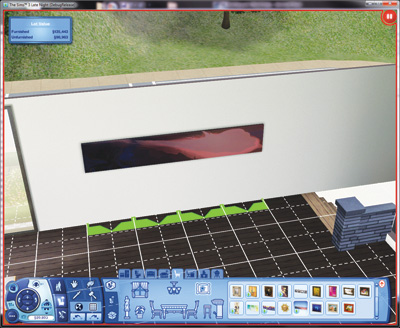
Once you buy decor from Buy Mode or decide to move something already hanging on a lot, just hold down the mouse button and slide the decor up and down the wall. You can move it to the ceiling or drop it down toward the floor.
While you’re moving the decor, the cursor turns into an up-down arrow, so you know that you are in height adjustment mode.
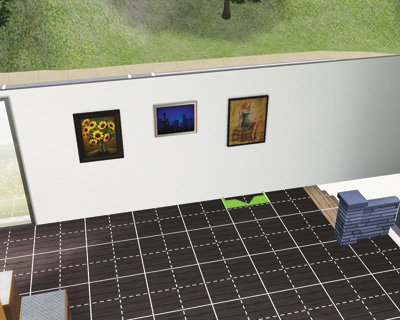
Now you can adjust paintings of different sizes so the tops of the frames line up.
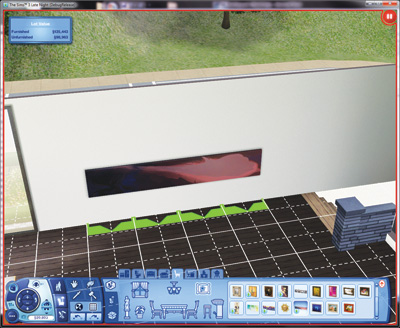
And really, why not put a painting along the floor? Youíre the chief taste-maker here in Bridgeport, aren't you?
Half-Walls
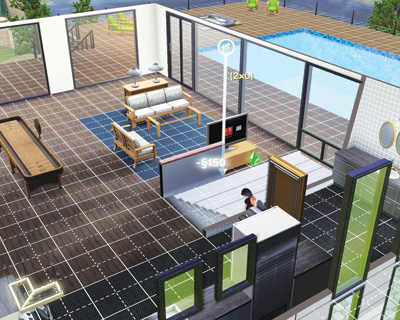
Previously, rooms on your lot were sectioned off by complete walls. Late Night introduces new half-walls.
Selectable from the Wall tool in Build Mode, you can choose from a handful of different half-wall designs (such as lattice along the top, glass, or nothing at all).
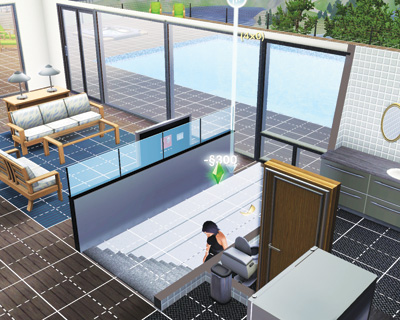
Then, you simply need to use the same commands you would when placing normal walls. Drop half-walls in panel by panel, or stretch them across the room by holding down the mouse button.