
The Sims 3 Late Night Guide Essentials New Object Catalog
Object Interactions
If you have played The Sims games before, you know that most objects can be used (and abused) by Sims—in fact, that’s usually the point of putting an object on your lot. It should serve a function.
Some objects have no function beyond boosting a room’s environmental score and giving Sims the Decorated or Nicely Decorated moodlets.
Other objects have interactions that provide learning or entertainment or satisfy a need. These objects and their interactions are detailed in this section of the object catalog.
To see what interactions are available on an object, just left-click on it. A radial menu appears. Click on an interaction to add it to the action queue in the screen’s upper-left corner.
Vampiric Sanctum
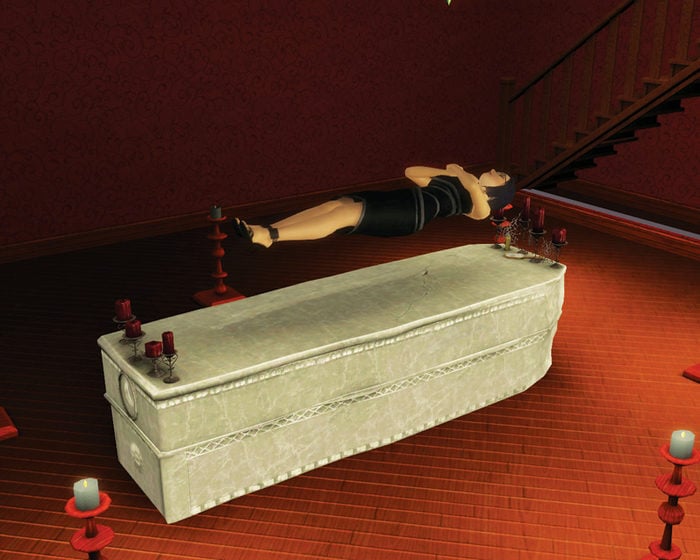
The Altar Bed functions just like a normal bed selection, except this one was crafted specifically for vampires. When a vampire lies on it, he or she sleeps above the cover in a classic arms-folded vampire position.
Flickering candles indicate the vamp is getting some much-needed slumber, hopefully during the daytime when their abilities have been significantly weakened.
Arcade Machine
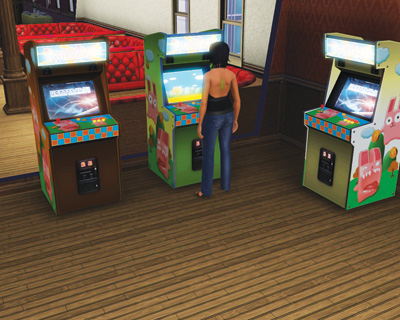
Remember the glory days of the arcade? Well, they’re back in Late Night. Now you can find arcade cabinets around town or install them in your own home.
There are three different games: Freezer Bunny Adventures, Darwin’s Revenge, and Synesthesia.
All three machines restore the Fun need. Just click on the Arcade Machine and choose the Play interaction to get started.
Now, as indicated in the New Simology chapter, there is a hidden skill associated with the Arcade Machines. The longer a Sim plays, the better they become at the games.
There are three stages of development. At first, Sims don’t fare so well and suffer fits of frustration.
Over time, these fits give way to excitement at arcade mastery. And when the player is at the maximum arcade skill (there is no entry in the Skill Panel to track this, though), they have frequent celebrations of their hard-core gaming prowess.
McShufflin’ Shuffleboard Table
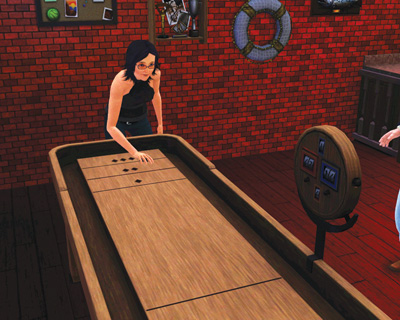
Shuffleboard is a brand new entertainment object in Late Night. It’s similar to a foosball table in that multiple Sims can play against each other to have fun and build their relationships.
In the case of shuffleboard, up to four Sims may play at the same time, taking turns. Sims may also watch shuffleboard, which is fun—but not nearly as much fun as actually playing.
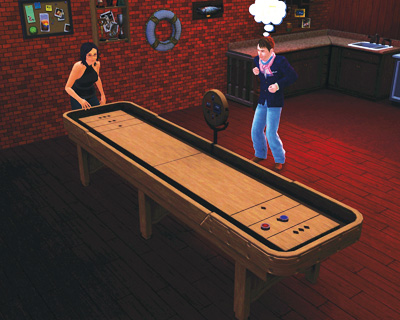
Shuffleboard is a great way to get to know fellow bar patrons and possibly strike up new relationships.
At first, it’s best to step up to a table and use the Practice interaction so your Sim can get used to the game without the extra worry of real competition.
Like the Arcade Machine, shuffleboard has a hidden skill attached to it. Practice starts building that hidden skill.
While practicing, the Sim pushes the pucks around the table, setting up shots and blocks.
After a while, try out an actual game with the Play or Join interactions—you may also use these interactions with other Sims to begin a multiplayer match.
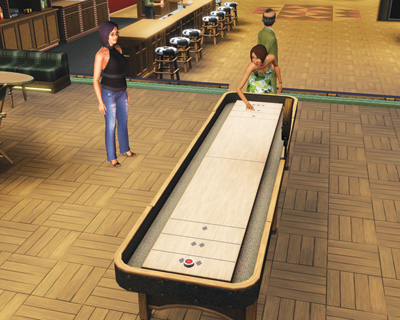
During actual play, Sims split into two teams, trading moves and blocks. During play, every involved Sim (including onlookers) enjoys a Fun boost. Only the players, though, receive the relationship benefits and Social need fulfillment.
Sims that play together receive Friendly short-term relationship boosts that can even transfer into long-term benefits.
Black Lights
Who doesn’t love black lights? (Well, other than guys who don’t wash their pants regularly enough...) These special lights operate just like normal lights in a house or community lot, but emit a purple glow that can cause nearby objects to give off a cool glow.
These are excellent additions to a younger Sim’s room, a home bar, or band stage.
Bubbluscious Bubble Bar

The new bubble bar is an entertainment object that can be installed either at home or on a community lot. The bubble bar does precisely what the name implies: It’s a place for Sims to step up and blow bubbles.
Naturally, this satisfies the Fun need. Up to four Sims may play with a bubble bar at the same time, which also addresses the Social need. The bubble bar requires maintenance, though.
You must refill the bubbles from time to time, which costs just a few Simoleons.
The price of the bubbles is based on what type you select for the machine. There are six bubble flavors. Each flavor inspires a specific moodlet:
Mint: Minty Breath
Strawberry: Social Strawberry
Cotton Candy: Sugar Rush
Banana: Banan-ahhhhh
Chocolate: Chocolate Chuckles
Pineapple: On the Beach
The bubble bar also has an attached hidden skill. The longer you play with the bar, the more you develop the skill.
Though you cannot actually track the levels through the Skill Panel, you can use the bubble shapes to determine the current skill level:
Round: Levels 1–2
Heart: Levels 3–4
Star: Levels 5–6
Plumb Bob: Levels 7–8
Llama: Level 9–10
Dance Floor
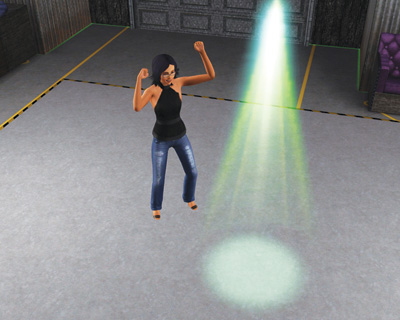
In The Sims 3 base game, you could groove along with stereos and other music sources, but now you have a dedicated dance floor for cutting a rug.
Sims prefer to dance on the dance floor rather than any other place and will move toward it if the opportunity to dance is presented.
Dartboards
The dartboards are another fun activity that Sims can either play alone or with another Sim to be social. Darts are not entirely unlike chess. You really need to practice to be good at it.
The Throw interaction is essentially like practice because you play alone, just to satisfy the Fun moodlet. At the same time, you also begin developing the hidden dartboard skill.
The higher this skill, the greater the chance of winning in a competitive game.

After trying out darts, why not Join another Sim or offer to Play With another Sim. This starts a full-fledged game of darts where every throw is graded—good, OK, bad—and the final score determines a winner.
Each player gets to make three throws. Spectators may cheer or boo (Mean or Evil Sims love to boo) while they observe the game.
Effects Machine
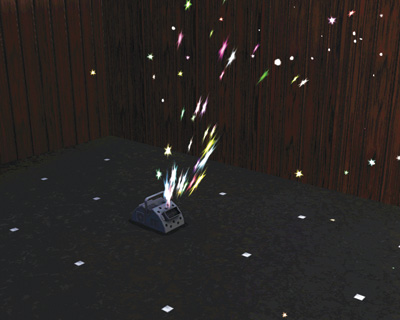
The brand new Party FX Machine 5950 is constructed especially to liven up bars and clubs. You can install one of these machines on your lot and then manipulate it to create fun, exciting effects in the immediate area around the object.
The machine can produce fog, bubble, fire, snowflakes, confetti, sparks, and lasers. You do not need special lenses, cartridges, or other doodads to change out the effects. All effects are available in the object from the moment you purchase it.
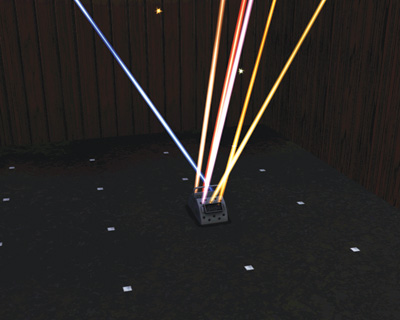
Everybody loves lasers. Everybody.
Hot Tub
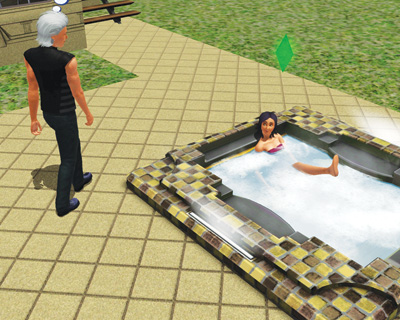
One of the most exciting new objects in Late Night is the hot tub. There are two models. The more expensive Serenity model holds six Sims, while the cheaper Maelstrom model can accommodate only four Sims at the same time.
Hot tubs may be placed either inside or outside a building. Play around with placement on your lot. Place it outside to enjoy the breeze and hopefully get one of the Vista moodlets, especially with Sims that like the outdoors.
Or place it inside to create a den of scandalous behavior (or at least the impression of being a scoundrel).
Hot tubs satisfy the Fun need. They also affect mood. If Sims are Fatigued, Stressed, or Sore, a good soak can wash away the negative moodlet. And while soaking, Sims receive the Ooo Bubbles moodlet, which is positive.
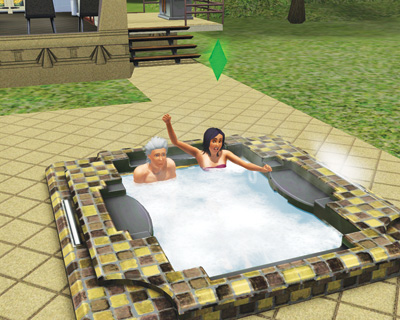
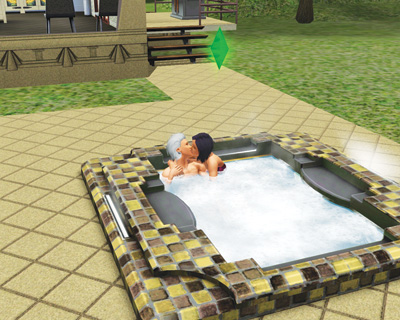
Never underestimate the romantic power of a hot tub, When you have another Sim in the tub with you, there is a good chance you may be able to make a move on them without already having the necessary romantic relationship.
Use the Make Move interaction to lean in and go for it. Your Sims slides closer and makes an attempt to cuddle.
If the other Sim accepts, you start to cuddle, which boosts the romantic relationship between the two. If you fail, the other Sim may splash you away. Worst case scenario: You slip and hit your head, completely turning off the target Sim.
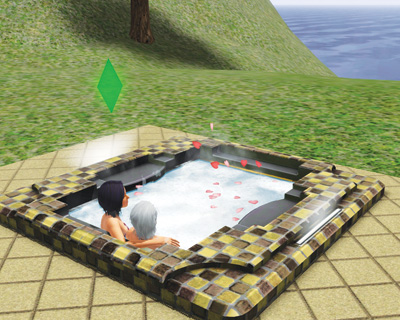
While in the hot tub, you can also make attempts on another Sim with a Kiss interaction or WooHoo.
If you try to WooHoo in the hot tub while other Sims are present, you will automatically Shoo them away. WooHoo-ing in the tub adds Social, Fun, and boosts the relationship.
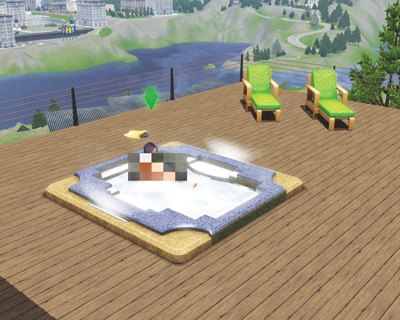
Guess what else you can do in a hot tub? Skinny dip! You can skinny dip alone with no concerns. But if you try it with other Sims in the tub, you run the risk of freaking them out.
There is a chance some will stay and even peel off their swimwear, too. But you may upset a Sim you do not have a good relationship rating with, causing them to cover their eyes.
This negatively affects the relationship. Skinny dips in the hot tub provide an extra degree of Fun.
In-Wall Digital Fish Tank
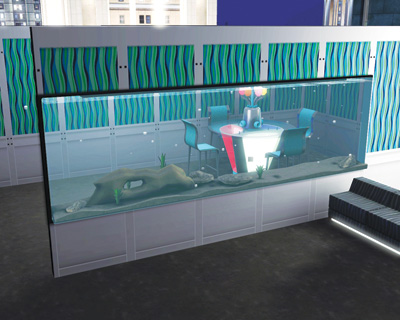
The In-Wall Digital Fish Tank is a new way to enjoy a fish collection without having a bunch of glass bowls around your lot. Once you place this digital tank on the wall, use the Stock interaction to place fish “inside” it.
You may choose from a variety of fish and program them to swim around the screen. You can only have a few fish in there at a time, so use Remove to swap out digital fish.
You can even feed the digital fish. However, instead of sprinkling food into the tank, you use a remote control to zap some food into the screen. The fish then nosh on their digital nibbles before returning to their programmed state of frolic.
Lights: Gobo and Strobe
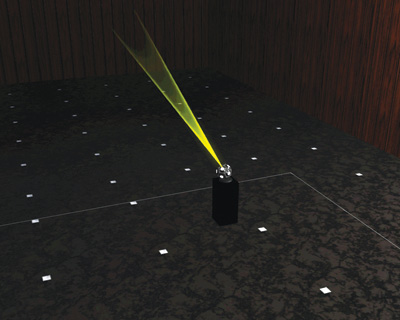
Late Night rolls out many needed lamps and fixtures, but two new categories of lights are designed to make clubs and bars more dynamic: Gobo Lights and Strobe Lights.
The Gobo Light comes in several shapes and sizes and may be placed on a pedestal, wall, or ceiling. Gobo Lights have several patterns you may try out, splashing them around a room to brighten up the place.
Use the Change Motion interaction to direct the movement of the light. You can throw the gobo patterns in waves, circles, diagonals, and more; the speed can also be adjusted.
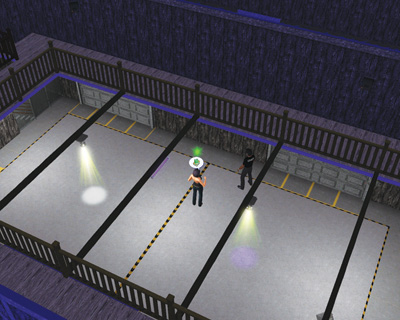
Gobo Lights have multiple colors, which you can change through a simple interaction.
Strobe Lights flicker on and off at rapid paces, which can turn scenes into fascinating real-life slide shows.
The pop of a strobe light really blasts out the colors in a room, turning a club or bar into a unreal scene. You can adjust the flash rate of a strobe, too.
Experiment with both of these new lights to create cool, fun clubs on community lots or in your very own home.
Professional Bar
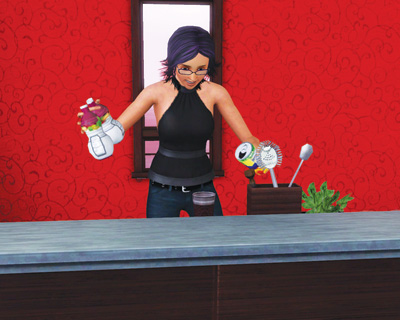
The two new professional bars are expensive upgrades of the originals found in the base game, but are perfectly suited for developing the new Mixology skill.
As described in the Mixology section of the New Simology chapter, the bar is where Sims go to practice making beverages. Over time, they develop new drinks, mood-altering drinks, and special recipes they can name after other Sims.
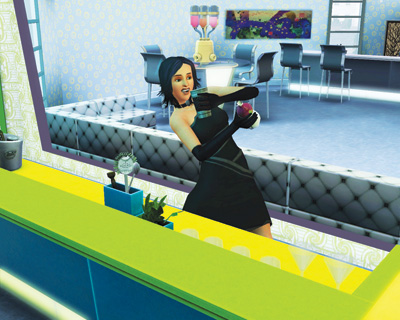
The professional bars are typically found in clubs and lounges around Bridgeport.
Not only can you step up and order a drink from the bar, but you can also jump behind it for a few hours and moonlight for extra dough and skill development time.