
The Sims 3 Late Night Guide Essentials New Skills
Bands
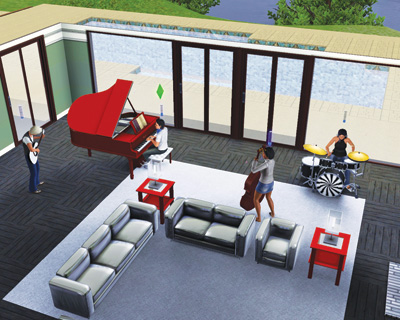
Stardom comes in many forms, but there are two surefire ways to one day see your name in lights: Become a famous actor or be in a rock band. Bridgeport offers the ability to do both.
The Film career operates like a traditional career, but joining a rock band and performing around town for money unfolds more like a skill-based career. (Skill-based careers were introduced in Ambitions .)
To undertake a career in a band, you first need an instrument and some skill with it. Thanks to the introduction of the piano, drums, and bass, you now have four instruments to master.
Be sure to check the New Simology chapter for the complete rundown on developing skill with all of the new instruments, as well as a basic primer on the guitar, which has been with The Sims 3 since the base game.
Getting Started
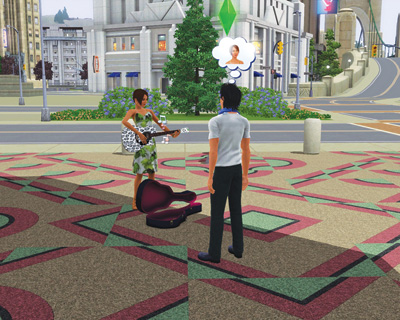
Alright, so you’ve decided you want to start the next supergroup and fill stadiums with adoring fans. Well, not so fast. You cannot do it on your own, and you definitely cannot achieve that dream without some skill on an instrument.
So, before you even think about forming a band, you need to own one of the four instruments and have already achieved the first skill level with it. This isn’t difficult to do. Just practice at home with the instrument for a little while and you’ll reach level 1.
Now that you’ve started playing an instrument, you need to recruit other Sims to be in your band. You cannot just ask total strangers to join your new band.
You must develop relationships with them using the usual socials in order to move past the Acquaintance level. Once you get to know a Sim a little, you can then use the Ask to Form Band social.
It helps if you have a little celebrity—that can really grease the wheels of convincing another Sim to join your band. If the Sim rejects the offer, they usually tell you why.
If the other Sim is just too popular, for example, they will reject you on grounds of unbalanced celebrity. Do not be completely discouraged, though. Maybe you just need to raise your celebrity status a bit and re-ask that Sim.
If the other Sim accepts your invitation, you’re on your way. You now have the chance to name your band. Give it a good name because the big hope is that one day you’ll see it in lights.
However, don’t feel too much pressure. You can rename your band at any time by choosing the Rename Band interaction on your Sim, another band member, or an instrument.
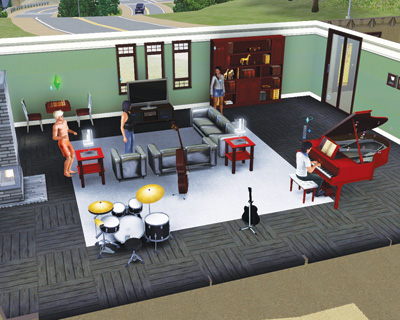
Bands may have up to four members. You cannot exceed four Sims in a band. Once you’ve started the band, you have a new social to use on other Sims that play instruments: Ask to Join Band.
That Sim does not necessarily need to have any skill in an instrument, but they will evaluate their desire to join the band based on similar parameters as the first Sim you asked to join up, such as celebrity status.
Alternately, you can kick Sims out of a band or quit the band yourself. The Kick Out interaction on a band member immediately removes them from the band.
Do not expect this to go down well. No matter what, your relationship with that Sim will take a serious hit. You may even drop down to Enemy status.
If the Sim is angry, they may start a fight with you that can end up ugly. If you choose to quit the band yourself, your relationships with the existing band members take hits, but not quite like kicking somebody out.
Quitting a band, though, does not necessarily mean the end of the band you started. The band can continue without you. But if you are the final member in a band, quitting completely disbands it.
Gigs
Alright, you started a band. You know your instrument. You’re ready to get paid. You need to go on gigs. Gigs are offered to you like opportunities.
A box appears onscreen that contains the details of the gig, including the location, The gig location is also placed on Map View, so you can easily click on it to report to the venue.
Now, gigs are only available at clubs with instruments onsite. You do not just bring your instrument to any club and start playing, so look at the Tour of Bridgeport to see which clubs are open for gigs.
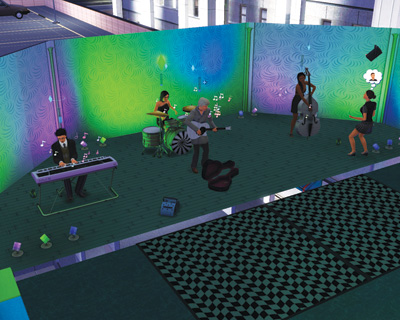
When you are offered a gig, you are told how much it pays and what is expected of your band. Gigs last multiple hours. Once accepted, relax.
You will receive a message when the gig’s starting time is approaching. When it’s time to perform, select the Go to Gig interaction for the map. All the band members will converge on the club, ready to shine.
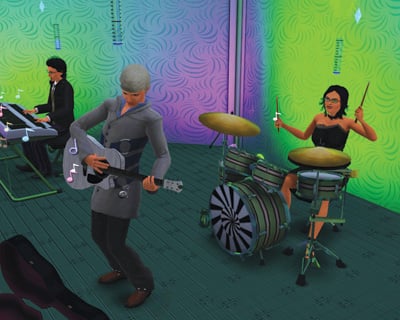
When you arrive for the gig with the band, click on your preferred instrument and choose the Perform interaction. (The other band members will go to the remaining instruments, based on their skill levels.)
You can then choose which genre of music to perform. Once selected, your Sim gives the countdown and the band starts playing. Playing a gig increases your Sim’s Fun, but it does negatively affect other needs like Hunger, Energy, and Hygiene.