
The Sims 3 Showtime Guide Essentials New Simology
Performance Careers
Sims can now take on new careers, known as performance careers, that bring them out of the office! Obtain these careers using the newspaper or computer, or by talking to a proprietor at any performance venue. Performance careers include Acrobat, Magician, and Singer.
Sims starting out in all three careers can perform for tips on community lots, and Singers have the added opportunity of performing Sing-A-Gram jobs for paying customers. As performers advance, they can perform shows at venues around town.
Performance careers reward Sims for taking care of job responsibilities listed on the Career tab. As Sims earn job experience, they receive promotions.
Gigs
Making a name for yourself in Starlight Shores isn’t easy. Performing on street corners for pocket change won’t cut it. To make it big, you must perform gigs at the town’s various venues. Gigs can be performed at any venue with a stage. But you’ll need to prove you deserve time in the spotlight before you can step in front of an adoring audience.
Venues & Proprietors
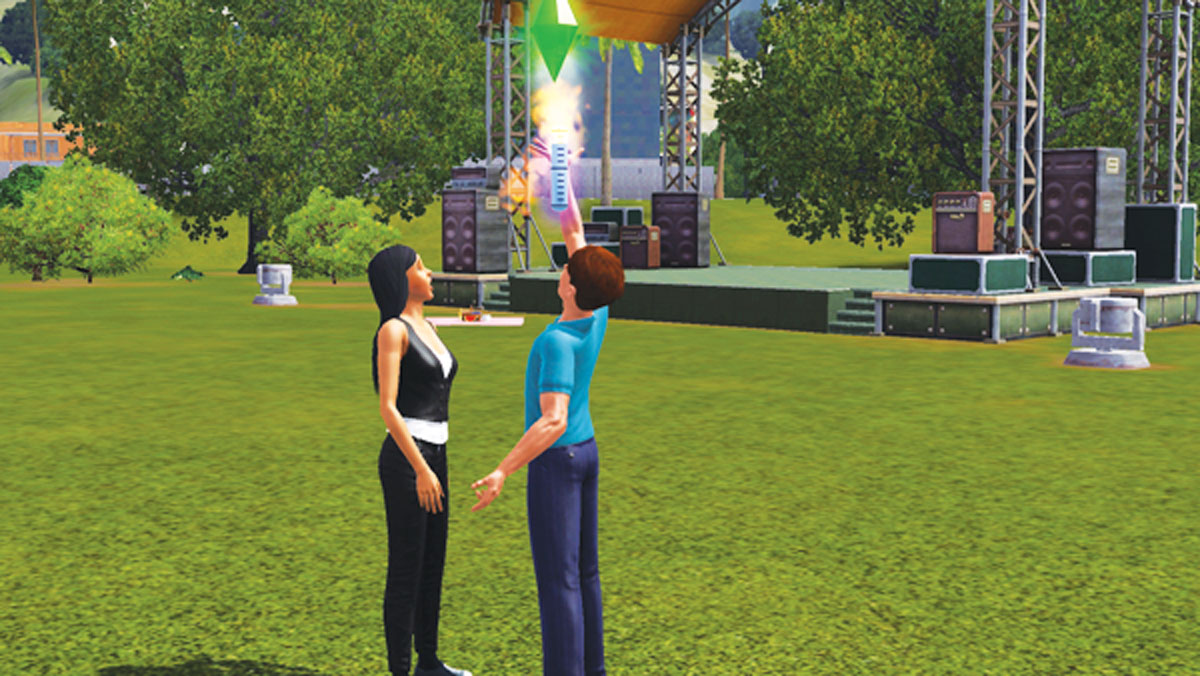
You must audition for a venue’s proprietor before you can land a gig.
Each venue in town is run by a proprietor. Proprietors are responsible for scheduling gigs as well as emceeing SimFest events held at their venue.
If you want to play a gig at a venue, you need to talk with the proprietor. Upon arriving at a venue, use the Call Over Proprietor self interaction. Along with other conversational options, you can choose Audition for Gig—this is how you schedule a gig at the particular venue.
But winning over a proprietor isn’t as simple as staging an enthusiastic audition. If you’re just starting out in your career, none of the venues will book you.
You can audition, but you won’t get a gig until you reach at least Level 2 of your career, at which point the Verde Park stage becomes available. As you advance through your career by leveling up, more and more venues become available.
Even though you can’t yet perform at a certain venue, you should still meet the proprietor and audition. Auditioning increases your career experience, helping you level up. But you can’t level up by performing repeated auditions for a single proprietor. After an unsuccessful audition there is a one-day cooling down period before you can audition at that venue again.
Gig Unlocks
| Venue | Career Level |
|---|---|
|
Verde Park |
2 |
|
Flying V’s Coffeehouse |
3 |
|
Mick’s Master Karaoke |
5 |
|
MN8 |
5 |
|
Rodeo-Go-Go |
5 |
|
Brotherhood of Fine Fellows Hall |
7 |
|
Los Sueños Private Club |
7 |
|
Port-A-Party Warehouse |
7 |
|
The Binder Clips Center |
8 |
|
Hoi Polloi Events Center |
8 |
Gig Schedule & Steady Gigs
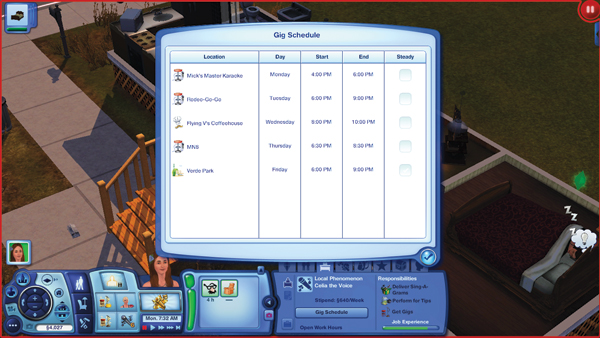
Be sure to check your schedule regularly so you can prepare for upcoming performances.
If you’ve managed to impress a proprietor with your skills, they’ll sign you up for a gig at their venue. The new gig appears in your Gig Schedule. To view the this schedule, open your Career tab and click on the Gig Schedule button. This handy planner shows the location, day, start time, and end time of your gigs.
Initially all gigs are one-time events. Once the gig is over, you must audition for the same proprietor to land another gig. However, if you manage to put on an Excellent or Legendary performance, there’s a strong chance the proprietor will book you for a steady gig, allowing you perform at the venue once a week without auditioning. If you’ve landed a steady gig, the box in the rightmost column is checked within the Gig Schedule.
You can only perform one steady gig per day. So ideally, you can have up to seven steady gigs per week. In addition to providing regular work, steady gigs also pay more money than one-time gigs. However, just because you’ve landed a steady gig doesn’t mean you can kick back and be lazy.
If you give an Awful or Poor performance, or fail to show up to a performance, you’ll lose the steady gig. Likewise, if you feel your schedule is too hectic, you can always cancel a steady gig by contacting the proprietor or canceling the gig over the phone.
Stage Setup
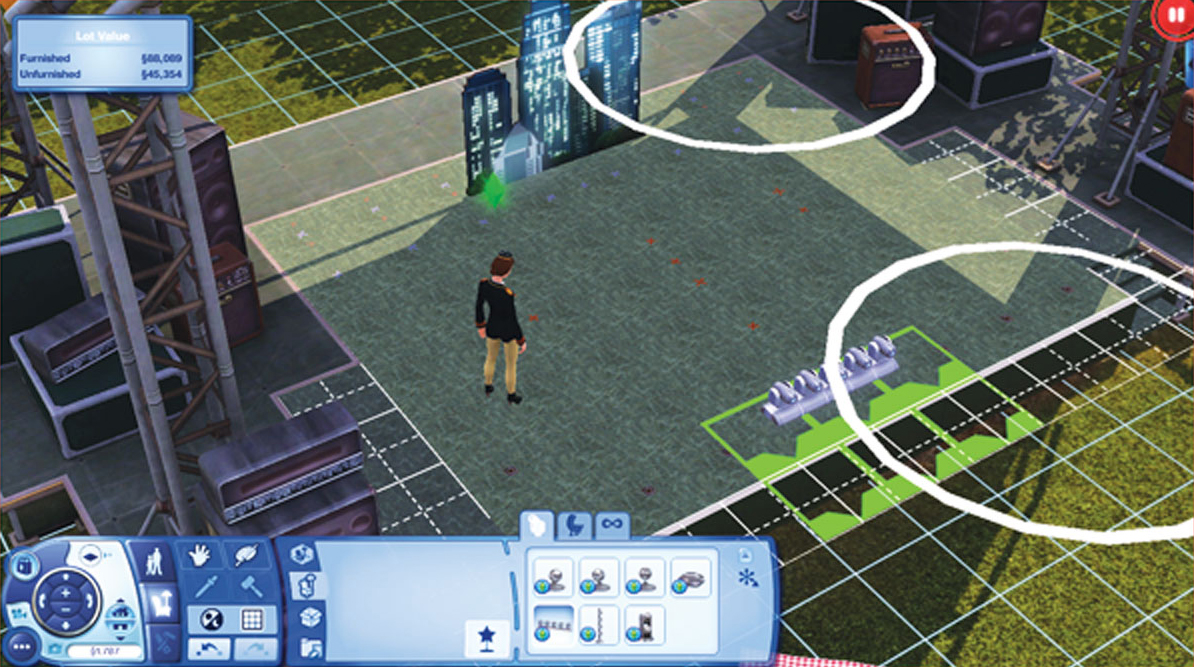
Purchase Stage FX objects and Stage Props to enhance the quality of your performance.
On the day of a gig, make sure to reach the venue early so you have plenty of time to take the stage. Before the performance begins, you can customize the stage. Interact with the stage and choose the Set Up Stage option. The game pauses and you’re prompted to use the venue’s default stage configuration or create a customized stage of your own.
If you want to create your own stage design, you can purchase and place a variety of Stage FX objects and Stage Props. These items aren’t cheap, but they can really raise the level of your performance. To really boost your score, place a variety of props, lots of props, and props that share the same theme. Once purchased, Stage FX objects and Stage Props can be placed at the front or back of the stage, automatically snapping into spots where they can be positioned. After you’ve created a custom stage, be sure to save the configuration for later use at other gigs. Once the stage is set up to your liking, it’s showtime!
Performance

It’s Showtime! Plan (and queue) your stage interactions ahead of time to avoid lulls in the performance.
If it’s time for your gig to start, you can begin the performance immediately after setting up the stage. As with any job, your Sim’s mood greatly affects the outcome of the performance. So before heading to a gig, make sure all of your Sim’s needs are met. Sending a tired, hungry, or bored Sim on stage results in a less-than-stellar performance. So on the day of a gig, pamper your performer so all their needs are topped up.
But mood isn’t the only factor taken into account during a performance. Stage FX objects and Stage Props also boost the level of your performance, helping wow the crowd, much like a room score in your home. You can also keep the audience on edge by performing different interactions by clicking on the stage. The interactions you can perform on stage differ significantly based on your chosen career. Singers, Magicians, and Acrobats all have various routines they can perform.
During the show, your performance is scored at regular intervals to determine your performance score. At the start of a show, your Sim’s performance score is based on their career level and their deployed Stage FX objects and Stage Props. The performance score increases and decreases throughout the show based on your Sim’s successful and unsuccessful interactions.
If you repeat the same interactions over and over, the audience may become bored and the performance score will suffer. So perform a variety of different interactions to keep the performance fresh. Of course, you can just let your Sim perform autonomously, but autonomous interactions are always worth less than directed interactions. At the end of the show the sampled scores are averaged to determine your final performance score and the overall outcome of the show. The following list shows the six possible results (from lowest to highest), which come in the form of reviews and buffs.
- Awful Performance
- Poor Performance
- Standard Performance
- Great Performance
- Excellent Performance
- Legendary Performance

After the show, take a bow and hope the audience didn’t notice any major mistakes.
If you’re playing a venue for the first time, your success on stage determines whether you’ve landed a steady gig or not. If you manage to pull off an Excellent or Legendary performance, the proprietor of the venue may book you for a steady gig. Anything less than an Excellent performance will require you to audition for the proprietor again before you land another gig at the venue.
But even if you land a steady gig, it doesn’t mean your job is safe. If you turn out an Awful or Poor performance, you will lose the steady gig and be forced to go through the audition process before you can get back on stage. So never take your steady gigs for granted. Always show up on time and in a good mood to turn out a good performance.
SimFest
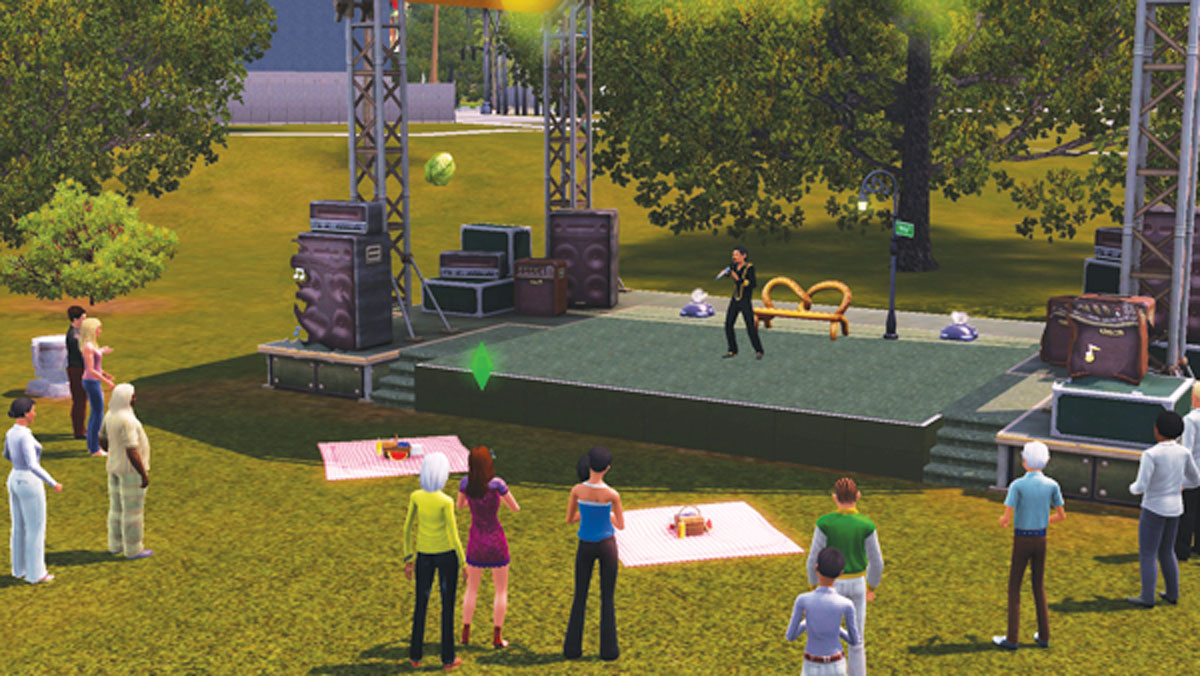
Call over a venue’s proprieter if you want to join a SimFest. Otherwise, enjoy the show!
SimFest is a local talent show held regularly at Starlight Shores’ various venues. Any Sim can attend a SimFest and see what kind of talents the locals have to offer. Watching a SimFest can result in both positive and negative moodlets depending on the quality of the performances.
But whether the performances are great or awful, watching a SimFest always appeals to fun-seeking Sims. If your Sim is in one of the performance careers, they can join the show as long as they’ve unlocked the hosting venue through career advancement. For example, to perform at Verde Park, your Sim must be Level 2 or higher in their career.
But a Sim can’t join a SimFest at Mick’s Master Karaoke until they’re reached Level 5 in their career. To join a SimFest, call over the proprietor and choose the Ask to Join SimFest interaction—no audition is necessary for SimFests! As long as your Sim meets the career/venue requirements, they’ll be added to the show. You may have to wait through an act before it’s your turn to perform, so don’t wander off.
Performing at SimFest is just like performing a gig. Queue up stage interactions ahead of time to keep the audience screaming for more. At the end of a SimFest, all performances are judged and a winner is determined by the highest performance score.
If your Sim put on the best performance, they win a SimFest Trophy and a varied amount of money depending on the prestige of the venue. Winners also benefit from the SimFest Winner moodlet (+25) lasting for eight hours. But even if you don’t win a SimFest, the career experience gained from performing in front of a live crowd is well worth the effort.