
The Sims 3 Ambitions Guide Walkthrough New Simology
Skills
Ambitions introduces two new skills for your Sims to discover and develop: Sculpting and Inventing. These skills are useful not just to give your Sims something to do when not pursuing careers.
They also augment your Sims' personalities, offer them alternate sources of income, and give them additional subjects to talk about. These two new skills are very deep.
The development of these skills goes way beyond just reporting to a skill-related object and performing a task over and over. Your Sim creates objects as a result of developing these skills—objects that matter.
So, try out each skill and fulfill your Sims' thirst for discovery and art. You are guaranteed more than a few surprises along the way.
Development
As mentioned, specific traits make developing these skills much easier. The Savvy Sculptor trait accelerates the Sculpting skill and the Eccentric trait advances Inventing.
However, any Sim, regardless of specific traits, can begin developing either (or both) of these new skills.
Start by attending a class in your neighborhood or by purchasing a developmental object through Build/Buy Mode and installing it on your Sim's lot.
Interactions with the object translate into actual development, monitored via the meter over your Sim's head and in the pages of the Skill Journal.
Use these tips to speed skill development:
Sims in a good mood develop a skill slightly faster.
Expensive equipment does help develop a skill. When sculpting, for example, you begin with cheap clay. As you develop the skill, you move into other mediums, which cost more. However, the more expensive the material, the better your skill development.
Use community equipment when just starting out to save a little cash. You can use the workbench at the fire house for dabbling and tinkering in the early stages of Inventing. However, at a certain point, you should invest in an Scrapatronic Workbench for your lot.
Unless you feel pressed for time to start developing a new skill, save books on the subject for skill levels higher than 2. Reading a book reduces the amount of time needed to attain the next level. However, this is within reason. Reading the beginner's level skill book is not going to do you a tremendous amount of good when working toward level 9.
Sculpting
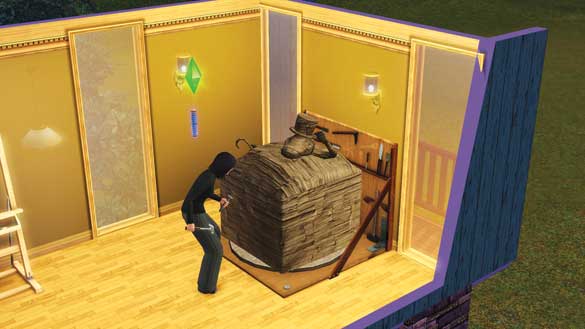
Some Sims look at a giant block of stone and see an oversized brick. Others see a lion, buried beneath a pile of pebbles. Those Sims are natural sculptors.
At first, sculptors only work in clay. But as they advance their skill, new mediums open up, including topiaries and ice sculptures.
Finished sculptures can be sold for Simoleons or shown off on lots, where they may be appreciated by friends and neighbors.
This is a time-heavy skill, though, so do not expect masterpieces of metal and stone to appear within minutes.
Sculpting requires patience, but the payoffs for hard work and dedication are significant.
Acquire by : Practicing on sculpting station
Development Tools : Pedestrian Sculpting Station, scrap
Available Ages : Teen, young adult, adult, elder
Development Process
If you desire to dabble in sculpting, you have one choice for launching this skill: use a Pedestrian Sculpting Station.
The sculpting station is a large pad with a rotating disc so your Sim can effortlessly spin a giant block of material.
With each spin, your Sim applies a chisel (or chainsaw) and slowly coaxes a work of art out of the block.
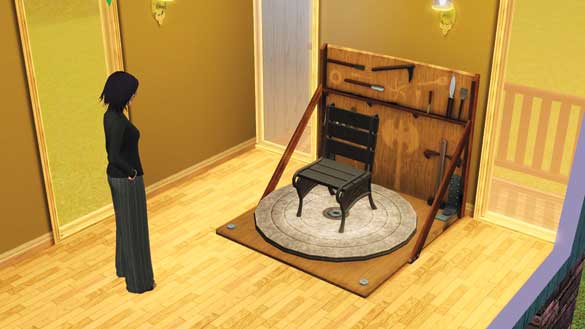
At first, do not expect great things—even if your Sim has the Savvy Sculptor trait. This skill demands patience and dedication. At the lowest skill levels, your Sim coaxes only basic objects forth from blocks.
Amazing sculptures arrive later. Your first interaction with the sculpting station is limited to Practice. Once you reach level 1, the interaction switches from Practice to Sculpt.
Each fresh block of material costs Simoleons. When you select the medium on an empty sculpting station, the Simoleons are automatically deducted from your household funds.
You may have only one active sculpture on a sculpting station, meaning that if you want to work on two sculptures at the same time, you must have two different sculpting stations.
If you choose to abandon a sculpture before it is finished (which is not unreasonable if, midway through a project, you unlock a new medium and want to immediately dive into that), use the Scrap interaction to clear the station.
You are not refunded any Simoleons for a scrapped sculpture. This may not be a big loss when working in clay or wood, but as you will see, it is quite costly when you have access to stone.
Sculpting Cost
| Medium | Cost |
|---|---|
| Clay | §3 |
| Wood | §25 |
| Metal | 3 scrap |
| Ice | §100 |
| Stone | §500 |
| Topiary | §50 |
The very first medium a sculptor works in is clay. Developing this skill unlocks additional mediums. Here are all of the mediums you unlock when achieving new levels of the skill:
Level 0: Clay
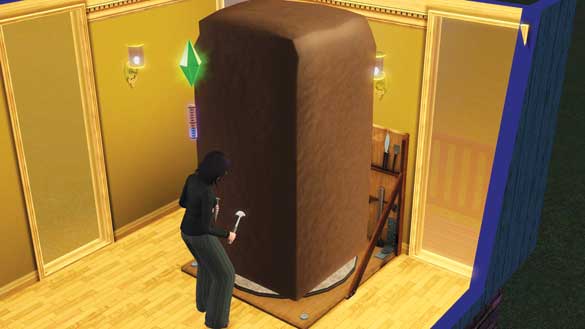
Level 3: Wood
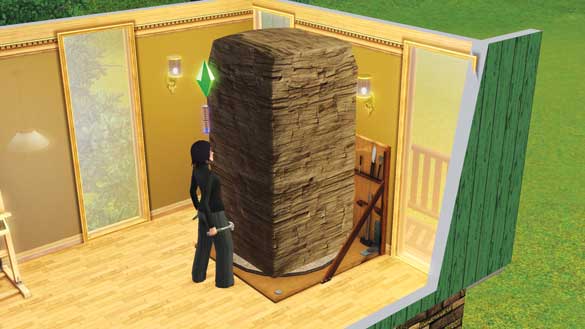
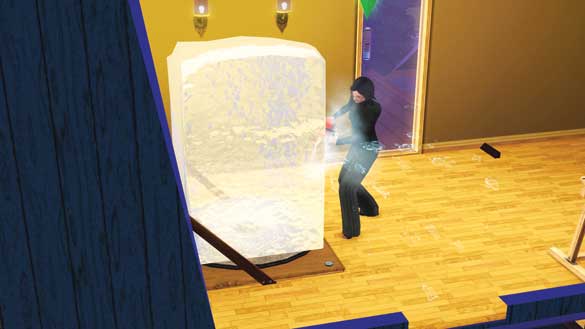
Level 5: Ice
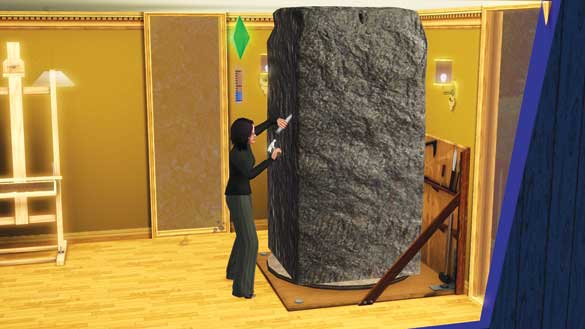
Level 8: Stone
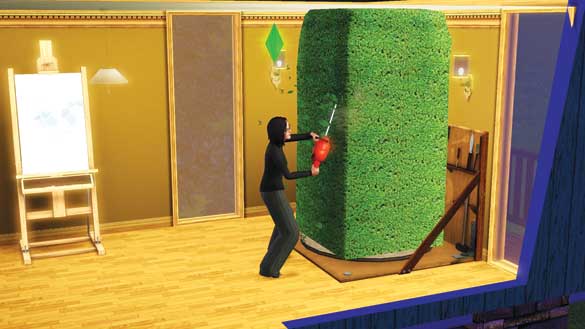
Level 10: Topiary
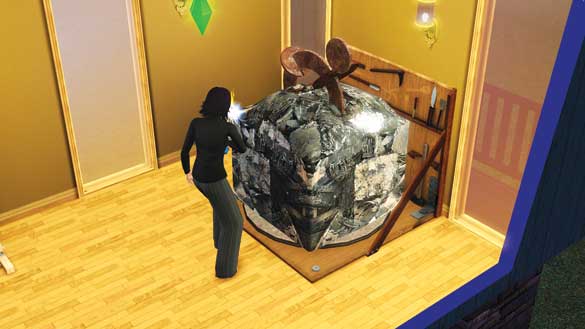
Any level after learning the skill, you can also weld metal sculptures as long as you have scrap metal collected from a junkyard or bought from the Inventor's workstation. For more information about scrap, see the Inventing skill because scrap is the building block for all inventions regardless of skill level.
Just some statues are created only from specific mediums (check the statue levels list below to see those), certain mediums offer unique successes or failures.
Ice : There is a chance that at some point during the sculpting process, the entire ice block will shatter. Another random possibility is that your Sim will lean into a new ice block and attempt to lick it. Your Sim's tongue may get stuck on the ice for a few moments, but eventually pulls free. When this happens, there's a small chance the ice block will shatter and reveal a complete sculpture.
Stone : Like the ice block, there is a chance that it will shatter and all progress will be lost. However, there is a slight, random chance that when the block shatters, the Sim will discover a valuable uncut gem or raw ore.
Metal : When welding a metal sculpture, there is a chance the Sim's blowtorch will malfunction and singe the Sim. To get back into fresh clothes, the Sim must then shower. A Sim with a Good Sense of Humor simply laughs off the incident and receives no negative moodlet.
Topiary : When creating an animal topiary (such as a giraffe or penguin), the Sim attempts one last bit of touch up and accidentally lops the poor topiary animal's head off with the chainsaw. Oops. This ruins the value of the topiary.
When you first begin sculpting, the statues created are random. Over time, though, your Sims accumulate a library of statues they can fashion from memory.
Instead of just using the Sculpt interaction, you can use Sculpt Specific Thing, choose the desired medium, and then recreate a previously sculpted statue.
Just as mediums are unlocked as you advance the skill, certain types of statues are also unlocked with each new level.
Use this table to see what types of objects are introduced at specific skill levels, as well as their potential value.
Sculptures
| Piece | Category | Minimum Level | Maximum Level |
|---|---|---|---|
| Venus | Statue | 6 | 10 |
| Alligator | Statue | 2 | 10 |
| Floor Pole | Statue | 2 | 10 |
| Elephant | Statue | 2 | 10 |
| Fish | Statue | 3 | 10 |
| Mermaid | Statue | 4 | 10 |
| Octopus | Statue | 4 | 10 |
| Lion | Statue | 3 | 10 |
| Socrates Bust | Statue | 4 | 10 |
| Freezer Bunny | Statue | 5 | 10 |
| Moderne Piece | Statue | 5 | 10 |
| The Ponderer | Statue | 6 | 10 |
| Gryphon | Statue | 7 | 10 |
| Giant Head | Statue | 7 | 10 |
| Unicorn | Statue | 8 | 10 |
| Hands | Statue | 9 | 10 |
| Abstract Piece | Statue | 10 | 10 |
| Bargain John | Bathroom | 1 | 6 |
| The Thru-Flush Toilet | Bathroom | 3 | 9 |
| The Porcelain Throne | Bathroom | 5 | 10 |
| First Step Potty Chair | Bathroom | 4 | 5 |
| Sink Pedestal Moderate | Bathroom | 1 | 6 |
| Sink Pedestal Traditional | Bathroom | 3 | 10 |
| Another Era Dining Table | Dining Table | 5 | 8 |
| Table de Bistro | Dining Table | 3 | 7 |
| Knack Outdoor Table | Dining Table | 1 | 4 |
| Table-Licious | Dining Table | 1 | 4 |
| Royal Francois End Table | End Table | 9 | 10 |
| Meta Table | End Table | 2 | 5 |
| Chaible | End Table | 5 | 7 |
| Tabla del Extremo | End Table | 4 | 6 |
| The Mission Coffee Table | Coffee Table | 4 | 7 |
| Case Closed | Coffee Table | 8 | 10 |
| Two-Ton Table | Coffee Table | 1 | 3 |
| The Cozinator 450 | Dining Chair | 4 | 6 |
| Rafkin's Dining Chair | Dining Chair | 0 | 4 |
| Sit-Up Straight Dining Chair | Dining Chair | 7 | 9 |
| Mount of Comfort Dining Chair | Dining Chair | 3 | 5 |
| The Muga Sitzer | Dining Chair | 6 | 8 |
| Yankee Doodle Dining Chair | Dining Chair | 8 | 10 |
| The Elsinore | Dining Chair | 5 | 7 |
| Simmer Down Dining Chair | Dining Chair | 0 | 3 |
| Old Sam's Dining Chair | Dining Chair | 10 | 10 |
| Swank Living Room Chair | Living Chair | 7 | 9 |
| The Olafian | Living Chair | 9 | 10 |
| Passable Mission Chair | Living Chair | 8 | 10 |
| The Savannah | Living Chair | 2 | 4 |
| Bracken Living Room Chair | Living Chair | 10 | 10 |
| Lazy Lounger | Living Chair | 4 | 6 |
| Pete's Living Room Chair | Living Chair | 10 | 10 |
| The Avant | Living Chair | 6 | 8 |
| Parlor Perch | Barstool | 0 | 4 |
| Bab's Towering Barstool | Barstool | 5 | 7 |
| Old Sam's Barstool | Barstool | 8 | 9 |
| Barstool de Mish | Barstool | 3 | 5 |
| Sturdy Stool | Barstool | 2 | 4 |
| Mirage Garbage | Disposal | 2 | 4 |
| Clothing Hamper | Laundry | 3 | 7 |
| Yummer's High Chair | Kids Furniture | 5 | 8 |
| Toy Box | Kids Room | 1 | 4 |
| Chess Table | Hobbies & Skills | 8 | 10 |
| Easel | Hobbies & Skills | 5 | 7 |
| Garden Gnome | Other | 1 | 10 |
| Magic Gnome | Other | 5 | 10 |
| Fountain | Other | 10 | 10 |
| Globe | Other | 2 | 5 |
| Penguin | Topiary-only | 10 | 10 |
| Giraffe | Topiary-only | 10 | 10 |
| Panda | Topiary-only | 10 | 10 |
| Dragon | Topiary-only | 10 | 10 |
| Metal Chair | Metal-only | 0 | 10 |
| Metal Horse | Metal-only | 2 | 10 |
| Geometric Shapes | Metal-only | 4 | 10 |
| SimBot Model | Metal-only | 6 | 10 |
| Giant Sim Statue | Metal-only | 8 | 10 |
If World Adventures Installed
| Piece | Category | Minimum Level | Maximum Level |
|---|---|---|---|
| Antique-But-Not Lotus Pot | Plant | 3 | 7 |
| A Show of Force | Statue | 0 | 4 |
| The Gazing Pharaoh | Statue | 2 | 6 |
| Gally de Orleans | Statue | 1 | 5 |
| Gloria | Statue | 5 | 10 |
| Phillipe of Aznac | Statue | 5 | 10 |
| Urn of Franco | Misc. Décor | 8 | 10 |
| Alexia Full of Hair | Statue | 4 | 9 |
| Rodent Repellent | Statue | 0 | 6 |
| Fabu Foo | Statue | 0 | 6 |
| End of the Line End Table | End Table | 1 | 3 |
| Le Petiti Table | End Table | 7 | 9 |
| Column A | Column | 9 | 10 |
| Column B | Column | 0 | 4 |
| Stone Seat from Tomb Dining Inc. | Dining Chair | 6 | 8 |
| Dinner Party Perfect Chair | Dining Chair | 9 | 10 |
| Simply Elegant Seating | Living Chair | 8 | 10 |
| The Regal Rester | Living Chair | 3 | 5 |
| Practically Yours | Living Chair | 5 | 7 |
| Nectar Rack - Cheap | Furniture | 3 | 6 |
| Nectar Rack - Expensive | Furniture | 7 | 10 |
Sculpt Ice Sim
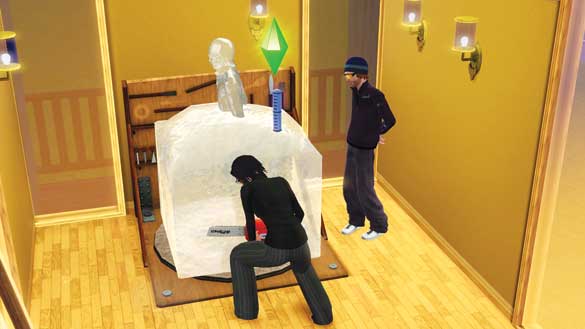
At level 6, Sims learn to create ice sculptures of other Sims. The sculptor must be on good terms with the subject Sim, so you cannot sculpt an enemy.
To initiate this special sculpture, the subject must be on your Sim's lot. (Easiest way to do this is to invite a Sim over via the telephone.)
Once the subject in on the lot, use the Sculpt Ice Sim interaction on the workstation. The subject follows the sculptor to the workstation and then proceeds to pose.
The sculptor looks the subject up and down and then gets started on a fresh ice block.
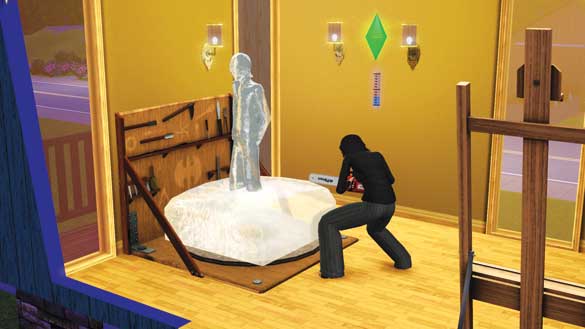
Now, it takes some time to finish an ice sculpture, so don't be surprised or alarmed if the subject leaves after a little while.
You may continue to work on the sculpture. You can also continue the sculpture later without the subject nearby.
However, if you finish the sculpture while the subject is present, he or she will react to it.
Depending on personality and quality of the sculpture, the model will have a positive or negative reaction, which might affect your relationship.
Excellence
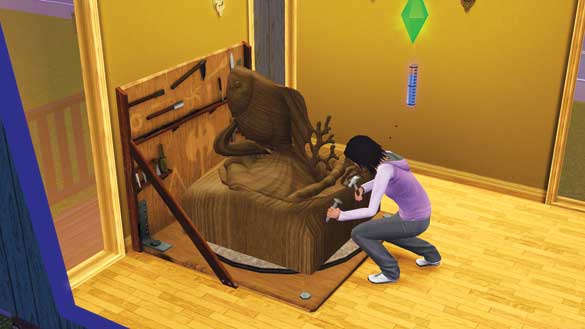
At level 7, your Sim is such a great sculptor that there is a chance he or she will produce a Brilliant sculpture, which is worth not just additional Simoleons, but also an environmental bonus for any room it is placed in.
At level 9, you unlock the potential to create Masterpieces. Masterpiece sculptures and statues are worth much more than normal pieces and, like Brilliant statues, add an environmental bonus to rooms.
The environmental bonuses result in decoration-related moodlets, such as Nicely Decorated, unless the Sim near the piece Can't Stand Art.
Skill Journal Tracking
Use your Skill Journal to track several statistics about your Sim's sculpting. These stats will help you tackle wishes, opportunities, and challenges:
Total Sculptures
Clay Sculptures
Wood Sculptures
Stone Sculptures
Ice Sculptures
Metal Sculptures
Topiary Sculptures
Brilliant Sculptures
Masterpiece Sculptures
Money Made
Highest Value Sculpture Sold
Favorite Medium
Number of Sim Sculptures Made
Skill Challenges
Chiselmeister : After making 20 sculptures, Chiselmeisters make all future sculptures faster.
Prolific Sculptor : After making 35 sculptures, Prolific Sculptors no longer need to pay for materials.
Master Sculptor : After making 5 sculptures from each material, the value of a Master Sculptor's pieces increases.
Ice Personality : After making 25 ice sculptures, ice pieces never melt.
Inventing
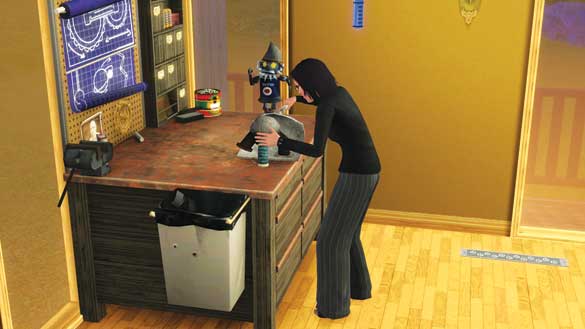
The act of creation—of assembling something brand-new out of other bits and pieces—is immensely satisfying. But inventing is not an exact science.
Gluing object A to object B does not necessarily result in object C every time. Inventing requires time and dedication, plus a willingness to take risks, knowing that whatever one comes up with during the process may not be a success.
However, as this skill is developed and the inventor learns more, the greater the chance of creating something wonderful. Certain objects can only be invented.
While you may luck out and find one at the local consignment store, if you want to make sure you get a chance to play with a Time Machine or a Harvester, then you better hunker down and start working on this skill.
Acquire by : Reading Inventing skill book, Inventing class at science facility, dabbling at Inventor's workstation
Development Tools : Scrapatronic Workbench, scrap
Available Ages : Child, teen, young adult, adult, elder
Development Process
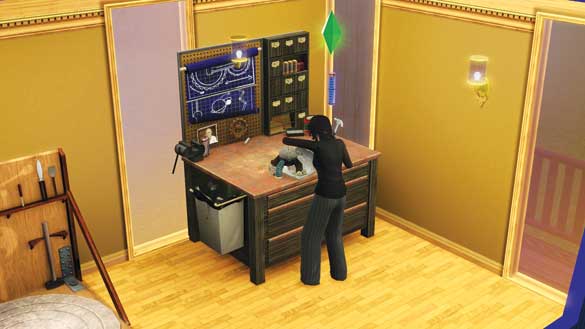
There are many ways to get this skill underway: class, book, or just dabbling at an Inventor's workstation. As the Sim creates, the skill is developed—so, in essence, multiple rewards are happening at once.
Not only does the skill level increase, but the Sim also creates new inventions that can be used on the lot or sold for Simoleons.
Sims learn how to make different inventions the longer they spend at the workstation, starting with simple Widgets, working up to Big Inventions.
However, no inventing can occur without scrap. Scrap is required to invent anything. If you purchase a workstation, it comes with enough scrap to get you started.
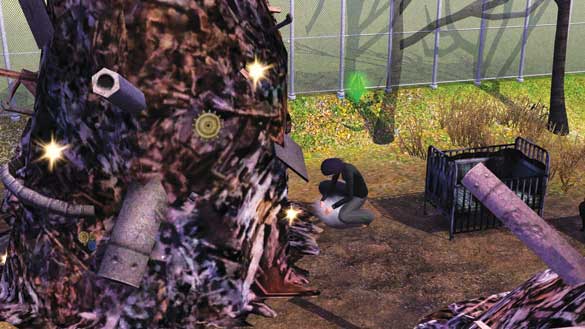
However, you will need more—much more—to fully develop this skill. There are multiple ways to gather scrap. The easiest is to pay a visit to the neighborhood junkyard and search through the massive piles.
Whenever a pile sparkles, you can sort through it for scrap. Your Sim comes away with a random amount of scrap per search.
Scrap can also be purchased directly from the workstation. This gets expensive, but if Simoleons are no object, buying scrap is a major time-saver.
Scrap Cost
| Amount of Scrap | Cost |
|---|---|
| 10 | §55 |
| 50 | §275 |
| 100 |
§550 |
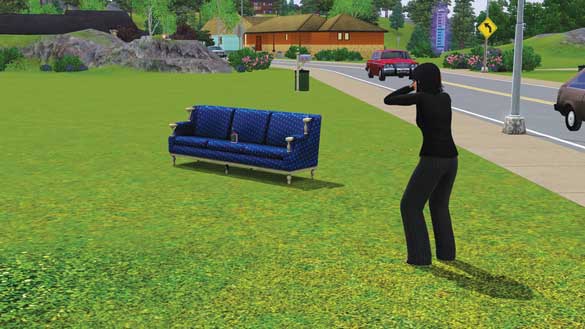
There is a third way to get scrap, too. Once your Sims reach level 6, they can detonate objects to generate scrap.
To explode an object, choose the Detonate interaction. Detonations cost a few Simoleons. The price depends on the size and complexity of the object.
After setting the explosive charge, your Sim runs away and waits for the explosion.
After the object is blown up, the Sim can easily pick up the resulting piles of scrap, adding it to the overall amount available back at the workstation.
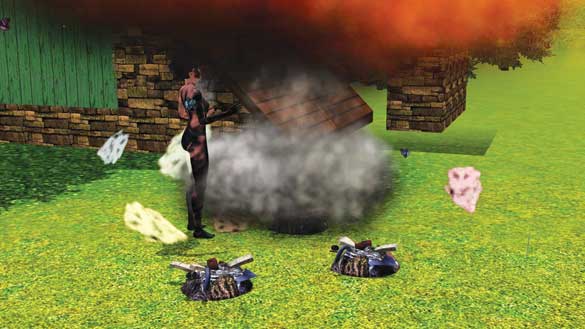
Sometimes, charges do not go off right away. Curious Sims sometimes investigate, only to have the detonation go off right in their face. Shower up to wash off the mess.
Sims can also detonate objects on community lots. However, this is not without risk. Some detonations are so great that not only do they destroy the targeted object, but also leave behind scorch marks and other damages.
If you damage property or any community lot other than a junkyard, you will get fined. (If your detonation does not leave behind a mark, you are safe.
You will not be fined.) When fined, you receive a note that your explosive activities have gotten you trouble with the neighborhood and that you are being fined for the damages.
The fine is added to the bills you receive in the mail. Fines are typically tiered. A low fine comes in around §50. A medium fine starts at §600.
High fines can reach §1,500 or more. Use this table to see how much scrap you can receive from detonated objects as well as the value of objects.
Perhaps you will deduce that the risk is not always worth the reward.
Scrap Values
| Object |
Min.
Value |
Max.
Value |
Min.
Scrap |
Max.
Scrap |
|---|---|---|---|---|
| Bar | 640 | 1,500 | 16 | 38 |
| Bar Stool | 185 | 520 | 4 | 12 |
| Bed Double | 450 | 3,500 | 11 | 88 |
| Bed Single | 300 | 1,450 | 8 | 36 |
| Bicycle | 200 | 200 | 13 | 13 |
| Bookshelf | 175 | 1,650 | 4 | 41 |
| Car | 950 | 105,000 | 21 | 2,333 |
| Coffee Table | 90 | 325 | 3 | 11 |
| Computer | 800 | 4,000 | 27 | 133 |
| Couch | 335 | 1,200 | 7 | 27 |
| Counter | 140 | 805 | 4 | 20 |
| Crib | 275 | 425 | 7 | 11 |
| Desk | 150 | 900 | 5 | 30 |
| Dining Chair | 40 | 900 | 1 | 20 |
| Dish Washer | 300 | 700 | 10 | 23 |
| Dollhouse | 650 | 650 | 22 | 22 |
| Dresser | 450 | 850 | 13 | 24 |
| Dryer | 450 | 1,337 | 13 | 38 |
| End Table | 45 | 315 | 2 | 11 |
| Exercise Machine | 900 | 1,500 | 26 | 43 |
| Firepit | 295 | 295 | 15 | 15 |
| Foosball | 6,250 | 6,250 | 96 | 96 |
| Fridge | 375 | 1,800 | 12 | 56 |
| Grill | 300 | 1,200 | 9 | 34 |
| Junk Pile | 20 | 20 | 20 | 20 |
| Junk Pile Large | 35 | 35 | 35 | 35 |
| Lights | 45 | 565 | 1 | 14 |
| Living Chair | 115 | 1,000 | 3 | 22 |
| Sculpting Station | 1,000 | 1,000 | 25 | 25 |
| Sculpture | 4 | 12,225 | 0 | 245 |
| Shower | 425 | 925 | 11 | 23 |
| Stereo | 150 | 1,800 | 4 | 51 |
| Stove | 400 | 1,425 | 10 | 36 |
| Table Dining | 60 | 1,100 | 2 | 28 |
| Teddy Bear | 50 | 50 | 5 | 5 |
| Toddler Table | 200 | 200 | 13 | 13 |
| Toilet | 250 | 1,800 | 7 | 51 |
| Toy Box | 55 | 75 | 1 | 2 |
| Toy Oven | 100 | 100 | 10 | 10 |
| Tub | 500 | 2,100 | 13 | 53 |
| TVs | 200 | 8,000 | 4 | 160 |
| Videogame System | 750 | 750 | 25 | 25 |
| Washer | 450 | 1,375 | 13 | 39 |
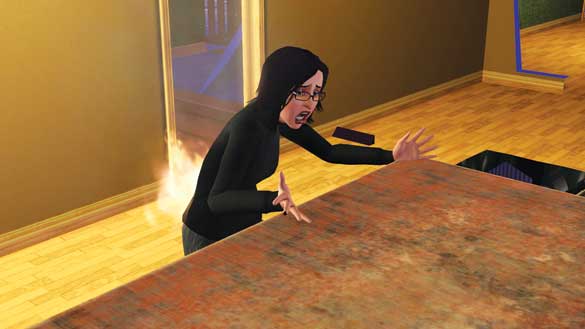
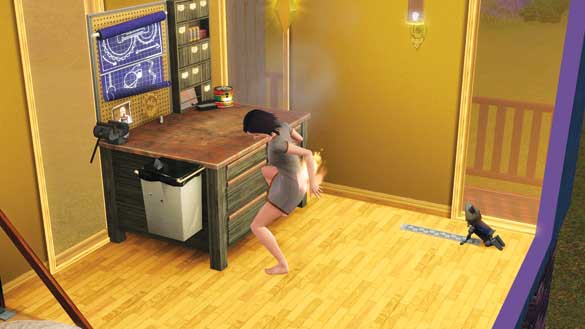
While inventing, there is a small chance your Sim will get injured. Sims sometimes accidentally shock themselves or set themselves on fire. If your Sim catches fire, get to the nearest shower or pool immediately!
Once an invention is complete, it is added to the Sim's personal inventory. Sims can either place their inventions around the lot, give them to family members (children love the clockwork toys), or sell them at the local consignment store for cash.
The higher the skill level, the more valuable the invention. In addition to receiving the invention, the Sim also learns the "blueprint" for that object. Your Sim can now recreate that invention at will while at the workstation.
Inventions
At level 1 of the skill, Sims begin creating inventions at a workstation. The first objects they create are Widgets. They then move on the Crafted Toys. Then, over the course of the development cycle, leading up to level 10, they learn the blueprints for a series of Big Inventions.
Widgets
Beginning inventors create Widgets, which serve no practical purposes. They are often small objects that just look interesting, like a drinking bird or a metal octopus.
These small Widgets can be sold for low Simoleons or placed around the lot. However, as the Sim's skill level rises, the quality of Widgets increases. Soon, the Sim has a chance to build Improved Widgets, which move or light up.
Crafted Toys
At level 2, inventors can produce Crafted Toys at the workstation. Crafted Toys are small toys that can be played with by Sims of any age.
These toys light up, move, and make noise—and best all, they increase Fun. Crafted Toys can be left out as decorations, placed in personal inventories and taken outside the lot, or stored in toy boxes.
Big Inventions
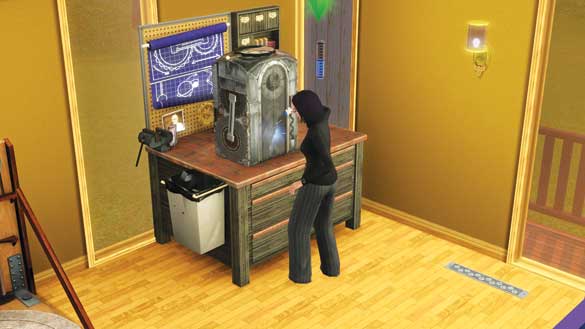
At level 3, Sims begin discovering objects called Big Inventions. These inventions have specific purposes and are quite useful. Big Inventions can also factor into wishes and opportunities.
Hygienator
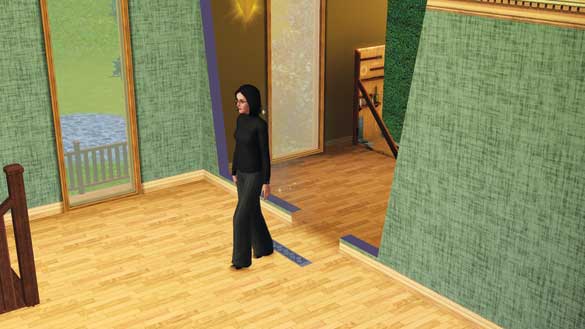
The Hygienator is a small invention that releases a puff of perfumed air when stepped on. This perfume raises the Hygiene of the Sim who walked on the invention.
The Hygienator offers a handful of different scents, each with different colored clouds of perfume vapor.
However, it is possible that this invention will occasionally fail and release a cloud of stinky gas that makes all nearby Sims Nauseous.
Hygienator
Shower Fresh Unscented
| Trait | Moodlet |
|---|---|
| Neurotic | Scared |
| Neat | Tranquil |
Happy Day Potpourri
| Trait | Moodlet |
|---|---|
| Neurotic | Scared |
| Evil | Disgusted |
| Grumpy | Disgusted |
| Mean Spirited | Disgusted |
| Over-emotional | Tranquil |
| Neat | Tranquil |
| Friendly | Tranquil |
Outdoor Citrus Fresh
| Trait | Moodlet |
|---|---|
| Neurotic | Scared |
| Hates the Outdoors | Plagued by Nature |
| Neat | Tranquil |
| Loves the Outdoors | One with Nature |
| GreenThumb | One with Nature |
Scientific Refresher
| Trait | Moodlet |
|---|---|
| Neurotic | Scared |
| Technophobe | Disgusted |
| Neat | Tranquil |
| Computer Whiz | Fascinated |
| Genius | Fascinated |
| Handy | Fascinated |
The Harvester
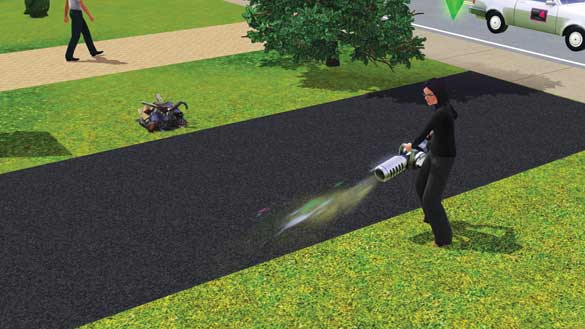
The Harvester is a handheld collecting device, first discovered at level 4. A Sim can use it to pick up all sorts of objects of different sizes, from scrap created by a detonation to dirty dishes in the kitchen.
The Harvester can save time in the garden, picking up harvestables, and quickly clean up messes like puddles or trash. It's good for picking up collectibles, like butterflies and gems, too.
The Miner
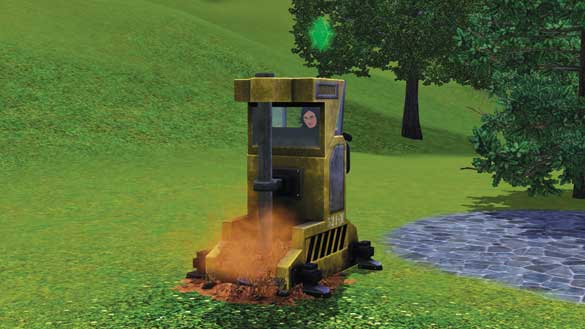
The Miner is a drill-like machine that burrows into the ground, digging up collectibles such as gems, ore, and even magic gnomes. It is discovered at level 7.
To use it, place the Miner outside and then choose the Drill interaction. The Sim fires up the Miner and lowers the drill into the ground, digging through the soil.
When collectibles or lost objects are discovered, you get little messages indicating they have been added to your inventory.
The Miner sometimes burrows into something large. When this happens, a message appears on-screen telling you to explore the hole to see what's down there.
This counts as an Underground Adventure. If you inspect the hole, there is a chance you will find a valuable object. Maybe even a magic gnome!
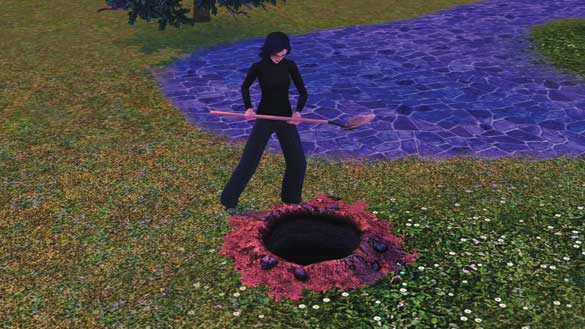
The Miner leaves behind unsightly holes. Fill that in, would you?
Time Machine
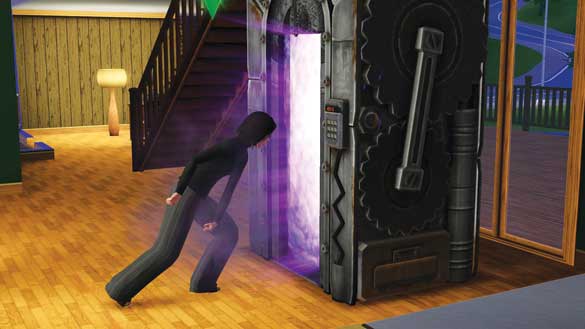
The Time Machine is discovered at level 9. Once completed, the Time Machine fits in the family inventory because it is so large. The Time Machine allows Sims to take brief trips to the past or the future.
Either direction in time is selectable when choosing the Travel interaction with the Time Machine. Once the Time Machine is activated, the Sim steps inside. As the machine rattles and hums, you receive updates on your Sim's adventure.
When the Sim comes back, there is a small chance he or she will be wearing an outfit from a specific time period or have a piece of art. Some Sims may even return with a very rare object, like a stone statue of a fish god.
Sims who travel to the past also have a small chance of changing their own family history. If this occurs, you receive a message about an event that was altered (such as saving an ancestor from death).
When your Sim returns, he or she may have a completely different career or skill set. A baby may be added to the household. Your Sim might even be killed in the past and come back through as a ghost.
SimBot
Once a Sim has reached level 10, a special series of opportunities begins that lead to the invention of the SimBot, the most amazing invention of all.
The Sim receives a call from their neighborhood science facility and is given a series of difficult tasks that must be completed in order.
The Sim is asked to collect a specific number of objects and bring them to the science facility:
1 unit of Palladium
10 Life Fruit
1 Pink gem with the Heart Cut
100 units of scrap
After these four steps have been completed, the Sim must go to the Inventor's workstation and choose the Create Mystery Invention interaction. Working on this invention takes days to complete.
However, once done, the Sim has created a SimBot, a robotic Sim that lives with them as a friend and companion (if there is space in the family for an additional member).
Now the Sim can create additional SimBots, provided the above materials are collected again. (They do not need to be taken to the science facility.) SimBots can be purchased as a Lifetime Reward, too, but they do not come with the blueprints to create additional SimBots.
What are Frankensims good for other than company? Frankensims are very good at repairing objects. They begin with highly developed Handiness and Inventing skills, so any activity associated with those skills is available.
Frankensims can learn other skills, too. Frankensims do not like water and will avoid it (they never need to bathe). If a Frankensim gets wet, it shorts out and cannot be interacted with for a little while, just like a fainted Sim.
SimBots prefer to eat scrap, so make sure you have plenty on hand. You can send the Frankensim to the junkyard to collect more at any time.
Skill Journal Tracking
Use your Skill Journal to track several statistics about your Sim's Inventing. These stats will help you tackle wishes, opportunities, and challenges:
Amount of Scrap Collected
Number of Widgets Made
Number of Toys Made
Number of Big Inventions Made
Number of Objects Detonated
Number of Underground Adventures
Number of Travels Through Time
Percentage of Inventions Discovered
Skill Challenges
Widget Wonder : After creating 250 Widgets, the inventor only makes Improved Widgets with bonus values and in less time.
Diabolical Detonator : After detonating 150 objects, the Diabolical Detonator gets a discount on explosives and earns more scrap per detonation. They are also less likely to be caught and fined for detonating objects on community lots.
The Scrap Collector : After collecting 1,000 pieces of scrap, the Scrap Collector digs through junk piles much faster and finds more pieces of scrap.
Master Inventor : After creating 100 Big Inventions, all inventing time and costs are decreased. All inventions going forward are considered Master-quality inventions that never fail and sell for more.
Hidden Skills
Five “hidden” skills are developed while using objects, but are not tracked nor as involved as the Inventing or Sculpting skills. The more you apply tattoos to Sims, the better you get at it, which in turn leads to greater chances of success or pay-offs.
The Consignment hidden skill operates in a similar manner. The more you visit and use the consignment store, the greater your reputation at the venue.
In turn, this earns you more Simoleons for sold items and gets you discounts on bought objects. The Styling hidden skill is directly related to the Stylist career.
The more you work with Sims to help them find better outfits, hairstyles, or make-up options, the more you develop this shadow skill.
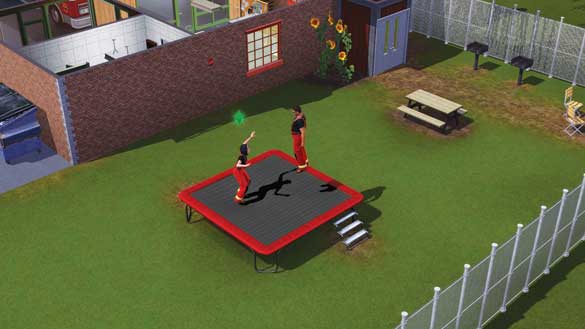
Two hidden skills are attached to fun objects for your lot: trampoline and Gnubb. Everybody loves to play on a trampoline. The longer you do so, the better you get at.
Over time, as this hidden skill is developed, your Sim jumps higher and pulls off more acrobatic moves in mid-air. Gnubb is a fun backyard game your Sim can play with the Portable Gnubb Set object.
As Sims practice and play matches, they develop this hidden skill. The higher the skill, the greater the chance at victory in a game of Gnubb. For more on the trampoline and Gnubb set, please see the New Objects chapter.
Magical Gnomes
Ambitions also introduces three new magical gnomes, one for each of the new skills: Inventing and Sculpting.
Once a Sim reaches level 8 of either skill, he or she has a small chance to create a magical gnome in the current medium.
An inventor, for example, will create a clockwork gnome, while a sculptor's gnome looks like a classical statue.
Both gnomes love to pose and often change poses when Sims are out of the room.
The third magic gnome is the wee caveman gnome, which you have a chance of finding while digging with the Miner invention or when traveling to the past in the Time Machine.
Magical gnomes seem mischievous, but they have been known to help out from time to time. If a magical gnome is left in the same room with an in-progress sculpture or invention, the gnome may work on it overnight.
When the Sim returns to the workstation the next day, the project will be 99 percent complete!