
The Sims 3 Seasons Guide Essentials Object Catalog
New Object Catalog
With the arrival of seasons in Sunset Valley—or any township that you call home—comes a wealth of new objects and items. Of course, when you begin a new life, you are likely not going to roll down the main drag with Simoleons falling out of your pockets. But use that as inspiration to roll up your sleeves, develop some useful skills, pursue an engaging (and hopefully enriching) career, and start gathering up collectibles. Pursuing a decent pocketbook is how you dig deep in Buy Mode’s impressive catalog of new goodies.
Seasons introduces a lot of new objects and decoration, such as a Snow Cone Machine for summer treats or the massive Snowboard Half-Pipe that’s used to build the snowboarding skill—as well as shred and have fun. There is a lot of new furniture that’s perfect for holiday getaways, too.
Some of these objects pull double-duty, existing not just here, but in previous chapters where they directly relate to Seasons’ new gameplay concepts and mechanics. For example, the different skating rinks—both roller-skating and ice skating—are detailed in the Seasons chapter, in their respective seasonal sections (ice skating in winter, for example).
New Objects & Interactions
If you have played The Sims games before, you know that most objects can be used (and abused) by Sims—in fact, that’s usually the point of putting an object on your lot. It should serve a function. Some objects have no function beyond boosting a room’s environmental score and giving Sims the Decorated or Nicely Decorated moodlets.
Other objects have interactions that provide learning or entertainment or satisfy a need. These objects and their interactions are detailed in this section of the object catalog. To see what interactions are available on an object, just left-click on it. A radial menu appears. Click on an interaction to add it to the action queue in the screen’s upper-left corner.
Though there are many new objects in Seasons for basic use and beautification, this chapter focuses on all of the new objects that are used in relation to the various seasons, affect skill development, are fun, and result in new activities. Many of these objects are referenced elsewhere in this guide, such as the kissing booth in the Seasons chapter or the umbrella in the weather section of the Seasons chapter.
Snow Cone Machine
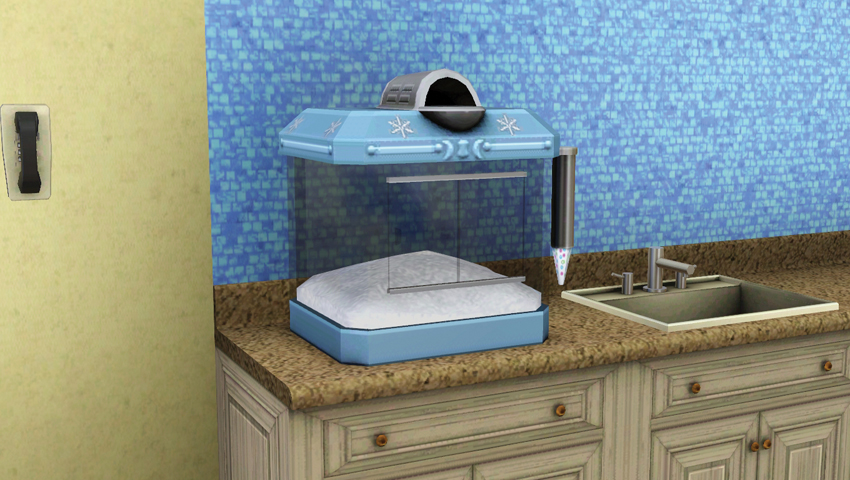
- Purchase Cost: §240
- Benefits:
- Make snow cones
- Incite moodlets
- Description: The snow cone—one of the finest examples of a product being more than the sum of its parts. Sure, it might just start as crushed ice with a couple squirts of syrup in it, but when it’s handed to you in a cup it is pure summer magic. Whether you called it a snow cone, snow ball, shaved ice, or any other name, it all meant the same thing: a rainbow of possible colors and flavors in one special treat. (Description from the counter model.)
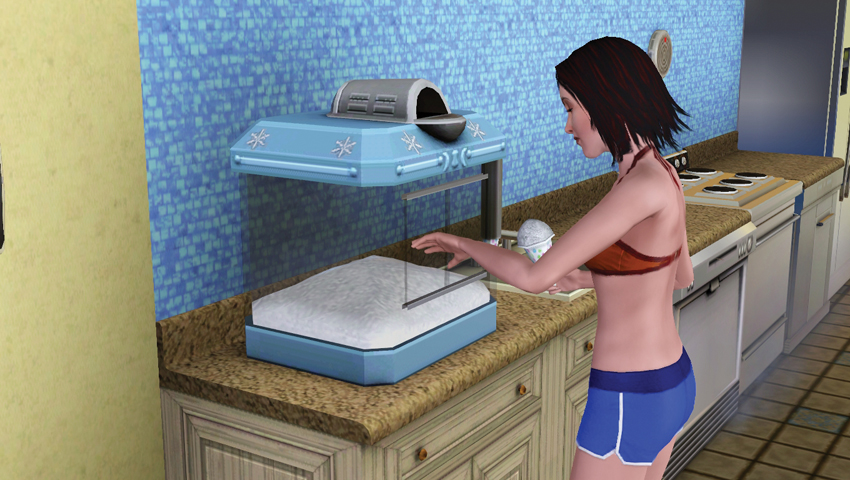
Seriously, who doesn’t love a delicious snow cone? The ice-cold treat is the perfect antidote to a blistering summer day, which is why they are served up at the snow cone cart at the Summer Festival. However, you can enjoy a snow cone all year with a Snow Cone Machine in your very own home. Whether you opt for a cart or the smaller, counter-based unit, each delivers a refreshing mound of shaved, flavorful ice every time you use it.
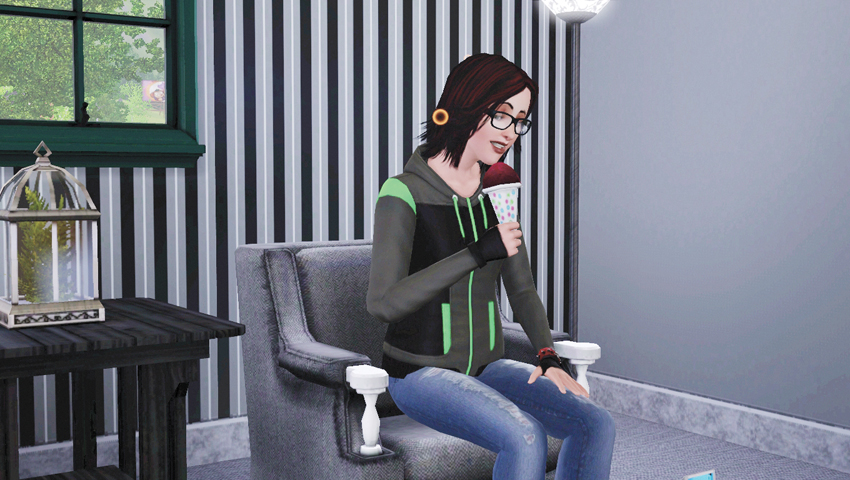
When you select Make Snow Cone on a Snow Cone Machine, you choose the flavor from a list of options. Then your Sim approaches the unit, removes a cone and starts scooping up the good stuff. Now, the flavor you choose matters because it results in a moodlet. And there is a flavor, Blizzard, that only young adult or older Sims can make because, well, it’s a flavor that’s only appropriate for grown-ups. Here are the different flavors, plus the moodlets they inspire:
- Cherry—Cheery Cherry: During duration of the moodlet, the Sim enjoys the same benefits of a Sim with the Charismatic trait, such as charisma-specific socials.
- Lime—Lucky Lime: The Sim gets the same benefits of the Lucky trait, such as a higher chance of receiving a promotion at work or a shot at the Feeling Lucky moodlet following four contiguous hours of sleep.
- Lemon—Laidback Lemon: This moodlet immediately dispels any stress-related moodlets and slows any stress gain by the Sim’s current activity.
- Grape—Gleeful Grape: During the duration of the Gleeful Grape moodlet, the Sim enjoys the benefits of the Easily Impressed trait, such as enjoying boasting socials.
- Blue Raspberry—Raspberry Romance: This moodlet unlocks the benefits of the Hopeless Romantic trait, such as being more receptive to romantic socials and having more fun when reading romance novels.
- Blizzard—Blizzard: Hey hey hey! Sims with this moodlet get the benefits of both the Daredevil and Party Animal moodlets, which includes not burning to death if on fire or the Life of the Party moodlet when going Wooo! at a party.
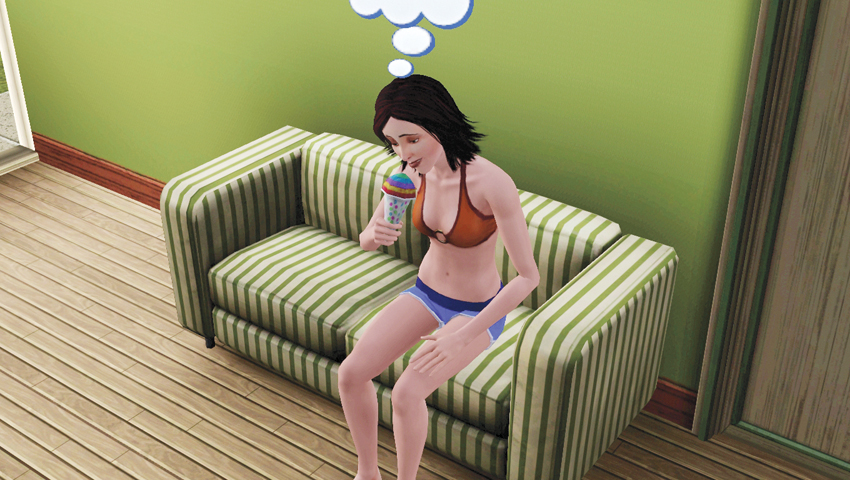
There’s also a Rainbow flavor option, which mixes the different flavors, but you only receive one randomly chosen moodlet.
Hew Snowboards
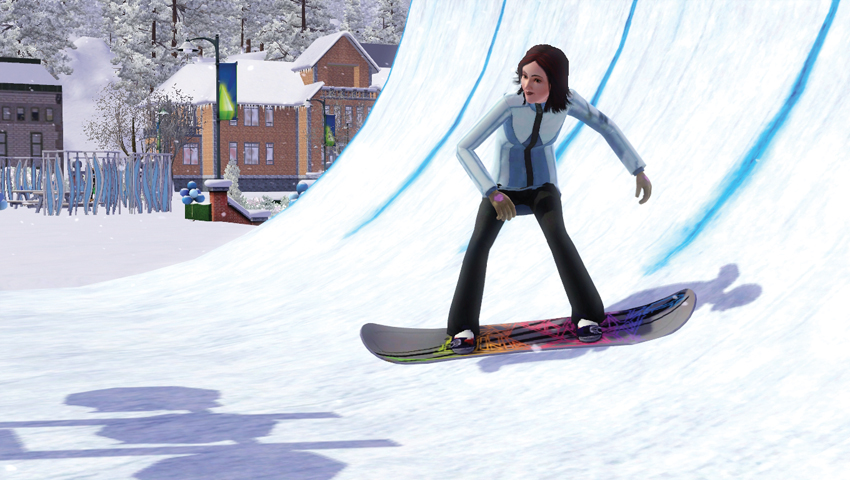
- Purchase Cost: §100–120
- Benefits:
- Customizable snowboard
- Description: It’s the last vehicle you’ll ever need. Once you feel the mountain air rushing past your face, no other mode of transportation will suffice. Hew Snowboards feature incredible custom graphics designed by the criminally insane. Pick your favorite and hit the half-pipe in style. (Description from adult-sized snowboard.)
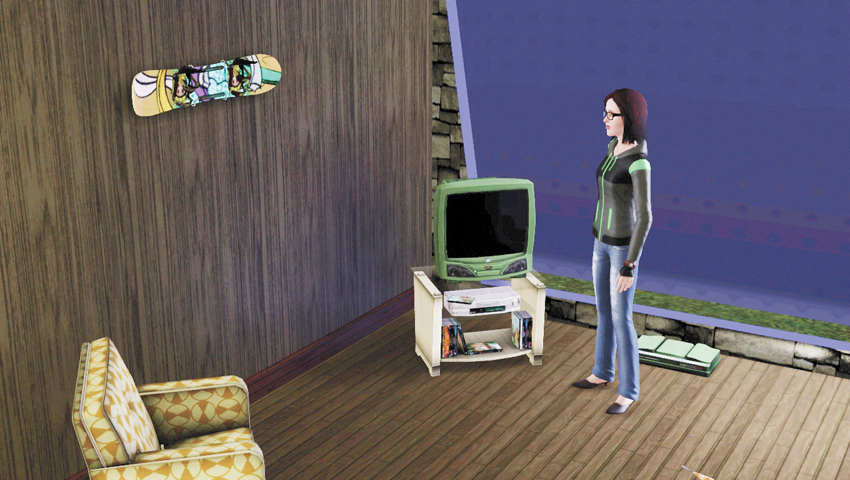
When you jump on the half-pipe, you have immediate access to a basic snowboard. However, where’s the fun and expression in that? Don’t you want to show off your personal style? Dive into the catalog and purchase either a child- or adult-sized snowboard. Choose from one of the available styles and place in your inventory or on your lot, either on the ground or hang it on a wall.
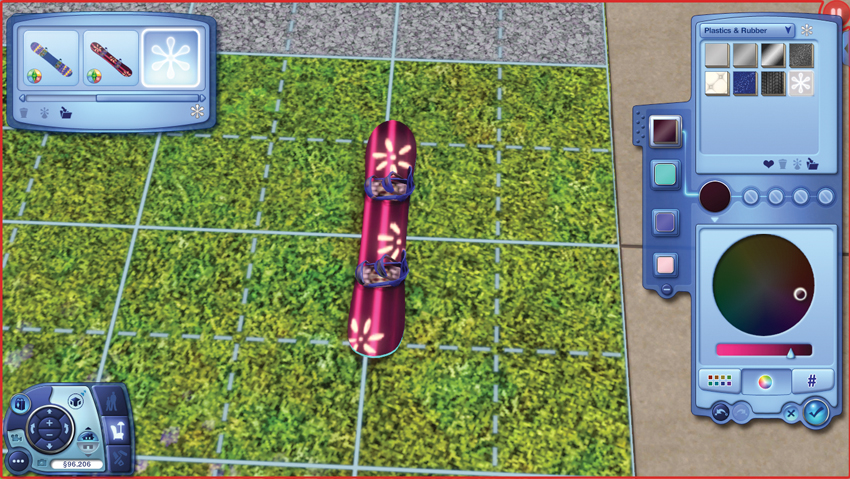
But don’t stop there! Open up Create a Style and personalize the snowboard so it is a true reflection of your Sim’s personality and personal style. Dig through the different colors and patterns to create a unique snowboard. Then, when you place the snowboard in your inventory and interact with the half-pipe, your Sim busts out their customized board and shreds with haute style!
Soccer Goal
- Purchase Cost: §425
- Benefits:
- Fun: +6
- Group Activity
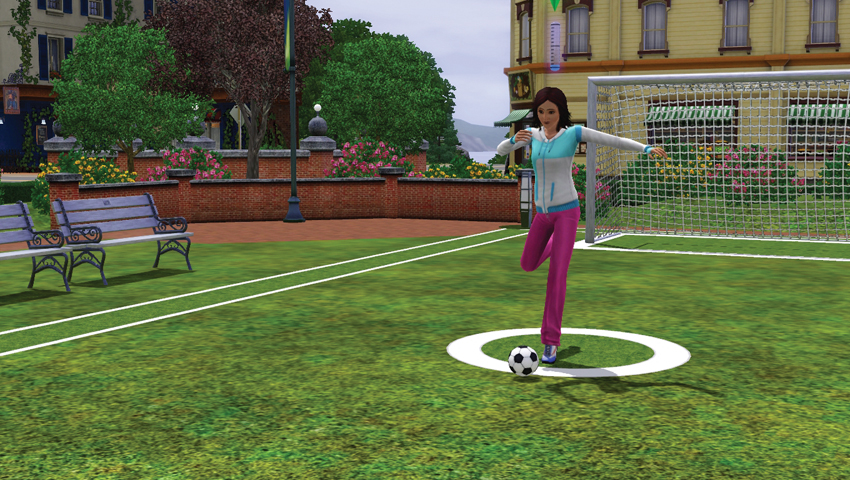
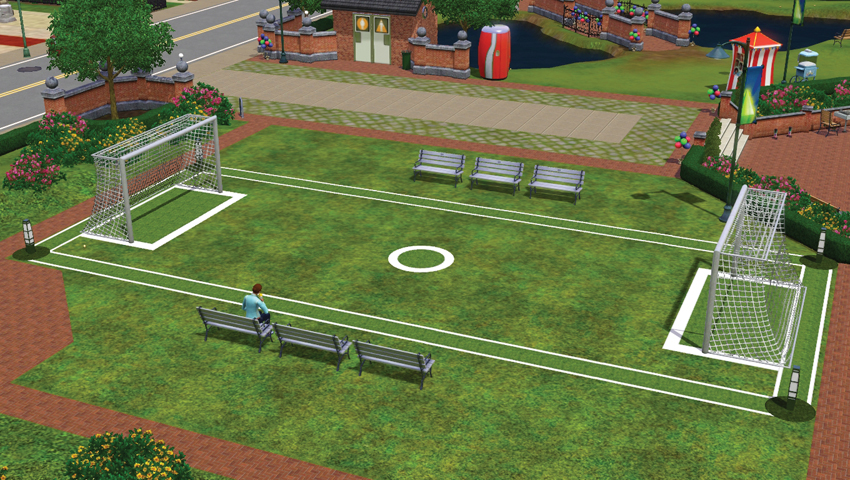
- Description: Step into the most popular sport in the world and catch the fever. The goal is slightly smaller than regulation size, making it the perfect place to practice your skills or enjoy a quick game with a friend. Experience the thrill of defending your goal as your opponent lines up his shot. Where will the ball go, and can you get there in time? And when it’s your shot to take, can you outsmart the keeper? Find out with this Soccer Goal. Or should we say, Soccer Goooooooooaaaaaaaal!!
Soccer—or football, as it’s called in most of the world—is a fun outdoor activity for Sims to play either solo or with a friend. Rather than two goals set up across a wide pitch, the Soccer Goal allows you to play in a condensed area. When Sims play with the goal, they pass the ball back and forth and start shooting for goals. Any time spent using this goal—whether that’s for practice, playing with another Sim, or entering a tournament—results in the development of the Athletic skill. As your Sim’s skill increases, they will shoot more successful goals or perform better in tournaments.
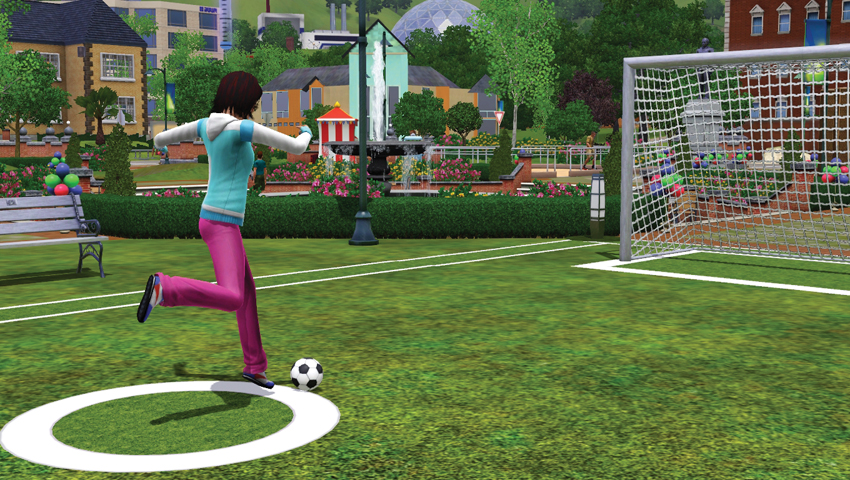
At the Soccer Goal all by your lonesome? Well, you can choose the Practice interaction. This makes your Sim walk opposite of the goal and start kicking a ball into the goal.
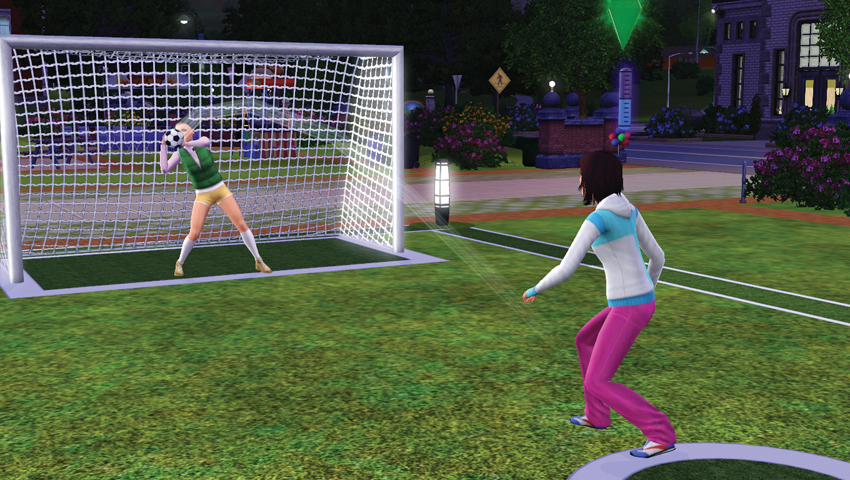
When you walk up to the Soccer Goal and somebody else is playing, you can either choose to just Watch or Ask to Join. When you join another Sim, you start a shootout contest. (You can also opt to challenge another player to a Shootout.) At this point, one Sim heads to the goal. The other walks opposite of the goal and releases a ball. The shooter then starts making kicks. The goalie darts and dives, trying to block the ball from reaching the net. At this point the Athletic skill is brought into the equation. The player with the higher skills often does better in the showdown. After several shots, the Sims switch places and the former goalie is now the kicker.
While playing with another Sim like this, both Sims satisfy the Fun need, build the Athletic skill, and build LTR.
Once Sims get better at soccer, they can start entering tournaments with other players, just like you can with chess. When playing a tournament with another Sim, you see a note that designates it as a ranked match, which is then tracked. When you lose, you can immediately rematch. When you win, it is noted you’ve won a ranked match and that you advance in the tournament.
Horseshoe Court
- Purchase Cost: §295
- Benefits:
- Fun: +5
- Group Activity
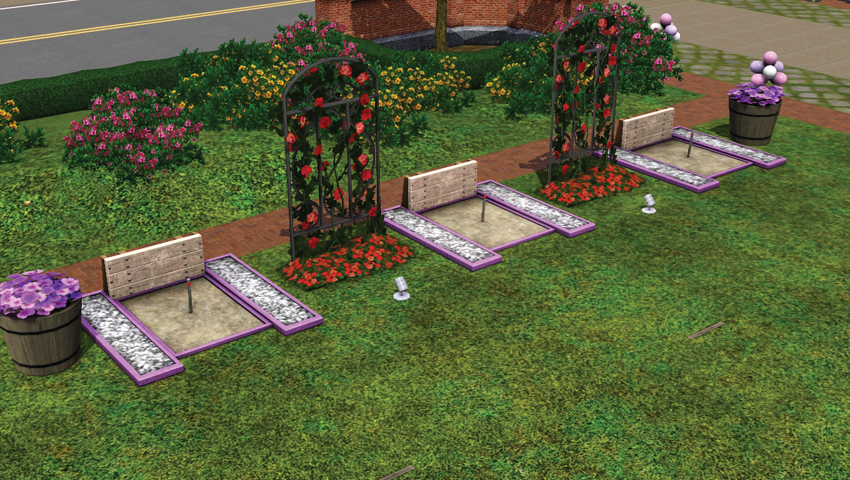
- Description: Before the internet, there was throwing things, and horseshoes is the finest example of that sport ever played. It’s the ultimate test of skill that dates back centuries! Many mistakenly refer to it as the “sport of kings” even though the actual sport of kings was massive land wars. Horseshoes: It’s the most fun you can have with a horse’s shoe!
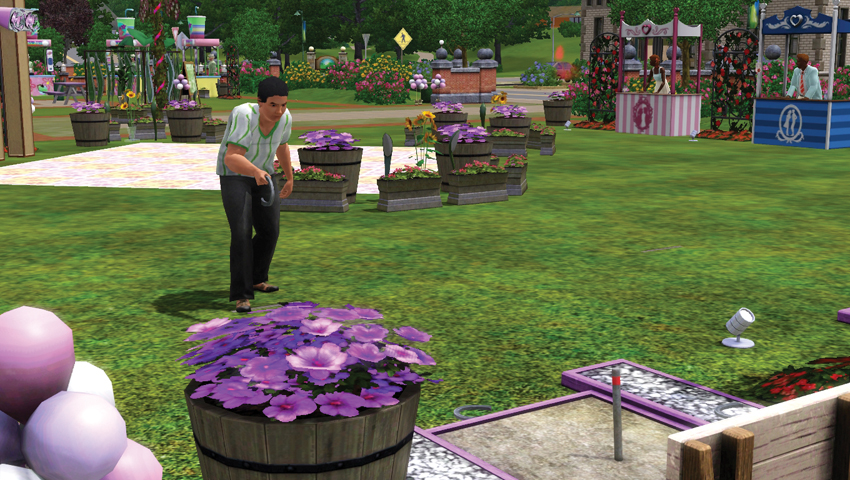
Sling and fling horseshoes like a champ at the Horseshoe Court. Though you see it at the Summer Festival grounds, you can also purchase it from Buy Mode and install it on a lot to play and practice throughout the year. Like soccer, there is a hidden horseshoe skill that is consistently developed whenever you are engaged in throwing shoes. (You do not build the skill while just watching a match.) The more you develop this hidden skill (which has 10 levels to it, although there is no visible meter that indicates your rise from level to level), the better you perform whether playing alone or with a group of Sims.
There are three interactions on this object. If another Sim is playing, you can just Watch, which satisfies the Fun need. You can also choose to either Play Horseshoes or Ask to Join, which draws other Sims into a game. When playing with other Sims, when it’s not your turn, you stand at the edge of the object and cheer/jeer, which satisfies both Social and Fun. Sims route through game, taking turns throwing a single horseshoe until all players have thrown their three. Then scores are tallied and the winner gets to celebrate.
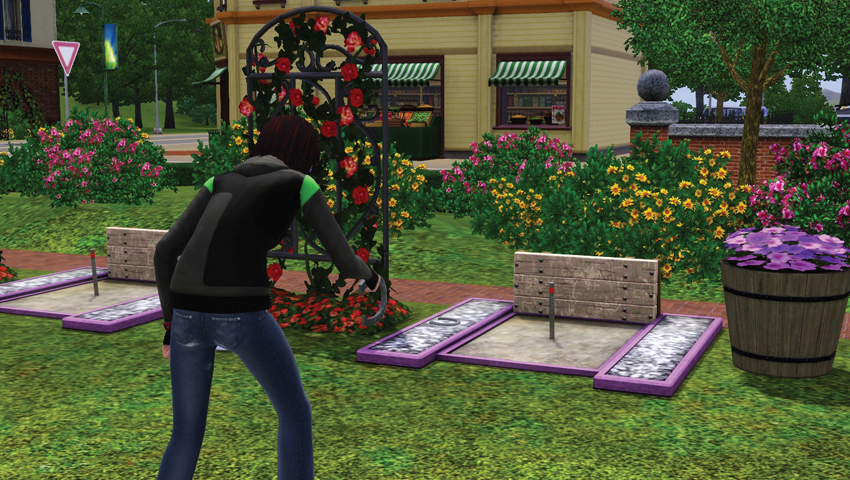
Here’s a how a game of horseshoes plays out: Sims have three horseshoes total. The goal is, of course, to get the horseshoe on the stake at the far end of the court. If you nail the throw, that’s a “ringer.” Like soccer, you do not have actual control of the throws, but your Horseshoes skill does affect the throw. If you are new, it’s pretty rare to throw a ringer. More likely, you will completely miss. Over time, your throws will landed closer to stake, which earns points. Eventually, you will throw more and more ringers. When you hit a ringer, you celebrate and Sims watching typically cheer and clap. At the end of a game, when all participating Sims throw their three horseshoes, scores are “tallied” and a winner is announced.
Roller Skating Rink
- Purchase Cost: §1,550 (small)/§1,950 (large)
- Benefits:
- Group Activity
- Develop Skating skill
- Description: Just in case you don’t have access to a time machine, you can always step into a pair of roller skates and take a few turns around the rink while groovy music plays. It’s a truly timeless pastime. And yes, greasy pizza and cold soda do taste better after roller skating! (Description from small Roller Skating Rink.)
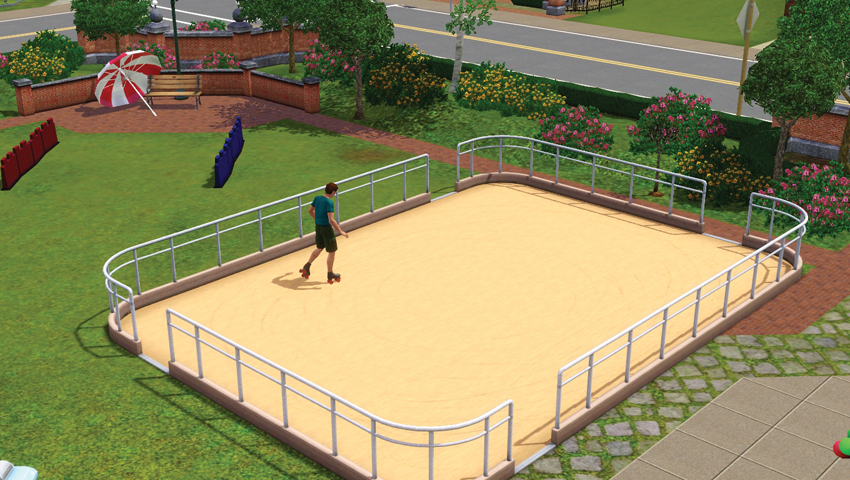
In Seasons, there are two types of skating: roller skating and ice skating. While these rinks appear at festivals associated with their seasons, such as the Ice Skating Rink during winter, they can also be purchased and placed either on a community lot or a home lot for personal use. There are two sizes of rinks: small and large. The larger the rink, the more Sims it can accommodate. When Sims enter one of the rinks, they automatically wear the skates necessary for the sport.
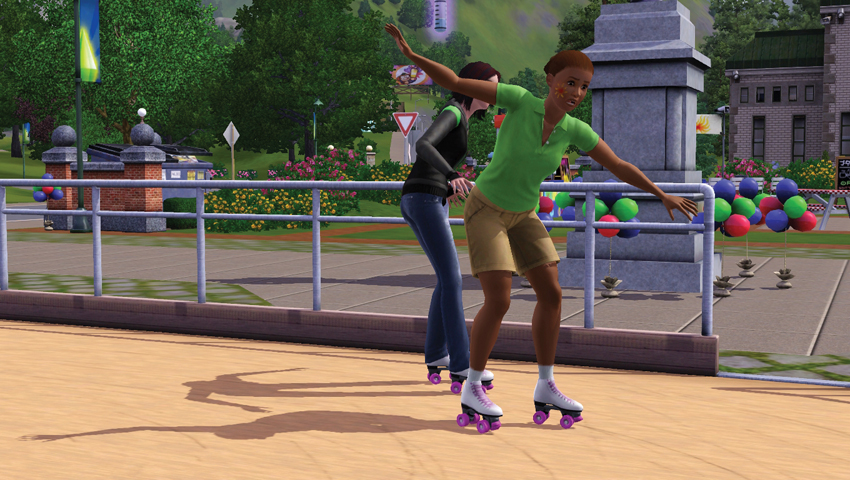
When Sims start skating, typically just in a little loop, they begin building the semi-hidden Skating skill. The more you skate, the better you become at it: less falling, smoother moves, better tricks. When you enter the rink, you join the current direction everybody else (if other Sims are using the rink) is currently skating in. There are multiple interactions you can use on the rinks:
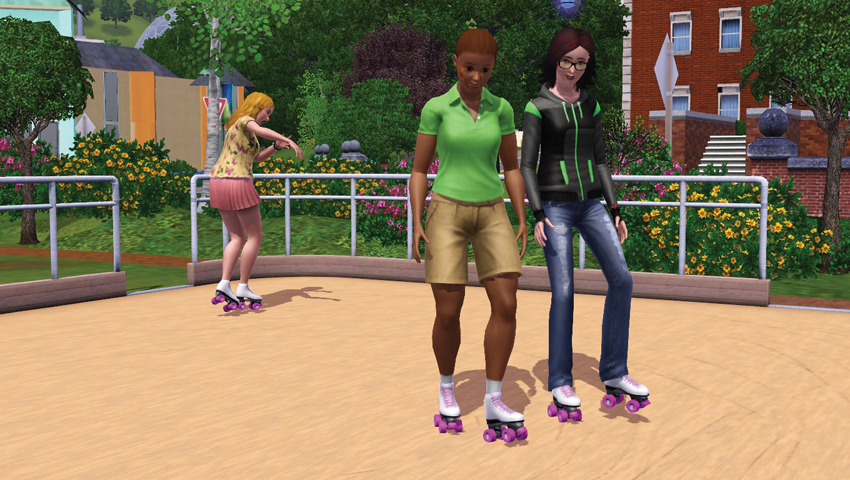
Skate/Skate with: The most basic interaction on the rink. When selected, Sims strap on their skates and start moving around the rink in the same direction as the other skaters, if there are any currently skating. If this is early in the Sim’s skating “career,” they often stumble around and even occasionally fall. However, note that meter above your Sim’s head. That is the development bar for the semi-hidden skill. As they get better, they stop slipping and falling. Sims can also choose to skate with another Sim, which not only satisfies Fun, but also the Social need. However, the skating level of your Sim can affect the other skater. For example, if you’re a newbie skater, you can pull another skater down when you slip and fall.
Join/Ask to Join: You can either chose to join another skater or ask another Sim to join you in skating.
Change Direction: When the rink is empty, you can set the direction you want to skate. With this interaction, you can set whether you want to skate clockwise or counter-clockwise.
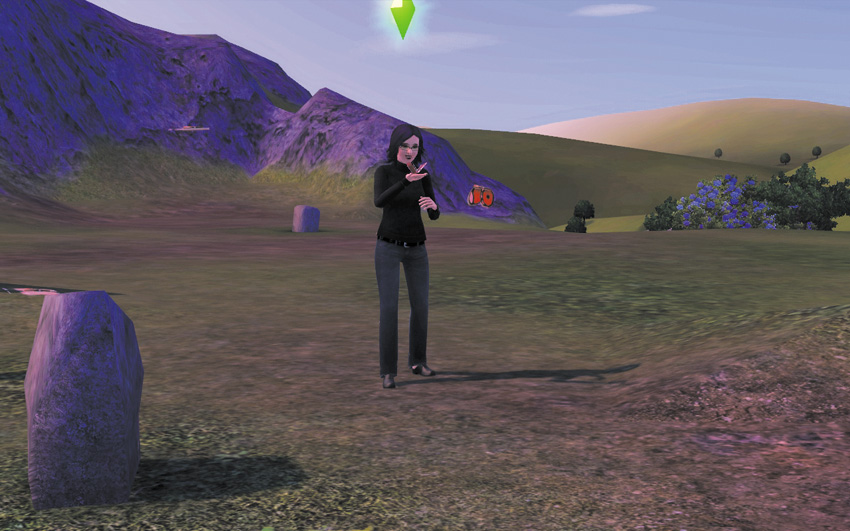
Spin/Spin with: While skating, you can choose to do a spin move. This sends your Sim to a spot on the rink where there is enough room to spin. Depending on your skill level, you can fall or perform a wobbly spin (if low skill level), perform a tight spin (medium), or a layback spin (high skill). After the spin the Sim returns to skating in a loop. If you opt to spin with another Sim (and this request cannot be rejected), you link arms and start to spin around for a few moments. If one of the Sims has a low Skating skill, there is a chance both will fall. But if both are decent skaters, they can pull off some rather graceful spins. Spinning with another Sim is Fun, satisfies Social, and boosts LTR.
Watch: Sims have fun when they watch other folks skating. They react to the different skaters, cheering on special skating moves and wincing when other Sims fall down. If you have Pets installed, major pets will even watch skaters, barking and meowing at the on-rink action.
For more information on skating and the semi-hidden Skating skill, please see the Season chapter and the New Career and Skills chapter.
Ice Skating Rink
- Purchase Cost: §1,575 (small)/§1,975 (large)
- Benefits:
- Group activity
- Develop Skating skill
- Description: The secret to making ice skating look effortless is to give it a ton of effort. It takes real strength and remarkable balance to glide across the ice. Most of us are content to do the tried and true step-n-wobble about one inch away from the wall. Don’t miss out on the fun. Grab some friends, strap on some skates, and get out there! (Description from small Ice Skating Rink.)
The Ice Skating Rink functions very much like the Roller Skating Rink, except, well, it’s icy! When you skate on the Ice Skating Rink, you develop the Skating skill, which is one of the semi-visible hidden skills. The more you develop this skill, the better you do on the ice. The interactions, such as Change Direction, remain the same on the Ice Skating Rink as they do on the Roller Skating Rink.
Snowboarding Half-Pipe
- Purchase Cost: §5,100
- Benefits:
- Develop snowboarding skill
- +Fun
- Description: This is the place where Sims come to experience the thrill of extreme winter sports. Snap those boots into those bindings, peer over the lip of the pipe, and plan your move. Hit it just right and you will feel like you’re floating through the sky. The cheers of an adoring crowd don’t hurt either! Just remember: every boarder has to eat a pound of snow before they can fly.
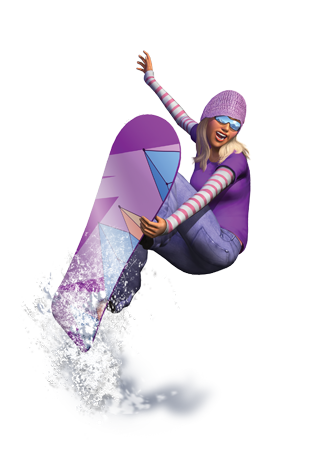
One day, strapping your feet onto two pieces of lumber and flinging yourself down a hill was no longer x-treme enough, so somebody decided why not strap both feet to one plank and completely rely on guts and balance? Thus, snowboarding! And in Seasons, your Sim can give this sport a go. But to do so, they need access to the Snowboarding Half-Pipe, which is available at the Winter Festival, but can also be purchased for a sizeable sum from Buy Mode and placed on a lot.
Now, you can always just choose the Watch interaction if you want to admire somebody else’s shredding. But how are you going to work on your own skills that way? Choose the Snowboard interaction, break out a board, and get up there!
Whenever your Sim climbs into the half-pipe and starts to shred, they develop the kinda-hidden snowboarding skill. There are essentially three levels of snowboarding skill: low, medium, and high. At first, your Sim simply gets on their board and just goes back and forth in the pipe without performing any tricks. In fact, it’s not uncommon for them to fall from time to time.
However, after filling the skill meter a few times, the Sim moves into medium and falls a lot less. At this point, they begin attempting tricks every so often when they reach the lip of the half-pipe. Tricks consist of grabs, spins, and awesomes. When your Sim gets quite good at snowboarding, they never fall and perform a lot of tricks.
In addition to boarding alone, you can opt to take turns with another Sim via the Join or Ask to Join interactions. A turn on the half-pipe lasts just a few runs. This allows multiple Sims to use the half-pipe without any one party being a pipe pig.
Rain Disruptor/Sun’s Bane Parasol
- Purchase Cost: §90 (umbrella)/§85 (parasol)
- Benefits:
- Stay dry during rain
- Keep cool during hot days
- Description: Don’t let this pouring rain soak your clothes, hair, and skin. You are not a stray cat! You are a human being, and therefore greater than anything nature can produce. Keep nature at bay with the Rain Disruptor, a collapsible shield that can be deployed in seconds to deflect those hated drops. And now that it’s waterproof, our Rain Disruptors are 700% more effective!
With the new weather features in Seasons, it’s best to be equipped with a parasol or umbrella for rain or shine. Sims don’t necessarily like to be soaked in the rain, so buying one of these and placing it in your Sim’s inventory allows them to automatically unfold it when the wet stuff starts coming down. However, you can direct a Sim to use an umbrella by clicking on it in the inventory. If you have multiple umbrellas or parasols, this designates a particular umbrella as the go-to object.
When you step out and use a parasol to block the sun, you keep your Sim’s temperature low and prevent them from overheating. When you use an umbrella in the rain, your Sim will not get wet, which avoids the Soaked moodlet.
There is always a chance that your umbrella or parasol will break. If that happens, the umbrella cannot be properly opened and your Sim get hot and/or wet. Umbellas cannot be repaired, however, there is an upgrade that makes the umbrella unbreakable.
There is a second upgrade for the umbrella that you’re sure to love: turn the shaft into a light rod. The Glow upgrade converts the umbrella into a laser-like sword straight out of a really cool sci-fi film universe. When the umbrella is opened, the glow kicks in, bathing the Sim with light. The color of the light can be adjusted. In addition, you can also turn the light on when the umbrella/parasol has been taken out of inventory and placed in a room on a lot.
Don’t forget that you can use Create a Style to customize an umbrella or parasol. Buy the object, place it, and then open the tuning tool to splash it with bright colors or exciting patterns. Stand out from the crowd!
Apple Bobbing Tank
- Purchase Cost: §285
- Benefits:
- Group Activity
- Description: It’s the most beloved and iconic festival game that no one has ever actually participated in! It’s easy to play. Simply secure your hands behind your back and stick your face in a giant tank of cold water. Your reward? A shiny apple! Fun for all ages!
Bobbing for apples is an activity traditionally associated with autumn festivals, however it can be used year-round. Up to four Sims can use the Apple Bobbing Tank to have fun and see who can collect the most apples using only their teeth. When you select the Bob for Apples interaction, the game will attempt to route up to three other Sims over to the tank to play along. At least two Sims are required to play, so after a few moments, the game will begin as long as one other Sim joins.
Once the game starts, Sims bend down and start biting at the apples. When a Sim nabs an apple, they rise up and spit it off to the side before dunking their heads back into the tank. The first Sim to grab five apples from the tank wins! That Sim then gets the Winner moodlet. All Sims then receive Festival Tickets, although the winner gets the most.
You can also opt to choose Join or Ask to Join in order to request specific Sims to join your game. If joining, this just pushes your Sim to an open slot around the tank.
Family Fun Water Arena
- Purchase Cost: §315
- Benefits:
- Fun: +6
- Group Activity
- Description: Take family fun time to the next level with the Family Fun Water Arena, and give your family a place to play all year round. When it’s hot out, take your spot on the arena floor and prepare your arsenal of water balloons. And when winter rolls in and the ground is covered in snow? You got it! Snowball fight! Accommodates up to 4!
Sims love to play with snowballs and water balloons. As explained in the New Career and Skills chapter, as well as the Seasons chapter, Sims can start playing at any point. However, at festivals or on community/personal lots, Sims can use this object to designate a specific zone for play fights. With the arena, you can opt to start matches, join existing matches, and pick out Sims to compete with.
Golden Glow Tanning Booth
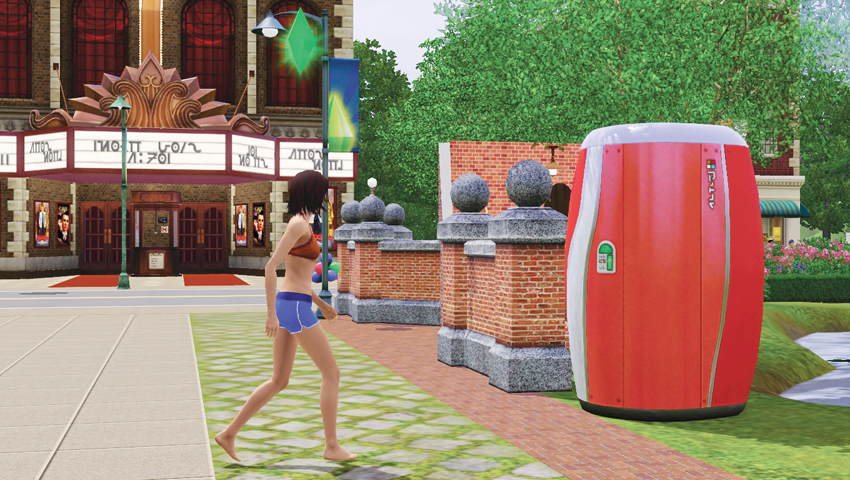
- Purchase Cost: §2,000
- Benefits:
- Give Sim a tan
- Description: Bombarding yourself with UV radiation for a quick, cosmetic tan is dangerous and barbaric. Get a quick, cosmetic tan the natural way by spraying your entire body with Golden Glow’s patented MuchoTan Bodycoat. Your skin will register at least a 97.5 on the Murakami-Grant Pigmentation Scale, and thanks to an infusion of our proprietary Saf-T Chemicals, the impact on your health is minimal. The Golden Glow Tanning Booth. Your personality glows... shouldn’t you?
When the Summer Festival starts up, you spy the Golden Glow Tanning Booth on the designated festival grounds. But why wait for summer for a perfect tan? Purchase the Golden Glow Tanning Booth in Buy Mode, install it on your home, and use it year-round.
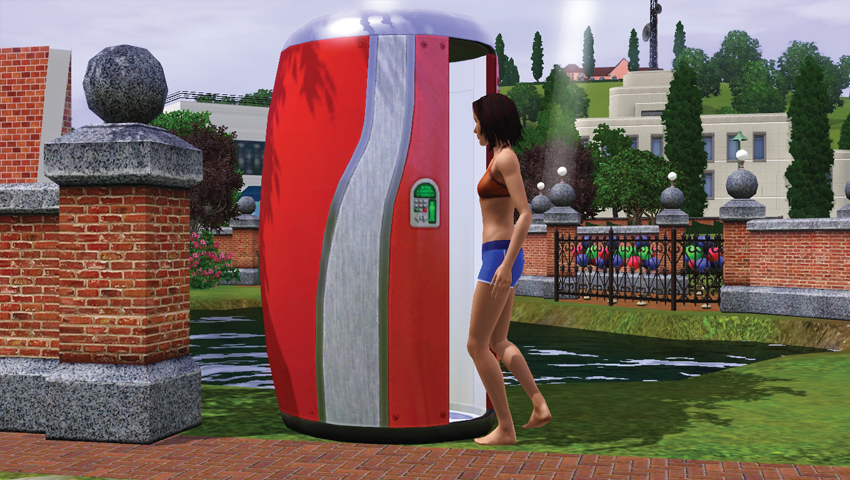
The main interaction on the tanning booth is: Get a Spray Tan. (No UV tanning here, pal. The verdict is in and that stuff is dangerous!) Sims enter the booth and after a few moments, step out with their tan. They check themselves out and, if happy, go on about their day. However, there is a chance the spray tan fails and ends up giving the Sim a strange hue. The three fails are:
Uneven Tan: Stepping out of the booth, the Sim realizes only one half of them is tan! The Sim is dinged with the Got an Uneven Tan moodlet.
Discolored Tan: The Sim emerges from the machine and realizes that—wait a second—they’re purple! (Or green! Or pink!) This results in the Got a Discolored Tan moodlet.
Bad Tan: The Sim emerges either totally charred or carrot orange. The Sim freaks out at the sight and gets the Went Too Far moodlet.
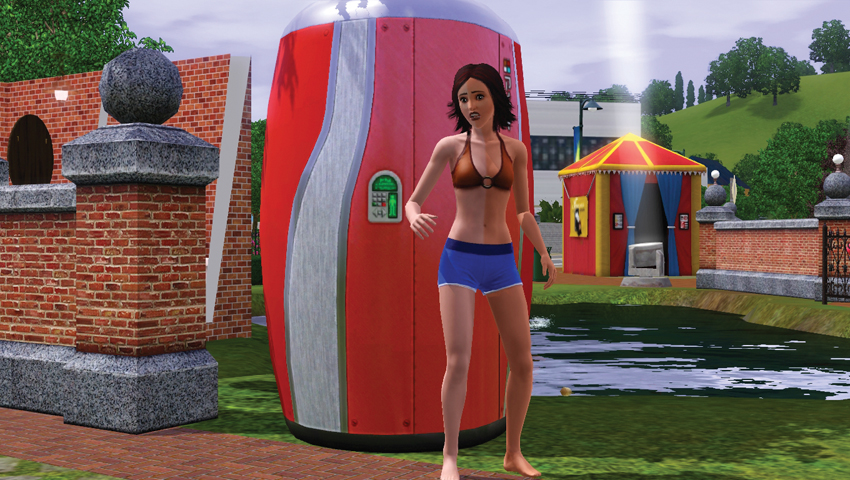
Ooooooops!!
After any failed tan, Sims must wait for the effects to wear off.
Mistletoe
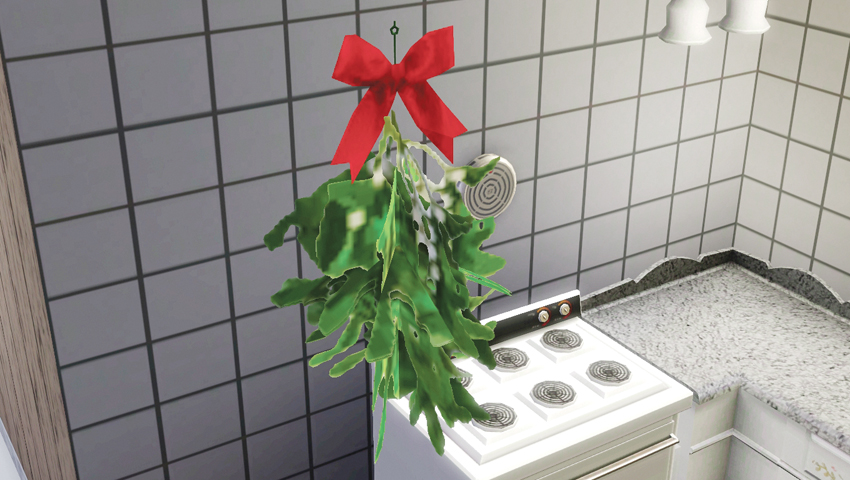
- Purchase Cost: §55
- Benefits:
- +LTR for successful kisses
- Kissed Under Mistletoe moodlet
- Description: When peppermint lipstick is just too subtle, Sims in search of a holiday smooch turn to Mistletoe. Simply hang a sprig of this magnificent plant from the ceiling, and then keep finding excuses to wander under it at a party. It’s that simple! Kick start your wintry lip lock with Mistletoe: the kissing plant!
Look, we all know the ultimate goal when somebody pins Mistletoe to the ceiling or in a doorway, and that holds true in Seasons. As long as there is nothing beneath it, you can place Mistletoe on a ceiling and (hopefully) set up some romantic encounters for your Sims.
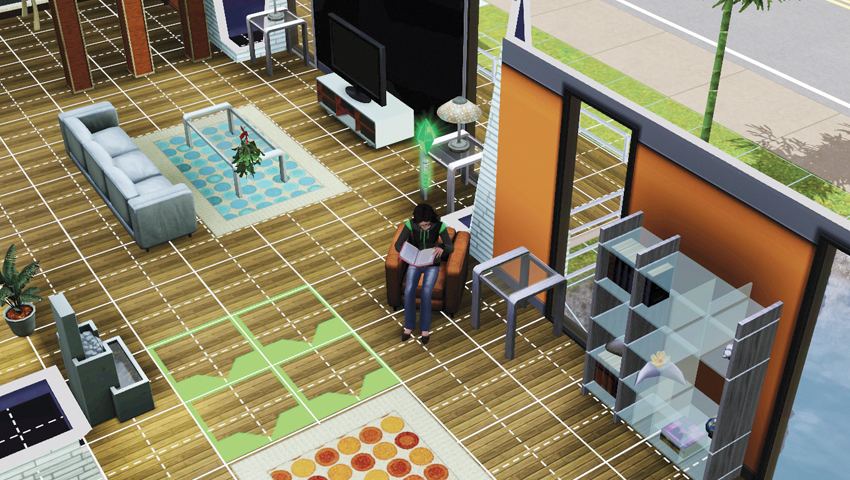
To make use of the Mistletoe, click on it and choose Ask for Kiss. This brings up a Sim selector. Family members and Sims with low/negative LTRs will not appear in the selector. When the requested Sim wanders over to the Mistletoe, your Sim will point up to the sprig and indicate a desire for a smooch. At this point, the LTR between the Sims determines the success or failure of the request, but the presence of the Mistletoe does slightly increase the chance of success.
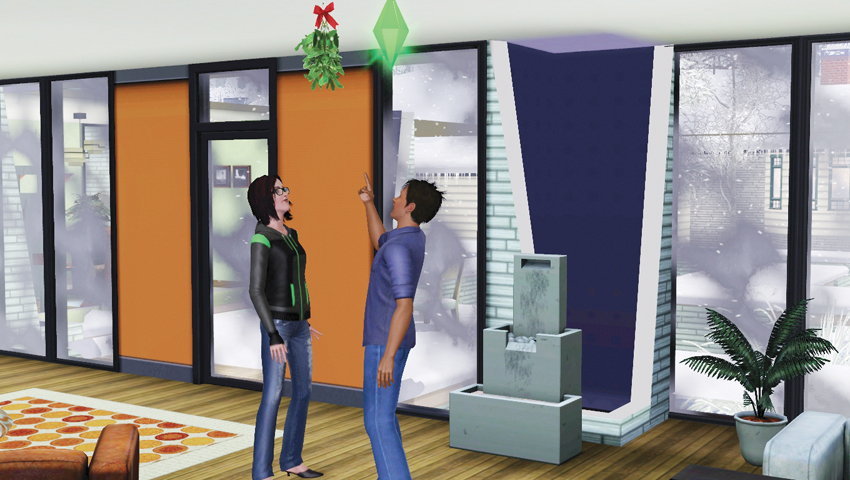
A successful kiss beneath the Mistletoe results in an LTR bump and satisfies the Social need. Plus, you get to see a special sprinkling of festive dust to signify that this was no ordinary kiss. But wait—there’s more! Both Sims receive the Kissed Under Mistletoe moodlet.
Mistletoe gives a slight environmental bonus to a room.
Scarecrow
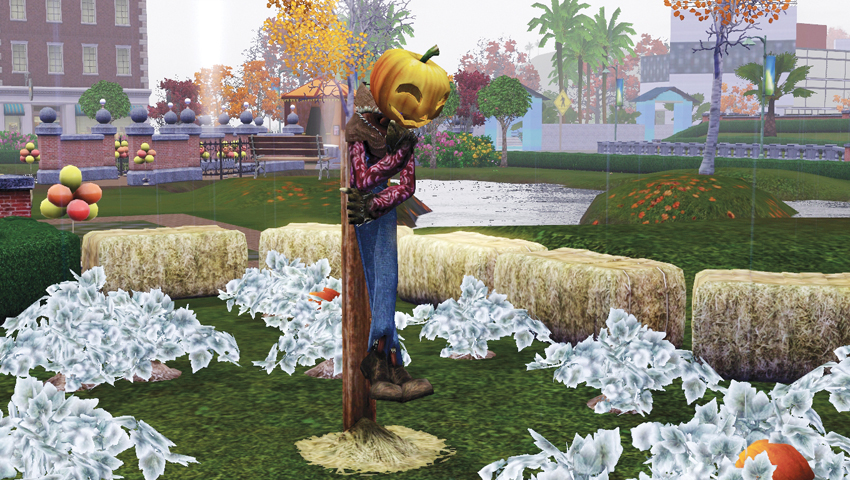
- Purchase Cost: §275
- Benefits:
- Environment: +8
- Description: This pumpkin-headed fellow has one job to do, and he does it very well: scare all the critters. Just stand him up near any crops you want to protect and he’ll go to work immediately. Actually, some people even think he does his job a little too well. Maybe it’s best not to stand too close...
Autumn just never feels complete without the friendly presence of a Scarecrow. But in Seasons, you can install one of these stuffed sentinels year-round on a lot. The primary use of the Scarecrow is to keep animals away from crops (and we’ll detail that in a moment), but there is another fun interaction on the Scarecrow: Watch.
Wait a moment—Watch? Just stand there and look at a strawman with a pumpkin head? Sure. In fact, give it a try. Surely nothing out of the ordinary will happ—BOO!
Did that scare you?
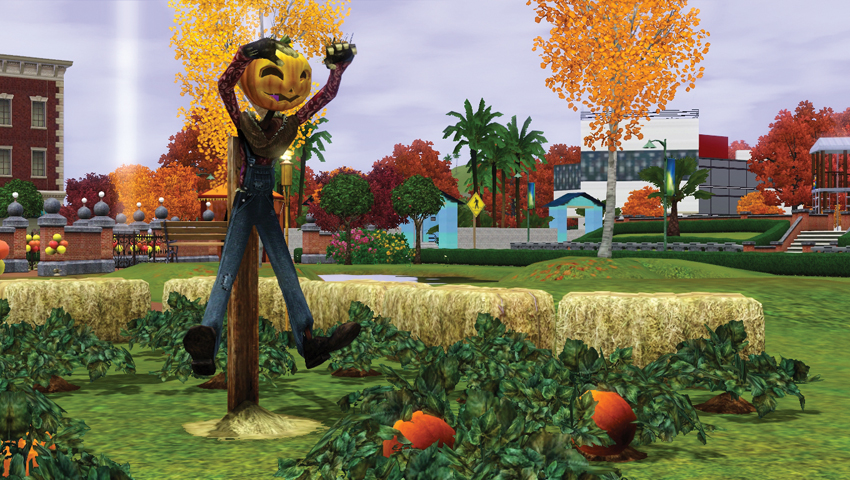
See, there is a small chance that the Scarecrow will make a freaky face. This always catches Sims off-guard. Most Sims are Terrified and run away from the Scarecrow. Cowardly Sims have been known to suffer a bladder fail. The only Sim that is not totally spooked by the Scarecrow’s scare tactics are Brave Sims.
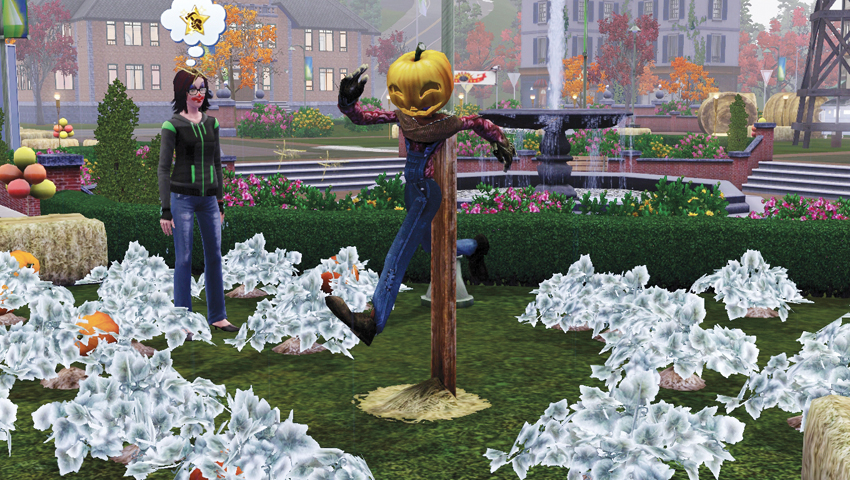
Now, there is another animation you might spot from a Scarecrow. The stuffed fella may do a goofy running-in-place action that surprises and delights. Unlike the previously mentioned scare, this does not frighten anybody. In fact, it satisfies the Fun need.
Brownie Bites
If you have Pets installed, the presence of a Scarecrow near harvestables or a trash can will prevent the meddling of wildlife and other animals. So if you have valuable harvestables sprouting up all around you, make sure to protect yourself!
Diving Board
- Purchase Cost: §575
- Benefits:
- Dive into pool
- +Fun
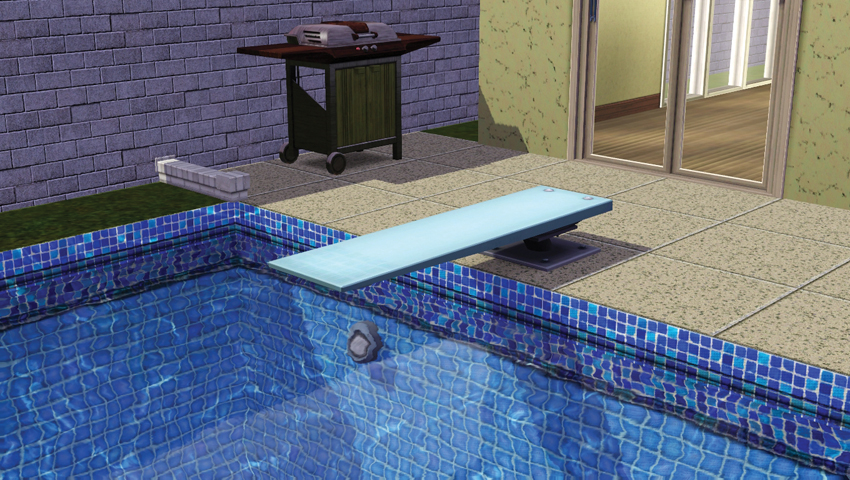
- Description: The pool is but a stage, and the diving board is your place in the spotlight. It is the ultimate platform to showcase your personal style. Everyone is watching! Will you execute a fancy dive? The crowd-pleasing cannonball? Will you completely chicken out? The choice is yours!
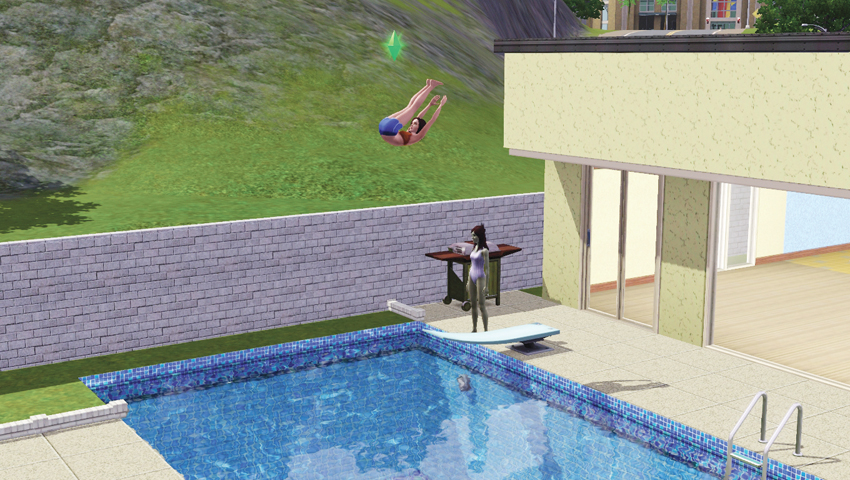
Diving boards are new to Seasons. Once installed on a pool, Sims can perform dives from the board. Click on diving board and choose Dive. This sends the Sim to the diving board where they jump into the water. They will either make a successful dive or clumsily flop into the water.
07-041.jpg
There is a Make a Big Splash interaction, too. Instead of diving, the Sim performs a massive cannonball. The sends a huge splash of water outside the pool, soaking anybody in close range. (Those Sims also get the Soaked moodlet.) The bigger the Sim, the bigger the splash.
Inflato Aqualounge
- Purchase Cost: §95
- Benefits:
- +Fun
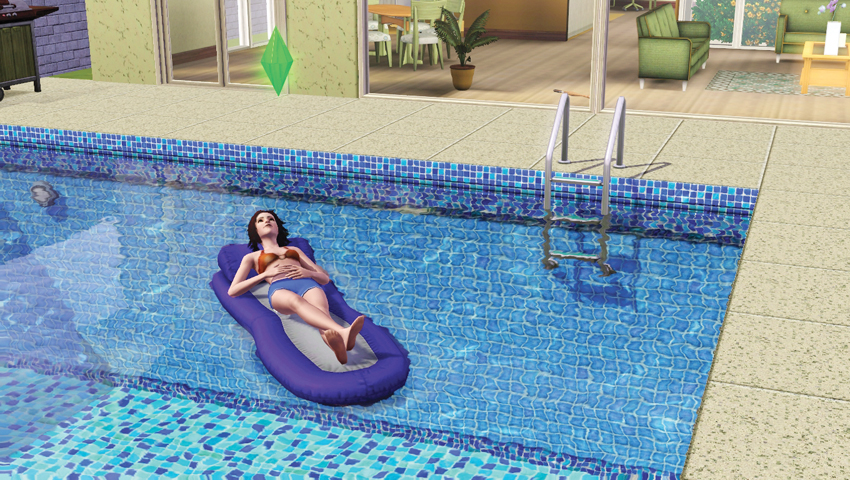
- Description: We get it. Sometimes you want to be in the pool, but you just don’t want to mess with all of that water. That’s why the good people at Inflato invented the Aqualounge. Lay out in style above the waves and show everyone that water is beneath you.
This pool lounger is a fun object that Sims love to use. Whether you have it in the Sim’s personal inventory or near the pool, ready to use, Sims will enter the water and climb into its comfy seat. While in the lounger, Sims lazily float around the pool, and can also nap or read.
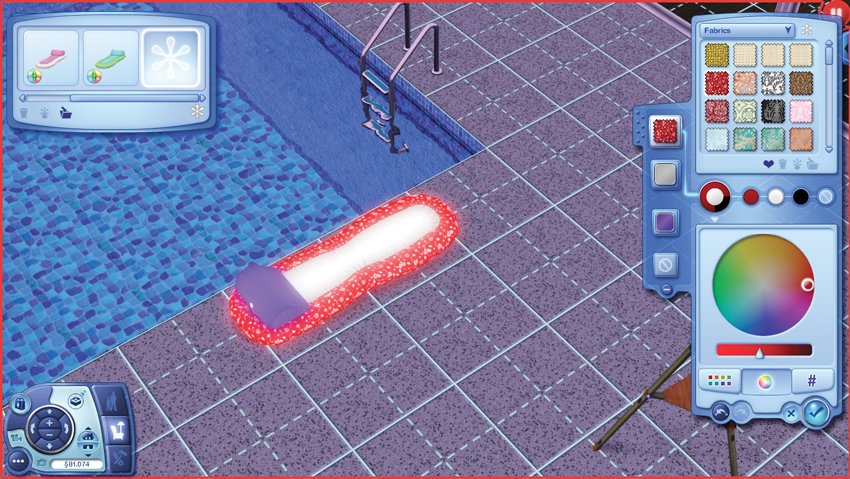
Open up Create a Style and customize the Inflato Aqualounge to reflect your Sim’s personality.