
The Sims 3 Seasons Guide Essentials New Simology
New Simology
The passage of time need not be a thing of dread. Life turns with the seasons. The coming of spring marks a time for hope and renewal. The graceful falling of leaves in autumn reminds us of the inevitability of change. And in Seasons, Sims will explore how the course of a year—not just the changes in weather, but the ebb and flow of time itself—shake the soul and hopefully let the grace out.
Because change is one of life’s constants, understanding how the inner workings of Sims, from their personalities to how romance blooms, is important for getting the most out of each passing year. Use this chapter to discover new traits and Lifetime Rewards, new socials and party possibilities, an updated attraction system that affects the chance of love taking hold of a heart, and so much more.
Create a Sim
Should you choose to create a new Sim in Seasons, rather than import an existing Sim or start with a pre-made household, you will discover all-new options, including new traits and Lifetime Wishes. You can also alter the appearance of your Sim in a variety of cosmetic ways. Seasons adds many new options to Create a Sim: new clothes, new hairstyles, and much more.
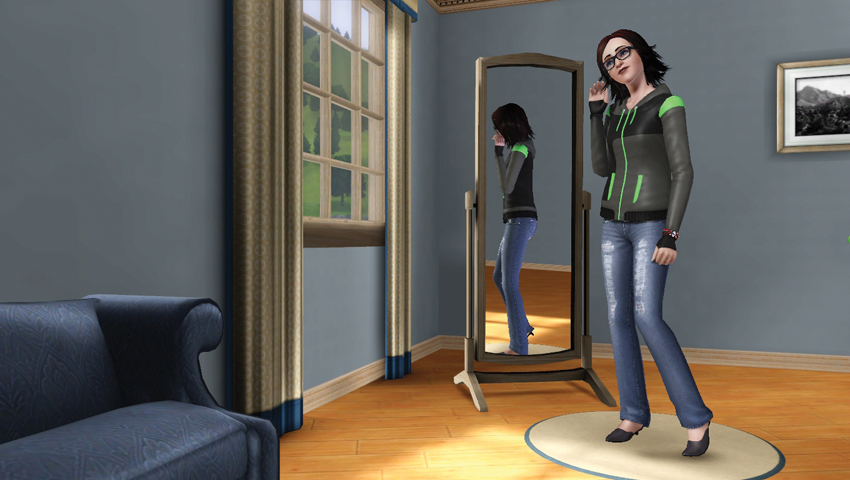
When you first enter the Create a Sim tool, you meet a pre-built Sim just waiting for you. You can choose this pre-set Sim and dig right into the personality or you can use this Sim like modeling clay. You can also play around with the Sim Bin, a collection of pre-made Sims that can be called into the Create a Sim “dressing room” and changed to your liking. Perhaps you dig that Sim’s hairstyle but want a different color. Or you are struck by the face of a Sim but just aren’t sold on a certain aspect, like the ears or chin.
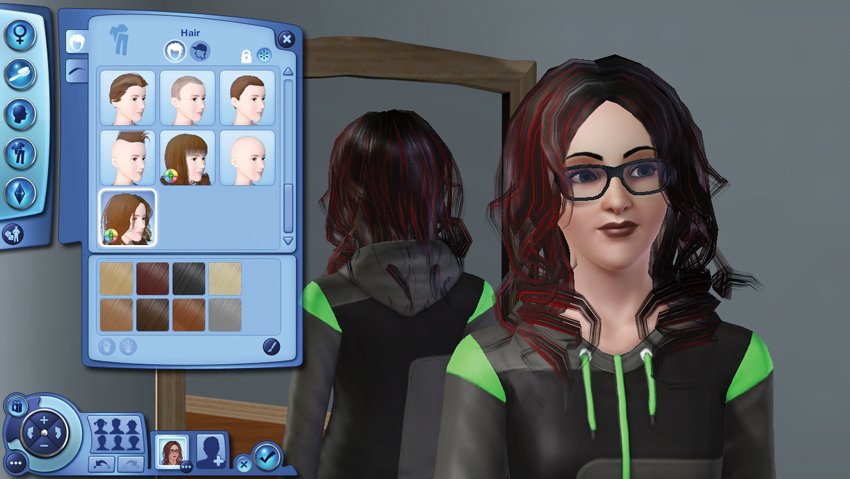
Chances are, though, that you will want to make more than just one or two small tweaks. You will want to design a Sim from the toes up (or the hair down). From the first screen of the Create a Sim toolkit, you have five tabs of options and potential changes. Here are the five tabs and their functions:
- Basics: This tab lets you name your Sim and change its gender, skin tone, muscle definition, age, and more.
- Hair: Use this tab to change your Sim’s hairstyle, which includes adding headgear.
- Looks: Go here to change the general appearance of your Sim’s head and face, including making adjustments to chin, nose, eyes, and cheeks.
- Clothes: Select your Sim’s basic wardrobe from this tab, including everyday wear, athletic garb, and formal clothes.
- Personality: This tab lets you assign specific traits to your Sim, choose personal favorites (food, music, and color), and select a Lifetime Wish.
Carried Over Cosmetic Changes
Create a Sim features such as body hair, breast size, make-up opacity, tattoos, and astrological signs are also carried over from previous expansion packs like Ambitions, Generations, and Late Night. Even if you don’t have these earlier expansion packs installed, the Create a Sim features introduced by these expansions are still available in Seasons, offering a powerful set of Sim-altering tools.
Tattoos
To add a tattoo to your Sim, choose the Looks tab. There is a new Tattoo button at the bottom of the menu, directly under Make-Up. When you select Tattoo, your Sim appears in front of the mirror and you have a near-full view of their body so you can apply the tattoo exactly where you want without any obstructions.
You may apply a tattoo to four places on your Sim: back, arm, chest, and ankle. In each body location, you can choose from a few different spots. For example, on the back, you can pick the shoulders, small of the back, or right in the dead-center.
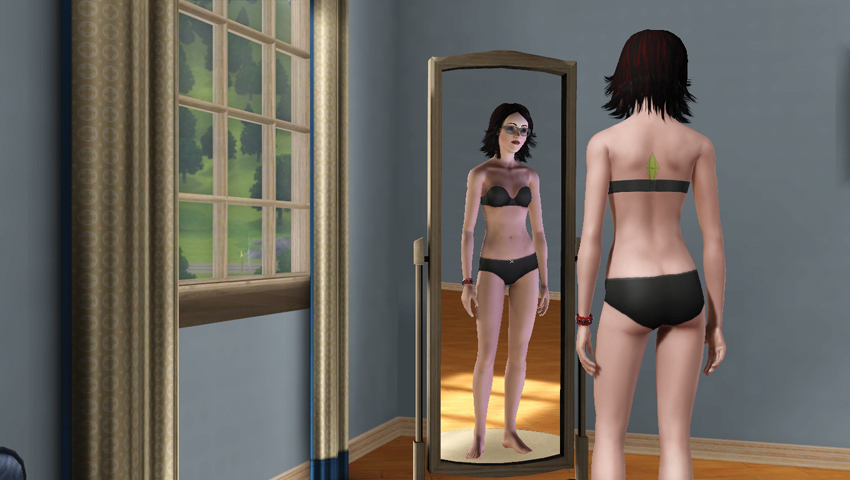
Select a tattoo from the multitude of available options.
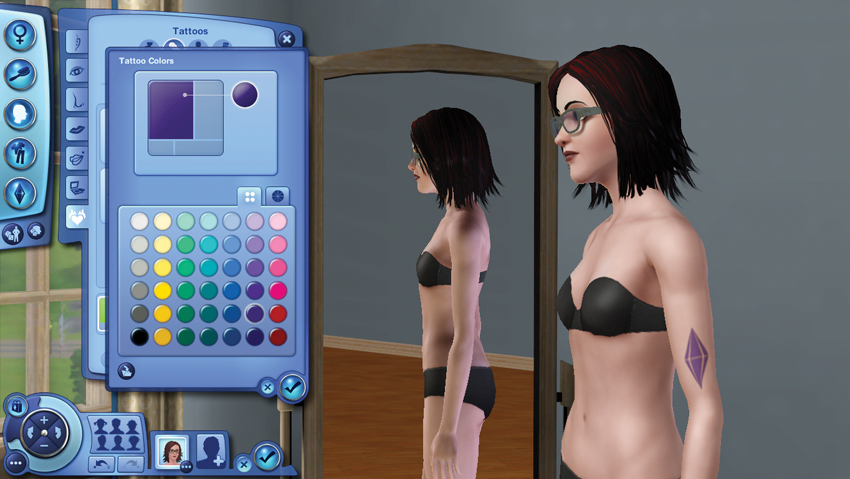
Once selected, you can use the color picker to adjust the tones and hues of the tattoo. Some tattoo have just one color, while others are composed of multiple fields that you can alter.
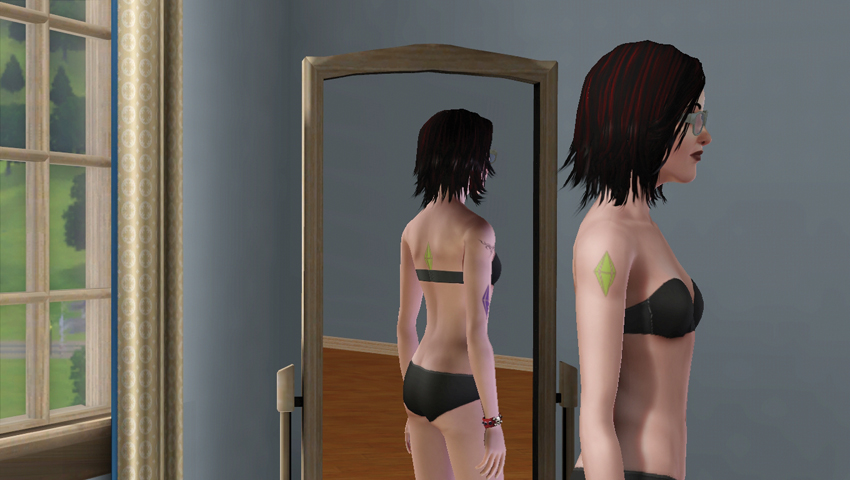
Mix and match tattoos. Place multiple tattoos on a Sim. Adjust size and opacity. The world is your oyster!
Astrological Signs
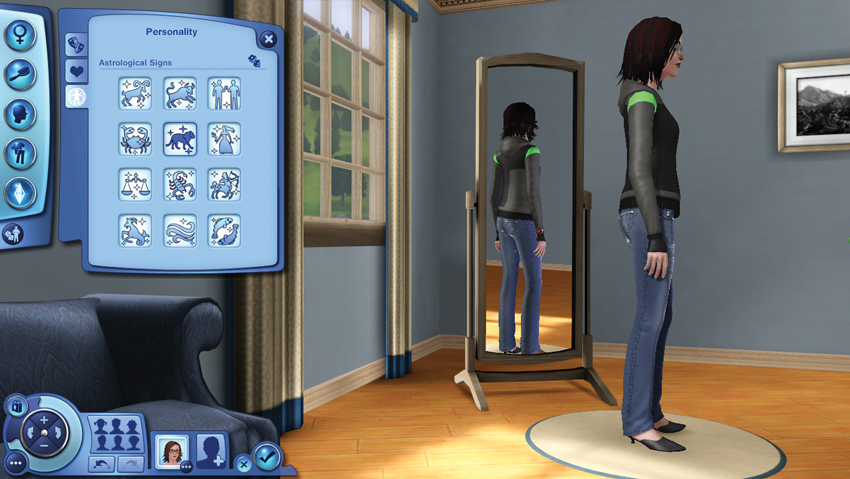
When crafting your Sim’s personality, you now can give them an astrological sign. You can select from the 12 familiar signs of the zodiac. This is as close as you can get to setting an actual birthday for your Sim, as these signs are associated with time periods on this side of the screen, although Sims operate on a far different calendar than we do. The 12 zodiac signs are:
- Aries
- Taurus
- Gemini
- Cancer
- Leo
- Virgo
- Libra
- Scorpio
- Sagittarius
- Capricorn
- Aquarius
- Pisces
The zodiac signs do not have a direct effect on a Sim’s personality. There is no horoscope that uses signs to determine behavior. (That’s what your mouse is for.) But it does give Sims an extra thing to talk about. Sims can use a flirty What’s Your Sign social to hopefully learn a potential paramour’s astrological sign.
If the other Sim deigns to share, this information is stored on that Sim’s relationship entry in the Relationship tab of the Status panel. If the other Sim has a compatible sign, you both receive a small relationship boost. These are the compatible signs:
- Aries: Leo, Sagittarius, Gemini, and Aquarius
- Taurus: Virgo, Capricorn, Cancer, and Pisces
- Gemini: Libra, Aquarius, Aries, and Leo
- Cancer: Scorpio, Pisces, Taurus, and Virgo
- Leo: Aries, Sagittarius, Gemini, and Libra.
- Virgo: Taurus, Capricorn, Cancer, and Scorpio
- Libra: Gemini, Aquarius, Leo, and Sagittarius
- Scorpio: Cancer, Pisces, Virgo, and Capricorn
- Sagittarius: Leo, Aries, Libra, and Aquarius
- Capricorn: Virgo, Taurus, Scorpio, and Pisces
- Aquarius: Libra, Gemini, Sagittarius, and Aries
- Pisces: Scorpio, Cancer, Capricorn, and Taurus
Body Hair
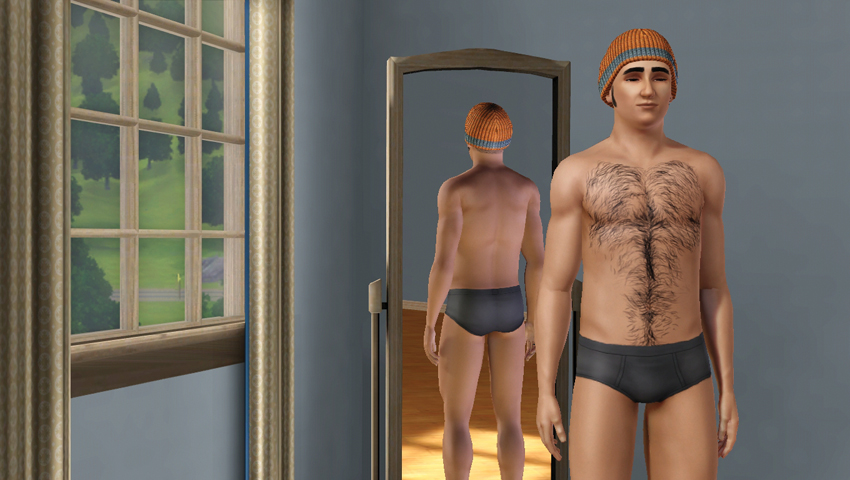
Male Sims are no longer hairless wonders. Now you can add body hair via a tab in the Looks section. When you click on the tab, you select which part of the body you want to graft hair to: chest, back, arms, legs. Then, choose the amount of hair. Do you want a grizzly bear or just a cropdusting of fuzz?
Expanded Closet: Outerwear
As with previous The Sims 3 expansions, Seasons comes complete with a several closets-worth of new clothes for your Sims. However, in addition to new clothes in all of the existing categories, you now have a sixth wardrobe option: outerwear. Because everyday wear is not nearly warm enough for the colder seasons, especially a snow-filled winter, you need to assign an outfit for inclement weather.
When you initially enter Create a Sim, outerwear is randomly assigned. But dig into that new wing of the Create a Sim closet and pick up heavier jackets, warmer pants, gloves, and boots that will look fresh and fab on your Sims. Here are several options for outerwear, all of which can be customized via Create a Style.
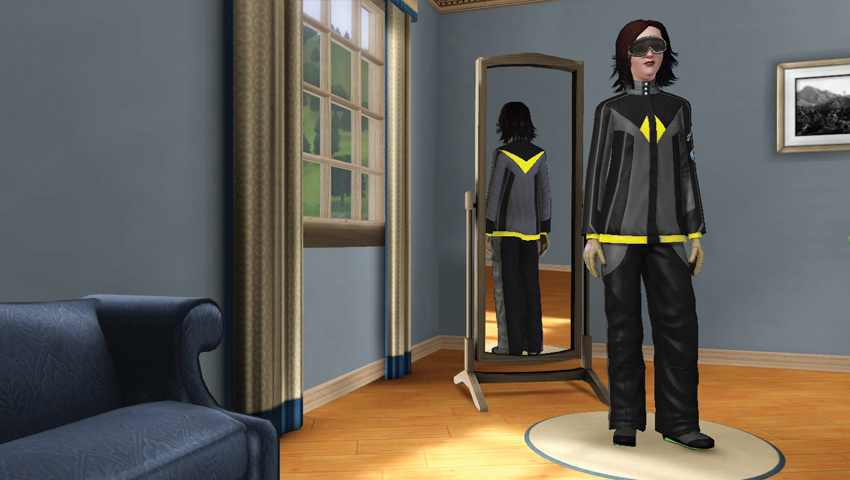
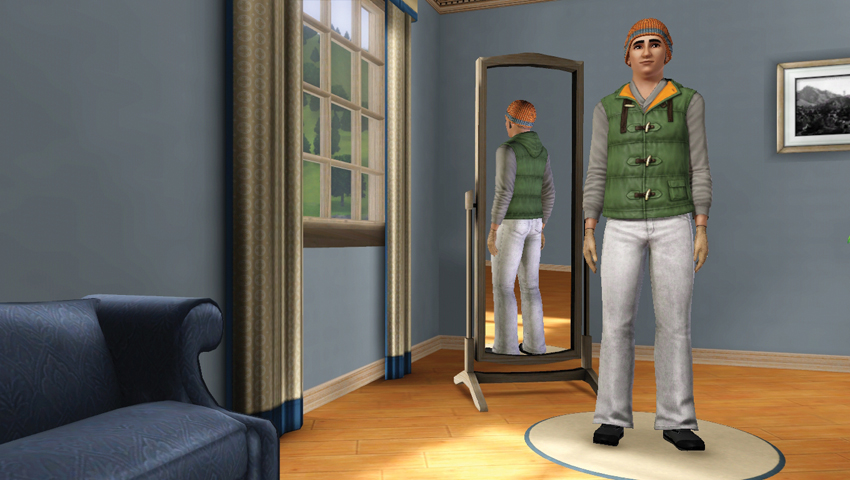
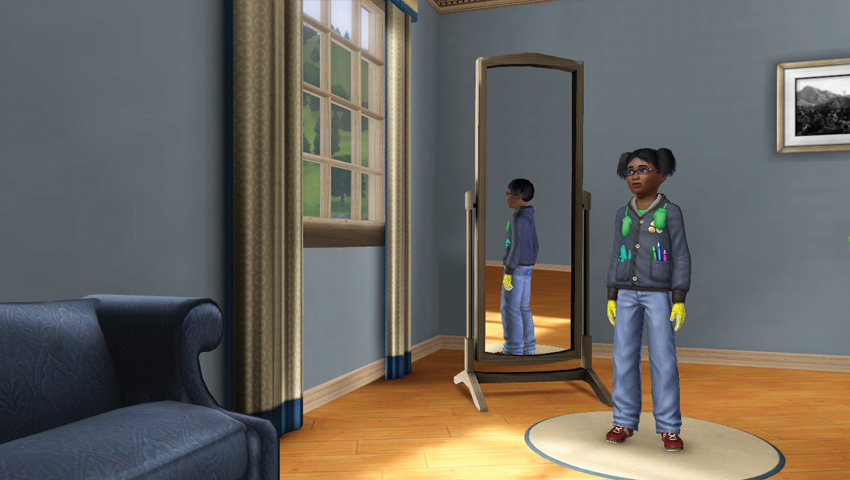
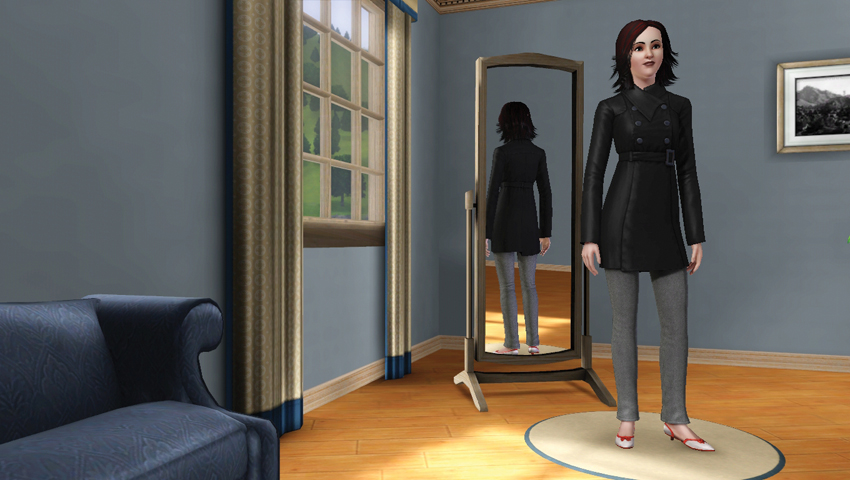
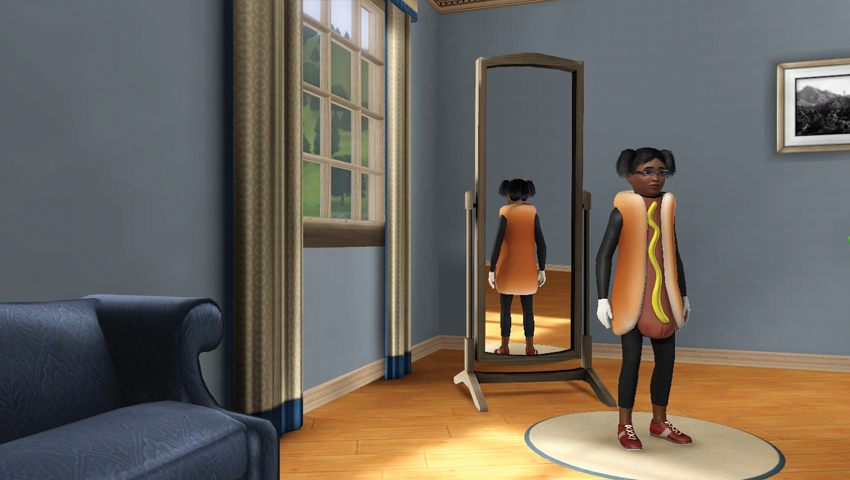
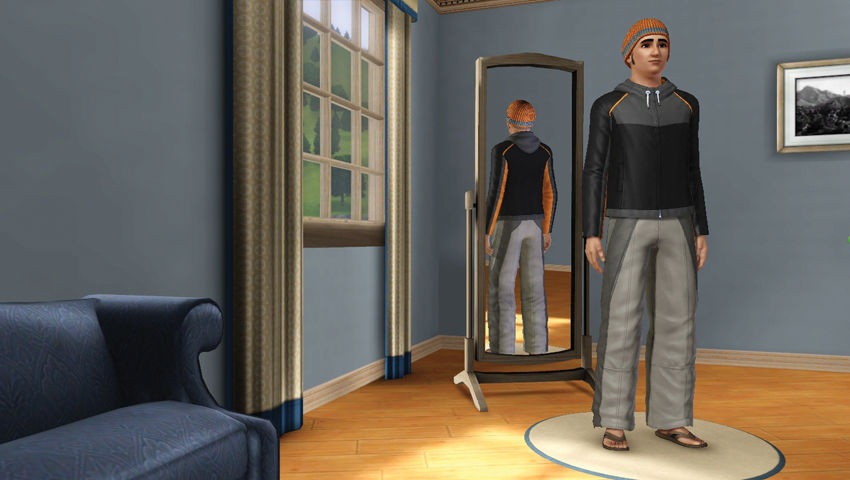
Whenever you leave the house or an indoor venue (library, museum, etc.) in cold weather, your Sim will automatically “spin” into their selected outerwear. As long as they are outside, they will continue to sport their outerwear. When they are directed back inside, they shed the outwear and return to everyday wear. And should a Sim be in their outwear outside and the sun comes out long enough to raise the temperature, your Sim will automatically change into everyday wear.
Outerwear helps keep your Sim at a comfortable temperature. Temperature is a key new feature in Seasons. Temperature is covered to a much greater extent in the Seasons chapter, which explains which moodlets and conditions you can encounter as the body temp of your Sim changes.
New Traits
One of the final choices in Create a Sim is to assign your Sim up to five different traits. These are the most important choices in Create a Sim because they can greatly affect your Sim’s Lifetime Wish (the culminating dream of their life), can sway performance at work or at skill development, and influence how a Sim interacts with others.
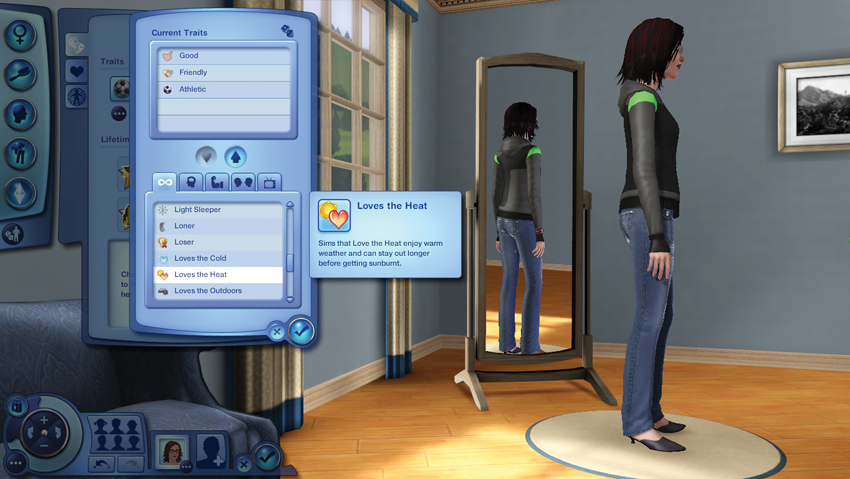
There are 63 possible traits to choose from in The Sims 3 base game, with more added if you have other expansion packs installed. Traits include personality triggers such as Brave, Frugal, Loner, and Unlucky. They range from positive to negative, with a handful of relatively neutral traits somewhere in the middle. Because these five traits not only make up the core of your Sim’s personality but also affect what Lifetime Wishes are offered to them, consider how they might factor into the kind of life you’d like to live.
There are two new traits in Seasons, both related to the weather:
Loves the Heat
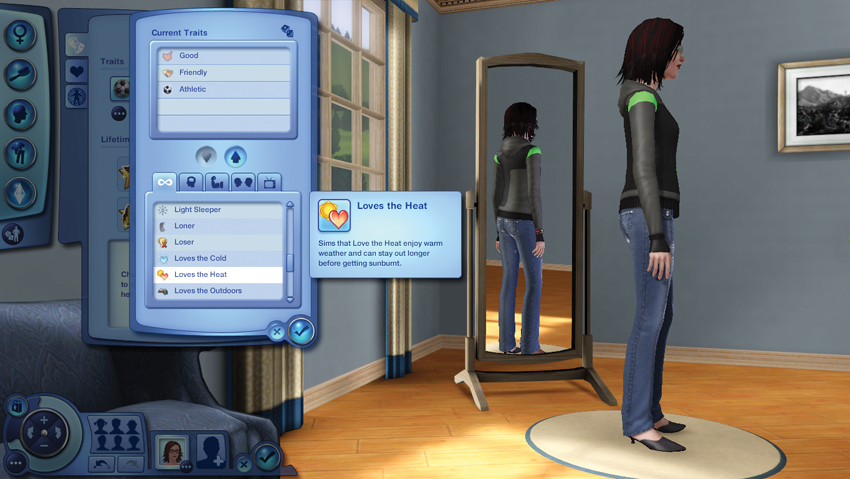
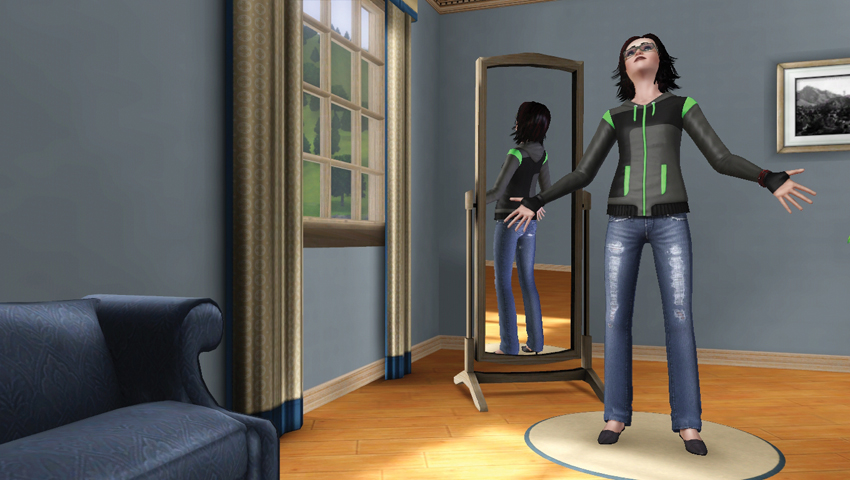
Sims with this trait can stay outside in the heat much longer before getting sunburnt... or worse! (That worse, by the way, is spontaneous combustion.) Sims with this trait can get more out of the warmer seasons because they can stay out longer without becoming uncomfortable. If you want to spend more time at festivals, on the beach, next to the pool... this is a great trait to have.
When a Sim has the Loves the Heat trait, they do not receive the Getting Warm and Sweating Profusely moodlets. Instead, they get Pleasantly Warm and Starting to Sweat.
Loves the Cold
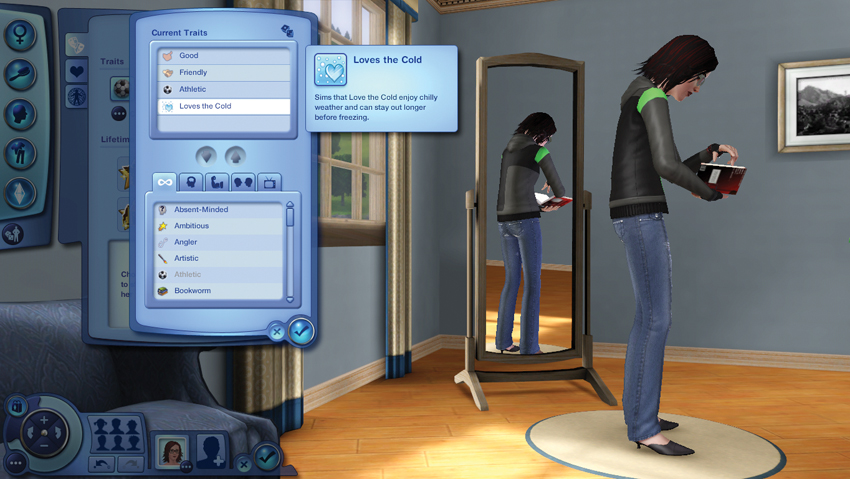
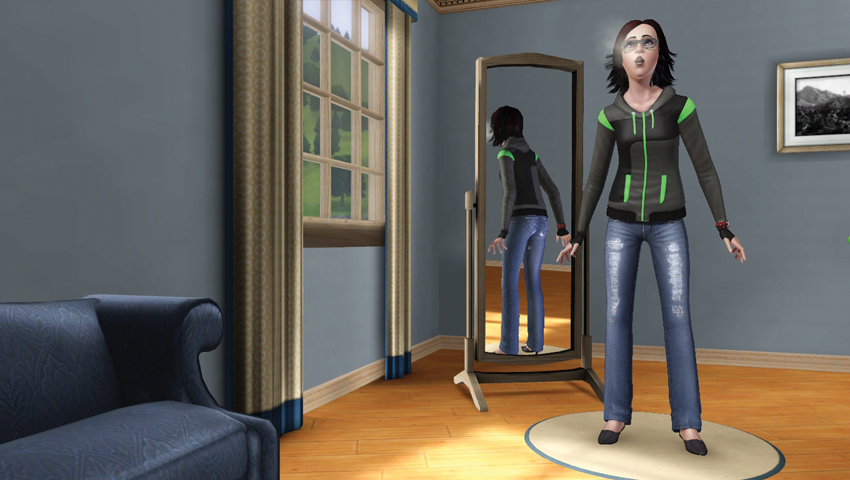
Sims who Love the Cold enjoy chilly weather and can stay out longer before freezing. If you are interested in pursuing winter activities and sports, such as playing in the snow or snowboarding, this is an extremely useful trait. As you’ll see in the temperature section of the Seasons chapter, it is indeed possible to freeze if you stay out in the extreme cold for too long. Other Sims can rescue frozen folks, but Sims can actually perish from being out in the cold for too long, so watch out!
Sims with this trait do not get the Getting Chilly and Teeth Chattering moodlets. Instead, they receive Pleasantly Chilly and Starting to Shiver, respectively.