
Rivage How to Solve Kitchen Battery Puzzle
Learning the basic loop of Rivage


After finding your level 1 access card, you can move to the Kitchen from the hallway outside Miranda’s room. The Kitchen is the first area in Rivage that mildly challenges your spatial awareness, and also the first time the game introduces its loop system.
How to solve the Kitchen Puzzle
The Kitchen Puzzle consists of three sections which you must figure out. There are no obvious prompts on what to do first, but by looking around you’ll quickly identify our two main points of interest to get past this puzzle: the table with the ringed centrepiece, and the pattern-locked Dock System.
Solve the Hologram Puzzle
To initiate the first puzzle, you’ll want to go to the table in the sofa corner next to the Pod Bay and press the green button in the middle. This will pop open a hologram of a cube with carvings on it. You can rotate the upper and lower halves of this cube by interacting with the outer and inner rings under the hologram.
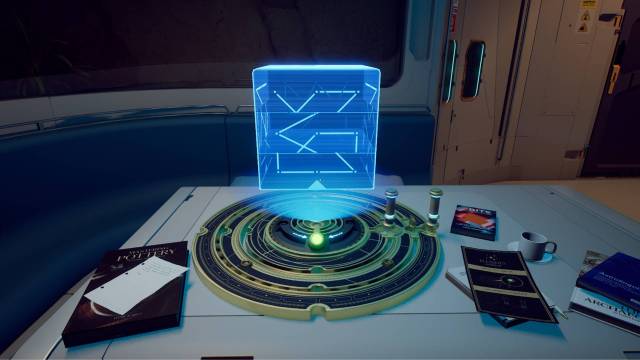
Adjust the rings until the cube’s carvings line up with one another. When you’re looking towards the kitchen, you’ll want the outer ring handle to face you and the inner ring handle to face your left.
Unlock the Dock System
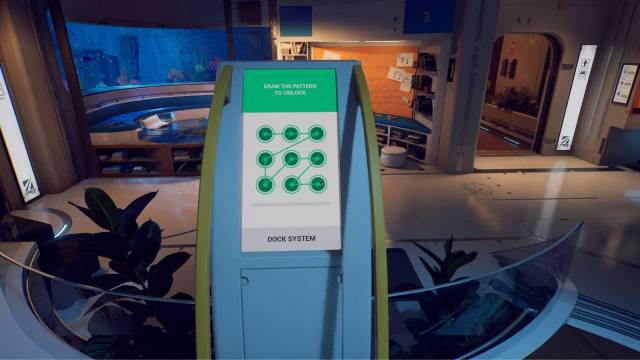
This will prompt the hologram to disappear and be replaced with a pattern on the ceiling above you. That pattern is what you’ll need to unlock the touchpad in the Kitchen.
Place the Batteries
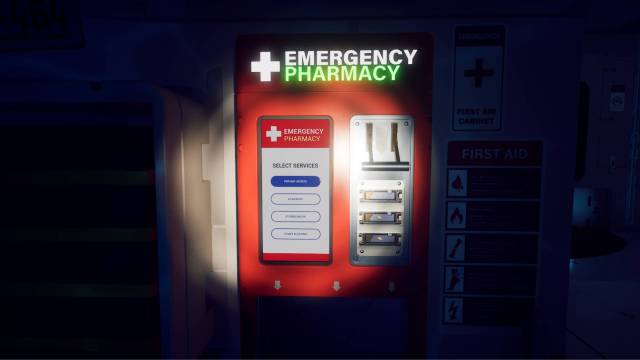
The Dock System lets you switch between the Lounge floor, Cultivation floor, and Robot floor, each of which has a battery you need to collect. Once you’re holding a battery, you’ll have to move to the Robot floor, where you must then insert it inside the emergency pharmacy next to the laptop.
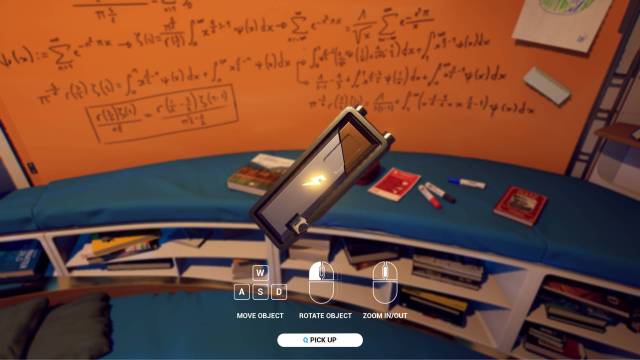
Before using this system, collect and insert the battery on the Lounge floor. Then, insert it in the emergency pharmacy before rinsing and repeating for the Cultivation and Robot floors. This order is crucial because the Dock System has a limited amount of power.
- Lounge floor battery: Look closely at the cluttered sofa; the battery is sitting between the med kit and the book on landscapes
- Cultivation floor battery: Climb up the short flight of stairs where you’ll find the battery sitting next to a large grey chest
- Robot floor battery: Finally, the third and last battery is sitting on the edge of this floor’s table next to the two wrenches
Loop With the Arcade Machine
Once you have moved back to the Robot floor to insert the final battery, you’ll notice that the power in the kitchen has gone out. As long as you’ve inserted all three batteries, you’re on the right track.
Hold and pull the emergency pharmacy lever and click on the prompt that says Pod Bay Access. This will produce the Pod Bay Access Card, which you can scan and save on your K9. Now comes the puzzling part: with the power gone, how are you supposed to get the Pod Bay door to open? This is where Rivage’s Loop system comes into play.
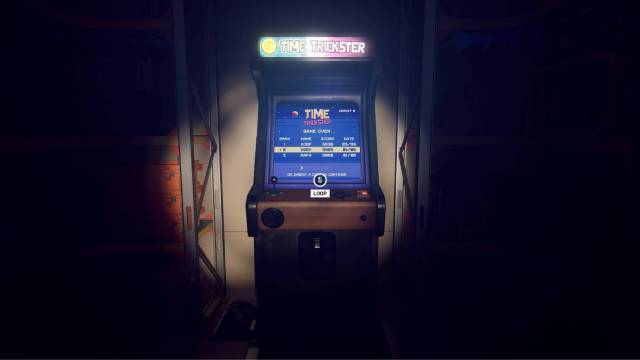
Go into the storage room, which just opened, and interact with the Arcade Machine inside. This will trigger a loop that will take you back to Miranda’s room, where you can once again go to the Kitchen area before the power went out and access the Pod Bay using the scanned data on your K9.
From here, you can continue on to gain access level 2. You can refer back to our Rivage walkthrough for the full guide.


