
Best Mods for Final Fantasy Resonance
Some of these should've been part of the base game.


Final Fantasy Resonance has only been out for a few days, but its modding community has already gotten to work. Nexus Mods is filling up with everything from quality-of-life improvements and combat tweaks to graphical enhancements and tools that make the game’s more time-consuming systems less demanding.
We’ve picked out some of the best Final Fantasy Resonance mods currently available on PC, including several that address common frustrations with the game’s combat, exploration, and progression.
Best Quality-of-Life Mods for Final Fantasy Resonance
Item and Chest Markers
Item and Chest Markers is easily one of the most useful mods for completionists and anyone who wants all the Oblivion Palace rewards. It adds markers for treasure chests, collectibles, and other points of interest, including on the world map.
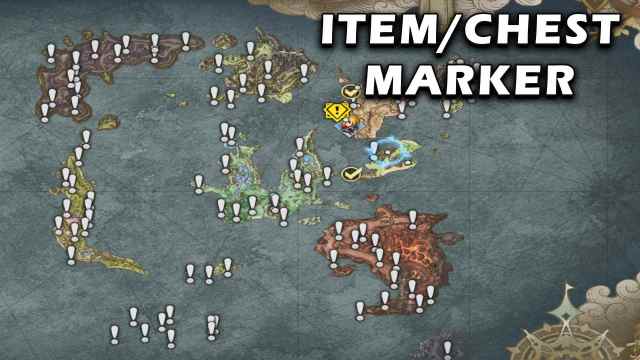
The markers automatically disappear as you collect items, making it much easier to revisit older areas and find anything you’ve missed. If you’re working through our Chapter 1 or Chapter 2 checklist, this can help save you a lot of time.
Battle Pace
Battle Pace adds a 4x battle speed option alongside the existing 1x, 1.5x, and 2x settings. You can cycle between them using Tab, and your selection carries over between encounters.
It doesn’t change damage, enemy stats, or rewards, making it a straightforward way to speed up combat and farming. The mod was originally developed for the demo and requires UE4SS, so check its compatibility with the full release.
Detailed Item and Skill Description
Detailed Item and Skill Description replaces the game’s often vague item and ability descriptions with more useful numerical information.
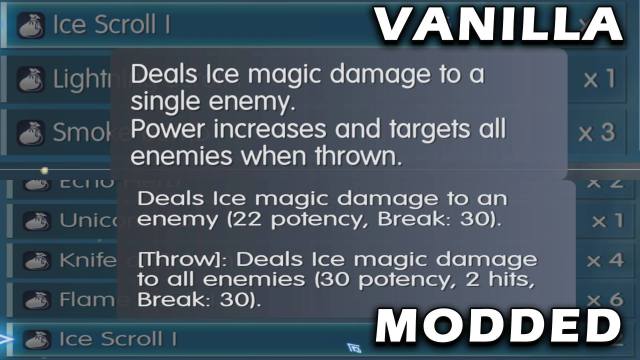
Instead of guessing how much damage an ability deals or how effective it is at reducing Stagger, you’ll have access to detailed values for damage, accuracy, Break power, and other effects.
FFRS_AutoResolve
FFRS_AutoResolve automatically resolves eligible random encounters without making you enter the battle screen. You’ll still receive the corresponding EXP, Gil, MRP, and rolled item drops.
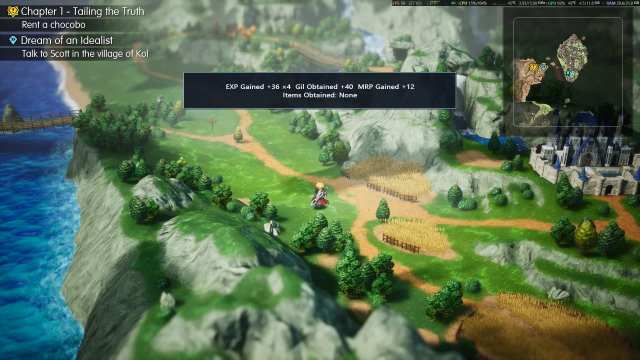
It’s a convenient way to avoid wasting time on enemies that pose no real threat, or for farming EXP.
FFR Bestiary
FFR Bestiary adds something that we think the main game should’ve released with. A bestiary.
It tracks every enemy you’ve encountered, organizes them by area, and displays their HP, elemental affinities, resistances, item drops, stealable items, and encounter locations. You can also view animated enemy sprites, track how many enemies you’ve discovered in each region, and identify missing entries marked with question marks.
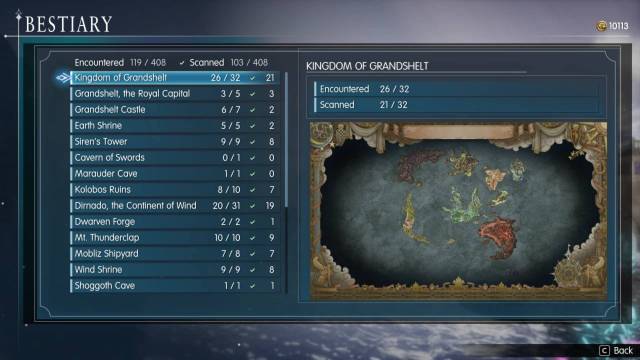
The best part is that it reads your existing save data, so you don’t have to start a new playthrough to populate it. However, detailed information still depends on what you’ve analyzed through Libra, and the mod is currently an early release that requires UE4SS.
Best Combat and Progression Mods for Final Fantasy Resonance
MRP Multiplier
MRP Multiplier lets you increase the Mastery Rank Points earned from battles, with 2x, 4x, 8x, and 16x versions available.
With 26 Visions to level up, leveling up all their abilities can become a chore. This mod makes experimenting with different Visions much easier without spending hours farming Cactuars. It’s designed for the full Steam release, and you should only install one multiplier version at a time.
XP Multiplier
XP Multiplier offers the same functionality for character EXP, with 2x, 4x, 8x, and 16x multipliers.
The lower settings are useful for reducing grinding without completely trivializing combat, while the higher ones let you level up much faster. It’s compatible with the full Steam release and is convenient if you’re replaying the game or experimenting with different party comps.
LimitBurst Enhanced
LimitBurst Enhanced makes Limit Bursts more accessible by making regular attacks contribute toward the gauge and improving LB gauge-related passives.
It also carries your remaining Limit Burst gauge into the next encounter instead of resetting it after every battle. This makes Limit Bursts much easier to use in ordinary fights instead of only being relevant occasionaly in the early-game.
Cactuar NEVER ESCAPES
Cactuar NEVER ESCAPES prevents the rare and valuable Cactuar enemies from running away during combat.

Given how important these encounters are for MRP farming and rare items, this removes one of the more frustrating parts of grinding. It doesn’t make Cactuars easier to damage or defeat, but at least you won’t have to watch them escape before you can do anything.
Difficulty Plus
Difficulty Plus is designed for players who find Expert difficulty too forgiving. It adjusts enemy difficulty multipliers, increases random damage variation, reduces EXP and Gil rewards, and changes the available Ability Point capacity. So, the difficulty doesn’t just come from more HP and damage. Recommended only for players who want to push the game to its absolute limits.
The mod has also been updated for the full release and lets you disable parts of the overhaul you don’t want.
Best Graphics and Visual Mods for Final Fantasy Resonance
Final Fantasy Resonance – Ultrawide Mod
Final Fantasy Resonance – Ultrawide Mod adds proper 21:9 and 32:9 support, expanding the horizontal field of view instead of simply stretching the image.
It also keeps menus within a centered 16:9 area, improves the title-screen presentation, and exposes additional supported resolutions.
Final Fantasy Resonance Smooth Sprite
Final Fantasy Resonance Smooth Sprite applies a custom sprite-smoothing process to soften the game’s pixelated character sprites.

The result is a cleaner appearance at higher resolutions, especially on larger displays. Whether it’s an improvement will depend on how much you enjoy the original pixel-art aesthetic, but it’s worth checking the comparison screenshots to make up your mind.
PERFECT VISION RESONANCE
PERFECT VISION RESONANCE removes several post-processing effects, including chromatic aberration, depth of field, bloom, and vignetting.
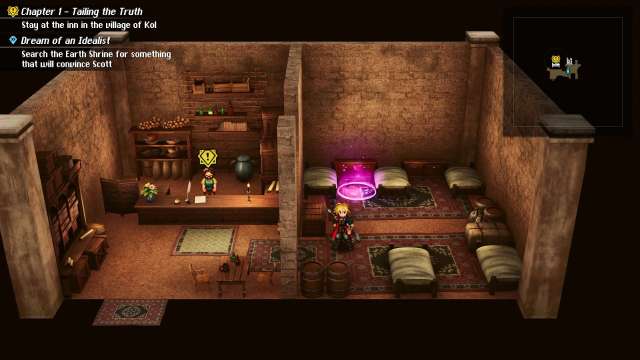
This produces a sharper, cleaner image without some of the visual effects that can make the game appear unnecessarily soft. You can check the before and after results yourself and see which ones you prefer.
Classic Font and Classic UI
Classic Font and Classic UI are two complementary mods that give Final Fantasy Resonance the more traditional Final Fantasy appearance.

Classic Font replaces the game’s typography, while Classic UI changes the interface to resemble the menus of older entries in the series. It’s a great combination if you prefer the classic Final Fantasy aesthetic.
Best Modding and Utility Tools for Final Fantasy Resonance
FFR Modding Tools
FFR Modding Tools is a collection of utilities for managing, editing, and creating mods for Final Fantasy Resonance.
It includes mod management, save editing, conflict inspection, and tools for working with game assets such as sprites, models, audio, and gameplay data. You can experiment with several mods or try to create your own. The toolkit is still an early release, so back up your files before using its editing features.
Resonance Game Boosters
Resonance Game Boosters adds several convenience features inspired by the boosters found in some Final Fantasy remasters.
You can use F1 to toggle between 1x, 2x, and 4x gameplay speed, F2 to restore HP, MP, and Limit Burst gauges, F3 to adjust random encounter rates, F4 to enable auto-battle, and F5 to hide the HUD. It’s a pretty convenient all-in-one option if you want more control over your playthrough without installing multiple individual mods.


