
How To Fix The Last of Us Part 2 Remastered Crash on AMD GPUs
Here we go again.


Nixxes and Iron Galaxy are back with another PC port of a PlayStation exclusive, this time with The Last of Us: Part II Remastered. The PC port is in better shape than The Last of Us: Remake, but it’s not perfect and there are several technical issues in the release.
Beyond poor performance and frame-pacing issues, if you’re using an AMD GPU, you might be running into stability problems as well. If The Last of Us Part 2 Remastered is constantly crashing on your AMD hardware, here is how you can fix that.
Update AMD GPU Drivers to 25.3.2
If you’re still on the Adrenalin driver version 25.3.1, chances are you’ll run into a crash while starting The Last of Us: Part II Remastered. This is a known issue by Nixxes and AMD, and both recommend updating to the latest optional driver version 25.3.2 to fix the crashing issue.


You can directly download these optional drivers from the AMD website. According to Nixxes, this particular driver contains optimizations and crash fixes for this game
This should fix any major crashing and stability issues but not everything else wrong with the release.
Verify Game Files
If updating the drivers doesn’t do the trick, it’s possible that your game files aren’t in order. Something might have been corrupted during the download or installation process, which can lead to crashes and stability problems. Thankfully you can just verify the files through the Steam client.
- Open Steam and navigate to your library
- Here, right-click on The Last of Us: Part II Remastered and select Properties
- In the Installed Files tab, click on Verify integrity of game files
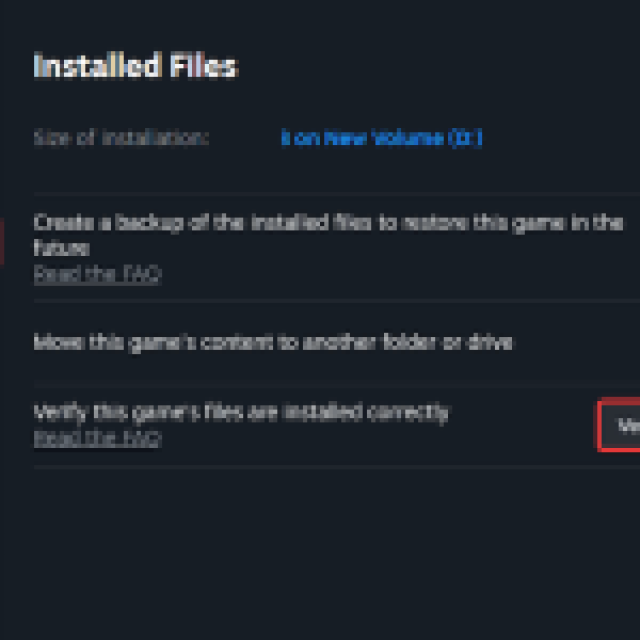
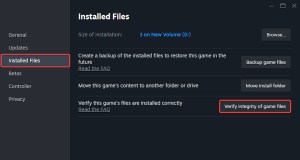
Once you’re done, Steam should redownload and patch anything missing or broken.
Generic Troubleshooting
Apart from that, you can try the following generic troubleshooting suggestions.
- Update DirectX and Visual C++ Redistributables
- Switch to your dedicated GPU if you’re playing on a laptop
- Don’t interrupt the shader compilation process – It doesn’t take too long.
- Add the game’s folder to your antivirus list of exceptions or exclusion
- Update your BIOS, especially if you’re using an Intel 13th or 14th-generation processor
- Make sure that the date and time in your Windows is correct
- Update Windows to the latest version (1909 or higher)
- Make sure you actually meet the minimum system requirements.
Nixxes Software and Iron Galaxy Studios clearly have their work cut out for them, as The Last of Us Part 2 Remastered isn’t exactly in the state we’d expect from such a competent porting studio. That said, it’s still a vast improvement over The Last of Us: Remake, which was hard to recommend on PC.


