
How to Change FOV in Warhammer 40K Space Marine 2
Hooray for PvP enjoyers.


Warhammer 40K Space Marine 2 released a new massive (and free) content update called Datavault. While it does bring a lot of new cosmetics, a PvP battleground, cool finishers, and more, they have added some low-key changes, like the ability to change your FOV. The FOV features weren’t showcased in the trailer, but here’s how to change your FOV in Warhammer 40K Space Marine 2 and enjoy a wider perspective. You will need it since Space Marines are so enormous in the game.
How to Increase Your FOV in Warhammer 40K Space Marine 2
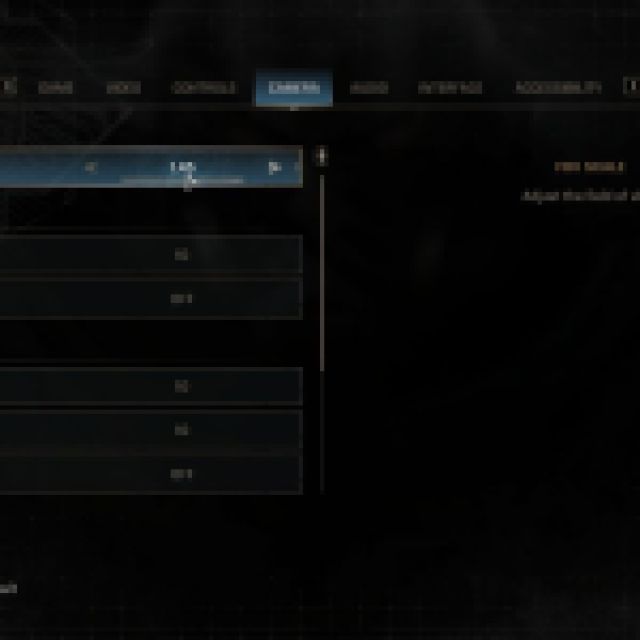

To increase your FOV or field of view, you need to open up the settings from either the main menu or while in a match. Look for “FOV Scale” under the “Camera” tab in the in-game settings. You can adjust the FOV Scale from 1.0 (normal) to 1.45 (wider). Adjusting the FOV scale higher will help you see more, especially when there is a lot of chaos around.
This helps in dodging those annoying attacks like the long-range attacks from the Neurothrope. Since you’ll most likely be dealing with hordes and hordes of enemies, getting a wider field of view will help you find dangerous attacks that aren’t normally seen on your screen.
However, you should be careful when adjusting the FOV Scale settings too high. If you barely reach 60 FPS (frames per second), increasing your FOV Scale will reduce your game’s performance. Since the game is technically loading more “assets” on your screen, it’ll slightly reduce FPS.
This puts more strain on your graphics card, so if you have a decent GPU, you can increase your FOV Scale all you want. The performance decrease also depends on your other settings. If you are playing on a higher resolution, it’ll definitely impact your FPS since the game will render a larger portion of the field at a higher quality.
Related: All Terminus Enemies in Space Marine 2 Listed
The Benefits of Increasing Your FOV in Warhammer 40,000 Space Marine 2

The only main benefit of FOV is seeing more on your screen. As mentioned before, if you see more on your screen, you’ll see those pesky long-range Tyranids. However, if you love playing PvP, there is a big advantage in increasing your FOV since you’ll see more angles.
Since the game is third-person, there’s a big advantage when you can see more on your screen. It is almost mandatory to max out your FOV since the Space Marine armor takes up so much of your screen space. With a higher FOV, you’ll see players holding angles more often.


