
How to Add Mods in Hytale
How to enable and use mods in Hytale

Learn how to add and enable mods in Hytale to customize your experience even further. Whether you’re playing solo or want to enable them in multiplayer, learn how.
How Mods Work in Hytale
Hytale currently supports client-side modding for single-player and offline worlds. Mods are installed locally on your computer and must be enabled individually for each world. Multiplayer modding is possible only if all players are using the same mod setup.
At the moment, most mods are distributed through CurseForge, though some community-made mods are shared through GitHub or similar platforms. Regardless of where a mod is downloaded from, the process of enabling it in-game remains the same.
How to Install Mods Using CurseForge
The easiest way to mod Hytale is through the CurseForge app, which automates most of the setup process. After downloading and installing the standalone CurseForge app, Hytale is usually detected automatically if it’s installed in the default location. Once added, players can browse available mods and install them with a single click.

Although CurseForge handles file placement automatically, mods will not activate on their own. After launching Hytale, players must navigate to the Worlds menu, right-click the desired world, open the Mods section, and enable the mod before loading into the world. Without this step, installed mods will not function.
How to Manually Install Mods in Hytal
Manual installation is for those who want more control and are installing mods from sources outside of CurseForge. Mods are typically downloaded as .jar or .zip files and should not be extracted unless the mod author specifically instructs otherwise.
To install a mod manually, place the file into Hytale’s mods directory:
- Windows:
%appdata%\Hytale\user_data\mods - macOS:
~/Library/Application Support/Hytale/user_data/mods - Linux:
~/.local/share/Hytale/user_data/mods
After placing the file in the folder, restart Hytale if it is running. The mod will then appear in the world’s Mods menu, where it can be enabled in the same way as CurseForge-installed mods.
How Mod Configuration Works
One of Hytale’s more unique features is how it handles mod configuration. Instead of using global config files, Hytale stores mod settings on a per-world basis. Configuration files are located in the save directory for each world, under user_data/saves/<world_name>/mods.

This system allows the same mod to behave differently across multiple worlds, making it easier to experiment without affecting other saves. Configuration files are usually in JSON format and can be edited with a text editor. Any changes take effect the next time the world is loaded.
How to Enable Mods in Hytale
To enable a mod, launch Hytale and navigate to the Worlds menu. From there, right-click the world you want to modify and select the Mods option. Any installed mods will appear in a list, where they can be enabled using a checkbox.
How to Remove or Disable Mods
Mods can be temporarily disabled by unchecking them in a world’s Mods menu, or removed entirely by deleting the mod file from the mods folder.
How to Open the Asset Editor in Hytale
In addition to modding, Hytale includes a built-in Asset Editor for players interested in creating custom content. While this tool is not used for installing mods, it is useful for asset creation. You can create and edit any sort of item, block, creature, texture, and more.
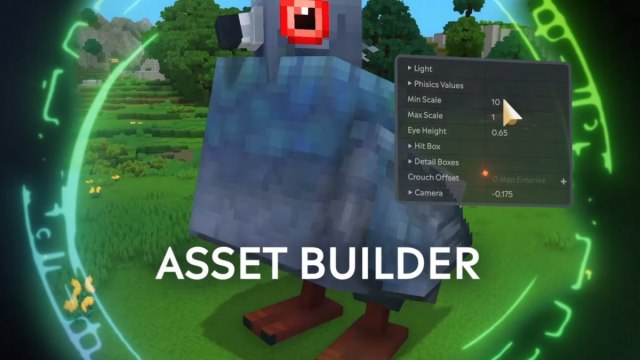
To open the Asset Editor, create a Creative Mode world and load into it. Open the chat window and grant yourself operator status using /op self. Once you are an operator, open your inventory, navigate to Creative Tools, select Assets, and then Asset Editor. This will open a new window where custom assets can be created and edited.
For more guides, also learn how to access Hytale in offline mode, your save file location, and how to farm and harvest crops.


