
Hytale Save File Location on PC
and world data!


After years of waiting, Hytale is now available on PC in early access and is one of the biggest releases of the year so far. It’s only available on PC at the moment and has launched in a fairly stable state.
If you’re looking for your world data and local progress, though, here is the save file location for Hytale.
Hytale Save File Location
Head over to where you have installed Hytale and navigate through the following folders:
Hytale\UserData\Saves
If you didn’t select a specific location during the installation process, the default installation folder is created at the following location:
C:\Users\[Windows Username]\AppData\Roaming\Hytale\UserData\Saves
Each specific World you create will have a dedicated folder inside the Saves folder. It will look something like this:
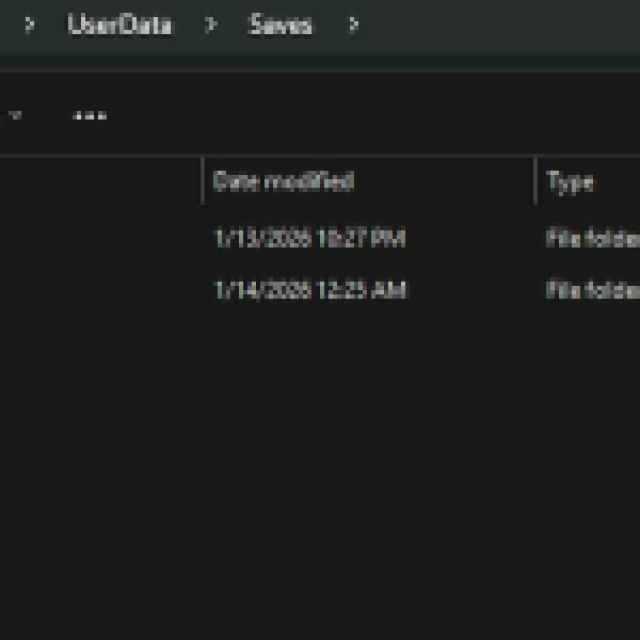

Within each folder, you’ll find a bunch of appropriate data for each world, though if you’re looking to back up your saves, just copy the entire folder to keep things simple.
Can You Create Multiple Worlds in Hytale?
Yes, you can create any number of worlds in Hytale, and it doesn’t seem like there’s a hard limit, at least not one you’d reach normally. So don’t worry about playing in just one world.
Hytale Available Game Modes
There are currently the following modes available in Hytale:
- Exploration Mode
- Creative Mode
- Modding Support
- Multiplayer Support
The following modes are coming later during early access:
- Adventure Mode
- Official Minigames
- Default Spawn: World Gen V2
- Social features: Friends lists and guilds
Since this is an early access release, be prepared to possibly lose data in one way or another over time. Hytale does seem to be in a much better state compared to many other early access titles, but it’s not uncommon for games to go through major changes throughout their early access lifecycle.
This is just the beginning for the title, and the developers have promised a commitment of 10 years. The game may grow into something else in a few years, but I really doubt the save file location will change all that much, especially if you’re sticking to the PC version.


