
Valorant Complete Controls for PlayStation and Xbox Controllers
Control the match!


Valorant is now available on both PS5 and Xbox Series S|X with crossplay support between the two platforms. Since the PC version doesn’t have controller support, Riot Games have created unique control layouts for the console versions. Here are the complete controls for Valorant whether you’re playing on PS5 or the Xbox Series S|X.
Valorant Complete Controls for Consoles
Riot Games has created multiple presets for controllers, and here is the default Valorant layout for PlayStation and Xbox controllers.
| Action | PlayStation Input | Xbox Input |
|---|---|---|
| Focus / Sniper Scope (Hold) | L2 | LT |
| Ability 1 | L1 | LB |
| Fire | R2 | RT |
| Ability 2 | R1 | RB |
| Ping / Comm Wheel (Hold) | D-Pad Up | D-Pad Up |
| Drop Equipped Item | D-Pad Left | D-Pad Left |
| Plant / Defuse / Equip Spike | D-Pad Down | D-Pad Down |
| Inspect / Open Spray Wheel (Hold) | D-Pad Down | D-Pad Down |
| Equip Secondary / Equip Melee (Hold) | Triangle Button (△) | Y |
| Reload | Square Button (□) | X |
| Jump | Cross Button (×) | A |
| Ability 3 | Circle Button (○) | B |
| Crouch (Toggle) | L3 | LS |
| Activate / Use | R3 | RS |
| Ultimate | L1 + R1 | LB + RB |
| ADS | L2 + R3 | LT + RS |
Apart from the default Valorant layout, there are five more control layouts created by Riot, which can you check out below.
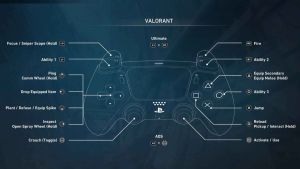
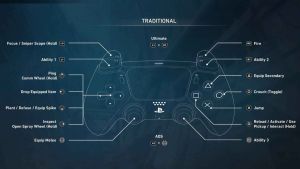
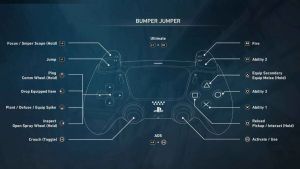
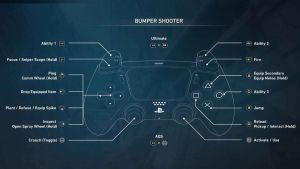
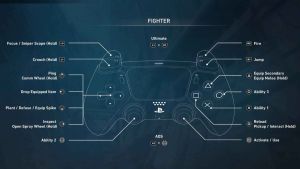
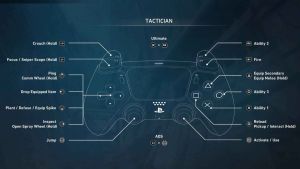
Additionally, you can also set a controller layout to an Agent profile, which makes it easier to switch to a different layout as soon as you pick a different Agent.
Can You Rebind Controls in Valorant on Consoles?
Yes, you can rebind controls in Valorant while playing on consoles. You can also rebind specific presets this way.
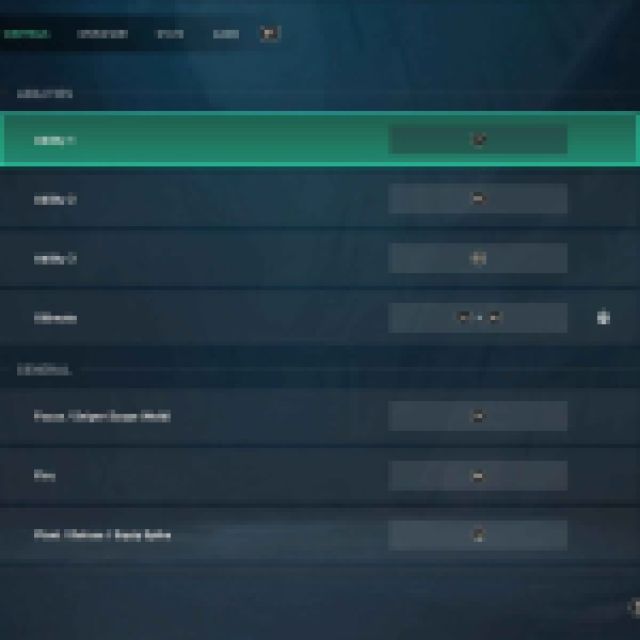

Valorant does not have crossplay support with the PC version for obvious balance reasons, but Xbox and PlayStation players can easily play with each other. The game has cross-progression support regardless of the platform.
The complete controls for Valorant on consoles are specifically tailored for the controller experience, and we really appreciate the customizability and the added presets.
For more on Valorant, head on over to our dedicated section, and if you’re looking for some merch to buy, check out our favorite picks.


