
The Witcher 3 Remastered Expanded Photo Mode Guide
The upgraded Photo Mode gives you lots of new tools to play around with.


Photo Mode has received a major expansion in The Witcher 3 Remastered, giving you much more control over the characters, lighting, weather, camera, and overall composition of a screenshot. Here’s how the expanded Photo Mode works in The Witcher 3 Remastered.
How to Open Photo Mode in The Witcher 3 Remastered
Photo Mode uses the same controls from the original Witcher 3 to launch.
| Platform | Photo Mode Control |
|---|---|
| PC | U |
| PlayStation 5 | L3 + R3 |
| Xbox Series X|S | LS + RS |
Photo Mode pauses the action and opens its editing interface, no matter what situation you’re in during normal gameplay.
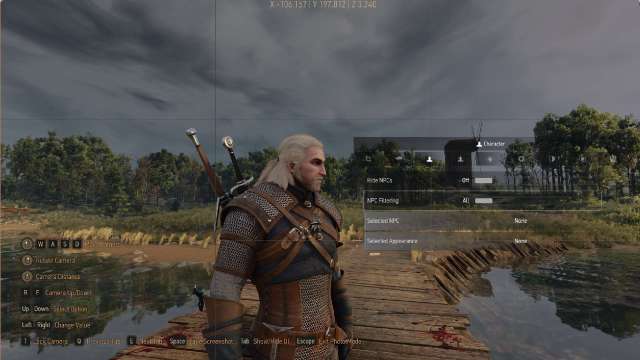
All New Photo Mode Features in The Witcher 3 Remastered
The original Photo Mode already included basic camera positioning, depth of field, exposure, contrast, temperature, saturation, and other image controls. The Witcher 3 Remastered adds a lot of new features to the Photo Mode camera.
| New Feature | What It Does |
|---|---|
| Placeable Characters | Adds additional characters to your screenshot. |
| Poses | Changes the pose used by Geralt or a placed character. |
| Expressions | Changes character facial expressions. |
| Look-at Controls | Controls where characters direct their gaze. |
| Placeable Lights | Some props add lighting to the scene giving you more control over the lighting sources for shots. |
| Environment Presets | Quickly changes the overall environment setup for a shot. |
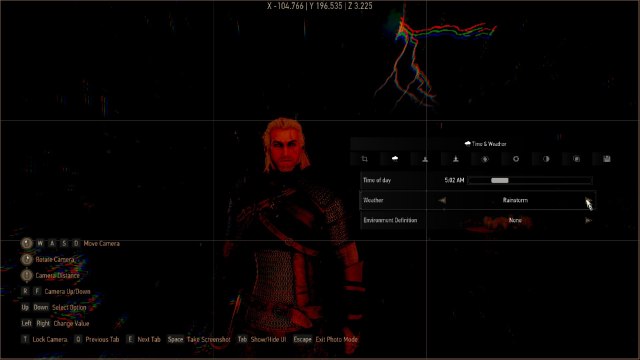
| Weather Controls | Changes the current weather and lets you adjust the intensity of effects such as rain and storms. |
| Time of Day | Changes the time without leaving Photo Mode. |
| Placeable Props | Adds objects to help build custom scenes. |
| Camera Lock | Locks the current camera position while you edit other parts of the scene. |
| Camera Presets | Saves camera positions and angles so they can be reused later. |
| Camera Collision Toggle | Determines whether the Photo Mode camera can move through walls and other objects. |
| Aspect Ratio | Changes the screenshot’s aspect ratio. |
| Rule of Thirds Grid | Displays composition guides, with support for different aspect ratios and optional cinematic bars. |
| Camera Coordinates | Displays the camera’s coordinates in the interface. |
| Hide Nearby NPCs | Removes surrounding NPCs from the scene. |
| Exit Confirmation | Adds a confirmation prompt before closing Photo Mode to prevent losing a setup accidentally. |
Check out all the details for these new features below.
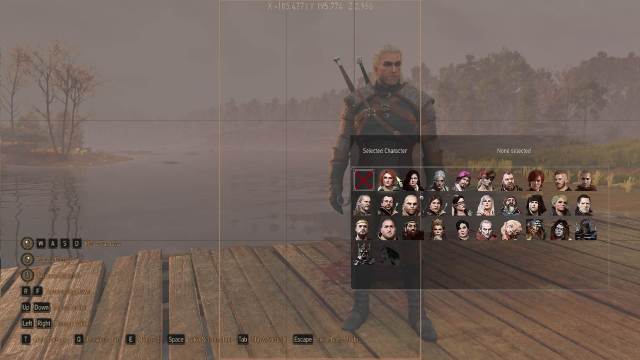
Add and Pose Characters
Remastered lets you place additional characters directly into a Photo Mode scene. Geralt and placed characters can then be given different poses and expressions, while the Look-at setting controls where they direct their gaze. This makes character portraits and staged group shots much easier to set up. You can add up to a total of 3 custom characters per scene and pick from a total of 30 characters.
Place and Adjust Lights
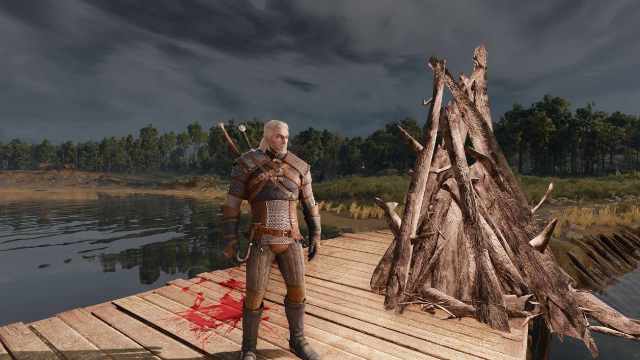
You can also add your own lights instead of being completely dependent on the game’s existing lighting. Placed lights can help you control lighting and shadows in your shots, making them useful for decorating dark indoor environments or giving you more control over shadows in a scene, even outdoors.
Change the Weather and Time of Day
You no longer need to leave Photo Mode and meditate just to change the lighting conditions for a screenshot. The expanded controls let you change both weather and time of day from inside Photo Mode. Weather intensity can also be adjusted, so rain and storms can be made stronger or weaker depending on the shot.
Use Environment Presets
Environment presets provide another quick way to change the overall look of a scene. These are useful when you want a different atmosphere without manually adjusting every available environmental setting individually. These include environments such as Winter in Skellige, Gloomy, Town in Velen, and many others that can change the mood of the shot.
Place Props
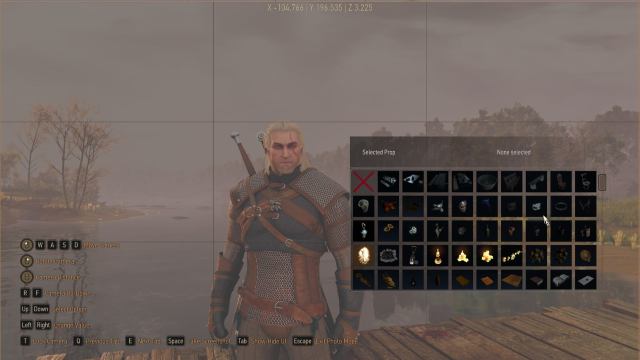
Remastered adds placeable props that can be positioned around the scene. Combined with character placement and custom lighting, you can set up to 10 props to build your own scenes. Although you should note that trying to line up the props is a bit difficult due to a lack of rotational controls sometimes.
Save Camera Presets
Once you find an angle you like, you can save it as a camera preset. This stores the camera position and angle so you can return to the same setup instead of manually recreating it. You can also lock the camera while adjusting characters, lights, or other parts of the scene.
Disable Camera Collision
Camera collision can now be switched on or off. Disabling it gives you more freedom to position the camera around walls, objects, and other environmental geometry that would normally prevent it from moving any farther. This is particularly useful when trying to get tight interior shots or unusually close camera angles.
Change the Aspect Ratio
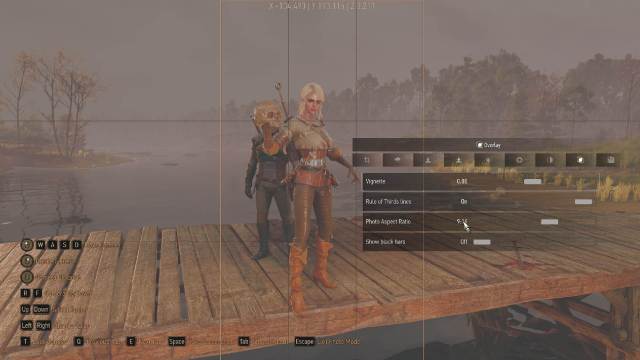
Photo Mode can now change the aspect ratio of the shot you’re going to take. That makes it easier to create traditional widescreen screenshots, cinematic compositions, or vertically framed images without having to crop everything afterward. The Rule of Thirds overlay can also be displayed for different aspect ratios, with optional cinematic black bars to make framing easier.
Hide Nearby NPCs
If random townspeople keep wandering into your Novigrad portrait, Remastered finally provides a straightforward solution. The Hide Surrounding NPCs option removes nearby NPCs from the shot, making it easier to get clean screenshots even in populated locations.
Camera Coordinates
You can now track the camera coordinates at the top of the screen. This is more useful for carefully recreated screenshots, because it provides an exact reference when working with lighting positions and angles.
What Changed From the Original Witcher 3 Photo Mode?
Photo Mode itself is not new to Remastered, and it was originally added with The Witcher 3’s 2022 next-gen update. The original version gave you control over the camera and final image, including:
- Camera position
- Field of view
- Tilt
- Depth of field
- Autofocus
- Aperture
- Focus distance
- Exposure
- Contrast
- Highlights
- Temperature
- Saturation
- Chromatic aberration
- Film grain
- Vignette
Remastered keeps those features but adds a lot more scene control for you to experiment with. Characters, poses, expressions, lighting, weather, time, props, NPC visibility, camera presets, and composition tools can now all be changed without returning to normal gameplay.
Paired with all the visual upgrades, you can spend a lot of time messing around in the new Photo Mode and crafting unique new shots in the world of The Witcher 3 Remastered. You can add more features to the Photo Mode with The Witcher 3 Remastered mods, so be sure to check those out.


