
Tempest Rising Save File Location for PC
Commander, back up your saves!


Tempest Rising is now available for players who purchased the deluxe edition, and it’s one of the best RTS experiences I’ve had in a while. The PC release looks fantastic, with plenty of settings to adjust and support for modern rendering features, including support for cloud saves.
You can create multiple campaign slots, but if you’re looking for your local progress data, here is the save file location for Tempest Rising on PC.
Tempest Rising Save File Location
| Client | Save File Location |
|---|---|
| Steam | C:\Users\[Windows Username]\AppData\Local\Tempest\Saved\SaveGames |
Every campaign you start will have an individual folder within the SaveGames folder. For instance, I called my initial GDF campaign “First one”, and a relevant folder was automatically created for it. This includes your auto and manual saves. Even if you have one campaign running, I recommend backing up the entire Tempest folder just so it’s easier for future use.
You can reach the same save location by entering the following address in Windows Run or File Explorer.
%USERPROFILE%/AppData/Local/Tempest/Saved/SaveGames
Tempest Rising Total Campaign Slots
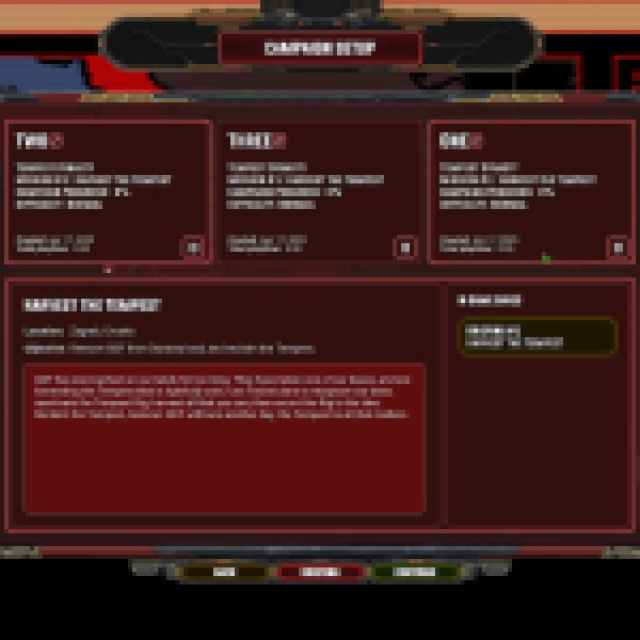
You can create three campaign slots for both factions, so six in total. This is really useful if you want to play the campaign at a higher difficulty or want to earn some achievements.

Tempest Rising Steam Features
Tempest Rising has support for several Steam features, including the following:
- Steam Cloud: Your progress is stored locally and online thanks to Steam Cloud, so if you switch between devices, you can easily pick up where you left off.
- Steam Family Share: Members who are a part of your Steam family will have access to Tempest Rising as soon as it is available.
- Steam Trading Cards: As you play Tempest Rising, you can unlock different trading cards, which you can either collect to craft cards or sell on the Steam marketplace.
- Achievements: There are a whopping 98 achievements in Tempest Rising to unlock.
- Steam Input: Technically speaking, the game doesn’t have any controller support on PC. However, you can still use Steam Input to create a controller profile for it. I don’t think this is a great way to play Tempest Rising, and it will be very clunky, but there is the option.
Overall, Tempest Rising gives players enough features on Steam and in-game for a smooth experience across several devices or future playthroughs.


