
Silent Hill f Complete Controls for PC and Controller
Here we go again.


Konami’s mission to revive major franchises like Silent Hill and Metal Gear Solid is finally bearing fruit, with Silent Hill f continuing that effort as a completely original title set in a new setting. The spooky game is best played on PC with support for multiple input types included as well.
Here are the complete controls for Silent Hill f whether you’re playing with a controller or keyboard and mouse.
Silent Hill f Complete Controls for Keyboard and Mouse
Here are the complete controls for Silent Hill f if you’re playing with keyboard and mouse.
| Action | Input |
|---|---|
| Move Foward | W |
| Move Backward | S |
| Move Left | A |
| Move Right | D |
| Run | Shift |
| Check | F |
| Dodge | Spacebar |
| Light Attack | Left Mouse Button |
| Heavy Attack | Right Mouse Button |
| Focus | Ctrl |
| Lock On / Reset Camera | C |
| Special Action | T |
| Item Shortcut | Middle Mouse Button |
| Use Item 1 | 1 |
| Use Item 2 | 2 |
| Use Item 3 | 3 |
| Use Item 4 | 4 |
| Use Item 5 | 5 |
| Use Item 6 | 6 |
| Use Item 7 | 7 |
| Use Item 8 | 8 |
| Switch Weapon: Left | Q |
| Switch Weapon: Right | E |
| Look Up | ↑ (Up) |
| Look Down | ↓ (Down) |
| Look Left | ← (Left) |
| Look Right | → (Right) |
| Pause | P |
| Map | Tab |
| Journal | G |
| Equipment | B |
| Confirm | F |
| Cancel | C |
| Menu Action 1 | R |
| Menu Action 2 | V |
| Menu – Up | ↑ (Up) |
| Menu – Down | ↓ (Down) |
| Menu – Left | ← (Left) |
| Menu – Right | → (Right) |
| Switch Tab – Left | Q |
| Switch Tab – Right | E |
| Previous Page | Page Up |
| Next Page | Page Down |
| Map: Zoom In | + |
| Map: Zoom Out | – |
Silent Hill f Complete Controls for Keyboard and Mouse
Here are the complete controls for Silent Hill f if you’re playing with an Xbox or PlayStation controller.
| Input | Xbox | PlayStation |
|---|---|---|
| Focus | LT | L2 |
| Item Shortcut | LB | L1 |
| Move | LS | Left Stick |
| Run (Toggle On) | LS (Press) | L3 |
| Special Action | LS + RS | L3 + R3 |
| Journal | D-Pad Up | D-Pad Up |
| Equipment | D-Pad Left | D-Pad Left |
| Switch Weapon | D-Pad Right | D-Pad Right |
| Map | View Button | Touchpad Left |
| Pause | Menu Button | Options |
| Heavy Attack | RT | R2 |
| Light Attack | RB | R1 |
| Lock On / Camera | X | Square |
| Switch Weapon | Y | Triangle |
| Dodge | B | Circle |
| Check | A | Cross |
| Rotate Camera | RS | Right Stick |
| Lock On / Camera | RS (Press) | R3 |
Can You Remap Controls in Silent Hill F?
You can remap the keyboard and mouse controls for Silent Hill f but can only choose from a few predefined presets when it comes to controllers. There are three controller presets in Silent Hill f, labeled A to C.
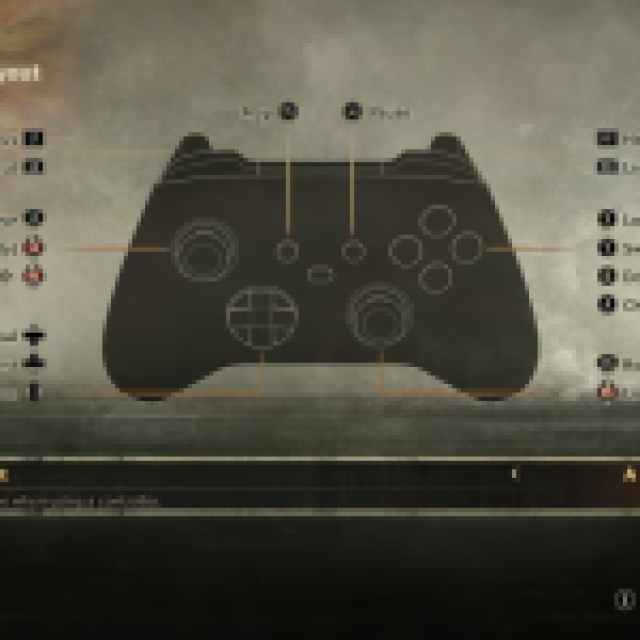


The game has native support for Xbox and PlayStation controllers, with the additional feature to use whatever button prompt style you want as well.

This is a nice addition, especially if you’re using Steam Input and want specific button prompts to display in-game. While Steam claims that a controller is recommended, the game is perfectly playable with keyboard and mouse as well.
If you’d like to see more helpful guides, news, or features from Prima Games, please consider adding us to your preferred sources.


