
How to Get and Use Unstable Molecules in Marvel Rivals
Customize to your heart's content.


Marvel Rivals has quite an array of unique currencies you can claim, with new ones being introduced on a fairly regular basis. It can be tough to determine what each one is used for because of this. One of the rarer currencies you might not know how to use is Unstable Molecules.
Unstable Molecules are a lot less common than most other currencies, so when they do pop up, there’s a decent chance you may be unsure what to do with them. They’re a fun currency for unlocking some exclusive variants you won’t want to miss out on, so here’s how to get and use Unstable Molecules in Marvel Rivals.
How to Get Unstable Molecules in Marvel Rivals
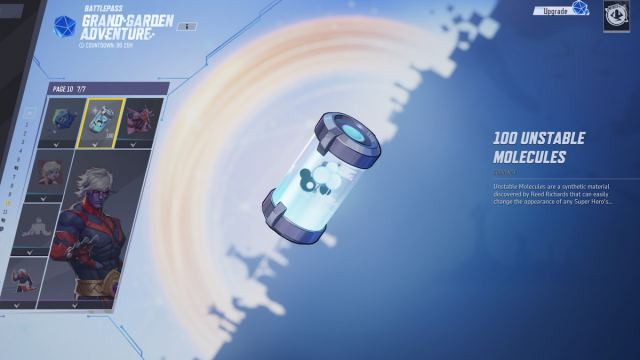
The most common way to get your hands on some Unstable Molecules is through the seasonal battle pass, as they frequently appear throughout the pages as a claimable reward. Special events, which unfold fairly frequently, are also a highly reliable way to get them, as most of them come with at least a few instances where you can claim this item.
If you’ve got funds to spare, you can also exchange Lattice at a 1:1 ratio to buy Unstable Molecules. Overall, though, the best way to get this currency is by tackling the battle pass and events that come up, since there are plenty of free ones available from simply playing the game.
What Are Unstable Molecules Used For in Marvel Rivals?
Unstable Molecules are used to customize certain skins. The exact customization options vary depending on the specific skin, and not all outfits have this feature available. It’s generally reserved for Legendary skins, but a few Epic ones have received some customization options, too.
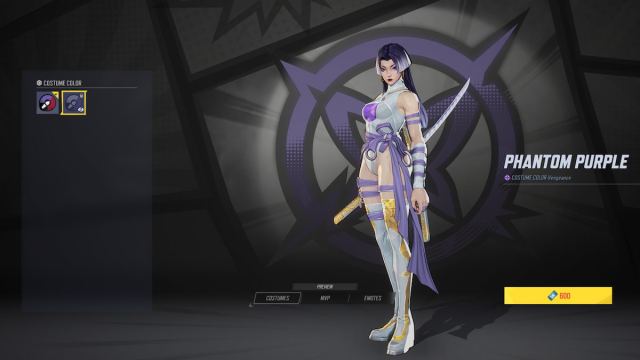
This feature is mainly used to change the color palette of certain outfits. Some skins, though, also have ultimate ability VFX changes you can buy with Unstable Molecules. Skin customizations are the only way you can use this currency, as they have no other use.
How to Use Unstable Molecules in Marvel Rivals
There are a few different ways you can spend and use your Unstable Molecules, depending on where you acquired the skin that can be customized from. It’s a bit tricky to find this feature, especially if you’re not familiar with it.
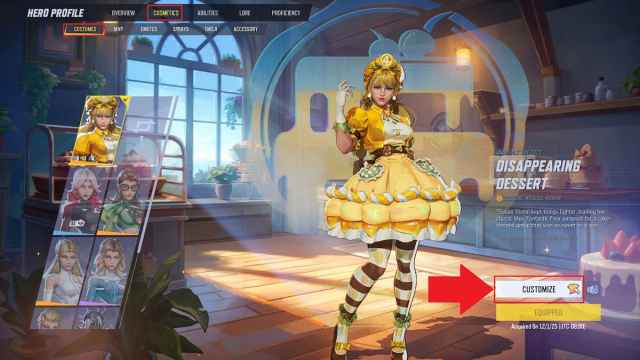
The first, and generally easiest method, since it works for all customizable skins regardless of their origin, is through the Heroes tab.
- Select the Heroes tab, which is the fourth page over, situated right between Events and Store.
- Click on the character you want to customize.
- Switch over to the Cosmetics tab.
- Select the costume you want to change.
- Click the Customize option, which can be found near the bottom right corner. If you don’t see this option, the outfit you’re trying to change doesn’t have any customization options.
- Select the Chromas, which are outfit recolors, you want, or the ultimate VFX you want to buy.
The second method you can use to access this feature is through the Store page.
- Open the Store tab, which is the fifth tab over, right between Heroes and Tournament.
- Scroll down to the Newly Customizable section to review some available options.
- Click the Customize option on your desired skin.
You can’t see all the customizable skins from this page, only the most recently available ones in the shop, so it’s not a very reliable way of finding the right spot to spend your Unstable Molecules. Skins that originated from events also won’t show up here, so stick to the Heroes tab method to ensure you don’t miss out on available customization options.
Now that you know how to customize your skins, it’s time to hit the battlefield and show off your new look. While you’re playing, be sure to tackle some key achievements like Grand Garden Gator, Lost in The Game, The Defenders, Prank of Monkey King, and Blueprints Supreme.


