
How To Fix the Tokyo Xtreme Racer Fatal Error and Audio Issue on PC
It has returned!

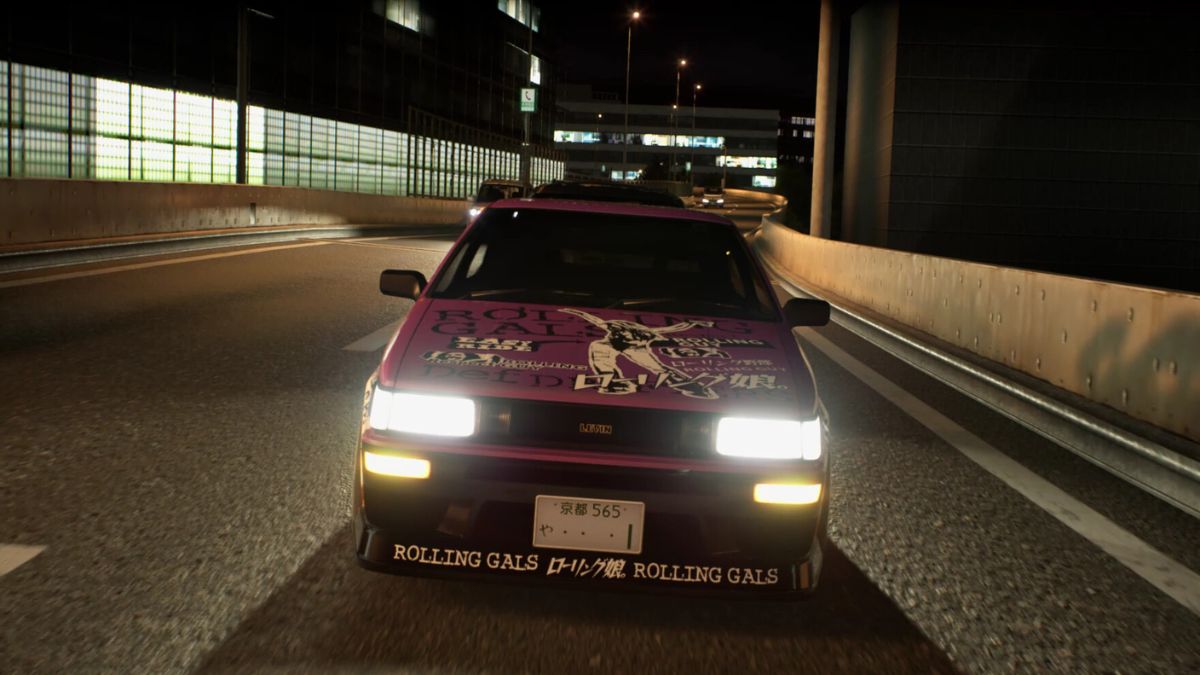
After nearly 20 years since the last major entry in the racing series, Genki is back with Tokyo Xtreme Racer for PC. Currently, in early access, Tokyo Xtreme Racer fills the street racing void that has been growing since the glory days of arcade racers on the PS2. The developers have opted for Unreal Engine here, and while performance is solid for the most part, there are some technical issues here. If you’re running into a Fatal Error, or feel like you’re missing some audio while driving, here is how you can fix these in Tokyo Xtreme Racer.
Fixing the Tokyo Xtreme Racer Fatal Error
The Fatal Error is a fairly common error that shows up in Unreal Engine titles following a crash, and it’s also present in Tokyo Xtreme Racer for some Steam users. This either indicates a clash with some existing third-party software, or something missing or broken on the user’s end.
Uninstall vJoy
If you are using vJoy for a different title, it’s best to uninstall it at the moment. it’s been known to cause conflicts with other releases in the past as well, and multiple users have confirmed that the “Fatal Error” goes away after uninstalling the tool.
Verify Game Files
It’s also possible that something went wrong during the download or installation process, and something is corrupted/missing in the game files. To make sure that isn’t the case, verify the game files in Steam.
- Open Steam and navigate to your library
- Here, right-click on Tokyo Xtreme Racer and select Properties
- In the Installed Files tab, click on Verify integrity of game file

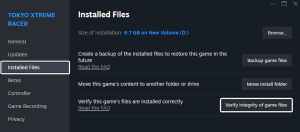
This will scan through the game files and download anything missing/broken. It’s not a huge game so it shouldn’t take more than a couple of minutes.
Use the DirectX 11 Launch Argument
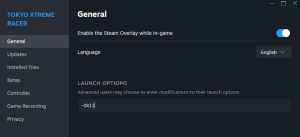
If you have an older GPU, we recommend trying to run Tokyo Xtreme Racer with the DirectX 11 API instead of the default DirectX 12. It’s worth a try and should help users with low-end systems.
- In the Steam library, right-click on Tokyo Xtreme Racer and select Properties
- In the General tab, under LAUNCH COMMANDS, type the following:
-dx11

If none of the suggestions above work, we recommend going through our troubleshooting checklist to make sure you have all the prerequisites for the release.
- Update DirectX and Visual C++ Redistributables (Recommended)
- Update Windows to the latest version
- Update GPU Drivers: NVIDIA – AMD – Intel
- Update your BIOS, especially if you’re using an Intel 13th or 14th-generation processor
- Switch to your dedicated GPU if you’re playing on a laptop
Fixing the Tokyo Xtreme Racer Audio Issues
If you don’t hear audio while playing Tokyo Xtreme Racer, whether during a specific camera perspective, viewing angle, or at all, it is likely tied to spatial audio or other surround sound settings.
- Open the Sound settings of Windows and select your output hardware
- Scroll to the bottom, and make sure “Spatial sound” is set to “Off“

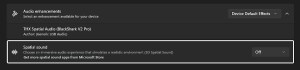
If that doesn’t do the trick, players need to wait for a patch and use a different headset that doesn’t have 7.1 surround sound, which seems to be the common link here.
Technical issues are to be expected with early access releases, and we hope that the Tokyo Xtreme Racer developers continue to patch and address these concerns.


