
How To Fix the Manor Lords Crash at Launch Issue
The usual suspects!


Manor Lords is one of the better Unreal Engine 5 games when it comes to overall performance and stability. It has all the bells and whistles of a modern strategy title with multiple upscalers available to players to maximize performance and visuals. However, this is still an early access title, and with each major update, there are bound to be a few things that break. If Manor Lords is crashing for you at launch, here are a few things you can do to fix that.
Fixing the Manor Lords Crash at Launch Issue
As of Patch 4, Manor Lords can be flagged incorrectly by third-party antivirus software as a threat. This leads to a crash when the game is launched.


To fix this, add the Manor Lords installation folder to your anti-virus exceptions/exclusions list. This issue is especially common if you’re using the Avast anti-virus. In the case of some antivirus programs, you can simply mark the quarantined file (the ManorLords-Win64-Shipping.exe executable, in this case) as trustworthy or safe, which should resolve the issue.
You can access the main installation folder through Steam.
- Right-click on Manor Lords in your Steam library, followed by Manage, and then Browse local files
\steamapps\common\Manor Lords
Once you have added the folder to the list of exclusions, verify the game files to download anything potentially deleted or quarantined by the antivirus.
- Open Steam, and navigate to your library
- Here, right-click on Manor Lords and select Properties
- In the Installed Files tab, click on Verify integrity of game file
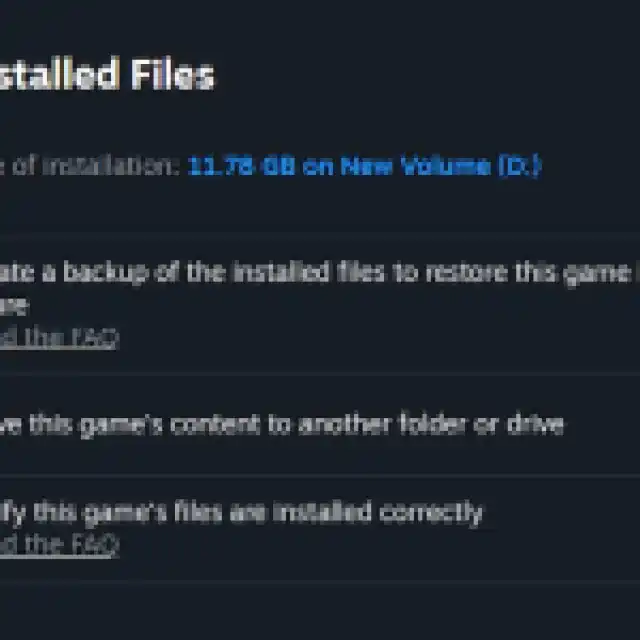

After you’re done, Manor Lords should launch without a hitch. This particular solution is for players who didn’t have the problem before the recent patch.
If you’re new to Manor Lords and have already tried the above approach, we have a few troubleshooting tips that you can run through to make sure everything is in order.
- Update DirectX and Visual C++ Redistributables (Recommended)
- Update Windows to the latest version
- Update GPU Drivers: NVIDIA – AMD – Intel
- Update your BIOS, especially if you’re using an Intel 13th or 14th-generation processor
- Switch to your dedicated GPU if you’re playing on a laptop
As mentioned earlier, Manor Lords isn’t particularly unstable and runs very well on most systems. When you’re finally in though, make sure to check out how you can build Stone Wells in Manor Lords that were introduced in Patch 4.


