
Dark Souls III Starter Guide Gameplay
Controls
Movement
The left analog stick controls your character’s movement. Normally, you turn and move in whatever direction you push. However, it’s possible to lock onto enemy targets by clicking the right analog stick. When you’re locked onto an enemy, your character faces them at all times, so moving left or right causes you to sidestep, and pressing down backs your character away from the target.
It’s useful to switch between lock on and regular movement frequently. It’s easier to run away and get distance from your enemies when you aren’t locked on. Do this to get to safety, to earn time for Stamina to regenerate, or to look for a place to hide and use your Estus Flask.
When you’re on the attack, it’s easier to line up attack combos when you’re locked on.
Move normally when you’re exploring, lock on to tackle most foes, but click the right analog stick again if you need to drop your lock on and get away from an enemy that is gaining the upper hand.
When facing packs of smaller enemies, you may want to avoid locking on and instead use the manual camera control along with quick dodges to avoid being surrounded.
Camera Control
The right analog stick controls your camera. Reposition this to see around corners, to keep your line of sight on a particular target, or to look all over a room when searching for treasure (or threats).
The Shoulder Buttons
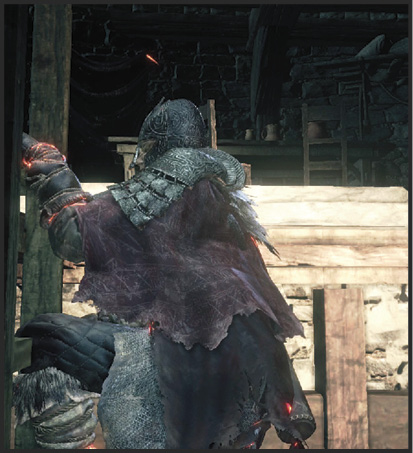
All four of the shoulder buttons control your equipment. The item in your right hand is used with R1/RB and R2/RT. The item in your left hand gets L1/LB and L2/LT. If you’re wielding an item in both hands, all four of the shoulder buttons have different actions depending on what you are holding.
Shield skills are set to L2/LT, and take priority over the weapon skills for that slot, as long as you are wielding a shield.
Each Weapon and Shield has its own timings and moves, so you don’t really know what you’re going to get out of them until you practice. The general rule is that R1/RB / L1/LB are for the basic uses of those items, and R2/RT / L2/LT deal with more specialized behaviors.
For example, a shield in your left hand is used to block with L1/LT.
Hold down the button to keep your shield ready, and let go when you’re done with it. Simple enough. But L2/LT might let you buff your Attack Power with a special skill.
Most one-handed weapons have their basic attack as the first option, while the second action is slower and more damaging. In the case of the Long Sword, the basic attack is a slash and the L2/LT attack is a thrust that can be charged.
Try different uses of these moves. Hold down the button for a heavy attack to see if you can charge it for even more damage (and to mix up your timings).
Many weapons are also sensitive to movement and stance, producing new attacks when wielding it two-handed, sprinting, or coming out of a combat roll.
The Menu
Although you can’t pause the game, there is a menu that you can bring up with the Options/Start button. Try this to see what’s available!
This is how you get to several important screens: Equipment, Inventory, Status, Message, and System.
The System Menu has a number of options to explore. Take your time working with these options until you find the control scheme that is ideal for your playstyle. Be especially focused on Camera Speed, Brightness, and Camera Axis. All of these influence the game considerably, so it is a good idea to find a setup that you enjoy most.
The Status Screen lets you look at your character and their stats. Inventory allows you to use some of your Tools and to read descriptions for all of the items that you find.
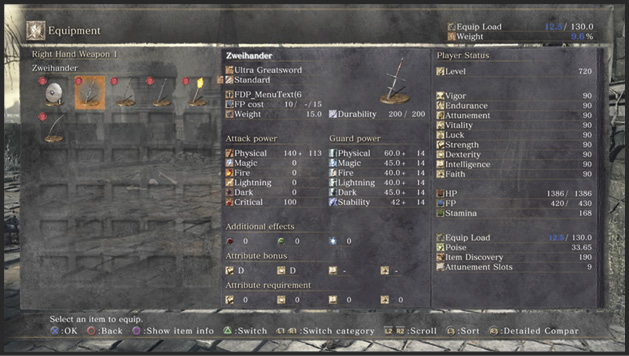
Check out the Equipment Screen to set up your hotbars, change Armor, choose Weapons, etc.
Interaction
Use  on the PS4 and
  on the Xbox One to Interact with objects. This lets you pick up items, open doors, turn cranks, etc.
Use Tool
Press  on the PS4 and
  on the Xbox One to use the Tool you have selected. Hurl Throwing Knives, use an Estus Flask, etc.
Dodge
Use  on the PS4 and
  on the Xbox One to dodge in the direction that you aim with the movement stick. If you’re standing still, this move causes your character to suddenly backstep. Both of these maneuvers are critical for staying alive. Practice dodging constantly. Roll behind your enemies, jump back to avoid a heavy attack, or dodge to quickly evade lethal assaults.
Over time, you will learn when it’s best to dodge, shield block, or parry, but this is something that takes days or even weeks of play to master. If you’re new to Dark Souls III, try to dodge the heavier attacks and block the lighter ones. This is a safe start on your journey to mastery.
Alternate One-Hand and Two-Hand Stance
Press  on the PS4 and
  on the Xbox One to alternate between one-handed and two-handed stances for your current weapon. This makes it easy to switch to heavier attacks briefly, and then to go back to using a shield or another weapon while your enemy recovers.
If you press and hold the button, you switch to two-handed use of an item that is in your left hand instead!
Many heavy and ultra-heavy weapons function best when used two-handed, experiment to get a feel for their move sets when used with one or two hands.