
How To Disable the Depth of Field Effect in Death Stranding 2 on PC
Chromatic aberration next, please.

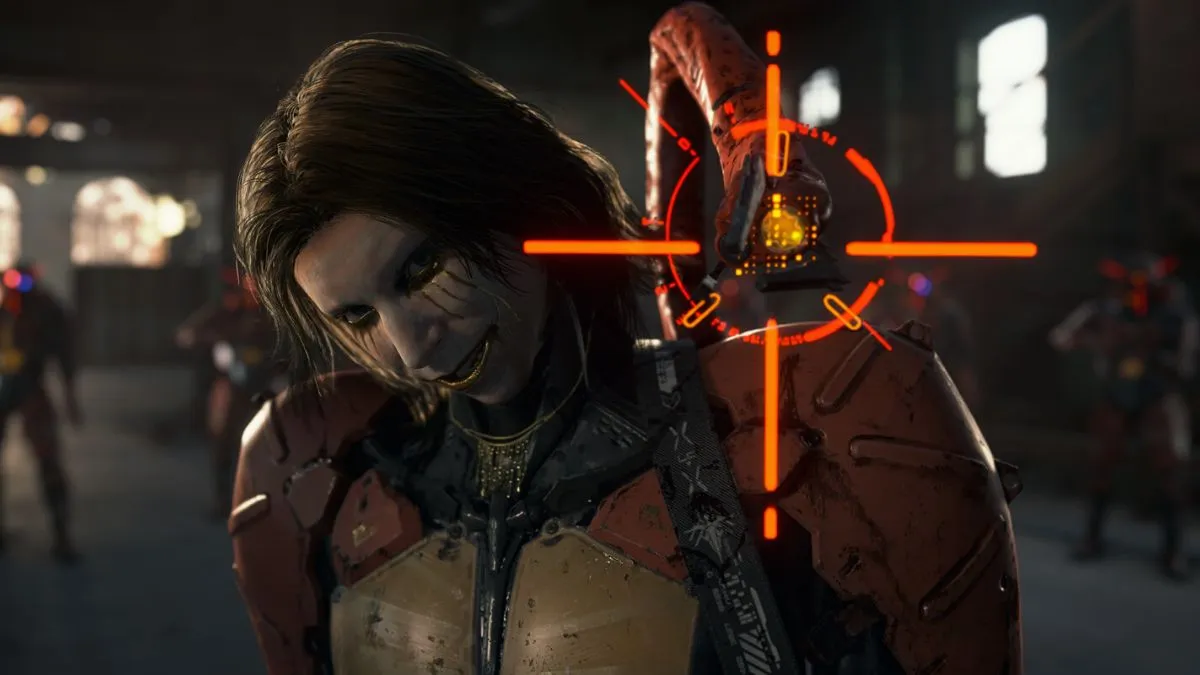
Death Stranding 2: On the Beach is yet another solid PC port from Nixxes Software and Kojima Productions with minimal technical issues. Despite a large number of options to tweak, post-processing effects like depth of field can’t be disabled individually.
Here’s how you can disable that in Death Stranding 2 using a patch created by modder Lyall.
Disable the Depth of Field Effect in Death Stranding 2
The latest version of Lyall’s DeathStranding2Fix includes the option to disable depth of field, and here is how you can enable that.
- Make sure Death Stranding 2 isn’t running on Steam.
- Head over to the following Codeberg link and download the latest patch file by clicking DeathStranding2Fix_0.0.3.zip (or whatever version is latest) under Downloads.
- Head over to where Death Stranding 2 is installed and extract the zip file (using WinRAR or 7zip). The following is the generic Steam installation path:
steamapps\common\DEATH STRANDING 2 - ON THE BEACH
- Now, in the installation folder, open the DeathStranding2Fix.asi file using a text editor like Notepad or Notepad++.
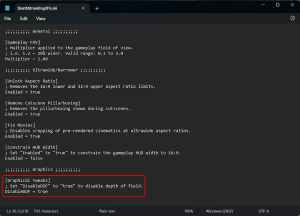
- At the bottom, under [Graphical Tweaks], set the value of DisableDOF to true from false. It should look like this:
- Save the file (Ctrl+S) and exit the editor.
This will disable the effect entirely in-game, removing it from cutscenes, conversations, the menu, and any gameplay scenarios. Here’s a quick comparison of what the game looks like with the patch installed. The effect in this instance is applied on Sam.


Outside of being able to disable this effect, DeathStranding2Fix also comes with the following features:
- Adjust gameplay FOV.
- Support for any aspect ratio.
- Disable cutscene pillarboxing.
- Constrain gameplay HUD to 16:9.
- Fix cropped pre-rendered cinematics.
It’s largely for ultrawide monitors, but as always, Lyall has gone the extra mile to improve the PC port. All credits go to Lyall for creating and testing the patch. Their contributions are incredibly helpful for PC gamers, and you can learn about their work on their Patreon. There is a chance that Lyall will update this patch with new potential features to keep an eye on the releases page.
If, for whatever reason, you want to disable the entire patch or any specific feature, you can either delete the patch files or set the feature’s value to false in the DeathStranding2Fix.asi configuration file.
I’m not sure why the in-game settings don’t have a toggle for depth of field, and you’re only allowed to adjust its quality level. It’s used quite liberally in the game’s presentation, but comes at the obvious cost of clarity, which some might not like. Either way, I think giving players the option to disable it should be something Nixxes should consider for an upcoming patch.
You can’t disable chromatic aberration either, which is something I hope Lyall will add as an option in an update to his patch.


