
Fatal Frame II Crimson Butterfly Remake Complete Controls for Controller and PC
Press space to hold hands.


Fatal Frame II: Crimson Butterfly Remake is out now on PC and consoles, and it’s yet another fantastic revival of a classic horror title from the early 2000s. It’s playable with a variety of input methods and has a few changes introduced for a modern control scheme, too.
Here are the complete controls for Fatal Frame II: Crimson Butterfly Remake, whether you’re playing on keyboard and mouse or a controller.
Fatal Frame II Crimson Butterfly Remake Complete Controls for Controller
Here are the complete controls for Fatal Frame II: Crimson Butterfly Remake, whether you’re playing on an Xbox or PlayStation controller. I’ve separated the default modern and classic presets.
Modern Controls
| Action | Mode | Xbox | PlayStation |
|---|---|---|---|
| Flashlight | Search Mode | LB | L1 |
| Open Map | Search Mode | D-Pad Up | D-Pad Up |
| Switch Item (Left) | Search Mode | D-Pad Left | D-Pad Left |
| Use Item | Search Mode | D-Pad Down | D-Pad Down |
| Switch Item (Right) | Search Mode | D-Pad Right | D-Pad Right |
| Run | Search Mode | LS (Press) | L3 (Press) |
| Interact / Hold Hands | Search Mode | RT | R2 |
| Turn Around | Search Mode | RB | R1 |
| Camera Obscura | Search Mode | LT | L2 |
| Open Menu | Search Mode | X | Square |
| Evade | Search Mode | A | Cross |
| Crouch | Search Mode | B | Circle |
| Reset Camera | Search Mode | RS (Press) | R3 (Press) |
| Switch Zoom | Camera Mode | Y | Triangle |
| Flashlight | Camera Mode | LB | L1 |
| Focus: Long Range | Camera Mode | D-Pad Up | D-Pad Up |
| Switch Film (Left) | Camera Mode | D-Pad Left | D-Pad Left |
| Focus: Close Range | Camera Mode | D-Pad Down | D-Pad Down |
| Switch Film (Right) | Camera Mode | D-Pad Right | D-Pad Right |
| Quick Aim | Camera Mode | LS (Press) | L3 (Press) |
| Shoot | Camera Mode | RT | R2 |
| Special Shot | Camera Mode | RB | R1 |
| Camera Obscura | Camera Mode | LT | L2 |
| Switch Filter: Shift | Camera Mode | X | Square |
| Evade | Camera Mode | A | Cross |
| Crouch | Camera Mode | B | Circle |
| Target Lock | Camera Mode | RS (Press) | R3 (Press) |
Classic Controls
| Action | Mode | Xbox | PlayStation |
|---|---|---|---|
| Flashlight | Search Mode | LB | L1 |
| Open Map | Search Mode | D-Pad Up | D-Pad Up |
| Switch Item (Left) | Search Mode | D-Pad Left | D-Pad Left |
| Use Item | Search Mode | D-Pad Down | D-Pad Down |
| Switch Item (Right) | Search Mode | D-Pad Right | D-Pad Right |
| Run | Search Mode | LS (Press) | L3 (Press) |
| Interact / Hold Hands | Search Mode | RT | R2 |
| Turn Around | Search Mode | RB | R1 |
| Camera Obscura | Search Mode | LT | L2 |
| Open Menu | Search Mode | X | Square |
| Evade | Search Mode | A | Cross |
| Crouch | Search Mode | B | Circle |
| Reset Camera | Search Mode | RS (Press) | R3 (Press) |
| Switch Zoom | Camera Mode | Y | Triangle |
| Flashlight | Camera Mode | LB | L1 |
| Focus: Long Range | Camera Mode | D-Pad Up | D-Pad Up |
| Switch Film (Left) | Camera Mode | D-Pad Left | D-Pad Left |
| Focus: Close Range | Camera Mode | D-Pad Down | D-Pad Down |
| Switch Film (Right) | Camera Mode | D-Pad Right | D-Pad Right |
| Quick Aim | Camera Mode | LS (Press) | L3 (Press) |
| Shoot | Camera Mode | RT | R2 |
| Special Shot | Camera Mode | RB | R1 |
| Camera Obscura | Camera Mode | LT | L2 |
| Switch Filter: Shift | Camera Mode | X | Square |
| Evade | Camera Mode | A | Cross |
| Crouch | Camera Mode | B | Circle |
| Target Lock | Camera Mode | RS (Press) | R3 (Press) |
Fatal Frame II Crimson Butterfly Remake Complete Controls Keyboard and Mouse
Here are the complete controls for Fatal Frame II: Crimson Butterfly Remake if you’re playing the game on a keyboard and mouse.
| Action | Input |
| Walk | W, A, S, D |
| Camera controls | I, K, J, L / Mouse |
| Raise / Lower Camera Obscura | Right Mouse Button |
| Crouch / Stand | Left Ctrl |
| Evade | C |
| Flashlight | T |
| Description | Z |
| Switch Window | ESC |
| Run | Left Shift |
| Investigate | F |
| Hold hands | Space |
| Use item | R |
| Switch item | Mouse Wheel Up / Down |
| Open menu | Tab |
| Open map | M |
| Turn around | B |
| Reset camera | Mouse Wheel Button (Click) |
| Shoot (attack) | Left Mouse Button |
| Special Shot | F |
| Quick look | V |
| Target lock | G |
| Switch film | Q / E |
| Switch filter | 1, 2, 3, 4 |
| Switch Zoom / Focus | Left Shift |
| Zoom In | Mouse Wheel Up |
| Zoom Out | Mouse Wheel Down |
| Focus: Close Range | Mouse Wheel Up |
| Focus: Long Range | Mouse Wheel Down |
Can You Rebind Controls in Fatal Frame II Crimson Butterfly Remake?
Yes, you can rebind both the keyboard and mouse controls and controllers. In the case of the controller, you need to switch to the custom preset instead of Classic or Modern, and you’ll be given the option to edit the control scheme.
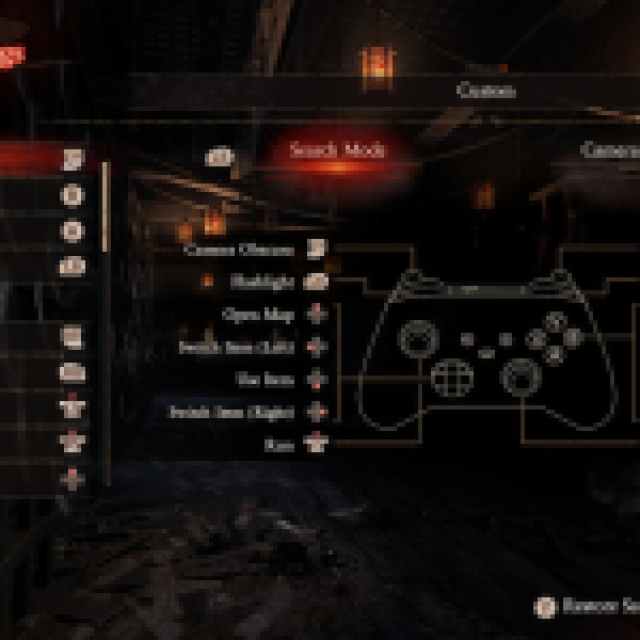
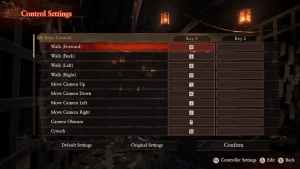
You can also switch between different button prompt types in the settings.


